30초 요약
Theo Browne investigates sustained CPU use in the browser GPU process while running T3 Code. He shows how controlled CSS toggles, browser isolation and human inspection revealed interacting rendering effects, while coding agents supplied useful diagnostic tools but unreliable initial theories.
- 1An idle page consumes resourcesTheo observes high CPU use in the browser GPU process, especially on a high-resolution display.
- 2A confident but ineffective fixAn agent rewrites substantial network and React logic without materially improving the reported symptom.
- 3A switchboard for experimentsAn agent-built console helper temporarily disables groups of CSS effects; separate tests narrow the investigation.
- 4Effects interactTheo finds that continuous animation, backdrop blur and a full-page noise overlay combine in his setup.
- 5Other tabs complicate measurementClosing separate Claude windows lowers the shared GPU-process CPU reading.
핵심 정리
- A responsive page can still keep the browser’s GPU process busy.
- The task manager’s GPU-process CPU reading is shared across tabs and is not GPU utilization.
- Toggle candidate effects separately and repeat measurements to narrow a rendering problem.
- Animations, overlays and blur can interact; a result on one machine does not prove a universal rendering rule.
- Agents can build useful diagnostic tools even when their confident initial explanations are wrong.
챕터별로 다듬은 전문 읽기
The symptom and the misleading first fix
An idle-looking page makes Theo’s laptop hot. A large agent-generated performance patch does not solve the observed problem.
I want to talk about web performance and a problem that coding agents both helped create and failed to diagnose correctly. GPT-5.6 and Fable are powerful, but the available tooling and the way they reason about an issue can still leave a human doing the crucial investigation.
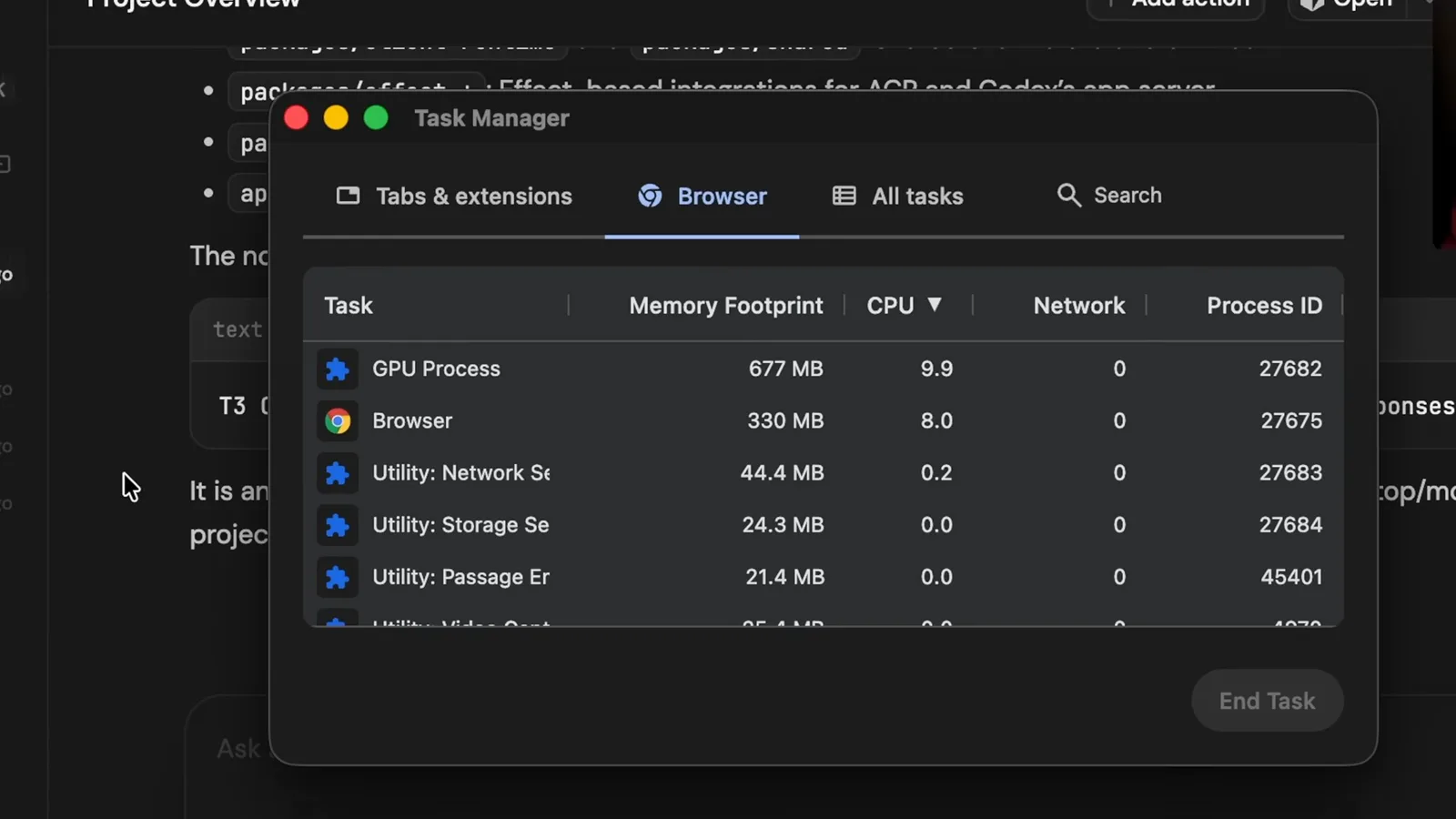
T3 Code looked responsive, yet the browser’s GPU process used around 13–15% CPU at 720p and, on my larger high-resolution display, could reach about 50%. This is CPU usage attributed to the GPU process, not a measurement that the GPU itself was 50% utilized. A simple idle interface should not make my laptop this hot.
The issue took roughly a day and a half of intermittent work and conversations with performance specialists. A Tailwind animation class was involved, but the result was more subtle than one class being inherently bad: the interaction of ongoing animation, blur and a full-page noise layer mattered in this particular layout.
I had been using T3 Code heavily, with many threads and pull requests in progress. When I streamed games remotely at high frame rates, my laptop got hot; the next morning it was still warm after the game was closed. That made me investigate the browser instead of assuming the streaming setup was the sole cause.
The agent harnesses were running on other computers, so their resource usage should not explain the heat on my local machine. Browser performance tools showed little that looked alarming in JavaScript or layout, yet the GPU process remained busy. A responsive page can still consume substantial resources in the rendering pipeline.
The browser task manager’s GPU process is shared, not attributed to one tab. I opened a separate Chrome instance with only T3 Code, then navigated to a different site. The GPU-process CPU number dropped substantially, giving me stronger evidence that this page was involved.
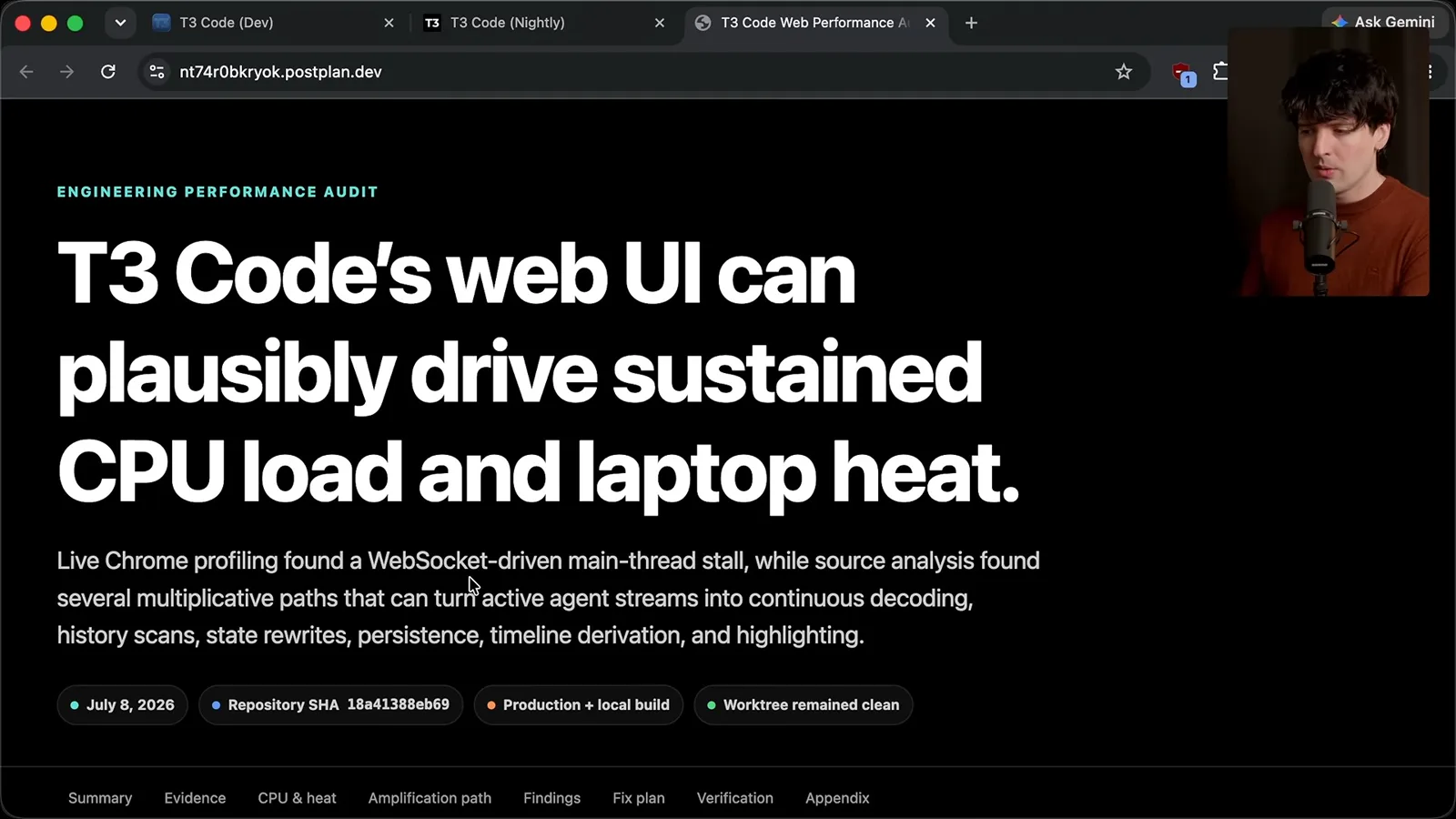
I initially gave Codex a vague description. Its report proposed WebSocket and React update paths, and it produced a large change that it confidently described as a fix. In my use, the change did not materially improve the symptom; a plausible explanation and a large patch were not evidence that the observed issue was solved.
Isolating the rendering issue
Theo isolates the browser and has an agent build CSS switches. He narrows the issue with repeated measurements.
After isolating the browser, I focused on rendering work that might recur at high frequency, particularly on a 120 Hz high-DPI screen. I asked the agent to inventory code that could trigger rendering or GPU work. This changed its role from deciding the answer to helping me test hypotheses.
A browser-generated summary and both agents repeatedly pointed at an Ultra Think effect. That effect only appears in a specific Claude Code state, while I saw the problem when using Codex without it. The suggestion was a useful reminder to check whether a suspected component is even present during reproduction.
I asked for a console helper that could temporarily disable groups of CSS effects on the running page. It exposed switches for things like animation, blur, filters, shadows and noise. Applying all of them reduced the GPU-process CPU reading to about 3%, though the page’s appearance broke; resetting brought the number back up.
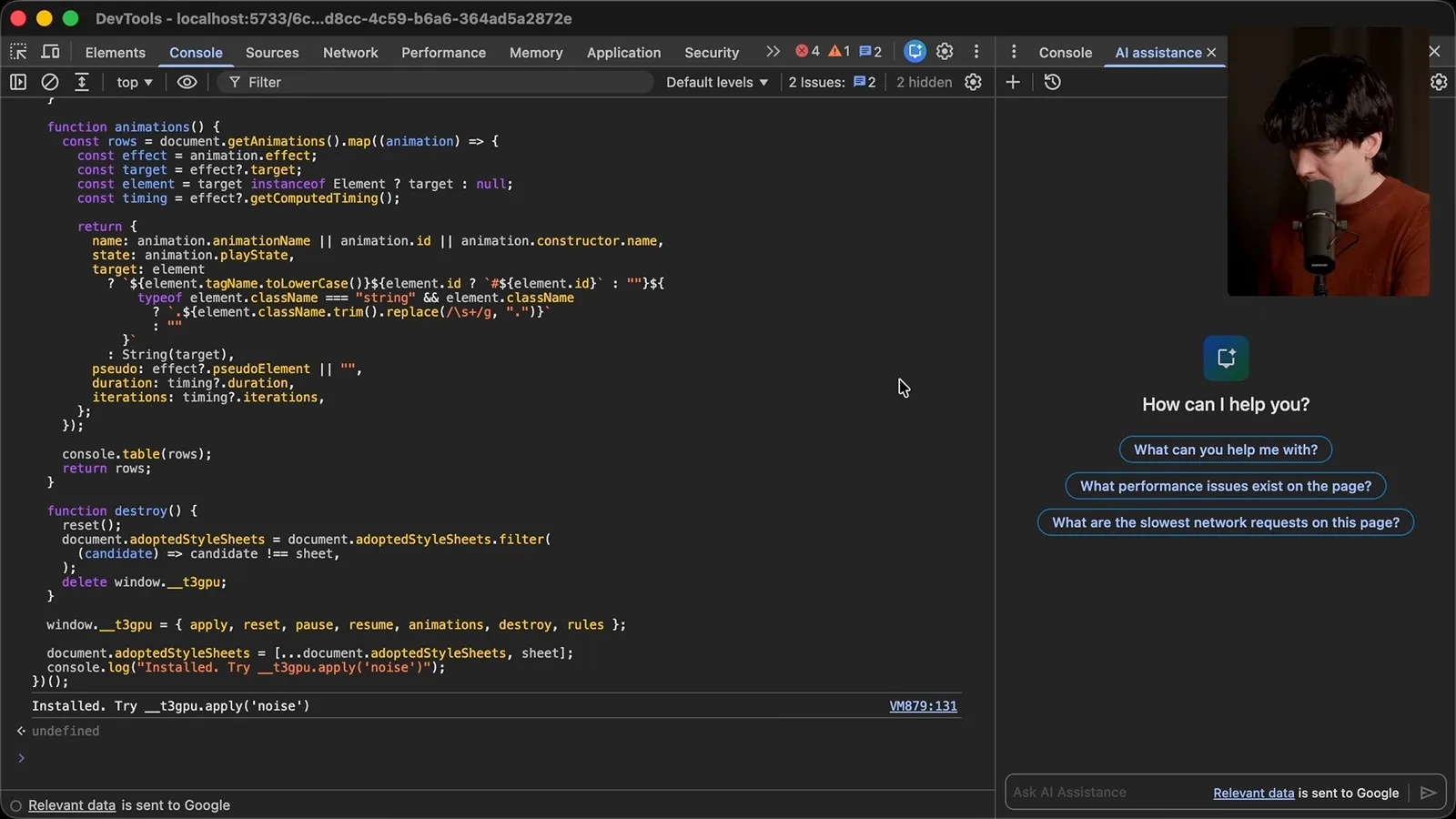
That was not a finished diagnosis: changing several things at once only established that the group mattered. I tested noise and blur separately, then disabled animations and saw a much larger drop. The helper’s initial animation switch also disabled transitions, so we split those controls to investigate more precisely.
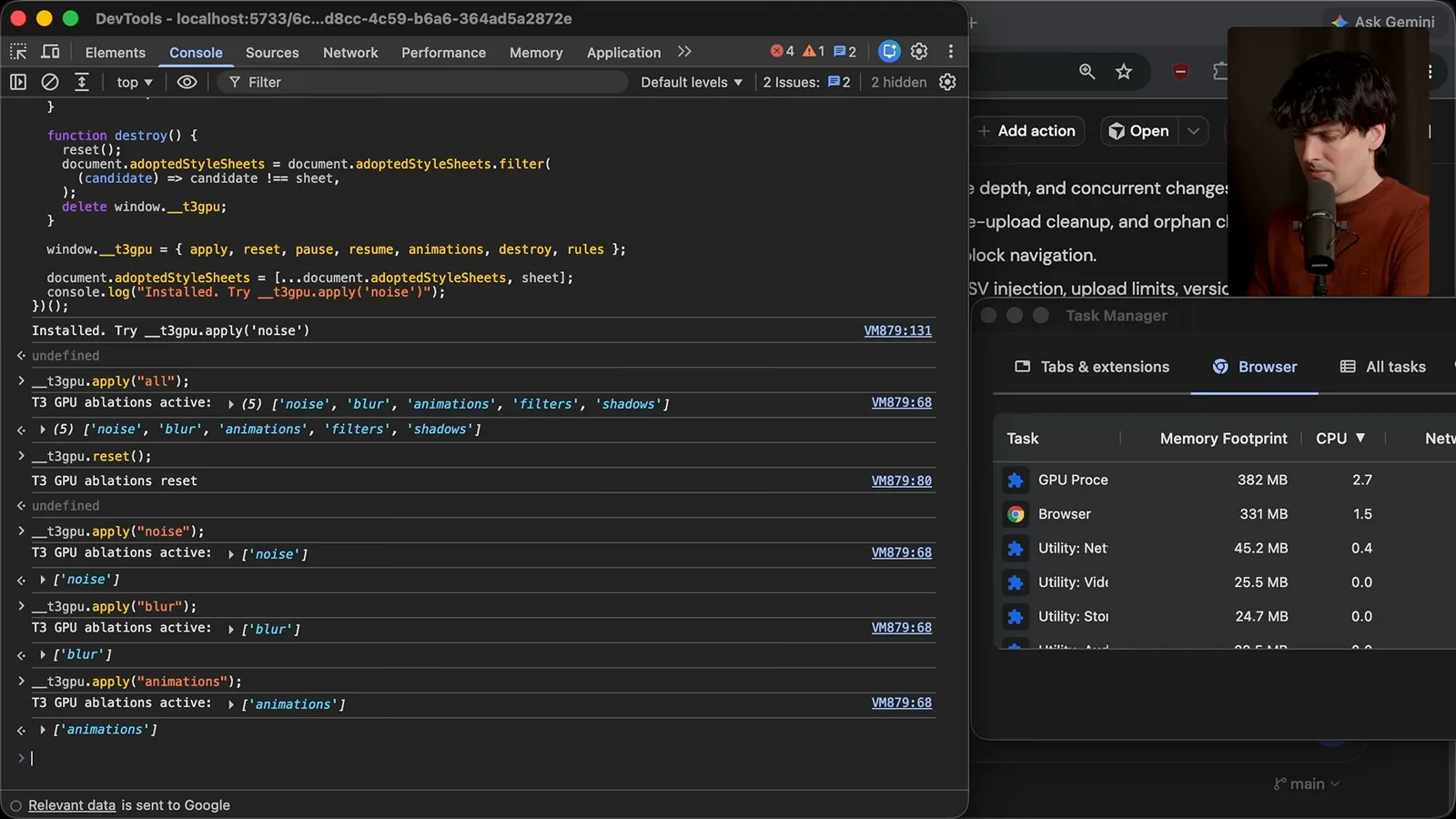
The agent helped enumerate and pause animations, and I supplied the actual measurements back to it. I also closed DevTools during some checks because opening developer tools can alter page behavior and performance. The task manager was useful for this comparison, but its shared-process scope still required care.
Animation, blur and the noise layer
Status pulses and compositing effects interact in the tested layout. The visual fix also needs careful tuning.
Pulsing sidebar indicators, including a terminal icon, proved important in my tests; the context ring did not have the same effect. The model suggested that continuous opacity animations could keep compositor work active on a high-refresh screen. That was a hypothesis about the rendering path, not a general rule that every pulse is expensive.
The first proposed fix removed or shortened a pulse, which I disliked visually and thought too narrow: other status indicators mattered as well. A slower blink was only a little better in my test and did not look right. Improving a metric is not enough if the fix damages the experience or misses related cases.
I moved a parallel investigation to Fable on a separate Linux machine so the agents could work without stepping on one another. Fable produced an animation inventory, initially prioritizing the loading skeleton and Ultra Think effects, neither of which explained the idle case I was testing.
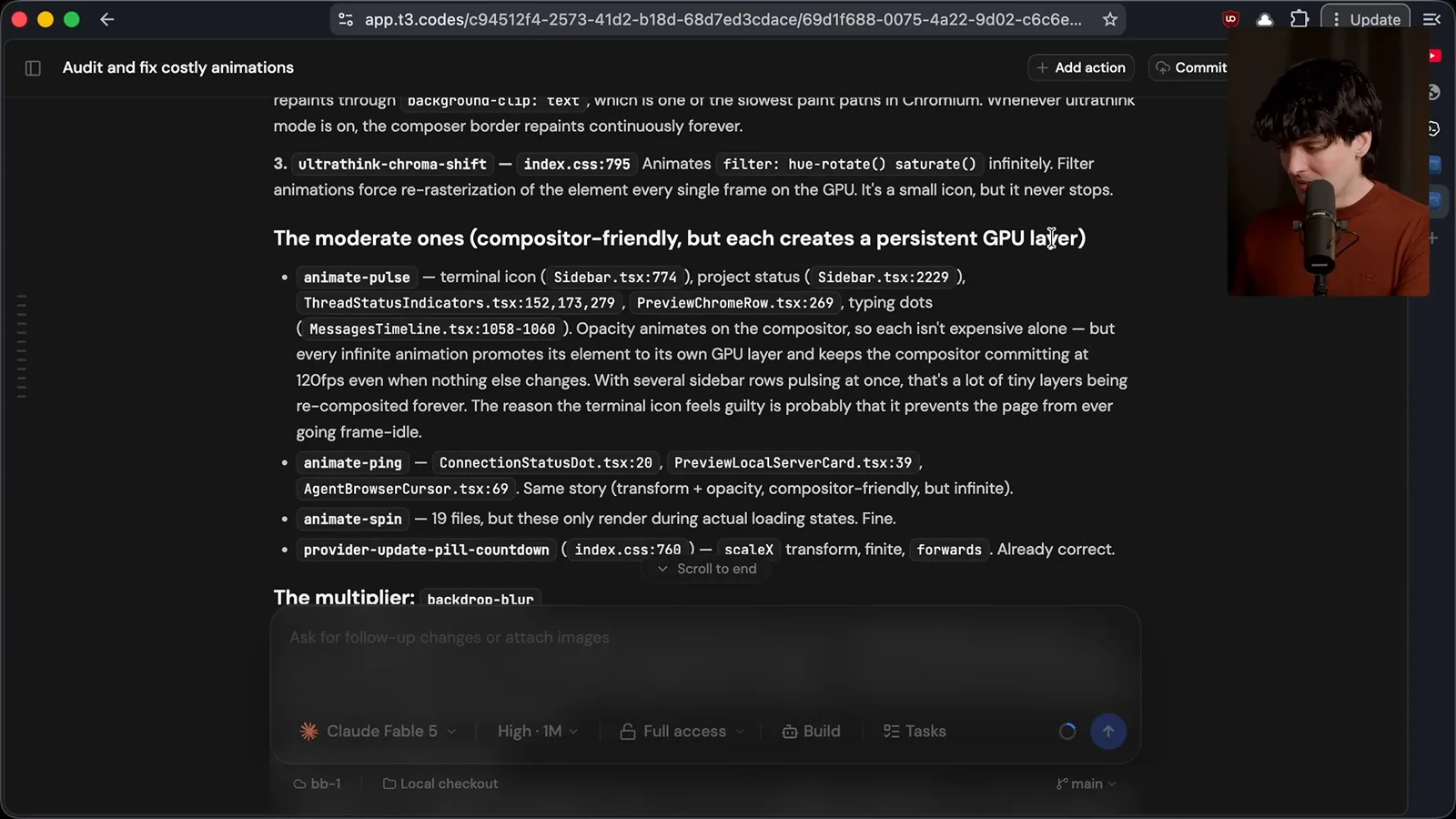
Further down the inventory were the recurring status pulses and a possible multiplier: backdrop blur. The agent suggested that a changing surface behind a blurred layer can increase rendering work. That explanation helped guide investigation, but the precise browser behavior depends on the scene, browser and hardware.
The page also had a low-opacity noise overlay intended to make its gray surfaces less flat. In my setup, that full-page effect combined with blur and continuous animation to produce the serious idle cost. Noise alone had not explained the problem in my earlier toggle test; the combination was the key observation.
The first visual fix introduced mismatched gray areas, especially noticeable on my HDR displays. I removed the full overlay and spent time tuning colors; agent suggestions repeatedly changed the wrong surface. The final result needed both performance checks and a human visual pass.
Other tabs and the role of agents
Separate browser windows explain a misleading post-fix reading. Theo reflects on human-guided diagnosis and agent-built tools.
After shipping the fix, I returned to my usual browser and saw a high GPU-process CPU reading again. I thought the merge might have failed, so I closed tabs and investigated rather than immediately assuming the patch was ineffective. The shared process made this an important control.
I had forgotten two other browser windows with Claude pages open. Closing them brought the number down to where I expected. I observed substantial idle cost from those pages on my machine, but this is a local observation, not a benchmark establishing the behavior of every version or device.
I have seen performance regressions in other agent interfaces as well, which is part of why I built an open-source alternative. Even with a large user base, I still spent two late nights tracking down this issue. More capable models did not eliminate the need to reproduce, measure and understand the problem.
The agents were valuable: they searched the code quickly and built custom tools to test my theories. Their confident diagnoses and proposed fixes were often wrong, but the tools made the investigation much faster than doing everything manually. My experience supplied the questions and interpretation that guided those tools.
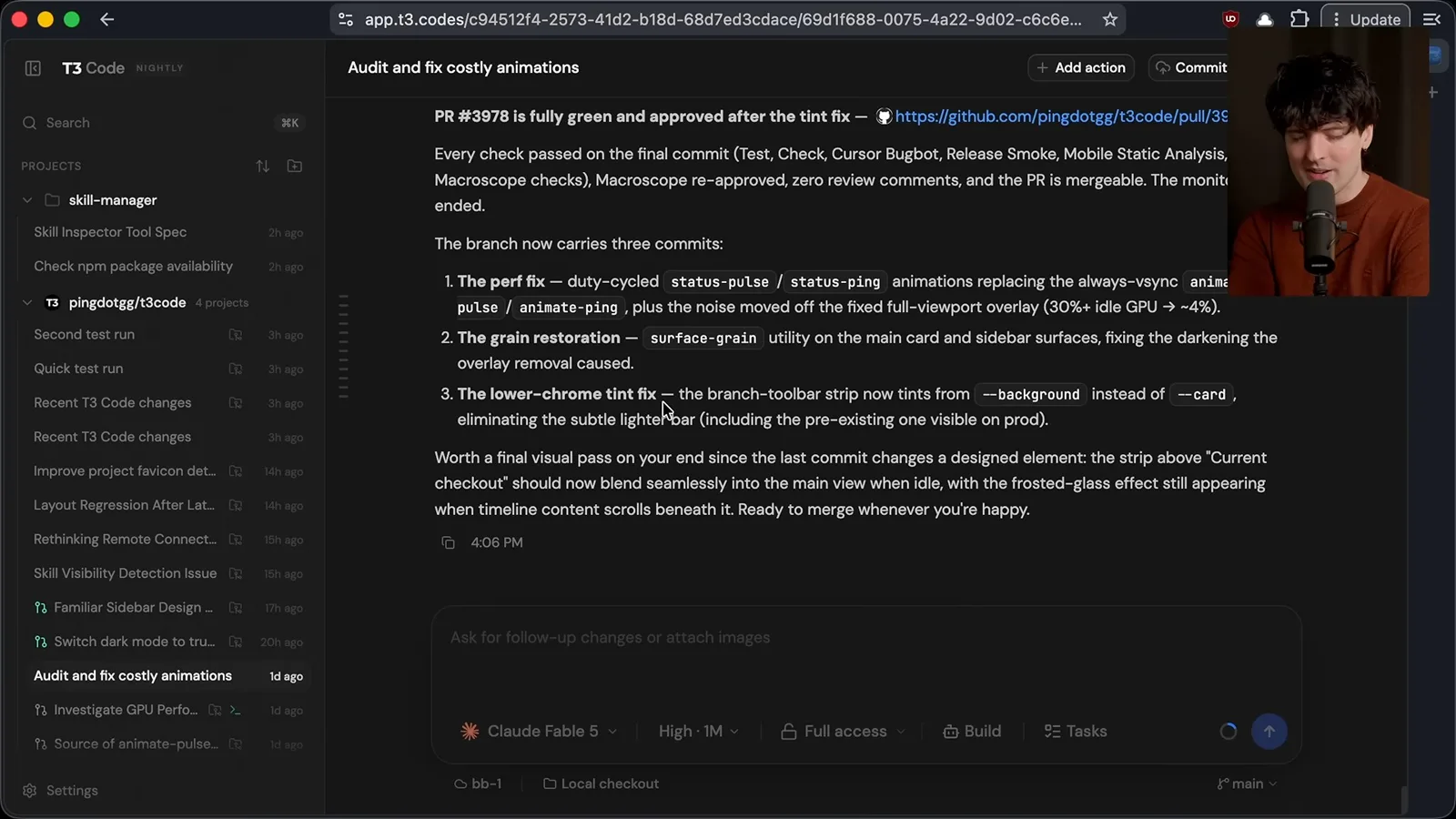
The final change adjusted the status animations and moved the grain away from the fixed full-viewport overlay, then corrected the visual tint. I am pleased with the improvement in my setup. The lesson is to steer agents with evidence and use them to build diagnostic leverage even when they cannot independently find the answer.
An agent does not have to know the solution to be useful. It can help search, construct experiments and compare results while the engineer remains responsible for the question, the measurement and the final judgment.
같은 채널의 다른 글
 38:47EN
 Theo - t3․gg· 2026년 10월 28일Theo’s Long-Running Agent Experiments: Verification, Compute and CostTheo Browne · Ping LabsA skateboard game and two compiler projects show how repeated checks and flexible compute can sustain agent work—and how expensive those loops can become.
 36:07ENTheo - t3․gg· 2026년 10월 27일Theo on Token Costs, Coding Agents, and the Price of AI CapabilityTheo Browne · Ping LabsA viral estimate of Lauren's AI spending prompts a closer look at cache pricing, benchmarks, and the changing work of coding agents.
 30:37ENTheo - t3․gg· 2026년 10월 26일Theo’s Three Skills for Reviewing and Shipping with Coding AgentsTheo Browne · Ping LabsHow sol-loop, full-send and full-stop encode review, verification and different levels of merge authority.
 0:43ENTheo - t3․gg· 2026년 10월 23일Theo Distinguishes Security Vulnerabilities from Active AttacksTheo Browne · Ping LabsA short explanation of why disclosed software flaws and reported attacks are different kinds of security news.
 29:22ENTheo - t3․gg· 2026년 10월 22일Theo on Security Vulnerabilities, Stolen API Keys and AITheo Browne · Ping LabsA look at the gap between vulnerability disclosure and patching, and a speculative account of why stolen inference keys may be valuable.
 31:13ENTheo - t3․gg· 2026년 10월 20일Theo on Why Smarter Models Help More Than DevelopersTheo Browne · Ping LabsFrom game modifications to compiler experiments, Theo revisits his assumptions about who benefits from more capable AI.