30초 요약
Theo Browne describes adapting his computer workflow while recovering from a hand injury. He uses a close microphone and dictation, his phone, documented machine access and coding agents to handle tasks that are hard to type or navigate. He also discusses computer-use verification and his own experience with autonomous PR merges. His results are personal reports, and the appropriate permissions and review depend on the task and consequences.
- 1Describe the taskTheo finds dictating source-code syntax difficult, but uses voice to describe work for an agent.
- 2A close microphoneA small desk microphone lets him dictate quietly in an office; he suggests trying the built-in microphone first.
- 3Document the fleetHis fleet project describes machines and connections, helping an agent perform tasks across them.
- 4Verify before handoffHe asks agents to use computer interaction, review tools and additional checks before reporting back.
- 5Autonomous mergesTheo reports his own experience with roughly 150 merges and two noticed regressions; this is not a controlled comparison.
- 6Reduce navigationHe asks an agent to summarize recent PRs and uses an in-app viewer to inspect them.
핵심 정리
- Voice dictation works best for Theo when he describes an outcome rather than spelling code aloud.
- A close microphone and one-handed window or phone navigation can reduce interaction friction.
- Documented machine context lets an agent find resources and perform multi-step tasks.
- Describe separation and other constraints explicitly when asking an agent to set up an experimental environment.
- Agent verification and autonomous merging require task-appropriate authority, checks and human oversight.
- Personal reports of productivity or regressions are not controlled comparisons or guarantees.
챕터별로 다듬은 전문 읽기
Working around a hand injury
Theo describes why typing and navigation became difficult, and how his use of agents changed. He frames the video as both a personal account and practical workflow discussion.
A hand injury has left me in and out of a cast and made typing, shortcuts and navigation difficult. Although I used to type quickly, I have had to change how I work. This is a personal account of those adjustments, as well as a collection of ideas that might help other people who want to interact with a computer differently.
‘Coding without typing’ is really a story about staying productive without typing as much. Dictating the exact syntax of a function is awkward for me. Voice transcription and coding agents are useful because I can describe what I want and let the software work out the implementation.
The problem extends beyond writing code: switching applications and using keyboard shortcuts are uncomfortable with one hand. One small change is to leave edges of two windows visible rather than make both full screen, so I can switch with the mouse. I look for ways to make the remaining hand do less work.
Phone, dictation and microphone
He uses one-handed phone input and voice dictation. A close microphone makes quiet dictation more comfortable in his office.
My phone is easier for me to use one-handed because I have long used swipe typing. I have also invested in mobile interfaces for the tools I use, including T3 Code, so I can start or check work from the phone. Accessibility needs and the best input method will differ from person to person.
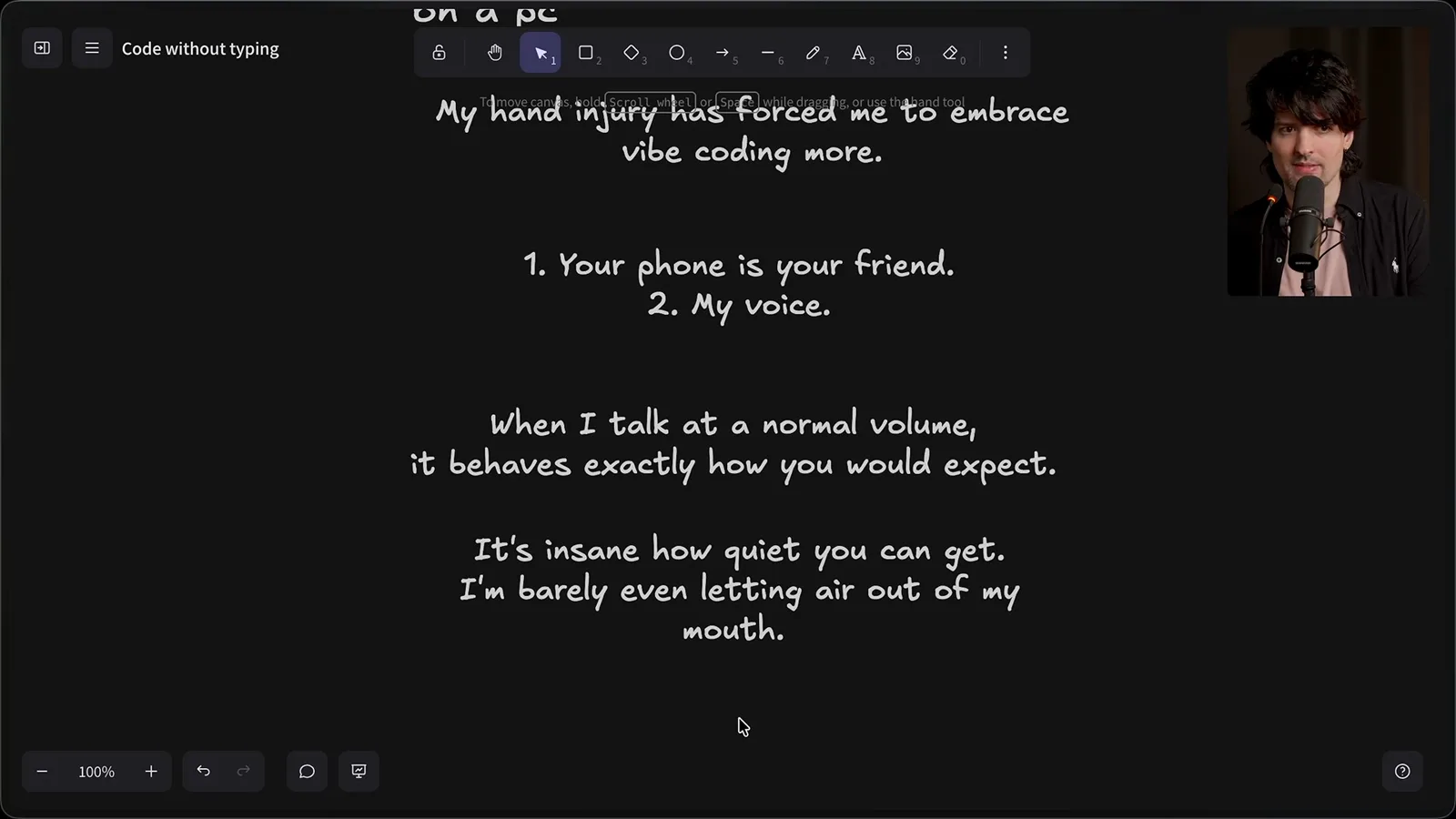
Voice dictation lets me get thoughts onto the screen, but it does not by itself switch apps or navigate the computer. I also felt uncomfortable speaking to my laptop around coworkers. That social friction mattered even though I talk on camera all the time.
A small close microphone changed that for me. I can speak much more quietly than I expected, and in my demonstration the dictation tool still understands me. I suggest trying the built-in laptop microphone first at a normal volume; the separate microphone helped me most with whispering at my desk.
The microphone cost about $70 when I bought it, and I find the combination handles office background noise well. In one demonstration, a video plays nearby while I dictate. That is my experience with this particular microphone, software and environment, not a guarantee of noise rejection elsewhere.
I use Whisper Flow and have complaints as well as praise. Ben Davis has had good results with a local alternative, and other tools may work too. The change that mattered to me was being able to dictate without feeling that I was disturbing everyone around me.
Delegating computer tasks
He describes a documented fleet of machines, a file-transfer task and an isolated experimental app build. He also recounts using computer interaction to organize medical records.
Using a terminal by voice has been particularly unpleasant for me, so I have largely stopped using it directly. Instead, I use agents and graphical interfaces for many of the operations I previously typed. That is a preference shaped by my injury and tools, not a rule that terminals are unsuitable for everyone.
One important project on my computer is called fleet. It documents my machines, what they are for, how to connect to them and what is installed. This gives an agent the context to carry out a task across computers without my manually entering every command.
For example, I was downloading a game file on one computer and wanted it on another. I told the agent where the file would appear and where to copy it, even before the download had finished, then left it to wait and transfer it. It notified me when the task was done.
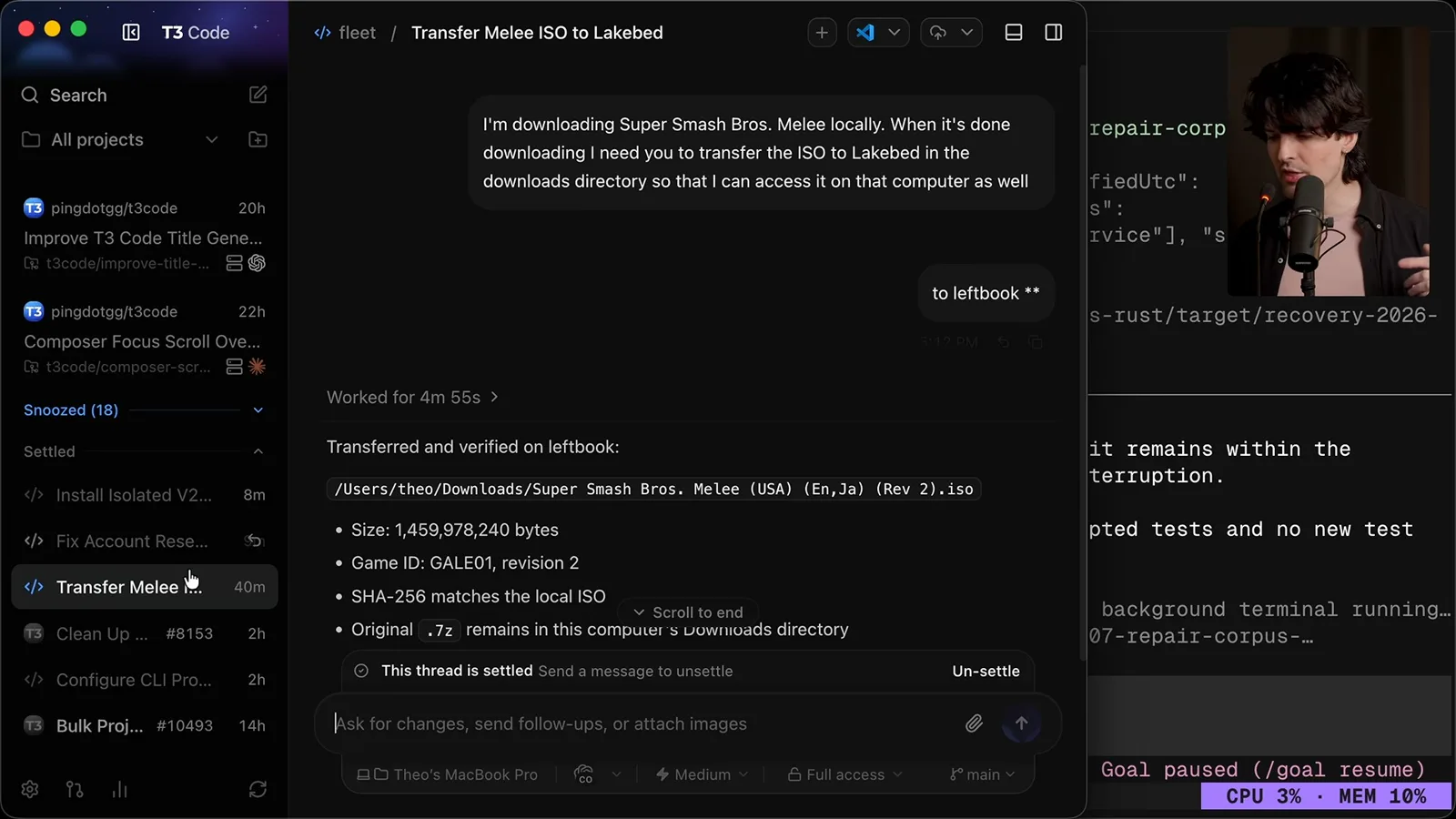
Dictation still makes mistakes: it confused the names Lakebed and Leftbook, so I corrected the destination. Describing the destination and allowing the agent to wait moved some of the preparation and follow-through out of my hands. Those details still need checking, especially when a mistaken destination matters.
Another example is a development build of T3 Code’s experimental orchestrator. I wanted to try a branch without disrupting my nightly installation or its database. Rather than manually locate the branch, clone it and build it, I asked an agent to handle those steps.
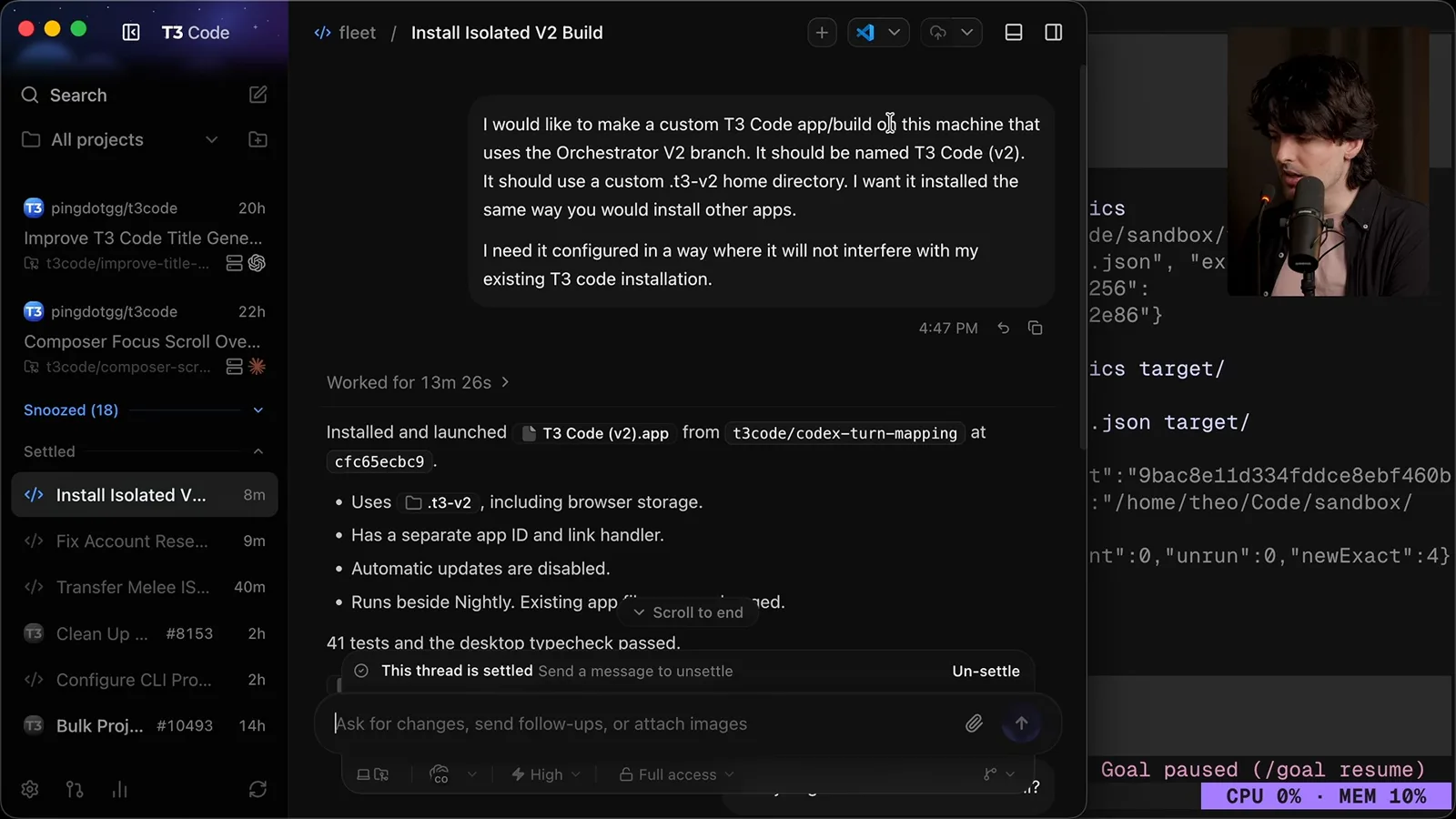
I dictated the request from my phone: build the experimental branch as a separately named app, use a separate home directory and install it without interfering with the existing app. I checked it after getting ready for my stream and found the custom build in place. The explicit isolation requirement mattered to the task.
For a personal example, I needed to move medical records while changing doctors. I asked a computer-use agent to download the records from the hospital portal. I say it took about 20 minutes and involved 49 PDFs, with repeated navigation, downloading, verification and organization.
When my doctor sent the upload destination, I asked another thread to upload the files. This was my experience with my own records and my chosen tools. The convenience of delegating navigation does not remove the need to consider access, privacy and whether the destination and files are correct.
With one hand, ordinary navigation can be demoralizingly slow. Running several agent tasks in parallel has changed how I schedule work: a task no longer always needs a continuous hour of my own attention. I can start it, do something else and return to inspect its result.
Widening agent involvement
He explains how he starts tasks earlier and asks agents to verify results. His autonomous merge numbers are anecdotal and specific to his projects.
I picture work as a path from an idea to a finished result. Previously I brought agents into individual portions and did a lot of planning and testing myself. Gradually I moved them earlier in that path and asked them to continue further, while still deciding what result I wanted.
I now ask agents to verify their changes with computer use, review tools and additional passes before reporting back. I may provide a problem rather than a detailed solution and ask for options or a PR. These checks are useful evidence, but they cannot guarantee that a change has no regression.
In some of my projects I also authorize agents to merge. I report more than 100 merges by Astra and at least 50 by Fable, with two noticed regressions involving removed animations. This is an anecdotal account from my projects, not an independently audited comparison with human developers or a general failure rate.
My broader goal is to involve the agent earlier and have it work longer before requesting attention. That does not make speed irrelevant: urgent bug fixes and interactive design iteration still benefit from fast responses. For background tasks I check less often, elapsed time can matter less to me.
I describe an iOS app thread where faster iteration is valuable because I have kept a great deal of work in one long conversation. Other tasks, such as background capacity work or experimentation, can run much more slowly without disrupting my day. Different tasks have different latency needs.
Less typing and navigation
Theo demonstrates starting multiple tasks, accepting dictation errors and requesting PR summaries. He ends by suggesting that users experiment with delegating more of their workflow.
In T3 Code I can send a task into a new thread while staying in the composer, then start another. This makes it easier to get several ideas out of my head. The dictation demo also produces an error, which is a good reminder that speech recognition still needs attention when accuracy matters.
I care about grammar and used to correct every dictated error. I have found that models often understand a prompt despite a wrong word or typo, so I am trying to tolerate more mistakes and correct them if they cause confusion. That is a personal tradeoff; names, numbers and important instructions may need careful checking.
I keep looking for the points where the computer frustrates me. Browsing numerous GitHub tabs is one example. Instead, I ask an agent to summarize recent relevant PRs, their status and why I might care, and then use T3 Code’s in-app PR viewer to inspect changes without switching applications.
Copying context between agent threads is also awkward one-handed. Sometimes I ask a new agent to find a recent thread or relevant information itself rather than manually copy it. That can take longer and cost more tokens, but it reduces my physical interaction and lets me spend attention elsewhere.
My exercise is to try describing a problem to an agent before doing all the preparation yourself, while continuing your usual approach separately. Compare what the agent finds with your own result. Keep permissions and review appropriate for the work; the point is to learn which steps can actually be delegated.
My hand forced me to rethink both ends of the process: when to bring an agent in and when I need to return. I miss typing, but dictation, a small microphone and these workflows have made using my computer more pleasant. I hope the ideas help people adapt them to their own needs.
같은 채널의 다른 글
 36:07EN
 Theo - t3․gg· 2026년 10월 27일Theo on Token Costs, Coding Agents, and the Price of AI CapabilityTheo Browne · Ping LabsA viral estimate of Lauren's AI spending prompts a closer look at cache pricing, benchmarks, and the changing work of coding agents.
 30:37ENTheo - t3․gg· 2026년 10월 26일Theo’s Three Skills for Reviewing and Shipping with Coding AgentsTheo Browne · Ping LabsHow sol-loop, full-send and full-stop encode review, verification and different levels of merge authority.
 0:43ENTheo - t3․gg· 2026년 10월 23일Theo Distinguishes Security Vulnerabilities from Active AttacksTheo Browne · Ping LabsA short explanation of why disclosed software flaws and reported attacks are different kinds of security news.
 29:22ENTheo - t3․gg· 2026년 10월 22일Theo on Security Vulnerabilities, Stolen API Keys and AITheo Browne · Ping LabsA look at the gap between vulnerability disclosure and patching, and a speculative account of why stolen inference keys may be valuable.
 31:13ENTheo - t3․gg· 2026년 10월 20일Theo on Why Smarter Models Help More Than DevelopersTheo Browne · Ping LabsFrom game modifications to compiler experiments, Theo revisits his assumptions about who benefits from more capable AI.
 31:47ENTheo - t3․gg· 2026년 10월 18일Theo on Asking Agents for Outcomes and Building the Tools They NeedTheo Browne · Ping LabsA tool-call report, a troubleshooting playbook and connected data show how prompting can reshape product engineering.