30초 요약
Peter Yang builds a phone-friendly Japanese travel-phrase tutor with live voice. He first asks an AI assistant to research the idea and clarify the lesson format, then reviews a specification and visual mockups before building. Testing reveals microphone selection, timing and image issues; he also revises the lesson sequence and practices with the app himself. Yang says about two of the three hours went to iteration. The video is sponsored by Google.
- 1The idea starts with 100 useful travel phrases and a voice role-playYang asks for ten lessons, each teaching phrases before a conversational practice. He requests research and clarifying questions before any code is written.
- 2A specification includes mockups as well as requirementsHe reviews phone and desktop screens, edits text directly and leaves design feedback before asking an agent to build.
- 3Real testing finds microphone and pacing problemsThe first version listens to the wrong microphone and displays all phrase bubbles at once. Yang iterates on those issues and the lesson art.
- 4The content gets its own reviewYang reorganizes lessons, inspects the phrases and takes the lessons himself. He says the purpose is learning, not merely producing an app.
- 5The deployed demo uses a passcode because API calls cost moneyYang deploys to his existing hosting service and notes that the agent added access protection. He describes future improvements without claiming them as completed.
핵심 정리
- Start with the user problem and ask clarifying questions before building.
- Review both requirements and representative screens before generating the app.
- Test the real interaction, including microphone selection and the pacing of lesson content.
- Review and practice the lessons themselves, not just the interface.
- Yang enters API keys in a local environment file rather than chat and limits access to his deployed demo.
챕터별로 다듬은 전문 읽기
A voice coach for travel phrases
Yang demonstrates a Japanese tutor with a teaching phase and role-play. He introduces six steps and discloses Google sponsorship.
I build a phone-friendly AI language coach for a trip to Japan. It teaches ten phrases per lesson and then runs a spoken role-play in which the learner practices them. The video is sponsored by Google and uses its live voice and image-generation tools.
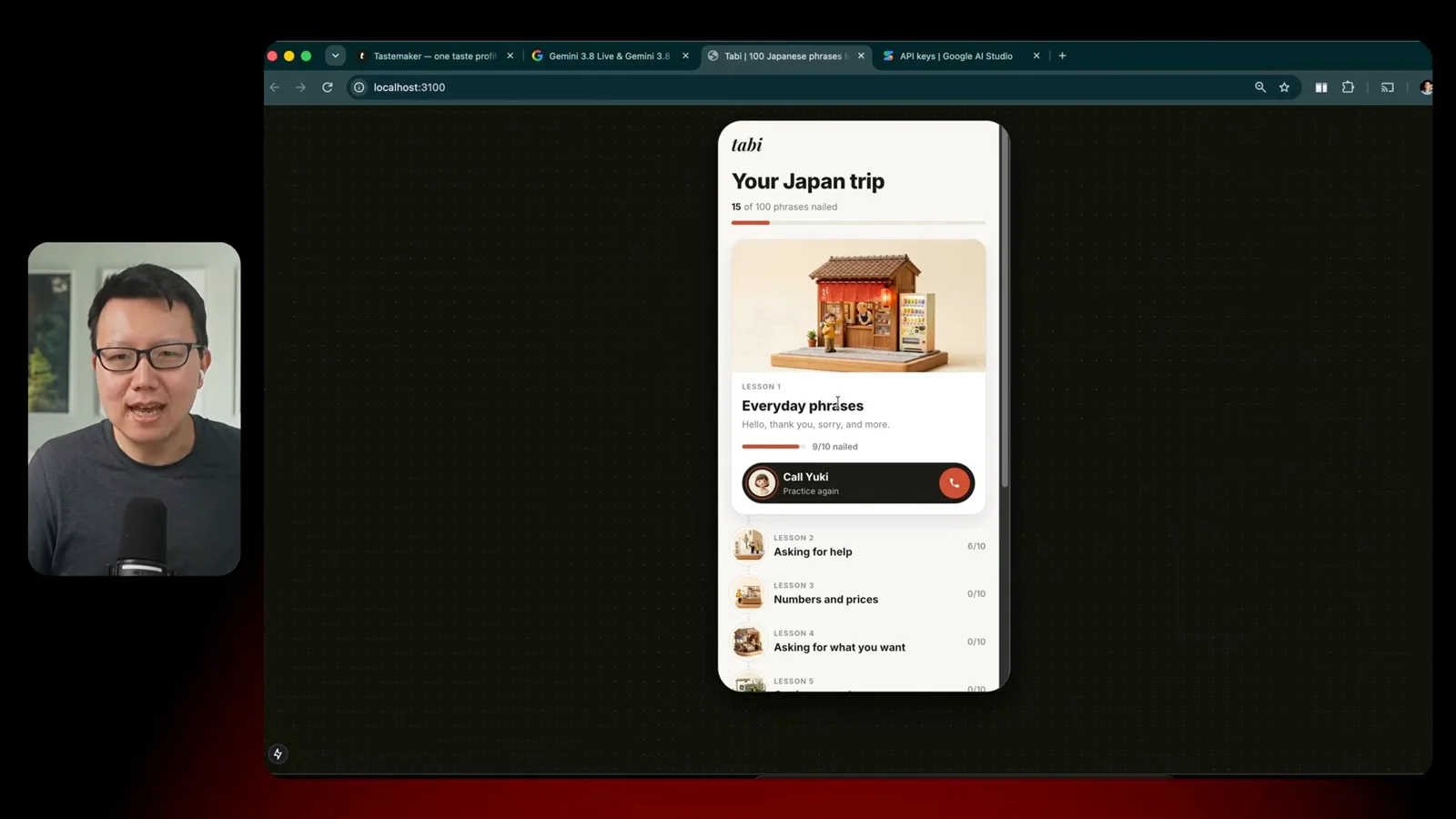
The demo shows a learning path with ten lessons and illustrated scenes. In a call with the coach, the learner hears phrases, repeats them and then practices in imagined situations. I say the same approach could be adapted for other languages.
Research, specification and design
He explores the problem with an assistant, answers clarifying questions and reviews mockups alongside requirements.
First I explore the idea with an AI assistant. My prompt specifies 100 useful travel phrases in ten lessons, a progress screen, a lesson view and live voice. I provide an existing app as a visual reference and ask the assistant to research and ask three questions without building yet.
The questions clarify the experience: teach the phrases first, then role-play; show Japanese, romanization and English; and initially build for me and a few friends because API calls have a cost. That discussion settles the basic product shape.
Next I ask for a specification with requirements, technology choices and a few representative screens. Seeing mobile and desktop mockups lets me react to the design, not just read a document. I request an onboarding screen and desktop versions.
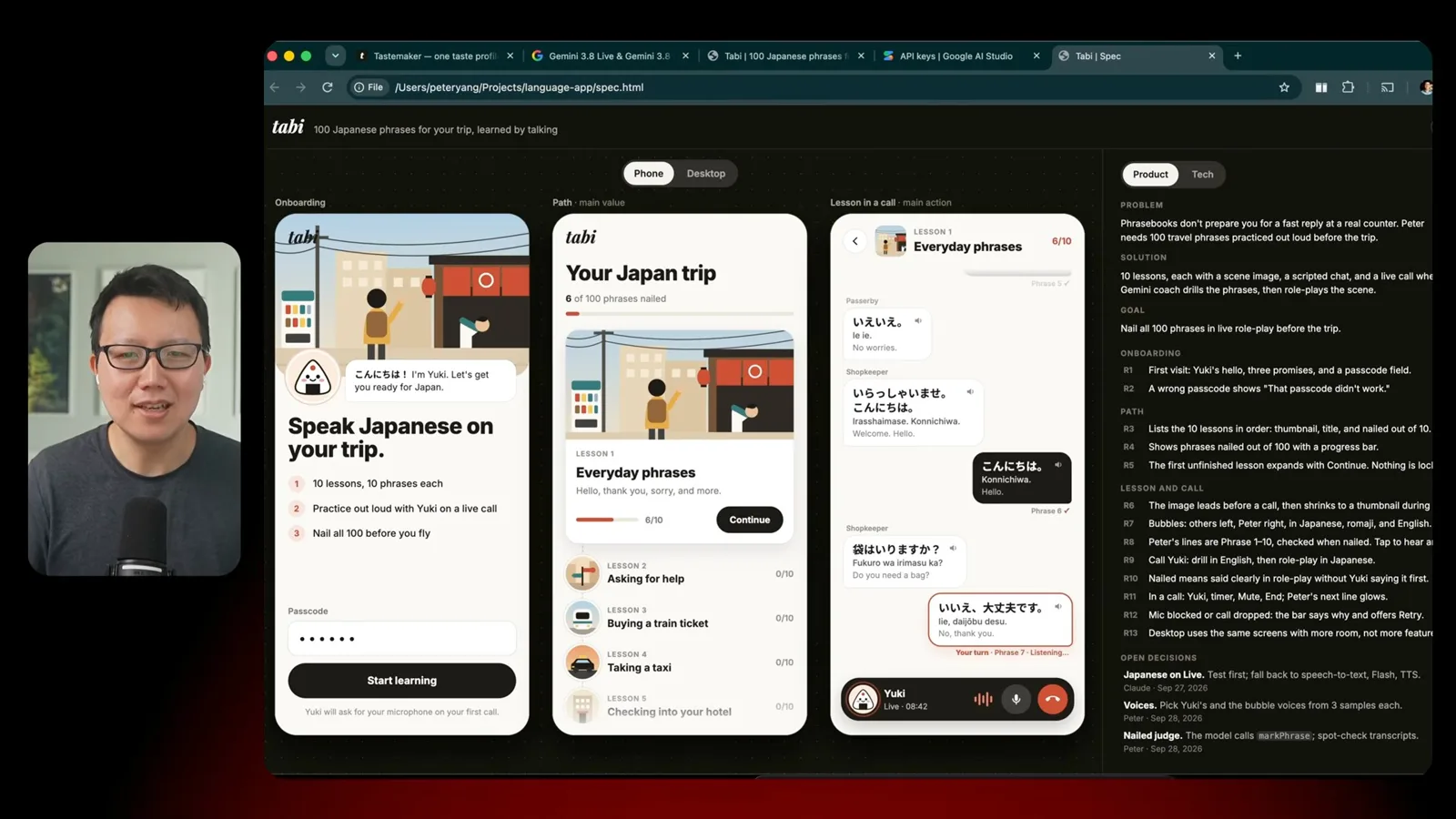
I use a review interface to edit text and leave feedback directly on the mockups. My own specification tool is paid, while the review tool is open source; I suggest that a creator can also ask an assistant for screens and requirements without that specific tool.
Build and test the app
Yang creates a first version, then fixes microphone selection, pacing and imagery through repeated testing.
With a reviewed specification, I ask an agent to build the first version. The voice API requires a key. I enter it into a local environment file rather than pasting it into chat, and delete the demonstration key after showing the setup.
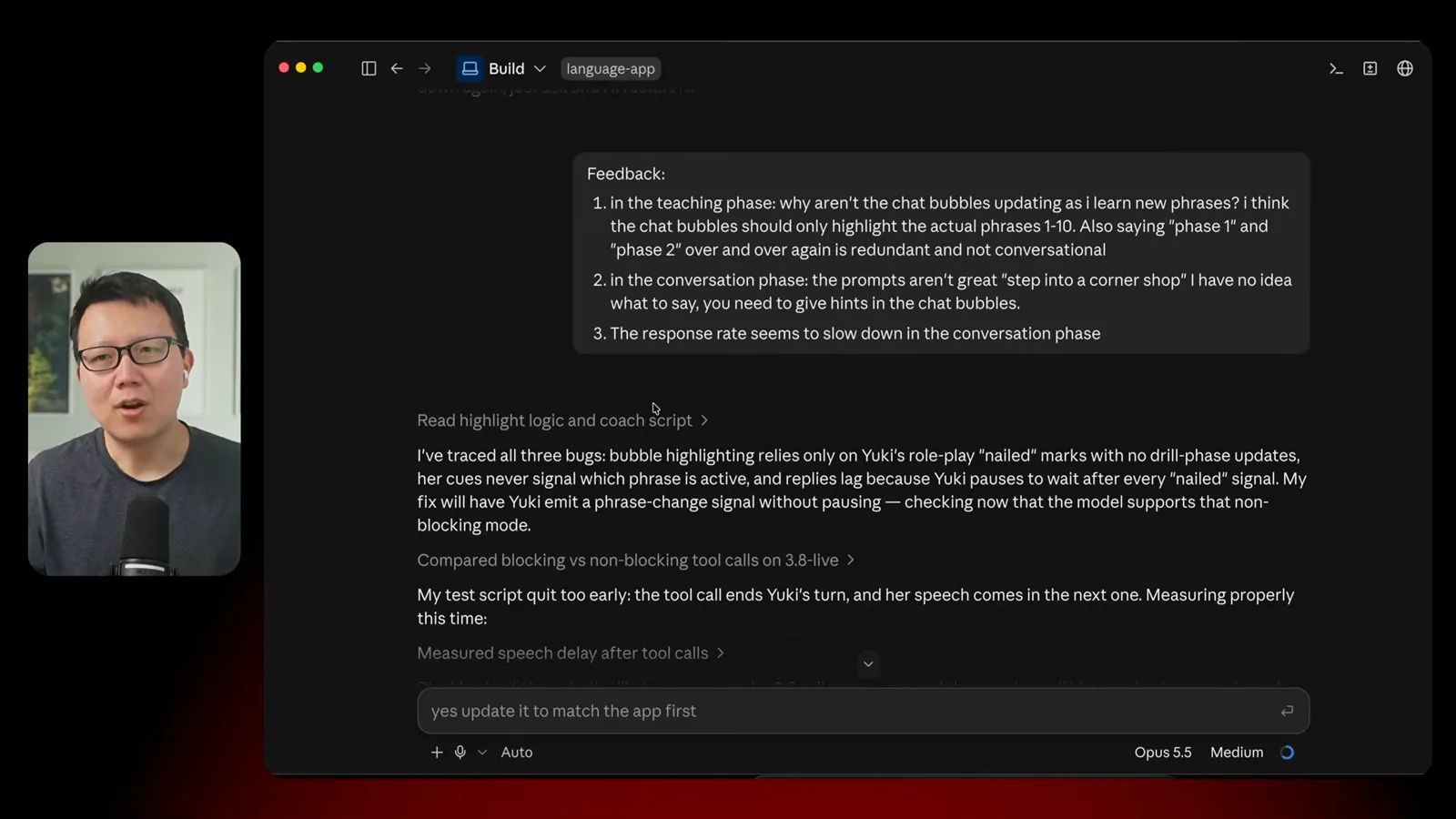
Testing reveals that the app listens to the wrong microphone. The agent changes the input, and I continue testing the actual interaction. I also find that all phrase bubbles appear at once instead of as the lesson progresses, and that responses feel slow.
I ask for generated diorama-style art for the lessons. After reviewing a first image, I request a consistent set for all ten scenes. I also revise the coach’s avatar after the first version depicts a rice ball rather than the character I intended.
I say the interface iteration took around thirty minutes, but the lessons themselves matter just as much. I discuss ten travel topics with the assistant, combine or reorder lessons and avoid ending on an emergency-themed lesson.
Improve lessons and launch
He revises the learning content, practices it himself and deploys a passcode-protected demo.
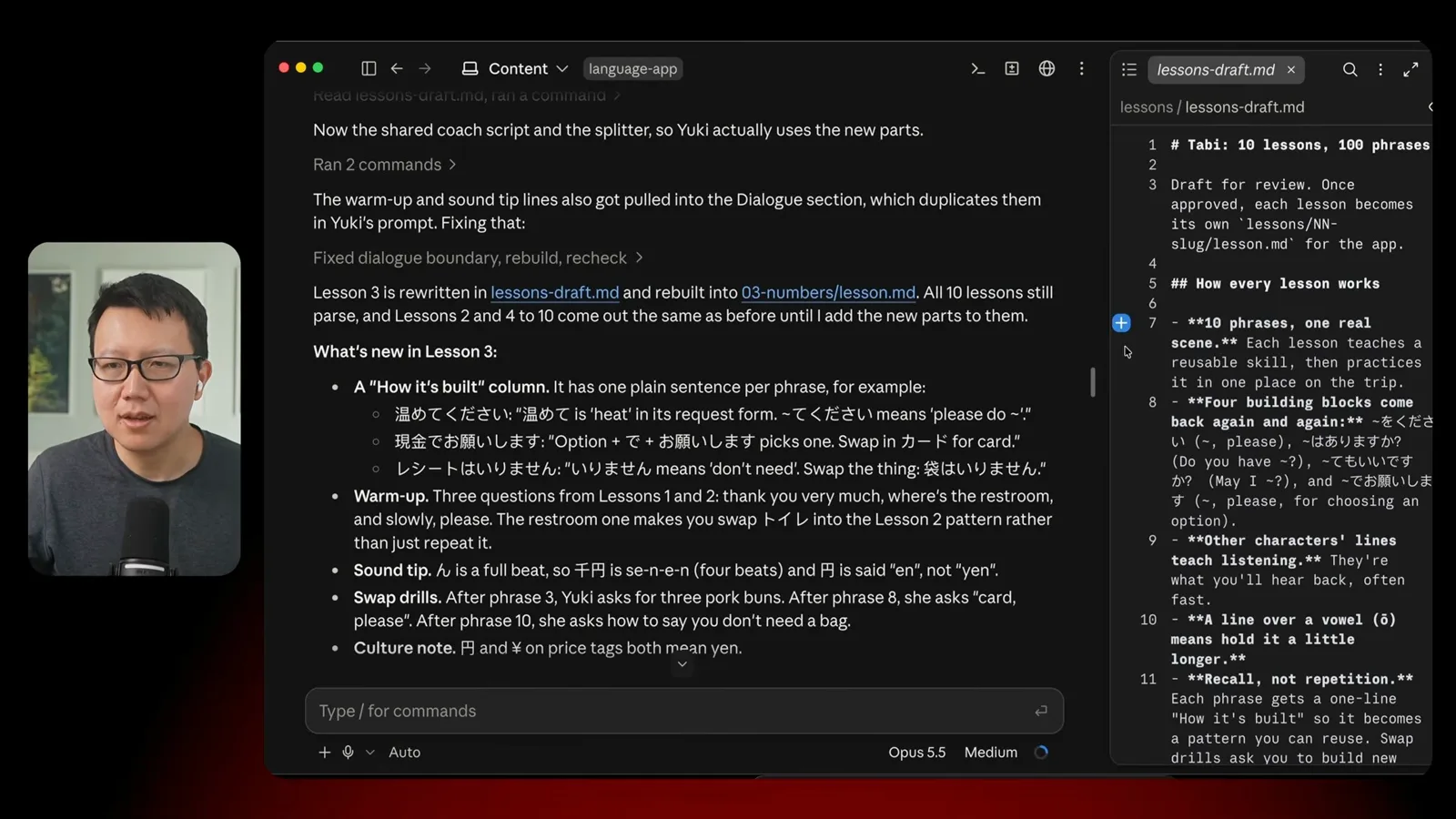
In a separate content thread I review the coach script and the phrases for each lesson. I notice one document still describes an older avatar, showing that written material can lag behind the design. The most useful test is to take the lessons myself and invite others to try them.
After the app mostly works, I deploy it using my existing hosting account. The build encounters outdated libraries and other issues, which are addressed during deployment. The resulting demo has a passcode because the voice API incurs usage costs.
I recap the six stages: explore, specify and design, build, improve the app, improve its content and launch. I estimate about three hours in total, with roughly two spent iterating and testing. I see that care for both behavior and lessons as the difference between a quick prototype and a useful learning app.
같은 채널의 다른 글
 46:40EN
 Peter Yang· 2026년 11월 8일팟캐스트 · 2명Ashley Alexander: How AI Helps Me Care for My Parents With Cancer게스트 Ashley Alexander · 진행자 Peter YangA caregiver uses AI to prepare for appointments, organize records and ask better questions—while keeping doctors at the center of treatment.
 17:50ENPeter Yang· 2026년 11월 4일팟캐스트Peter Yang’s Five Steps for Using AI to Help Care for His MotherYang uses a shared care brief and organized records to navigate appointments, while making time for family.
 15:03ENPeter Yang· 2026년 11월 3일팟캐스트How Peter Yang Used an AI Phone Agent to Negotiate His Internet BillAn AI call negotiated a lower price and faster service, but Yang still had to approve the change himself.
 33:09ENPeter Yang· 2026년 11월 1일팟캐스트 · 2명Jaclyn Konzelmann: When AI Can Build More, Choose What Deserves to Exist게스트 Jaclyn Konzelmann · 진행자 Peter YangGoogle Labs pairs short strategy documents with prototypes, user co-creation and lessons from experiments that end.
 13:05ENPeter Yang· 2026년 10월 28일팟캐스트Peter Yang Tests Genie 4: Convincing Worlds, Unfinished GameplayFive live demonstrations show scenes that respond to prompts and sound, alongside inconsistent actions and limited game mechanics.
 1:06ENPeter Yang· 2026년 10월 26일팟캐스트Peter Yang on Setting Up Payroll for a One-Person BusinessIn a paid partnership, Yang describes the paperwork he encountered and a payroll product integrated with a business account.