30 秒でわかる
Theo Browne tests the redesigned Claude Code desktop experience and finds useful ideas alongside repeated interface problems. As a developer of the competing T3 Code app, he compares specific workflows and explains why focus, state and review surfaces matter.
- 1Why a GUI helpsImages, formatted copying and multiple conversations can improve the everyday agent workflow.
- 2Focus must be predictableIn the tested split view, a terminal shortcut acted on a different pane than the one in focus.
- 3Useful ideas need edge-case testingWorktrees, extra folders and tiled sessions are promising, but closing panes behaved inconsistently.
- 4Show session and permission stateUsers need clear information about branches, worktrees and which permissions apply.
- 5A firsthand, interested reviewTheo also builds T3 Code; his observations describe specific versions and do not establish vendor motives.
ポイント
- A graphical interface can make images, copying and parallel agent sessions easier to manage.
- Split views need consistent focus, shortcuts and pane-closing behavior.
- Worktree, branch and permission state should be visible before agents make changes.
- Diffs and attachments must display reliably for users to review agent work.
- The review reflects a particular release and the perspective of a competing product developer.
チャプターごとに整えた全文を読む
Why use a desktop interface?
Theo introduces Claude Code in the Claude app and explains the advantages of graphical agent workflows. He also discloses that he builds T3 Code.
Anthropic has redesigned Claude Code's desktop experience inside the existing Claude app, alongside Chat and Cowork. I have spent time trying it because I think graphical interfaces are useful for agentic coding, especially when several tasks run at once. I also build the competing T3 Code app, so I have a direct interest in this category.
A GUI offers practical advantages over the terminal: pasted screenshots appear in the conversation, and selected text can be copied with formatting intact. In my CLI example, copying the same answer introduced unwanted line breaks. These are small interactions, but they happen constantly when reviewing an agent's work.
Early usability problems
A stalled session, surprising prompts and confusing file interactions shape his first test. He compares the available backends and interfaces.
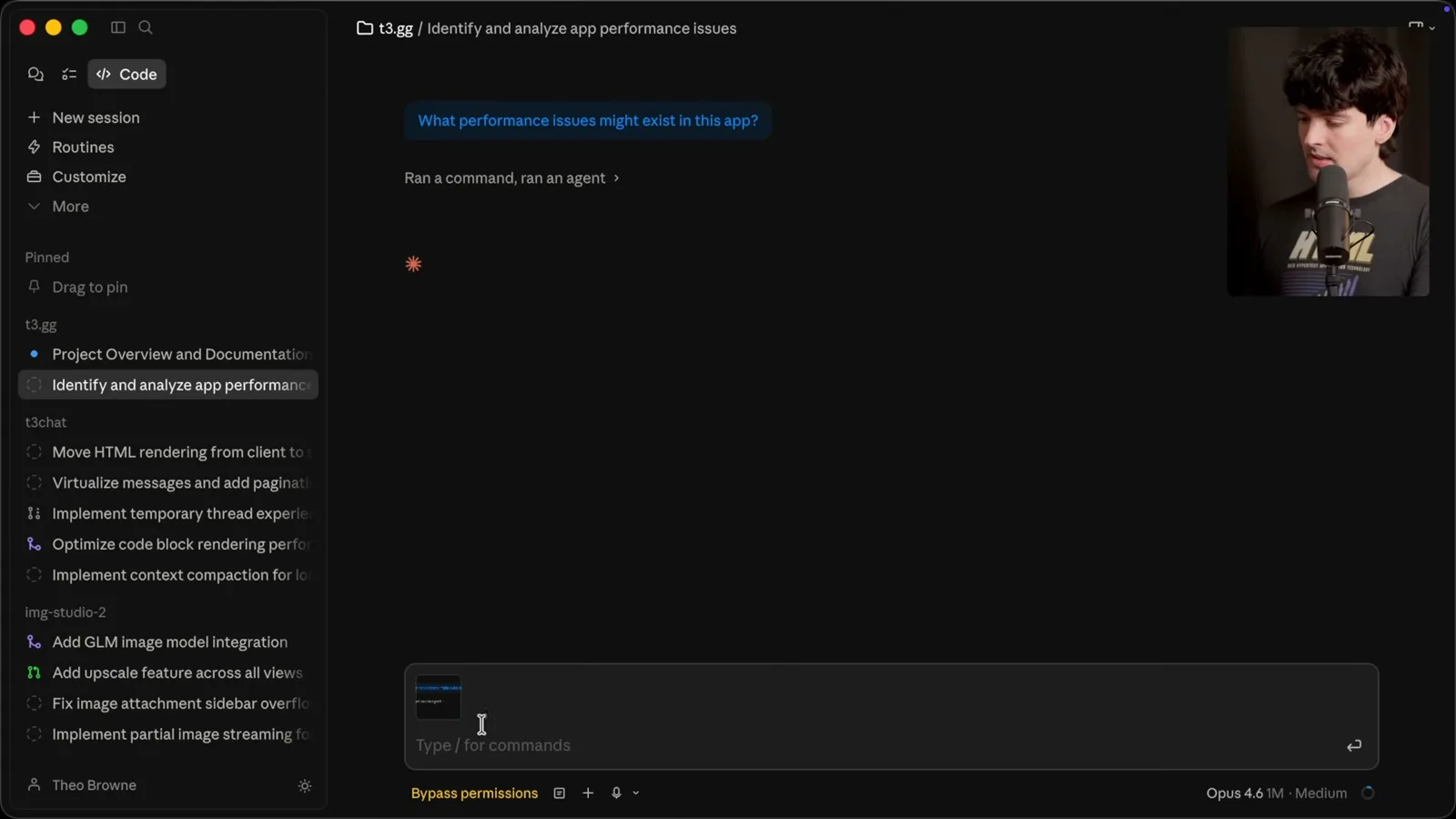
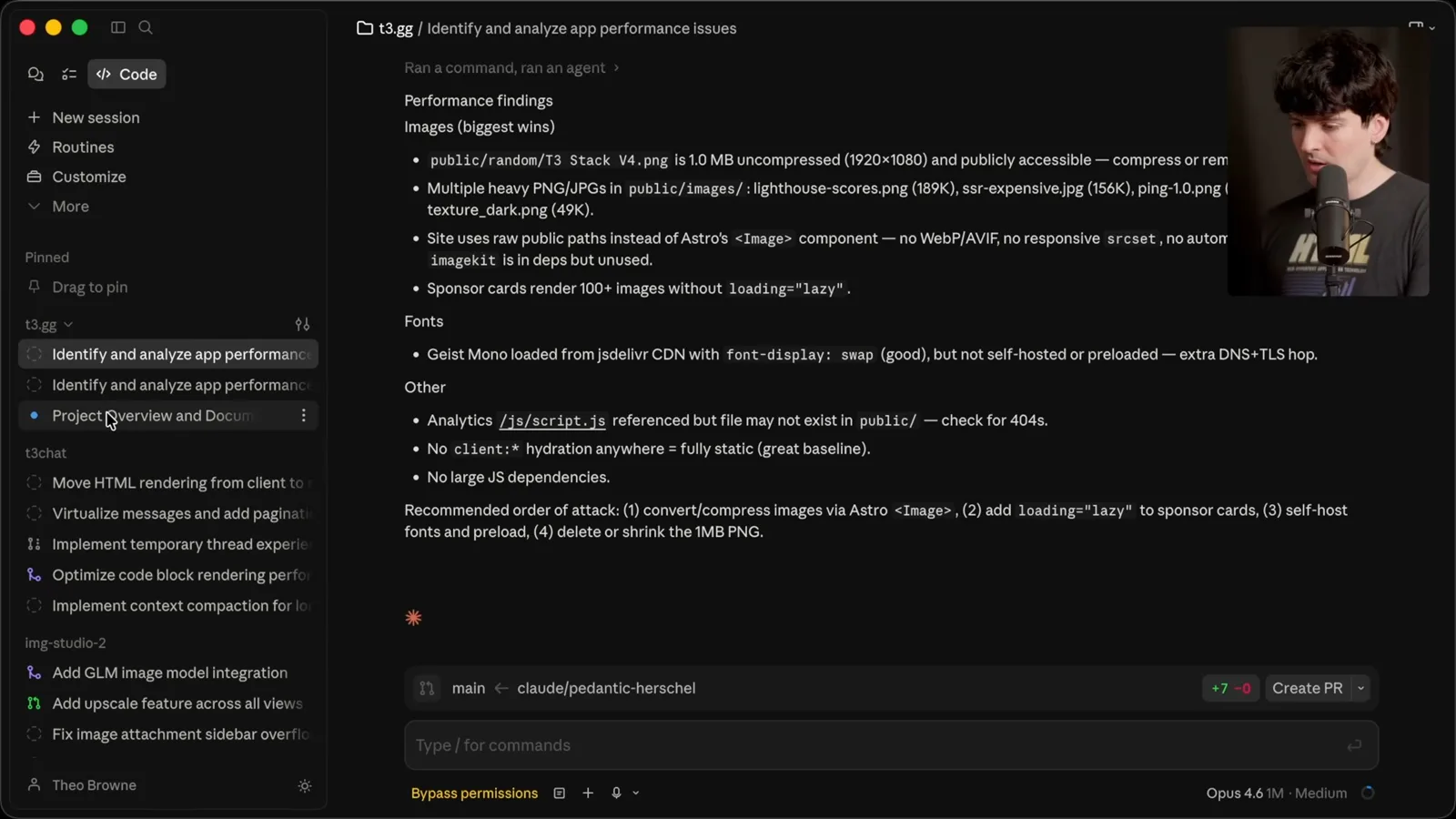
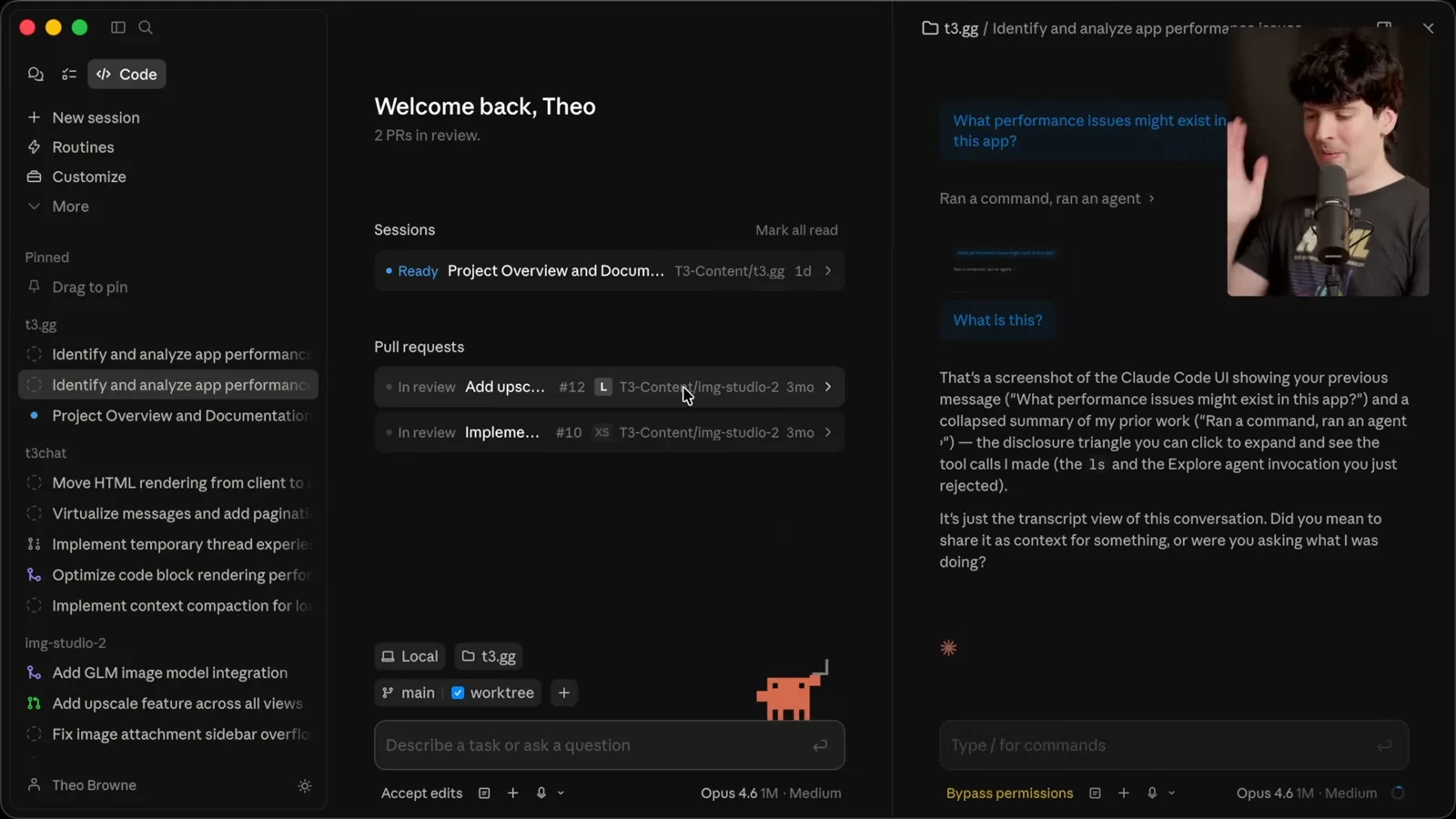
The desktop app also showed a screenshot attached to an earlier message rather than the one I intended. I encountered a session that appeared to stop while its indicator still suggested it was running. These are observations from my test of the release; the visible symptom alone does not tell us which component caused it.
When I retried a request to inspect performance, I saw another permission prompt even though I believed bypass mode was enabled. The resulting branch and pull-request controls were surprising for a task I had framed as analysis. I also found the file-opening behavior confusing: a file could appear in the interface without its content being visible where I expected.
For comparison, the Codex desktop app uses the open-source Codex CLI and its app server, although the desktop UI itself is closed source. I built T3 Code partly because I wanted an open interface; it can reuse existing agent backends. My preference for openness and my role in building an alternative both shape this review.
Split views and project navigation
Theo tests focus, shortcuts, remote sessions and project selection. He shows comparable navigation in his own product.
One feature I like is split view: you can open two conversations side by side. But in my test the terminal shortcut acted on the left pane while I was focused on the right, and the terminal's resize handle obstructed its close control. A promising feature needs its focus and keyboard behavior to be predictable.
Remote control for sessions on another machine also sounds useful. Project selection was less convenient: when a project was not in the recent list, I had to locate its folder manually. In Codex and my T3 Code build, I demonstrate other ways of selecting a project or starting a conversation within it.
T3 Code's development build shows project icons and a searchable project-add flow. Those are examples from my own product, not a neutral benchmark, but they illustrate what I want from a desktop interface: make the active project obvious and make navigation quick. I plan to compare the wider field of coding-agent GUIs separately.
Worktrees and edge cases
Built-in worktrees, multiple folders and tiled chats are promising. Unexpected window-closing behavior illustrates the importance of testing edge cases.
Claude Code's built-in worktrees and the ability to add multiple folders as context are good ideas. Worktrees being selected by default is a stronger choice that users should notice. I particularly like the ability to tile conversations, because it lets me monitor multiple agent tasks at the same time.
The split view also reveals an edge case: Command-W closed the right conversation as expected, but closing the left one led to a new-chat view instead. My broader point is that a feature's happy path is not enough; users find combinations of focus, layout and navigation that need explicit testing.
A viewer points out that a split-view defect alone may not decide which product people use. I agree, but argue that many small defects add up. I am concerned that an official app bundled with a popular subscription can gain users through convenience even when alternatives offer different features and workflows.
Attachments, configuration and state
He retests image attachments, examines worktree configuration and finds unclear settings and session state. His resource observation is a single-machine snapshot.
I retest image attachments by pasting a screenshot into the CLI and then into the desktop app. In my demonstration the desktop conversation needed a refresh and displayed the image before the associated message. The interface should make the relationship between an attachment and its prompt clear.
The worktree location offered by the app also concerned me because the default path could require adjusting a project's ignore rules. I would prefer tools to keep their operational files out of the way and to make any project-level changes clear. The exact behavior depends on the version and repository setup.
I compare the experience with Codex, which in my use has clearer navigation and controls despite occasional lag. Looking at processes, I see a Claude virtual-machine service using around 2.5 GB of memory. This is a snapshot on my machine, not a controlled comparison of total resource usage across products.
A sidebar settings control appeared visually attached to one project, but it affected all projects. Changing the top item also closed the menu in my test, while changing other items did not. Placement and consistency matter because the interface should communicate the scope of an action before the user clicks it.
Forking a conversation is useful, but I could not easily tell which worktree or branch the resulting session used. I also saw permissions revert or prompt again despite my earlier choice. In a multi-session coding tool, visible session context and clear permission state are essential to understanding where changes will land.
Diffs, shortcuts and updates
The review and voice interfaces show problems in his session, including after an update. He compares these with T3 Code development features.
Voice input behaved unexpectedly across multiple chats in my test. I contrast that with a development build of T3 Code where the terminal opens in the selected pane. This is a comparison of specific behaviors I observed in those builds, not a claim that either product is free of bugs.
The desktop diff view also confused me: some files appeared expanded without showing their changes until I collapsed and reopened them. I acknowledge that T3 Code has had embarrassing bugs of its own. My complaint is that a review surface must render changes reliably, because developers depend on it to understand what an agent did.
After an app update, I repeated the voice and terminal tests; the issues I had demonstrated were still present in that session. I speculate that a lab might build an app to retain users or to showcase its models. Those are possible incentives, not evidence of Anthropic's particular internal motivation.
In T3 Code I show a diff view with per-turn snapshots, a side-by-side mode and word wrap. The implementation uses the open-source diffs.com renderer. I also describe a colleague's very long thread that remained scrollable in our build; that is an anecdote about one workload, not a general performance guarantee.
I return to keyboard focus: the permission shortcut also acts on the left pane when the right pane is selected. I prefer shortcuts that switch between active threads over dedicating prominent keys to switching product sections. Shortcut design is a workflow choice, but acting on the wrong pane makes it difficult to trust.
Routines and browser preview
Theo tries the preview and permissions flow and reports layout and interaction problems. He concludes that the concept is promising but his tested experience is unreliable.
The app also offers scheduled routines, skills and connectors. Its preview feature promises a development server, network inspection and logs, which could give an agent valuable feedback. In my test setup it asked to create project configuration and then prompted for permission even though bypass was displayed.
I could drag threads into pinned or split views, but could not reorder the projects the way I expected. In the browser preview, hiding the toolbar produced a layout problem, and an element-selection request generated a screenshot I found difficult to read. The assistant said it would revert an unwanted copy change, but I did not see it do so.
A browser that gives an agent access to logs, requests and live page state is an appealing idea. In this release, the issues I encountered prevented me from trusting the workflow. My conclusion reflects a particular hands-on session and my experience as a competing app developer; the features and bugs may change in later versions.
同じチャンネルの記事
 38:47EN
 Theo - t3․gg· 2026年10月28日Theo’s Long-Running Agent Experiments: Verification, Compute and CostTheo Browne · Ping LabsA skateboard game and two compiler projects show how repeated checks and flexible compute can sustain agent work—and how expensive those loops can become.
 36:07ENTheo - t3․gg· 2026年10月27日Theo on Token Costs, Coding Agents, and the Price of AI CapabilityTheo Browne · Ping LabsA viral estimate of Lauren's AI spending prompts a closer look at cache pricing, benchmarks, and the changing work of coding agents.
 30:37ENTheo - t3․gg· 2026年10月26日Theo’s Three Skills for Reviewing and Shipping with Coding AgentsTheo Browne · Ping LabsHow sol-loop, full-send and full-stop encode review, verification and different levels of merge authority.
 0:43ENTheo - t3․gg· 2026年10月23日Theo Distinguishes Security Vulnerabilities from Active AttacksTheo Browne · Ping LabsA short explanation of why disclosed software flaws and reported attacks are different kinds of security news.
 29:22ENTheo - t3․gg· 2026年10月22日Theo on Security Vulnerabilities, Stolen API Keys and AITheo Browne · Ping LabsA look at the gap between vulnerability disclosure and patching, and a speculative account of why stolen inference keys may be valuable.
 31:13ENTheo - t3․gg· 2026年10月20日Theo on Why Smarter Models Help More Than DevelopersTheo Browne · Ping LabsFrom game modifications to compiler experiments, Theo revisits his assumptions about who benefits from more capable AI.