30 秒でわかる
Theo Browne considers Thariq’s examples of agent-generated HTML and Andrej Karpathy’s ideas about visual interfaces. He sees value in interaction and visual hierarchy while retaining Markdown for many tasks; generated pages still need source verification, accessibility checks, and safe handling.
- 1Compare options visuallyA side-by-side page can make design and implementation trade-offs easier to inspect.
- 2Interaction can steer workSliders and export controls turn an artifact into input for the next agent step.
- 3Markdown still works for codeA good renderer can highlight fenced code; custom HTML adds its own implementation burden.
- 4A review artifact is a guideAnnotations and grouping can help review, but actual code and tests remain authoritative.
- 5Build a temporary editorA one-off interface that exports JSON or CSV can support a decision without becoming a permanent product.
- 6Account for cost and safetyHTML can add token use, noisy diffs, scripts, and external resources, so review and isolation matter.
ポイント
- Choose Markdown or HTML according to the audience and the task rather than a blanket rule.
- Interactive controls can turn an agent artifact into a way to steer the next step.
- Visual summaries and code-review explanations must be checked against their sources.
- A one-off editor can be valuable when it imports and exports useful data.
- HTML adds token, maintenance, accessibility, and execution-safety considerations.
チャプターごとに整えた全文を読む
Why consider HTML?
Theo examines a proposal to use HTML for agent-generated documents. He still values Markdown and compares the trade-offs.
I have used Markdown for nearly two decades, but I think we are asking it to do too much. Thariq from the Claude Code team has been exploring HTML as an alternative for agent-generated output, and Andrej Karpathy has also discussed asking models for HTML. I want to examine where this helps and where Markdown still works well.
Thariq's argument begins with a familiar problem: agents produce long plans, specs, and explanations that people may not read. Markdown is portable and easy to edit, but if an agent is doing most of the editing, the ability to create richer visual structure may be more valuable for some outputs.
The examples include self-contained HTML files for planning and exploration. I recognize a repetitive design style in some generated pages and dislike it. A polished format is not automatically good content, and automated AI-text detectors cannot conclusively establish whether a specific passage was written by a person or a model.
Visual exploration and readability
Examples show side-by-side designs, plans, and rich layouts. Theo questions novelty, mobile behavior, and generated content.
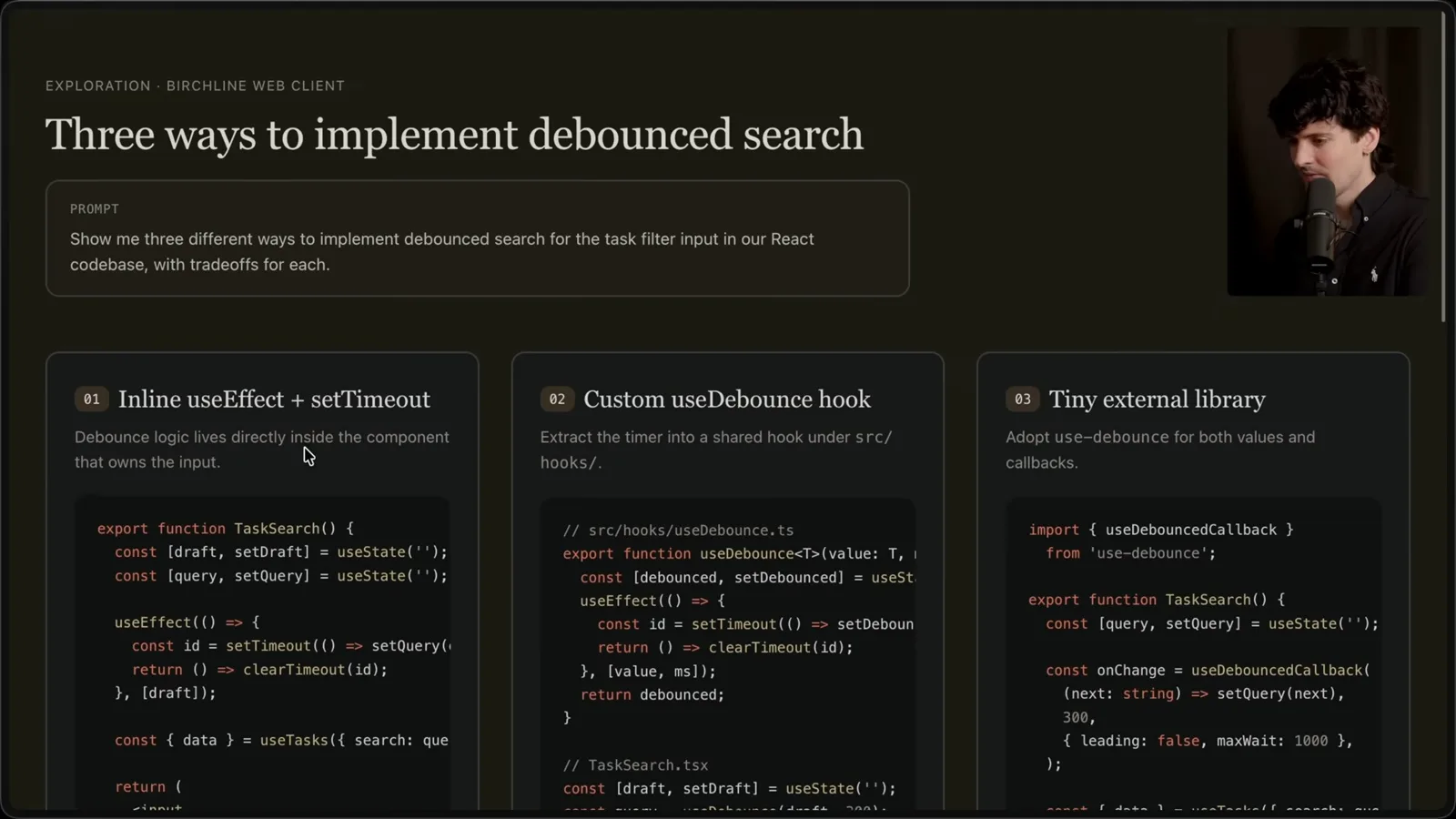
One example compares several approaches to debounced search, with trade-offs and a recommendation. A chat response might be enough for that, but an HTML file can be useful when side-by-side layout makes the choices easier to inspect and discuss.
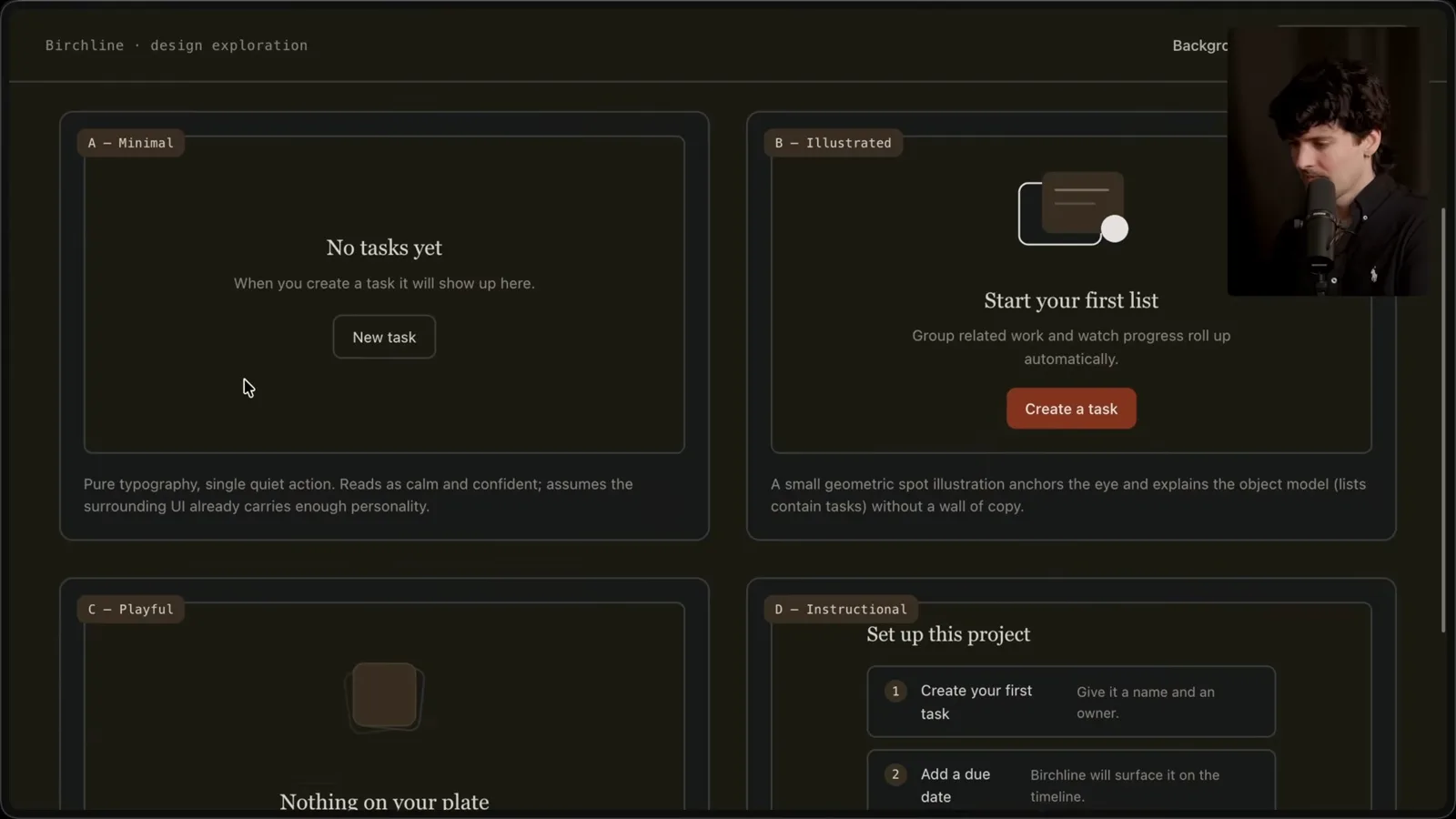
Another example presents four designs for an empty task state. I often ask an agent for multiple distinct options on different routes so I can compare them instead of repeatedly asking for one more design. Whether a single batch produces more variety is something to test for your own prompts and model.
Implementation roadmaps and pull-request summaries are other possibilities. I like the idea of hierarchy and collapsible sections in a review, though some visual plans feel busier than the Markdown I already enjoy reading. More decoration does not necessarily make an explanation clearer.
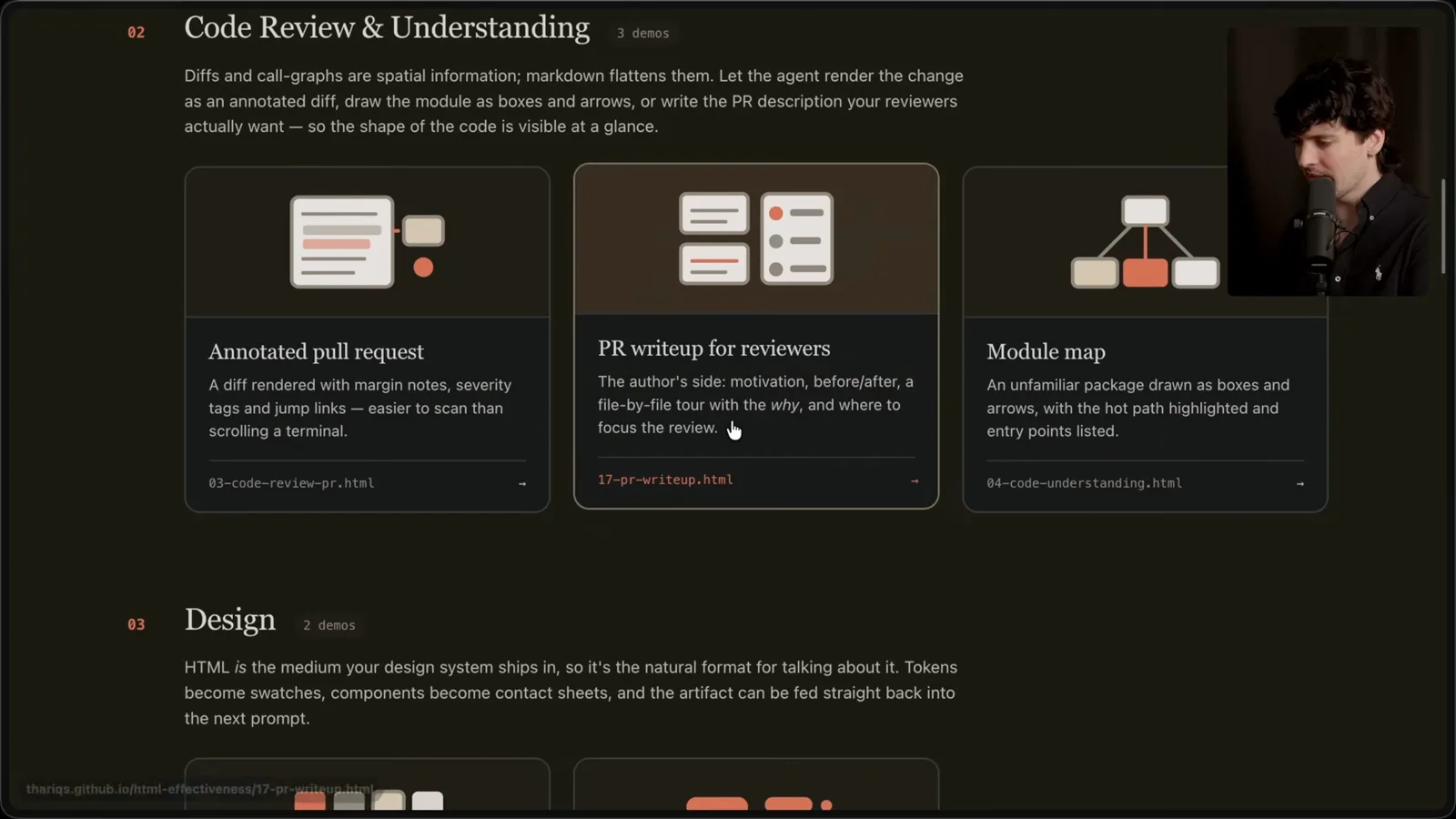
A browser document can combine headings, tables, CSS, SVG, code, images, and interactions. That expressiveness can help with spatial relationships and visual explanations that are awkward in plain text. But a generated image URL or embedded data can be wrong, so sources and visual output need checking.
Long Markdown documents can be hard to navigate, and HTML can add tabs, links, responsive layouts, and other structure. Yet responsiveness must actually be implemented: I check an example on mobile and find that it does not work well there. Each extra feature also adds code and potentially more output tokens.
I wonder how much of the appeal comes from a genuinely better hierarchy and how much from novelty. If everyone sends large HTML reports, the novelty may fade. What matters is whether the artifact helps its audience find and understand the relevant information.
Interaction and context
Controls can help users steer an agent and authorized source data can inform a report. Reusable workflows should follow experimentation.
Interaction is a stronger advantage. A page can offer sliders or controls to explore a design or algorithm and then copy the selected settings into a prompt. This makes the output a way to steer the next step, not merely a report to read.
An agent with authorized access to a filesystem, repository history, or connected services can gather context and assemble a visualization. I have used this approach for local data. Source access must match the user's permissions, and the resulting summary still needs to be checked against its inputs.
Scattered artifacts suggest an opportunity for a reusable workflow: specify the desired page structure, design conventions, and where generated files belong. That can prevent temporary output from cluttering a repository. I am considering a skill for this, but first I want to experiment with the task itself.
Thariq says making the output more engaging helps him stay involved. I think that matters: if a presentation encourages a person to inspect, question, and steer an agent's work, it can improve collaboration. Enjoyment is useful, though it is not a substitute for checking correctness.
Start simply: ask for an HTML file and describe what it should help you do. Try the task, see what the model gets right or wrong, and notice which instructions you repeat. Only then turn the stable parts into a reusable skill; you can test that skill's text directly as a prompt.
Planning, verification, and code review
HTML can organize options and diffs, while Markdown remains effective for readable code. Human review and source checks remain necessary.
For planning, an agent might generate several approaches, expand one into mockups and snippets, and create an implementation plan. Thariq then starts a new session and passes in the artifacts. I also use new threads to carry forward selected context, although the best approach depends on the tool and task.
Those same files can help a separate verification agent understand what was intended. For example, ask for six onboarding layouts with labeled trade-offs, or an implementation plan with mockups, data flows, and important snippets. The reviewer still needs to verify the artifact against the implementation and source evidence.
I disagree that code is inherently hard to read in Markdown. A good renderer can highlight a fenced code block when it is labeled with the language. Generating a custom HTML renderer adds work and can introduce mistakes. Choose the format based on the information, not a blanket rule.
Diffs are a stronger case for a dedicated view. An agent can organize related changes, add annotations, and explain how components interact. I have liked review tools that group changes by relevance rather than file order; I have a prior relationship with one such sponsor, so that preference is based on my own experience.
A focused review artifact can ask the agent to emphasize an unfamiliar part of a change, such as streaming and backpressure, and place annotations alongside the diff. It can help a reviewer navigate, but the actual code and tests remain the source of truth; an agent's summary can omit a defect.
Prototypes, reports, and one-off tools
Theo explores interactive design, audience-specific explanations, and temporary editors with export. Generated calculations still require verification.
HTML also works for design prototypes even when the final product is built in another UI technology. Interactive controls can let someone tune a value or compare animations before implementation. The artifact is a sketch to test with real constraints, not proof that the final app is accessible or production-ready.
For reports and learning, an agent can synthesize authorized data from project systems, code, history, and the web into an explainer or slide-like page. A weekly work summary may help a team understand progress, but the underlying records should be checked and sensitive information shared only with the intended audience.
When prompting an explainer, specify the reader's perspective. Even if I understand an implementation, I might ask for an explanation suitable for someone new to it, with a diagram, annotated snippets, and a short list of gotchas. That changes the output from a note for me into material for an audience.
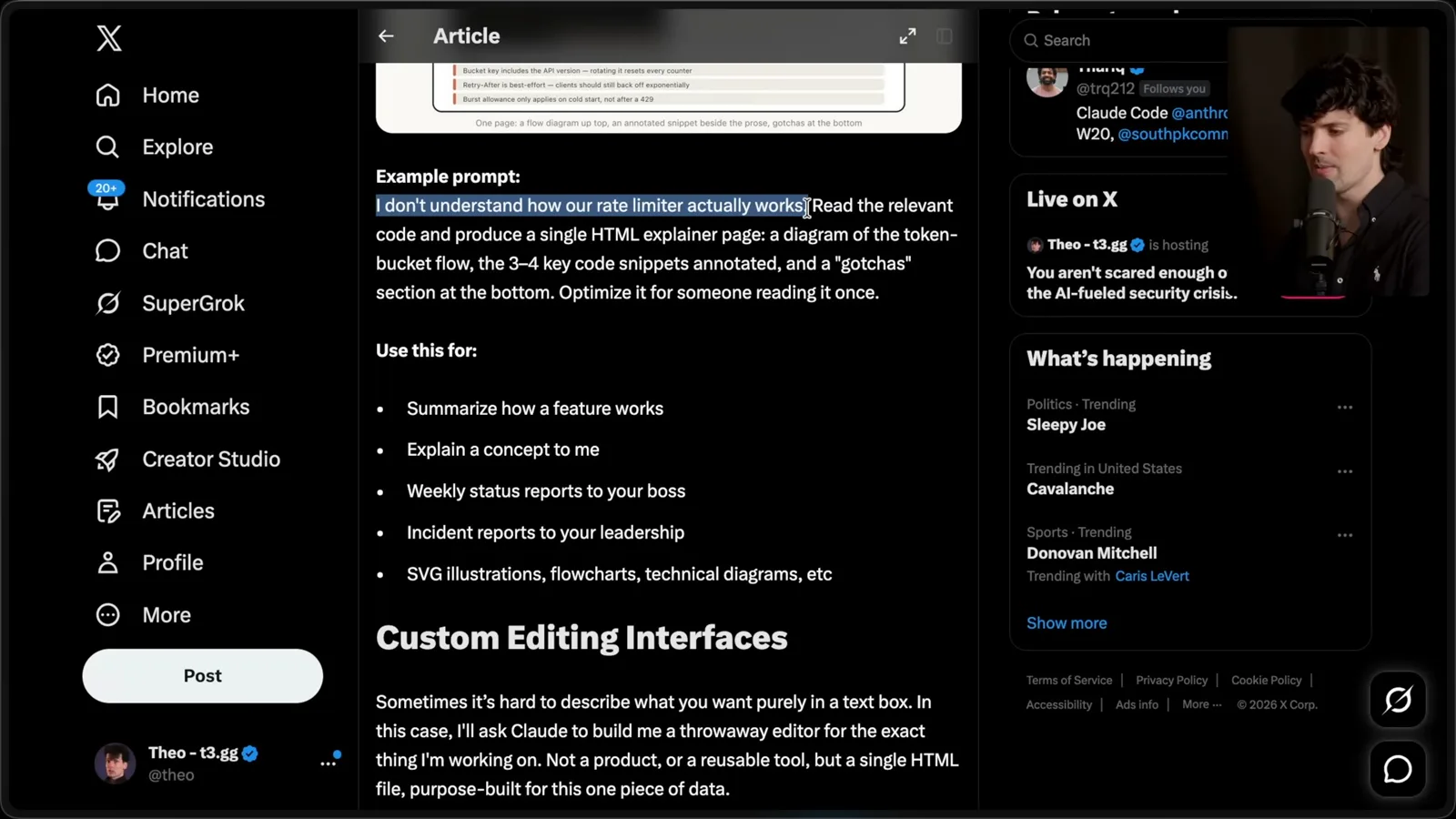
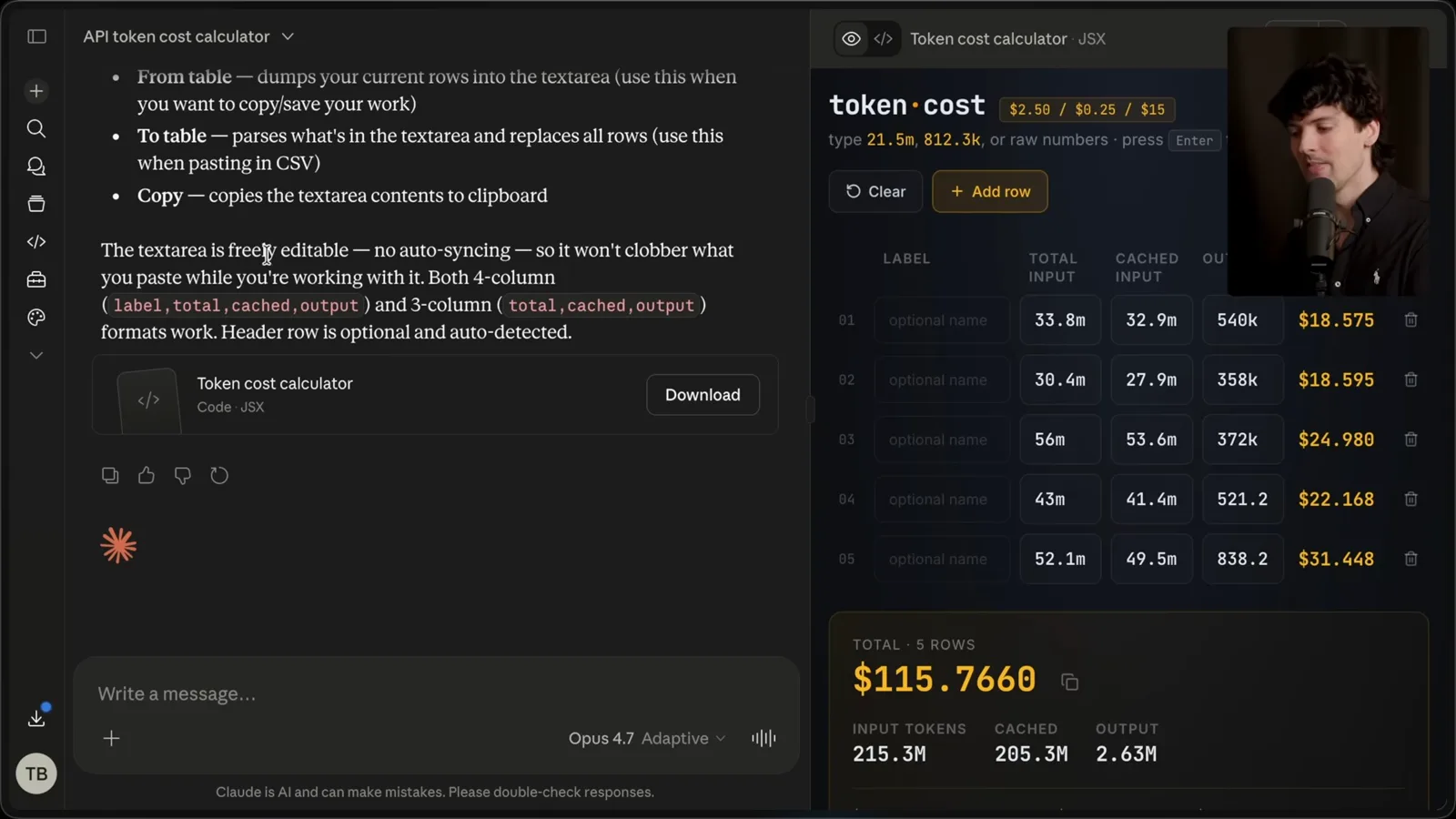
A temporary editor is another use: generate a single-purpose page to manipulate one dataset, then export the result as JSON, CSV, or a prompt. The tool does not have to become a permanent product to be valuable. I often discard experimental code after it has helped me make a decision.
I show a token-cost calculator that accepts values and imports or exports CSV. The generated interface was useful to me, although I experienced a slow loading problem on the host. A calculator's convenience does not validate its formula or inputs; those still need independent checking.
Costs, sharing, and staying involved
HTML can add tokens, noisy diffs, and executable content. Theo weighs those costs against richer collaboration.
HTML can consume more tokens than concise Markdown, and its diffs can be noisier in version control. The extra cost may be worthwhile if the visualization or interaction improves a decision, but a large context window does not eliminate monetary cost, latency, or review overhead.
A reusable design-system reference can help agents match a team's visual style. Generated pages also need a deliberate place to live and a way to share them. Before opening or publishing an untrusted HTML artifact, review its scripts and external resources and use an appropriately isolated environment.
The point I take from Thariq's conclusion is staying in the loop. A richer artifact may make it easier to inspect a plan instead of handing all choices to the agent. I intend to experiment further rather than replace every Markdown file immediately.
Future interfaces
Karpathy speculates about more visual interaction, while Theo demonstrates annotated screenshots and considers future agent interfaces.
Karpathy suggests that visual output and audio input may become more useful interfaces for AI, and speculates about future interactive simulations or generated video. I find the direction interesting, but it is a hypothesis about future interfaces, not an established result or a universal preference for every user.
I already use screenshots and annotations to point an agent toward a particular part of a screen. A graphical interface that shows the pasted image helps me understand the context I sent. T3 Code, which I help build, is one such interface; that is a relevant connection when I recommend it.
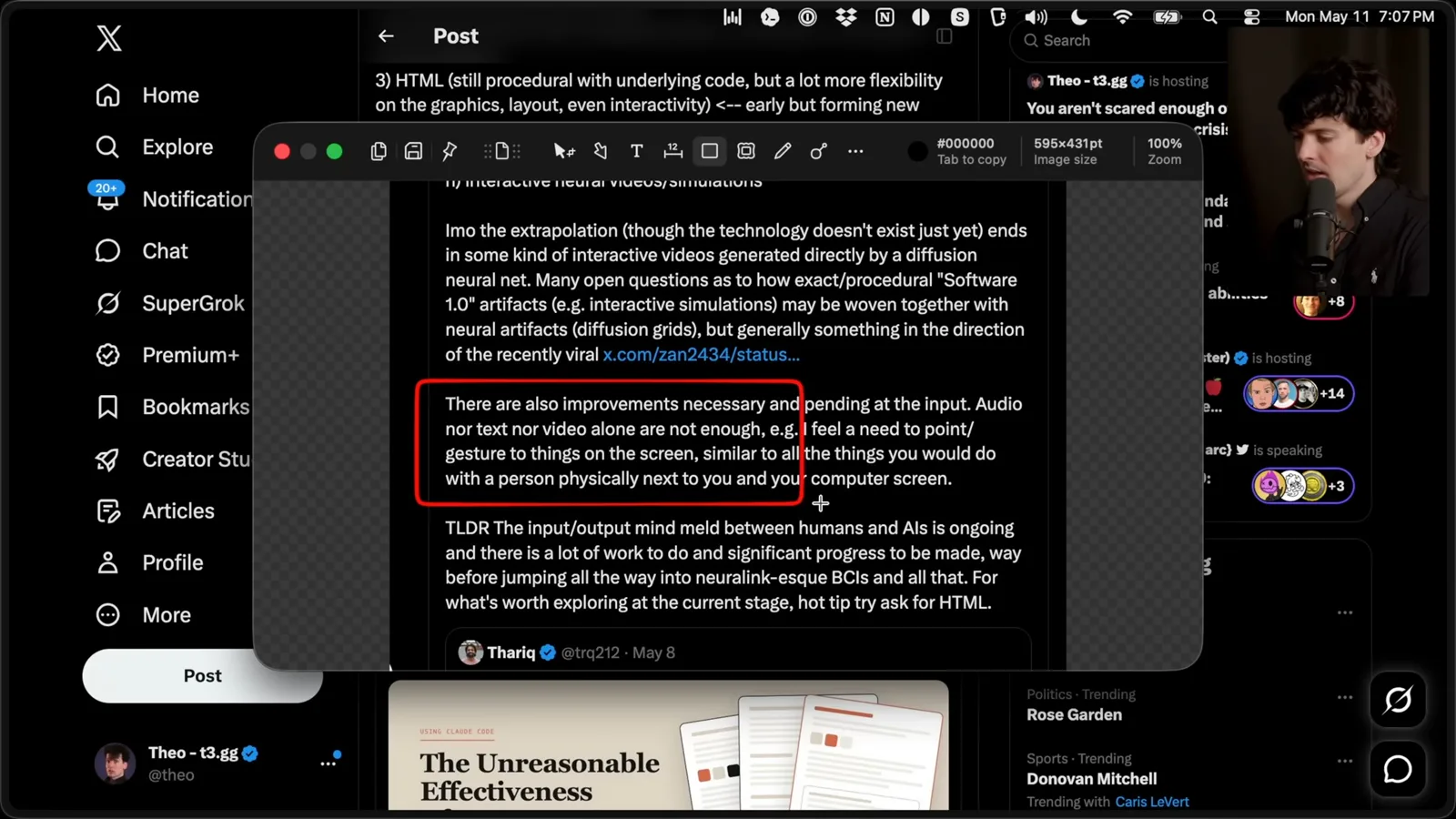
I wonder whether an agent interface could render custom HTML responses and provide a way to share them. There is still plenty to explore in how people provide input, inspect output, and steer work. HTML is a useful starting point alongside Markdown and other formats, not a final answer for every task.
同じチャンネルの記事
 38:47EN
 Theo - t3․gg· 2026年10月28日Theo’s Long-Running Agent Experiments: Verification, Compute and CostTheo Browne · Ping LabsA skateboard game and two compiler projects show how repeated checks and flexible compute can sustain agent work—and how expensive those loops can become.
 36:07ENTheo - t3․gg· 2026年10月27日Theo on Token Costs, Coding Agents, and the Price of AI CapabilityTheo Browne · Ping LabsA viral estimate of Lauren's AI spending prompts a closer look at cache pricing, benchmarks, and the changing work of coding agents.
 30:37ENTheo - t3․gg· 2026年10月26日Theo’s Three Skills for Reviewing and Shipping with Coding AgentsTheo Browne · Ping LabsHow sol-loop, full-send and full-stop encode review, verification and different levels of merge authority.
 0:43ENTheo - t3․gg· 2026年10月23日Theo Distinguishes Security Vulnerabilities from Active AttacksTheo Browne · Ping LabsA short explanation of why disclosed software flaws and reported attacks are different kinds of security news.
 29:22ENTheo - t3․gg· 2026年10月22日Theo on Security Vulnerabilities, Stolen API Keys and AITheo Browne · Ping LabsA look at the gap between vulnerability disclosure and patching, and a speculative account of why stolen inference keys may be valuable.
 31:13ENTheo - t3․gg· 2026年10月20日Theo on Why Smarter Models Help More Than DevelopersTheo Browne · Ping LabsFrom game modifications to compiler experiments, Theo revisits his assumptions about who benefits from more capable AI.