30 秒でわかる
Peter Yang uses a personal media-profile app to demonstrate a six-step process: define the problem, create visual guidelines, prototype key screens, write an integrated specification, design remaining states and build the app. He emphasizes human review and explains that the actual project took hours rather than a single prompt.
- 1Define the problem firstTastemaker begins as a personal need for one profile across films, television and games.
- 2Explore and refine screensYang compares multiple profile and landing-page designs and gives detailed feedback.
- 3Write an integrated specThe HTML specification brings product requirements, design components and technical choices together.
- 4The build is iterativeLocal review, screenshots and follow-up instructions are needed after implementation begins.
ポイント
- Start with a clear user problem and research demand more deeply for a commercial product.
- Use visual inspiration to establish a design system, then explore and refine multiple key-screen variations.
- Combine product, design and technical requirements in a specification that a person can actually review.
- Design empty states and other edge cases before building, and keep artifacts synchronized as the code changes.
- Expect iteration: Yang says the example took a few hours and may still have bugs.
チャプターごとに整えた全文を読む
Problem and visual direction
Yang defines his personal use case and creates design guidelines.
Peter Yang demonstrates a six-step process for designing and building Tastemaker, a site for sharing favorite films, television and games. The tutorial is presented in about 25 minutes, but he says the actual project took a few hours and may still contain bugs.
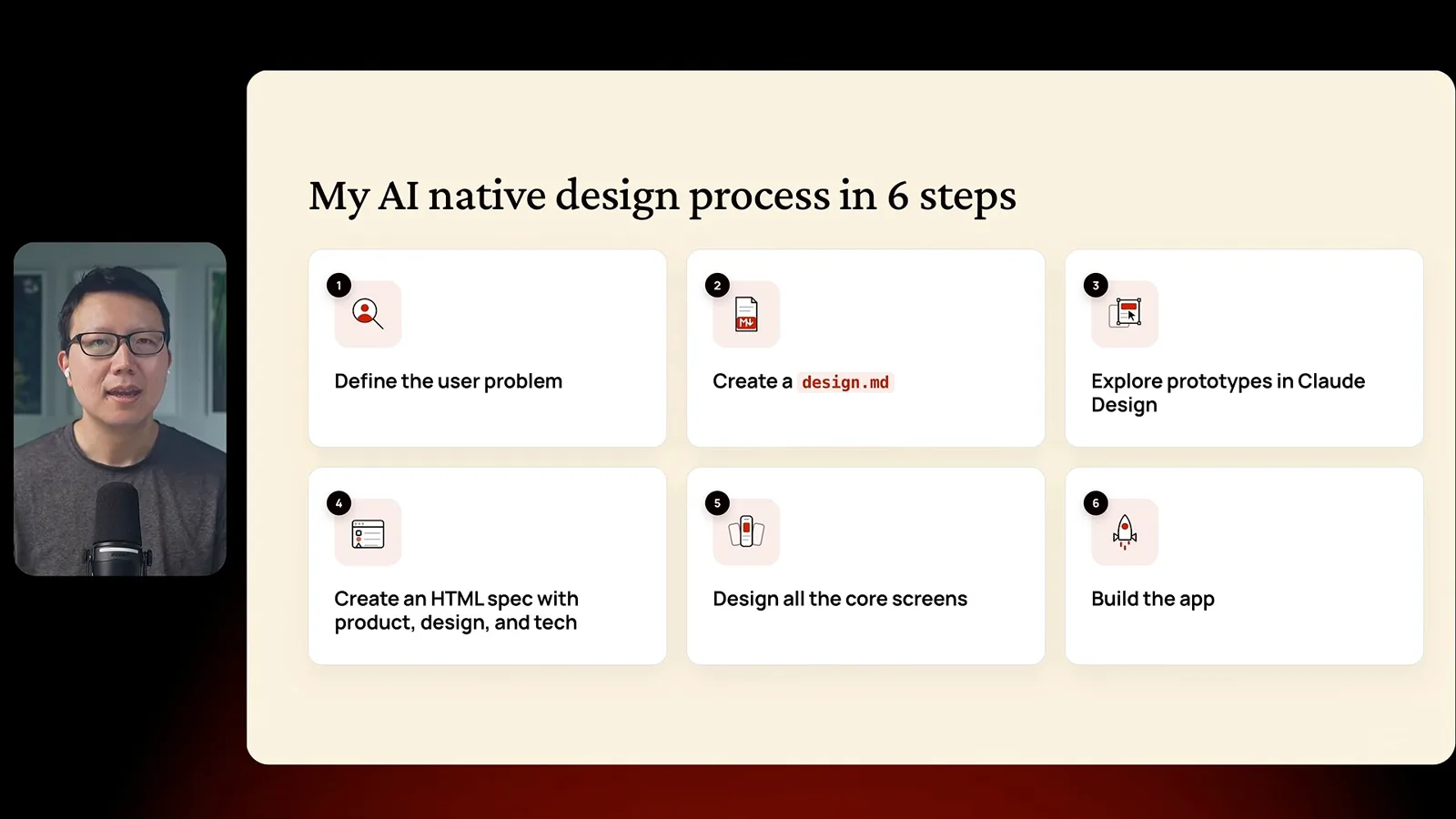
First, define the user problem. Yang wants one page for his tastes across media rather than separate lists. He asks AI to clarify the audience and find relevant evidence, while noting that a commercial product would require more research into demand and revenue.
Second, gather visual inspiration and create a design.md. Yang supplies screenshots of an interface he likes and asks for principles covering color, typography and spacing: a quiet UI that lets cover art carry the color. He distinguishes learning from a visual direction from directly copying another product.
Explore key screens
He compares prototypes and iterates on a profile and landing page.
Third, explore key screens. Yang gives Claude Design the design file and requests two variations each of a public profile and a logged-out landing page. He answers questions about layout, content and visual style, then compares the alternatives.
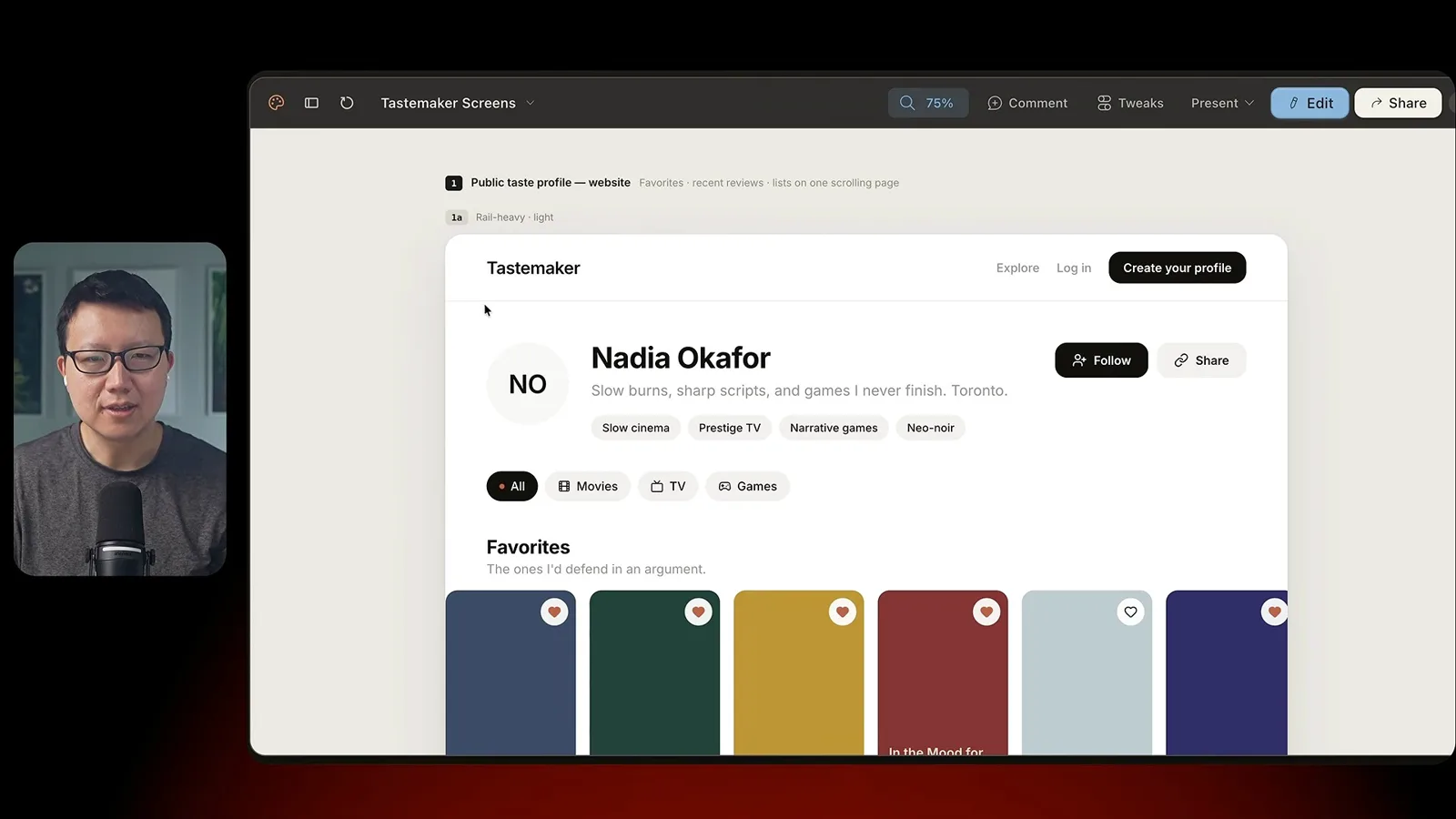
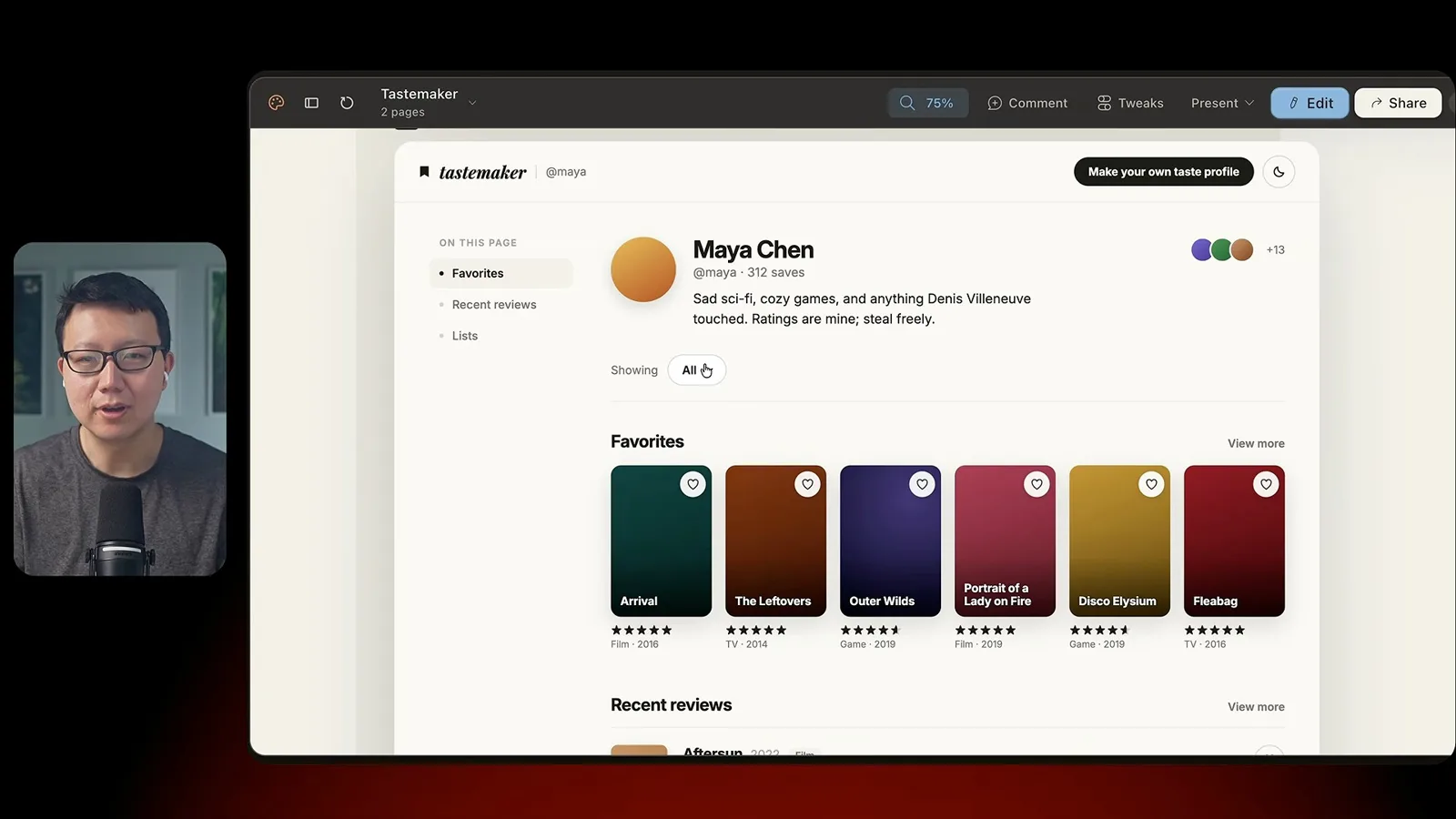
He edits unwanted text and controls directly, and gives further feedback on favorites, full-width reviews and navigation. The preferred result takes several iterations. His point is that human attention to detail and specific feedback shape the design; it is not a one-prompt result.
Specify and design the full product
A reviewed HTML spec guides the remaining screens and edge states.
Fourth, turn the problem, mockups and requirements into an HTML specification. Yang prefers seeing key screens before writing the detailed spec because visuals help him understand the product. His example has product, design and technical tabs, including a component library and proposed data schema.
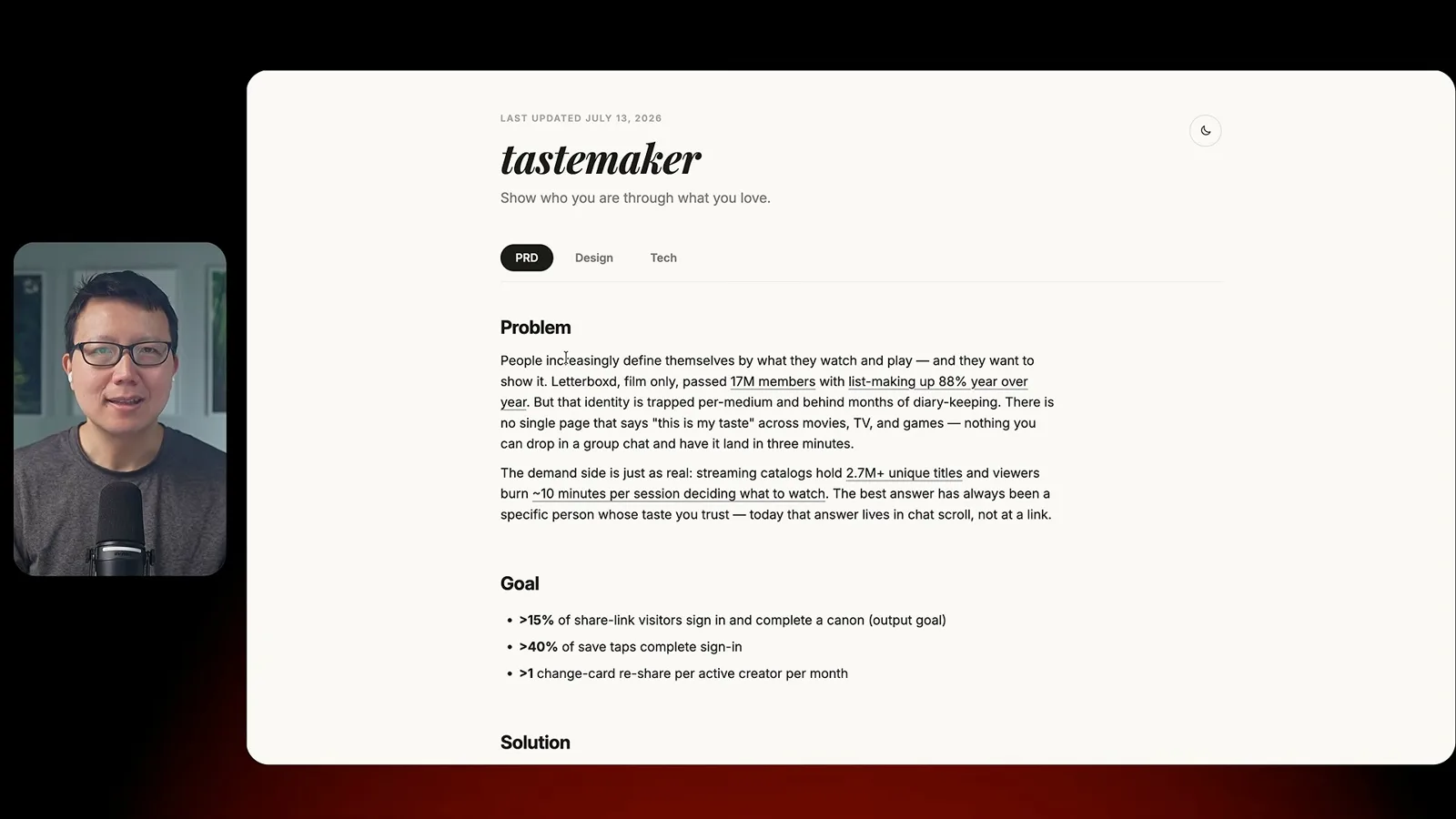
He asks readers to inspect and refine the specification rather than assume the generated requirements are correct. He discloses that his own spec skill is available through a paid membership and says a similar workflow can be created with AI without buying it.
Fifth, use the reviewed specification to design the remaining core screens. These include a creator profile, edit controls, empty states, item details and onboarding. Yang recommends checking default and edge cases, then commenting, editing or iterating before exporting the design.
Build and refine
A coding agent implements the app through a series of reviews and corrections.
Sixth, give both the specification and design artifacts to a coding agent. Yang asks it to identify ambiguities before implementation. He emphasizes that planning and changing mockups early can make later changes to a database and other parts of the stack easier to avoid.
The build still requires a long feedback loop. Yang runs the app locally, shares screenshots, requests changes to missing review sections and navigation, and asks the agent to keep plans and designs synchronized with code. The demonstration includes a Supabase database and authentication.
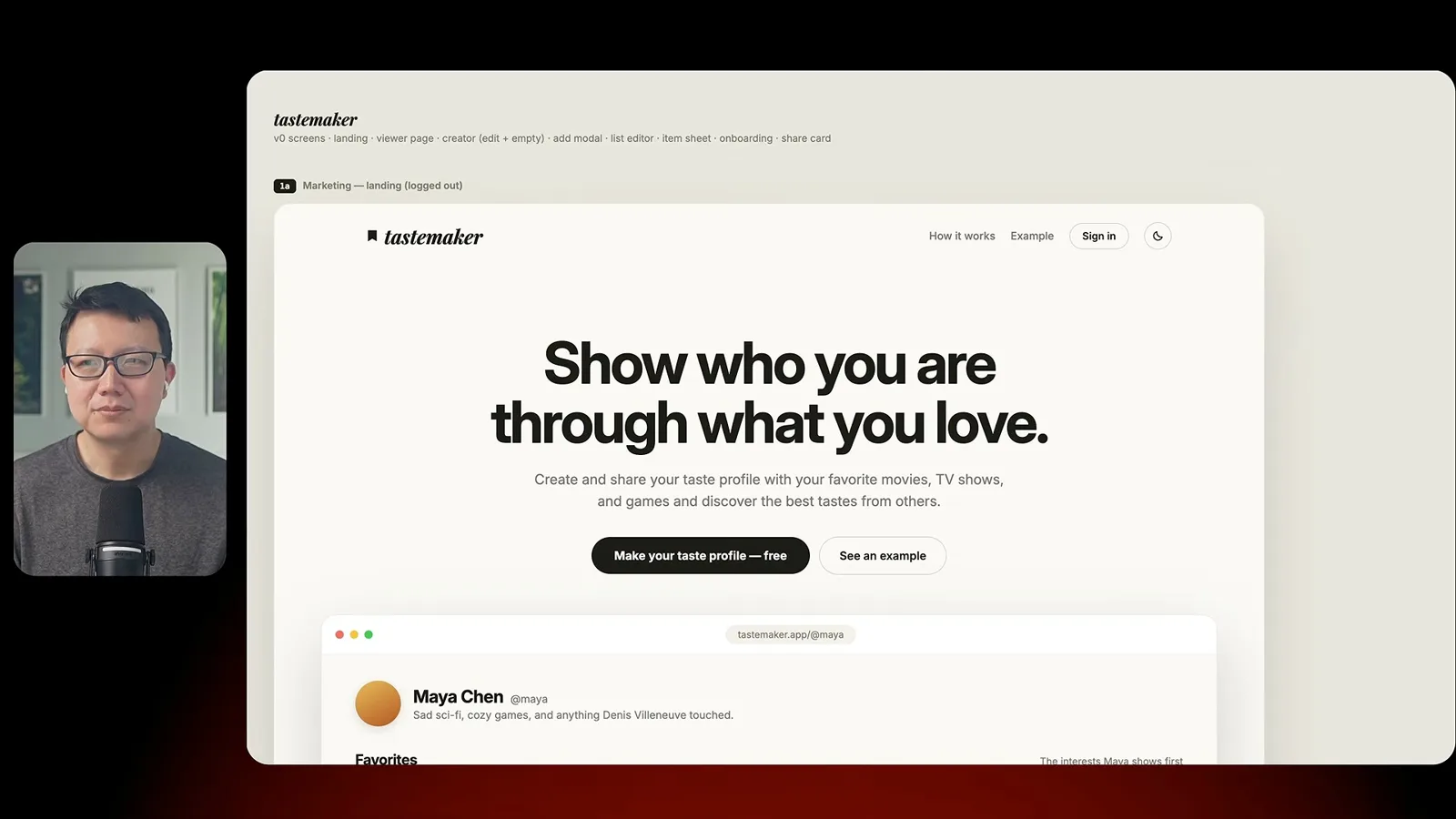
Yang shows the resulting live app with a landing page and profile functions. He estimates that reaching this state took a few hours, acknowledges remaining bugs and recommends validating the problem and business case more deeply when building for real customers.
同じチャンネルの記事
 46:40EN
 Peter Yang· 2026年11月8日ポッドキャスト · 2 人Ashley Alexander: How AI Helps Me Care for My Parents With Cancerゲスト Ashley Alexander · ホスト Peter YangA caregiver uses AI to prepare for appointments, organize records and ask better questions—while keeping doctors at the center of treatment.
 17:50ENPeter Yang· 2026年11月4日ポッドキャストPeter Yang’s Five Steps for Using AI to Help Care for His MotherYang uses a shared care brief and organized records to navigate appointments, while making time for family.
 15:03ENPeter Yang· 2026年11月3日ポッドキャストHow Peter Yang Used an AI Phone Agent to Negotiate His Internet BillAn AI call negotiated a lower price and faster service, but Yang still had to approve the change himself.
 33:09ENPeter Yang· 2026年11月1日ポッドキャスト · 2 人Jaclyn Konzelmann: When AI Can Build More, Choose What Deserves to Existゲスト Jaclyn Konzelmann · ホスト Peter YangGoogle Labs pairs short strategy documents with prototypes, user co-creation and lessons from experiments that end.
 13:05ENPeter Yang· 2026年10月28日ポッドキャストPeter Yang Tests Genie 4: Convincing Worlds, Unfinished GameplayFive live demonstrations show scenes that respond to prompts and sound, alongside inconsistent actions and limited game mechanics.
 1:06ENPeter Yang· 2026年10月26日ポッドキャストPeter Yang on Setting Up Payroll for a One-Person BusinessIn a paid partnership, Yang describes the paperwork he encountered and a payroll product integrated with a business account.