30 秒でわかる
Theo describes moving most development and coding-agent jobs from his MacBook to networked Linux machines while keeping Macs for selected GUI tasks. He shows how SSH, tmux, Tailscale, a network KVM and T3 Code fit together, and discusses the performance observations and operational trade-offs behind his setup.
- 1Long jobs need a durable homeAgent tasks increasingly run through implementation and review, so tying them to a laptop is inconvenient.
- 2Persistent SSH sessionstmux preserves remote terminal work across disconnects, while Tailscale connects the machines.
- 3Measure the actual workloadIn Theo’s test, Git cleanup and package installs were faster on his Linux machine; the numbers are specific to that comparison.
- 4Recover machines through a KVMA hardware KVM can provide remote screen and input access even when the target OS is unavailable.
- 5A GUI for remote agentsT3 Code lets Theo use screenshots and worktrees on remote machines, with jobs continuing when the laptop closes.
- 6Orchestration becomes part of the workRunning a fleet adds decisions about placement and access, but Theo finds the extra control worthwhile.
ポイント
- Remote Linux machines let long agent jobs run without keeping a laptop open.
- SSH with tmux preserves terminal sessions, while a remote GUI can restore image input.
- Small-file benchmark results depend on the machines and workload tested.
- A network KVM can provide out-of-band access for boot and recovery.
- Self-hosting adds fleet management and requires attention to current subscription terms.
チャプターごとに整えた全文を読む
Why move work off the Mac?
Long-running agent jobs and unreliable connections made laptop-bound development frustrating. Theo wanted remote work while retaining his personal subscriptions.
The computer on my desk is for content and video editing, while I historically did most development on my MacBook. That has changed: much of my actual work now runs on a collection of networked machines.
I've been an Apple fan for years, so why move now? The biggest reason is that Codex jobs were hammering my Macs, including a remote Mac mini. As agents took on longer work—from making changes through PR review and follow-up—I hated having my laptop tied up whenever I needed to leave for a meeting.
I also found myself trying to work from cars with unreliable mobile connections. Cloud tools like Devin and Cursor are compelling for everyday work, but I wanted to close the laptop while still using my personal Codex and Claude Code subscriptions. I cite SemiAnalysis estimates suggesting those subscriptions can provide far more inference than their sticker price; those estimates are not a promise of what any individual will receive.
SSH, tmux and fleet configuration
Tailscale, SSH and tmux connect the machines and preserve sessions. A control-machine skill describes the fleet to an agent.
My machines are networked with Tailscale. I access them over SSH and through T3 Code. In cmux, a Ghostty-based terminal wrapper, I pin the machines I use most, including Mac minis, a Framework machine and an HP ZBook.
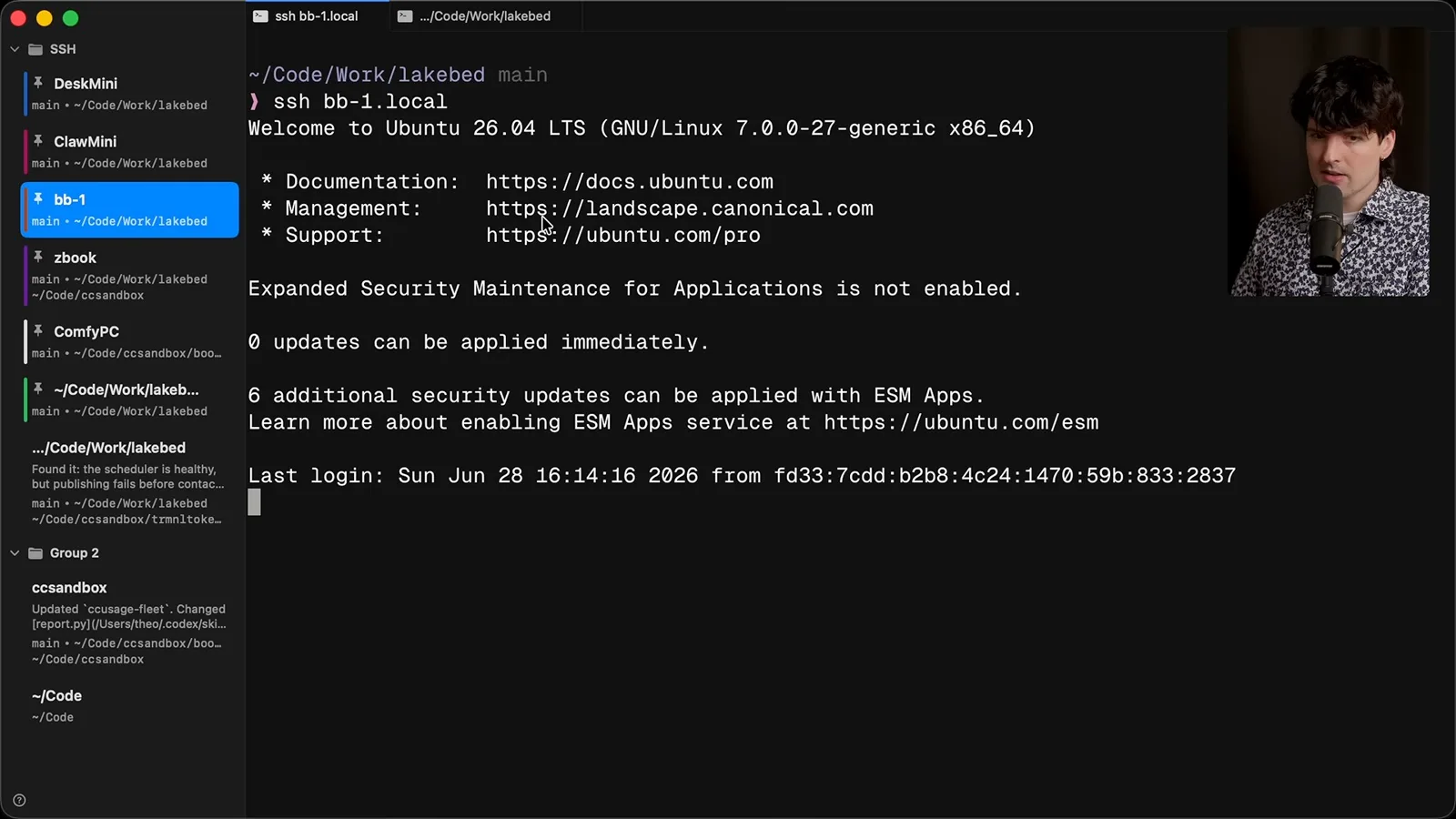
SSH starts tmux immediately, so if I disconnect and reconnect, the programs are still where I left them. The two Linux machines I use most each have 32 threads. I use a terminal session for machine-specific configuration or when I want to exercise features of the agent harness directly.
The terminal has catches. Pasting screenshots to an agent over SSH is awkward, and switching between local and remote network addresses needs configuration. I treat the MacBook as the control machine: it has SSH keys for the others, plus a skill describing the fleet, its machines and my preferred configurations.
For example, I ask the agent to make the Linux machines' shell prompt match the minimal, color-matched prompt on my Macs. It can consult the fleet information, connect to each machine and adjust the configuration. The aim is to use the laptop to coordinate work, not force every job to run on it.
CPU load and small-file tests
Theo describes macOS process overhead and shows two workload comparisons. The results are specific to the machines and tests shown.
A screenshot of my Mac mini showed all cores at 100% and some above 100°C. Some load came from mobile development, but I attribute most of it to Codex. In a live demonstration, one browser computer-use task raised CPU usage noticeably; I worry about what several simultaneous tasks do on even a high-end laptop.
One issue I see on macOS is syspolicyd, Apple's process-security machinery. My understanding is that agents and their MCP integrations can spawn many processes, particularly with subagents, and monitoring them adds overhead. This is my diagnosis of the behavior I observed, not a controlled measurement of each cause. The app has improved and I expect more fixes, but I wanted relief now.
Another motivation was a small-file benchmark shared by NullVoxPopuli: tasks like cleaning repositories, cloning worktrees and installing cached pnpm packages happen much more often when agents work in parallel. In my demonstration, a Git cleanup took roughly 2.5 seconds on a Framework Linux machine and 35 seconds elapsed on my M5 Max MacBook.
A package-install test took about 7.3 seconds on that Linux box and around 35 seconds on the Mac. I find the difference changes how willing I am to create worktrees. These are observations from particular machines and workloads; the comparison doesn't establish a universal speed ratio for Linux and macOS.
Trade-offs and the network KVM
He moves most work to Linux but keeps Macs for some computer-use tasks. A hardware KVM offers access even during boot and recovery.
I hesitated to give up the Mac's 128 GB of unified memory for local models, but my needs changed: I mostly use cloud models and can rent access to open-weight models. I still value Codex computer use on macOS; in my experience it is less stable on Linux, so I send specific GUI tasks to Mac minis and use Linux boxes for most other work.
A network KVM adds another way to reach a machine. I show GL.iNet's Comet Pro, which connects to the computer's HDMI and USB ports and acts as its display, keyboard and mouse. It provides control outside the target operating system, so I can see the boot process and reboot or mount an ISO to install an OS remotely.
I am not sponsored by or affiliated with GL.iNet. In the demonstration, I ask Codex to use the KVM browser interface to change an Ubuntu desktop's wallpaper. It opens a terminal and makes the change; the point is to show that an agent can operate the remote screen, not that this is the most practical way to change a wallpaper.
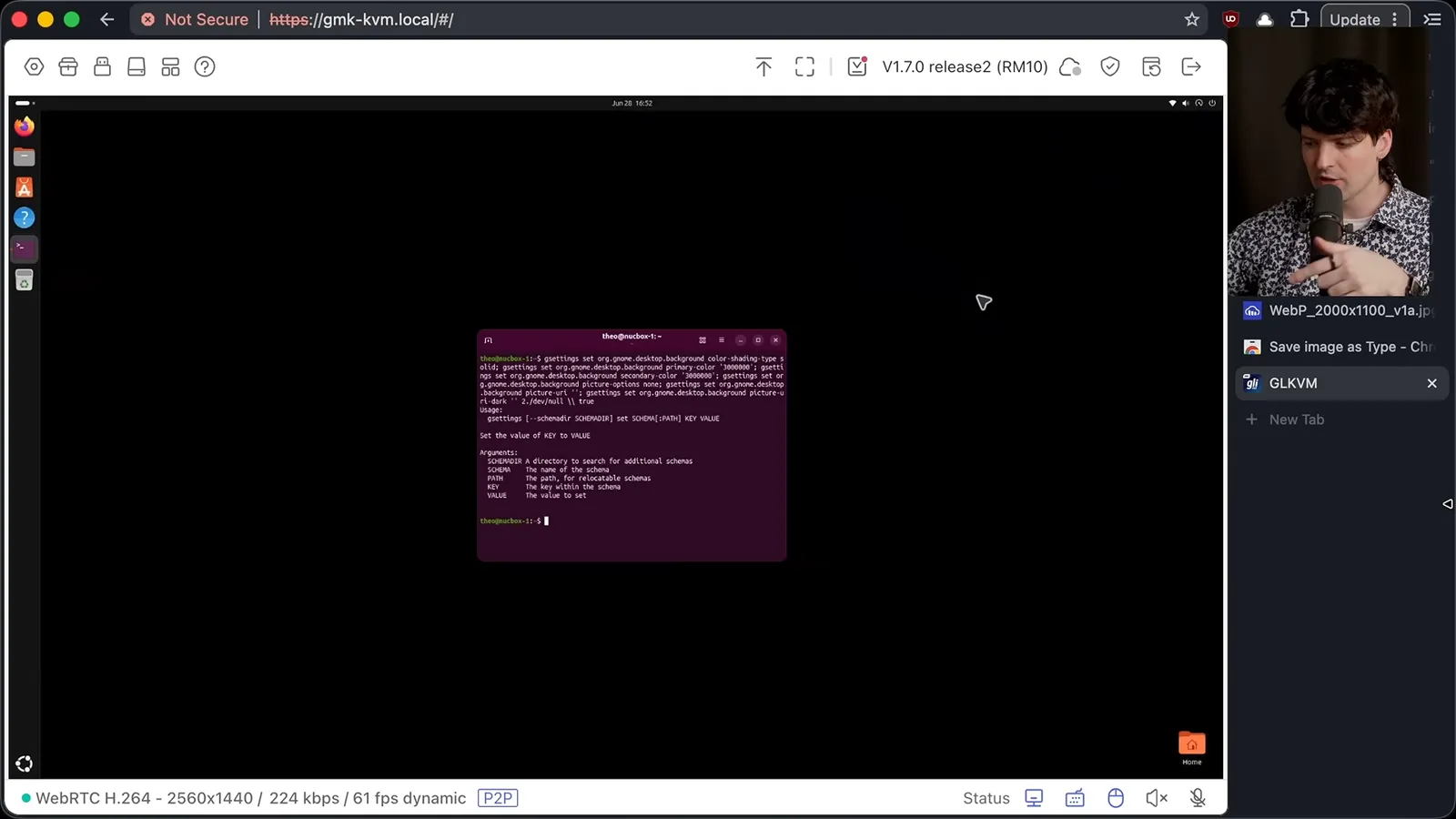
The KVM was more useful when another Linux machine failed to boot after I copied partitions between drives. I asked Codex on my laptop to recover it through the KVM; it forced a boot through GRUB and repaired the setup. I came back about 20 minutes later to a working machine.
A battery-powered finger bot can physically press the power button under remote control, including a long press for a hard reboot. I see the KVM as an emergency interface and a way to give agents full-machine access, not as a pleasant way to browse the web all day.
Remote work through T3 Code
Theo demonstrates a GUI, screenshots and remote project cloning. Long agent jobs can continue after the laptop closes.
For daily work I start the T3 Code server on a remote machine and connect over Tailscale or the local network. Its GUI includes a terminal, worktrees and screenshot input, so I can paste an image into a remote task despite the SSH limitation. I can move to a different network and still connect through Tailscale.
At the time of recording, T3 Connect was in development as another connection option; I had not tried it and did not know its pricing. The desktop app can pair with remote environments and show which machine and directory a project uses. I can add a remote folder or clone a repository onto that machine.
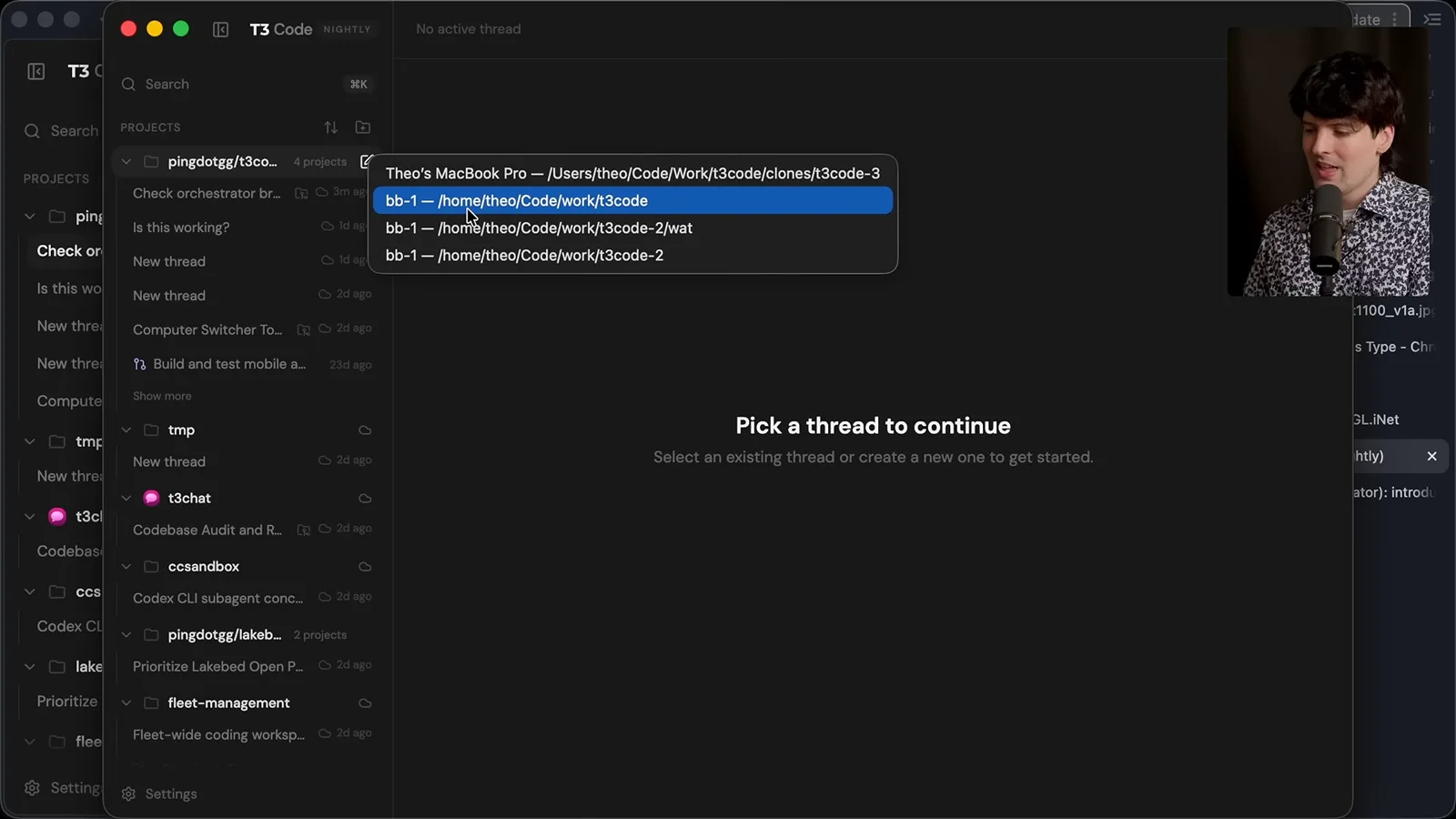
My first clone attempt fails because GitHub authentication is not set up on the new box. I ask the agent on my control machine to fix it, then demonstrate the clone on a ZBook that already has access. The project and its tasks can continue on that remote machine after I close the laptop.
I can ask an agent to investigate a codebase, make a change, open a PR, wait for automated review and respond to feedback. In another example I ask subagents to audit an aging project and produce an HTML modernization plan. Long jobs no longer have to consume my laptop's CPU and memory while I wait.
Hardware choices and orchestration
A modest machine can offload work, although provider terms and hardware prices matter. Theo explains the trade-offs of operating his own fleet.
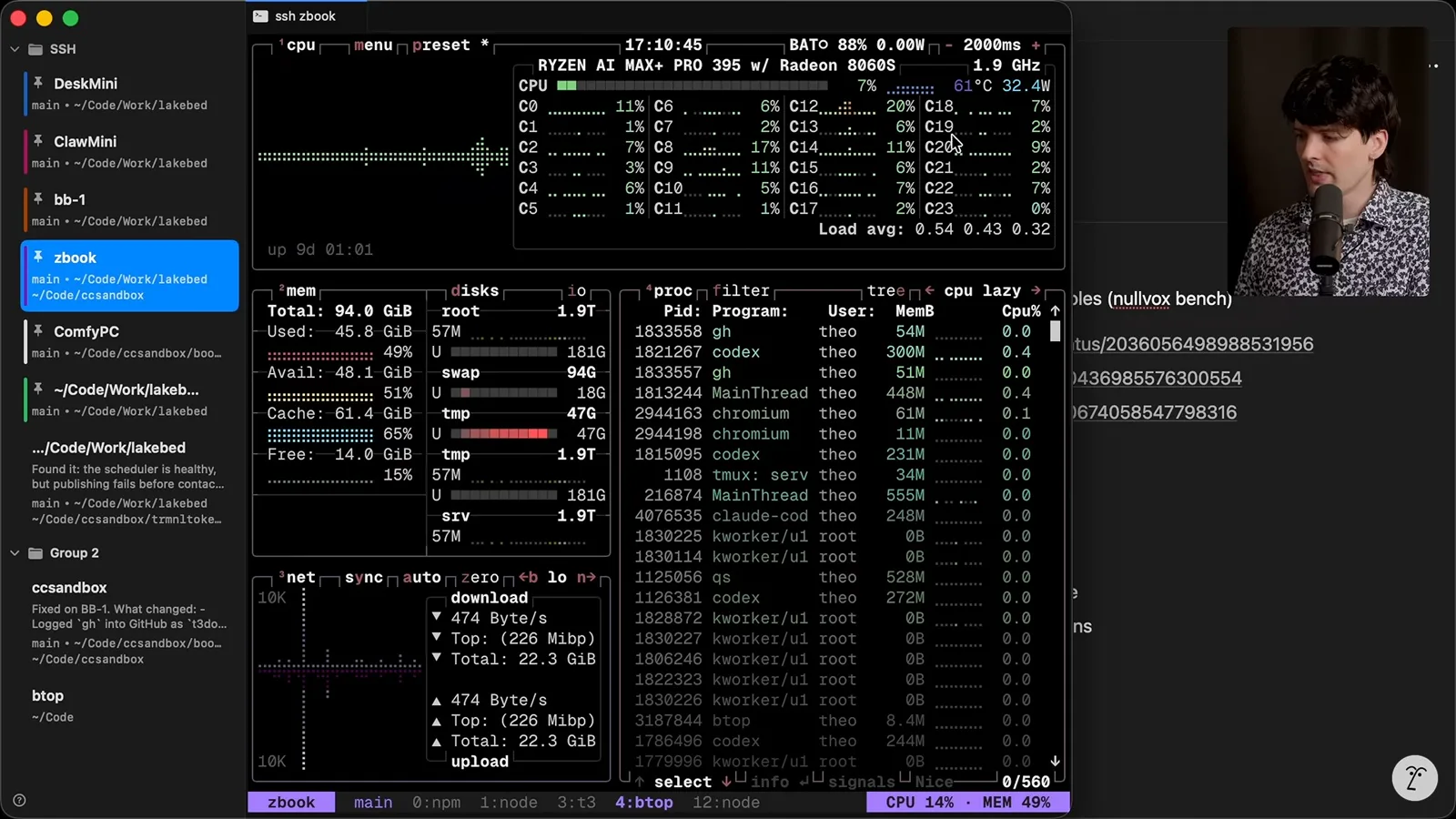
You don't necessarily need a powerful new computer to try this: I started on a less powerful machine, and many Linux computers can offload parallel work. During the demonstration, a 32-thread box running the audit and T3 Code shows relatively low CPU use. That is a snapshot of my workload, not a guarantee for every project.
The GMK K8 Plus I used was advertised at about $400 without memory or storage, or $740 on sale with 32 GB RAM and a 1 TB SSD at the time. I have no affiliate deal with the manufacturer. An old laptop or desktop may also work, and cloud machines are another option.
I caution that subscription providers may restrict where personal plans can run; check the current terms rather than assuming a cloud box is allowed. I prefer machines on my own network for control and utilization. My color-coded tmux sessions and agent-assisted setup make it easier to manage the fleet.
This setup introduces orchestration: deciding which computer should run a workload and how to access it later. I find that fun, and I think managing where and how agents run is becoming a larger part of our job. It has let me run longer tasks and make more use of my subscriptions.
Cloud limitations and what comes next
Theo compares his setup with hosted agent products based on his experience. He closes with plans for mobile access and his enthusiasm for the workflow.
Agents also make Linux setup more approachable: I can describe the configuration I want instead of doing every step manually. I have tried hosted Codex and Claude Code cloud options, but found environment setup, accessing results and mixing models too limiting for my workflow. I regard Cursor and Devin as further along in hosted workflows, though the subscription economics still matter to me.
My team is also working on a T3 Code mobile app for remote control; at recording it was a forthcoming feature, not a promise of current availability. The project's open source, but the larger point of this video is the Linux-box workflow. I no longer need to keep a laptop partly open just to keep agent jobs running, and I've found the change liberating.
同じチャンネルの記事
 38:47EN
 Theo - t3․gg· 2026年10月28日Theo’s Long-Running Agent Experiments: Verification, Compute and CostTheo Browne · Ping LabsA skateboard game and two compiler projects show how repeated checks and flexible compute can sustain agent work—and how expensive those loops can become.
 36:07ENTheo - t3․gg· 2026年10月27日Theo on Token Costs, Coding Agents, and the Price of AI CapabilityTheo Browne · Ping LabsA viral estimate of Lauren's AI spending prompts a closer look at cache pricing, benchmarks, and the changing work of coding agents.
 30:37ENTheo - t3․gg· 2026年10月26日Theo’s Three Skills for Reviewing and Shipping with Coding AgentsTheo Browne · Ping LabsHow sol-loop, full-send and full-stop encode review, verification and different levels of merge authority.
 0:43ENTheo - t3․gg· 2026年10月23日Theo Distinguishes Security Vulnerabilities from Active AttacksTheo Browne · Ping LabsA short explanation of why disclosed software flaws and reported attacks are different kinds of security news.
 29:22ENTheo - t3․gg· 2026年10月22日Theo on Security Vulnerabilities, Stolen API Keys and AITheo Browne · Ping LabsA look at the gap between vulnerability disclosure and patching, and a speculative account of why stolen inference keys may be valuable.
 31:13ENTheo - t3․gg· 2026年10月20日Theo on Why Smarter Models Help More Than DevelopersTheo Browne · Ping LabsFrom game modifications to compiler experiments, Theo revisits his assumptions about who benefits from more capable AI.