En 30 secondes
In this GPT Pilot-sponsored December 2023 tutorial, Matthew Berman uses the VS Code extension to build a Node.js login and registration prototype. He supplies requirements, approves commands, tests individual flows and works with the agent to resolve errors. The demonstration uses weak local test secrets and is not a production security guide. A later repository security notice reports credential-stealing code in source distributed from August 2025 to June 2026; the maintainers say it was removed and the repository is no longer maintained.
- 1Clarify requirementsBerman selects JWT authentication, password-strength checks and a simple logged-in home page.
- 2Approve and inspect commandsThe agent asks to initialize the project and install packages, and Berman supplies a server-port choice.
- 3Debug a missing packageA failed start leads the tool and developer to install the missing environment dependency.
- 4Test secrets are not production secretsThe video uses simple JWT and session values for a local example; real systems require secure configuration.
- 5Browser login initially failsThe terminal request works, but the UI fails until Berman reports the discrepancy and the agent makes changes.
- 6Later repository security noticeMaintainers report a credential-stealing supply-chain compromise from 2025 to 2026 and say the affected source was removed.
À retenir
- GPT Pilot breaks a described app into tasks and asks the developer to review and test progress.
- The demonstration requires human decisions, manual file work and repeated command approvals.
- A terminal login can succeed while the browser form fails, requiring integration debugging.
- Passing selected registration, password and session checks does not establish production security.
- The demonstration’s weak JWT and session secrets are not appropriate for a real deployment.
- The project’s later repository security incident and maintenance status are separate from the historical video.
Lire le texte remanié, chapitre par chapitre
Requirements and setup
Berman introduces the sponsored 2023 VS Code workflow and specifies an authentication app. GPT Pilot asks clarifying questions and proposes a development plan.
I demonstrate GPT Pilot, an AI-assisted tool for building applications with a developer reviewing and testing along the way. This December 2023 video is sponsored by GPT Pilot. The result is one edited demonstration of a small authentication application, not evidence that a single prompt produces a secure, production-ready system without human work.
At the time, I install the GPT Pilot Alpha extension in VS Code, open its panel and configure model access. I create a project and describe a Node.js app with registration, login and a page for the current user, using a database and persistent sessions. The demonstrated setup and product availability are historical and may have changed.
The tool asks clarifying questions before coding. I choose JWT-based authentication, no email confirmation, a password-strength requirement and a home page that displays the user's first name. These are choices for a demonstration rather than a universal authentication design.
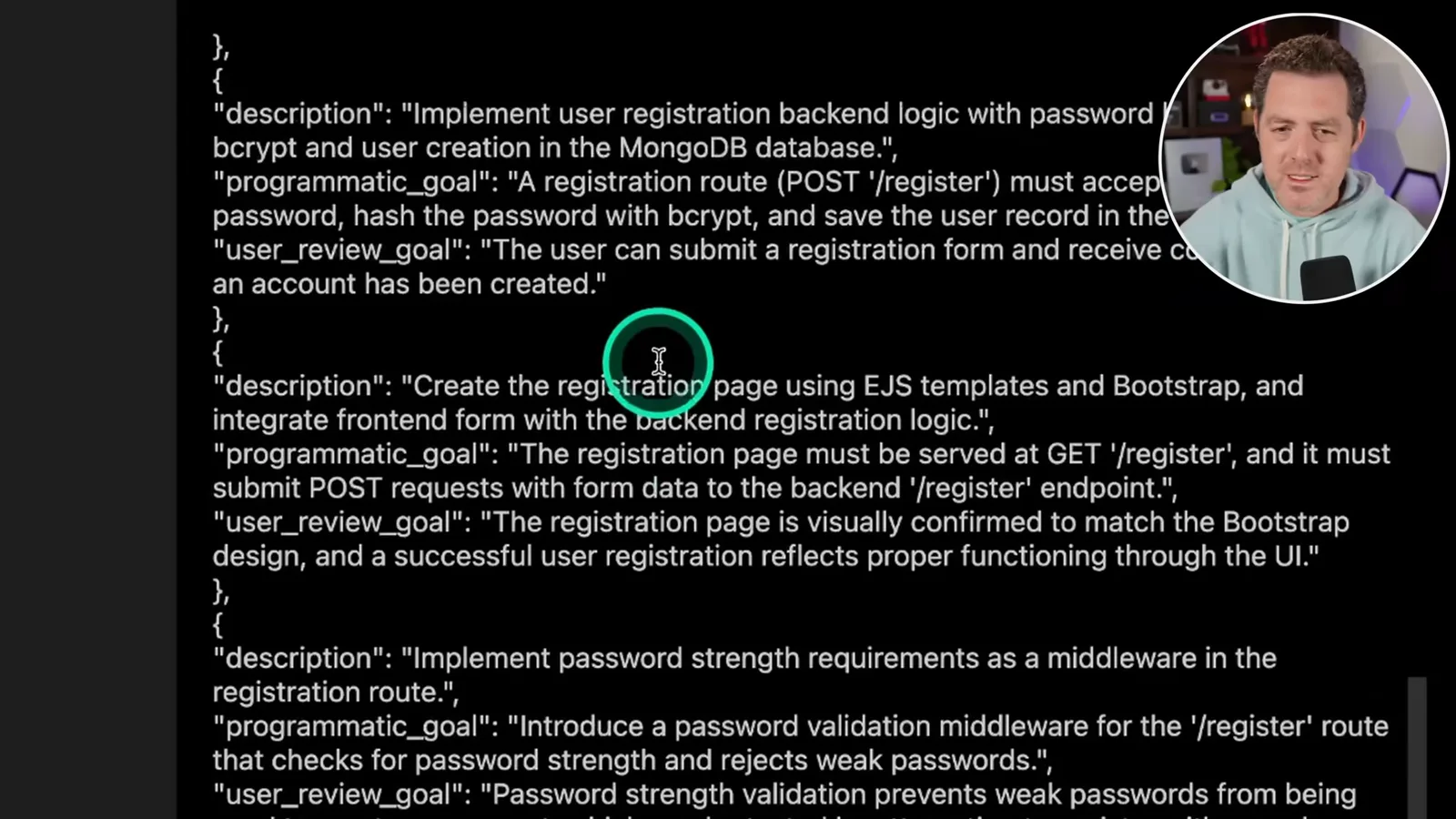
GPT Pilot summarizes the requirements, proposes technologies and asks me to confirm the local environment. It then creates a development plan with tasks and expected review goals. I characterize this as a back-and-forth workflow: an engineer checks the tool's steps, tests the results and helps debug problems.
Server, database and registration
The developer approves commands, tests the server and works through a missing dependency. Registration is implemented and checked with a sample request.
The first task initializes a Node.js project and an Express server. The tool asks before running commands such as project initialization and package installation. It also opens a file and asks me to choose a fallback port; I select 3002, save the file and continue.
After the server starts, I run the suggested request to check that it responds. The tool suggests a different port, so I adjust the test to the port actually used in the demo. This small correction shows why a person needs to inspect generated instructions rather than assume every command is correct.
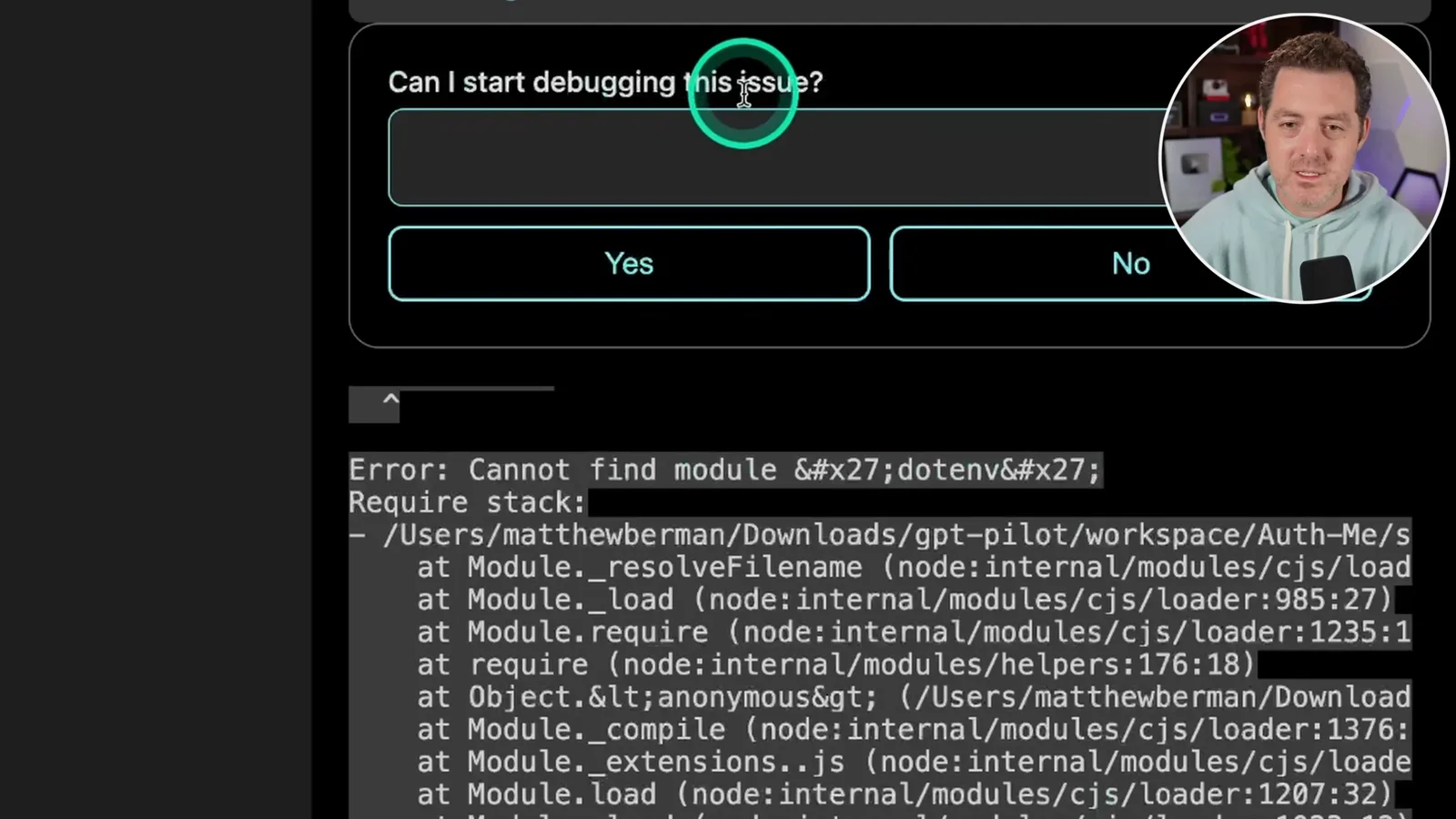
The next steps add Mongoose and database configuration. The server initially cannot find the environment-configuration package; I authorize debugging and the missing dependency is installed. The app then reports that it has connected to MongoDB, with warnings still visible.
GPT Pilot implements registration with password hashing using bcrypt. I start the app and send a test request; the application reports that the user was created. The tool continues generating pages and documentation, but that single successful request does not establish that the registration flow is secure or complete.
Frontend and authentication tests
A manual Bootstrap step precedes duplicate-user and password checks. The demonstration uses weak test secrets that should not be used in production.
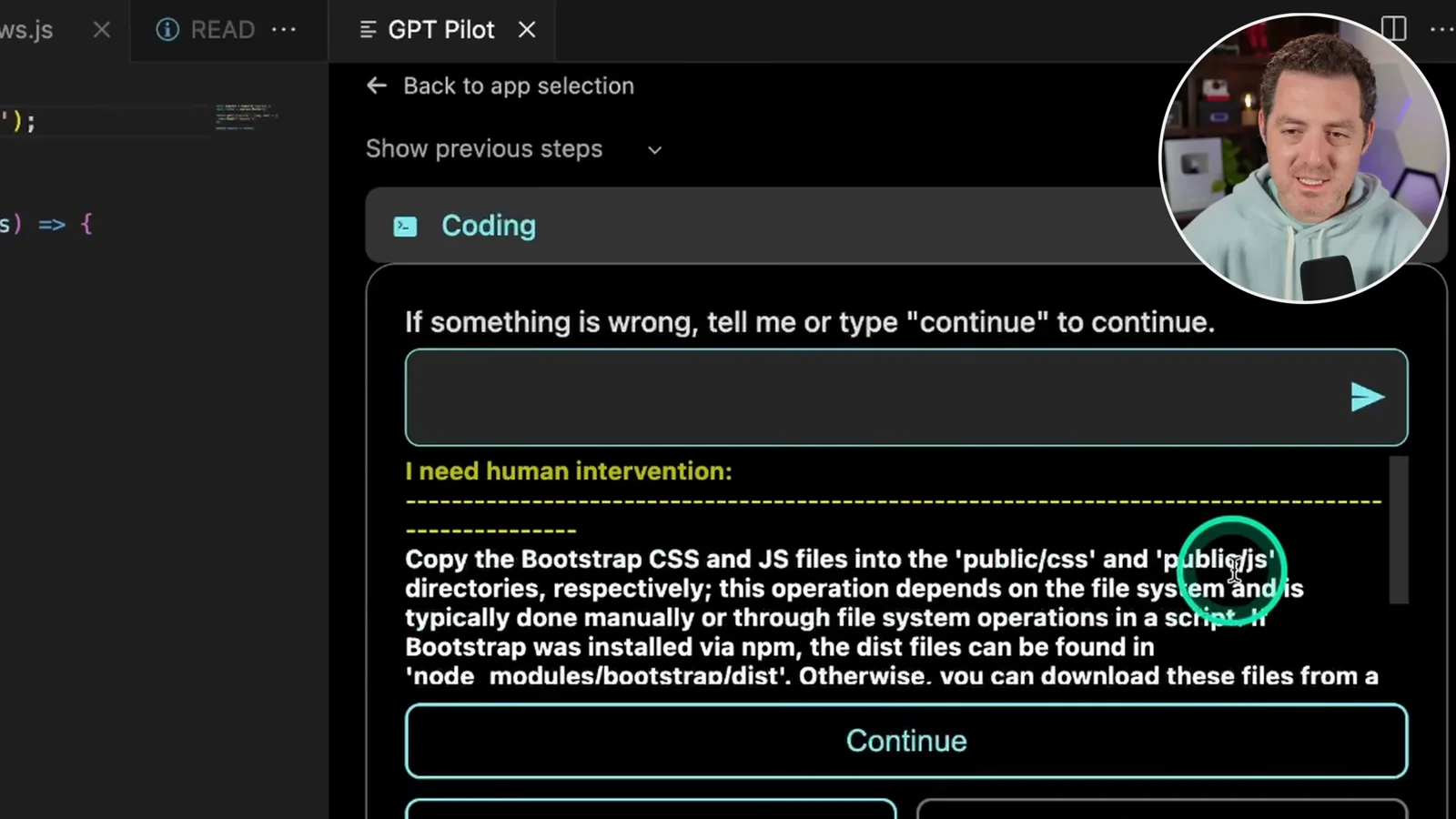
For the frontend, the tool asks me to copy Bootstrap CSS and JavaScript files into the public directories. I download the files and perform that step manually, then restart the application. When it treats a deprecation warning as an error, its debugging response notes that the warning is not necessarily a server failure.
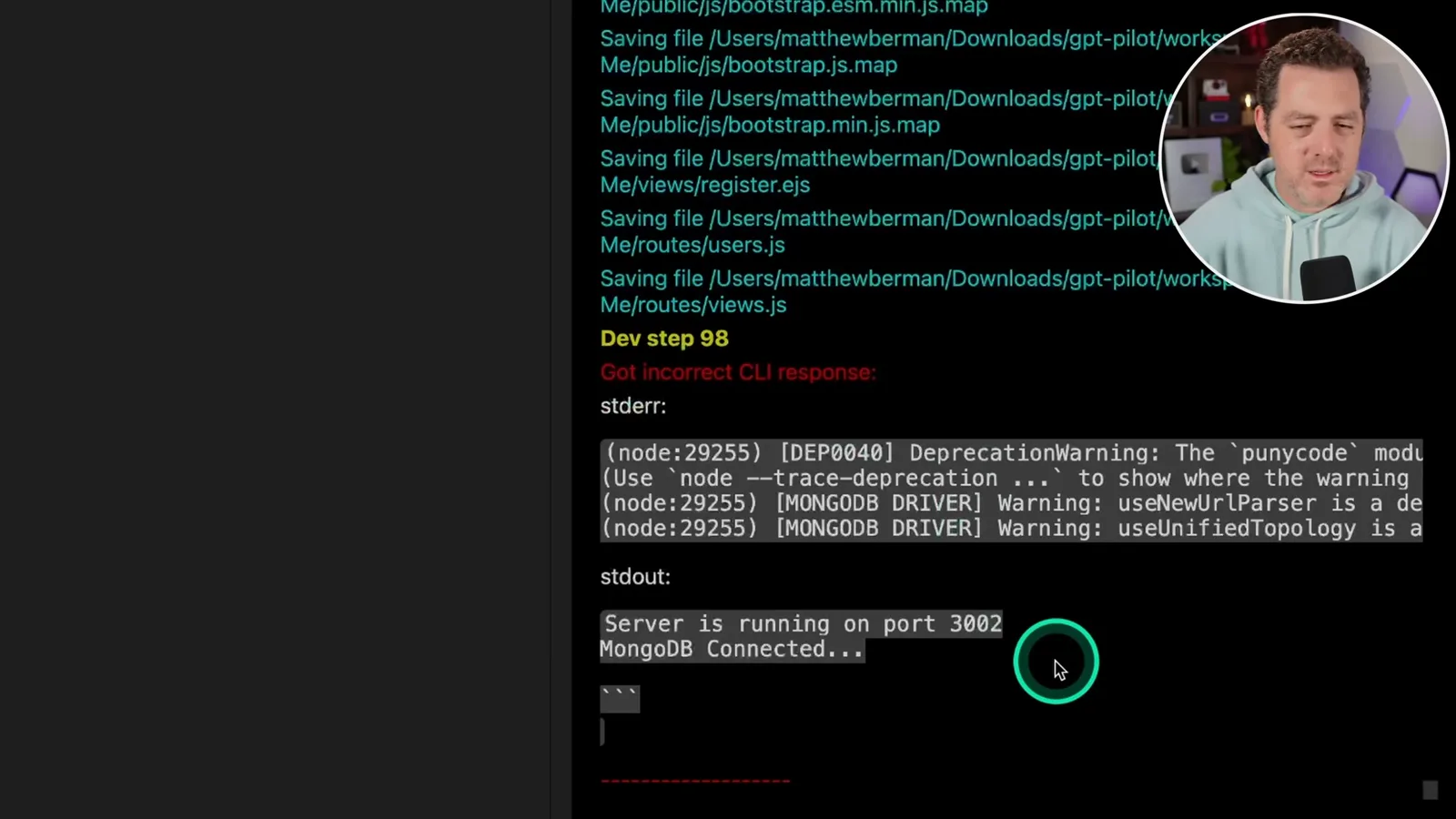
I test registration again and check that a duplicate account is rejected. The next task adds password-strength middleware, and a test with a weak password returns the expected rejection. These are useful checks of individual cases, not exhaustive tests of password handling or abuse resistance.
The generator asks for a JWT secret and a session secret. I enter deliberately simple values because this is a local test; they are weak and unsuitable for production. Real deployments need securely generated secrets, safe storage and a security review rather than copying the demonstration values.
I test login from the terminal using an existing account and receive a success response and token. GPT Pilot reports roughly two-thirds completion and updates documentation. It also exposes earlier development steps, which can be revisited if a later change fails or a different direction is needed.
Fixing login and testing sessions
The browser form initially fails despite a successful terminal login. After feedback and changes, Berman retests login, session persistence and the home page.
The generated browser login page fails even though the terminal request worked. I report the difference to the agent; it suspects an integration problem between the form and backend, asks for input and changes the code. After I retry the same flow, the page reports a successful login. The observed correction applies to this example, not every authentication edge case.
A subsequent step investigates Mongoose deprecation warnings. I then test whether the login persists: I refresh the page, restart the server and refresh again, and the example remains logged in. That checks one session-persistence path but does not establish appropriate expiration, revocation or protection against session attacks.
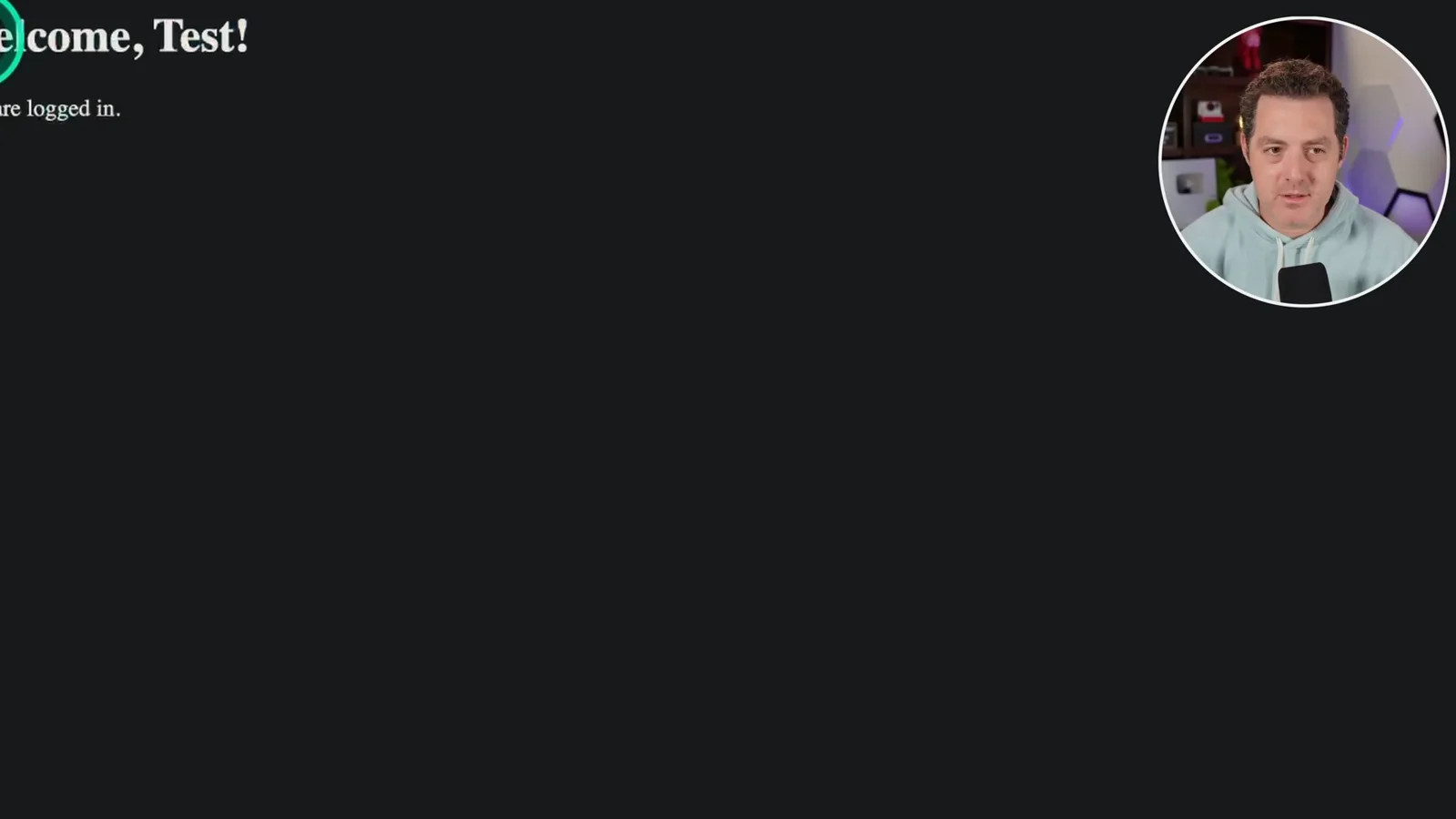
The home page displays the logged-in user's first name and still does so after refresh. GPT Pilot reports project generation complete and updates the README. I note that I worked through the process step by step, approving operations, testing behavior and correcting issues with the tool's help.
Completion and later security context
The generated prototype and development history can be extended or revisited. A later repository security notice concerns a separate supply-chain incident.
The interface offers to add further features and to return to earlier development steps. I decline additional changes for this demonstration and mention the project community as a source of help. Generated code, dependencies, configuration and authentication behavior still need independent review and testing before any real deployment.
A later note matters for anyone revisiting this historical tutorial: the GPT Pilot repository's maintainers report that malicious credential-stealing code was present in the source between August 24, 2025 and June 11, 2026, and was subsequently removed. The repository says it is no longer actively maintained and advises people who ran affected source during that period to rotate exposed credentials and investigate their machines. This later incident is separate from the 2023 demonstration.
Sur la même chaîne
 34:21EN
 Matthew Berman· 27 oct. 2026Matthew Berman Examines Anthropic’s IPO Filing, AI Growth and GovernanceMatthew Berman, Sam Altman · Forward FutureThe presenter reviews the S-1’s financial metrics, compute strategy and voting structure while questioning the tension between rapid AI development and safety.
 0:26ENMatthew Berman· 25 oct. 2026Sam Altman on Human Values and Problem-Solving in an AI WorldSam Altman · OpenAIIn a short interview excerpt, Altman considers the enjoyment of solving hard problems and the human role in interpreting results.
 0:36ENMatthew Berman· 25 oct. 2026Kimi K3.1 and a Rubik’s Cube Solver DemonstrationMatthew Berman · Forward FutureMatthew Berman shows a scrambled virtual cube being solved and gives the Kimi K3.1 test a favorable assessment.
 0:21ENMatthew Berman· 24 oct. 2026An AI-Generated Kimi Benchmark Chart Used Invented ScoresMatthew Berman · Forward FutureMatthew Berman asks for a graph of Kimi K3.1 Pro benchmarks, then discovers that the displayed figures are illustrative placeholders.
 25:50ENMatthew Berman· 24 oct. 2026Kimi K3.1 Pro Tested: Strong 3D Demos, Uneven Results and Competitive PricingMatthew Berman · Forward FutureMatthew Berman tests the open-weight model on coding, 3D rendering and visual explanations, then compares benchmark results and prices.
 32:20ENMatthew Berman· 23 oct. 2026Who Is Local AI For? The Costs, Trade-offs and a Hybrid FutureMatthew Berman · Forward FutureMatthew Berman weighs data control and independence against hardware cost, setup complexity and inference speed.