En 30 secondes
In September 2023, Matthew Berman demonstrates running TheBloke’s GPTQ-quantized WizardCoder-Python-13B-V1.0 on a RunPod GPU using text-generation-webui. He selects a template, downloads the model, changes the loader and generation parameters, and tests a simple Python prompt before stopping and terminating the pod. The video title mentions 34B, but the model actually demonstrated is 13B. His RunPod link is an affiliate link; prices, interface labels and available models may have changed since recording.
- 1Model and benchmarkBerman introduces Code Llama and WizardCoder. The video demonstrates the 13B GPTQ version even though its title names 34B.
- 2Cloud GPU setupHe selects a 48 GB RTX A6000 and TheBloke’s one-click text-generation template; the quoted $0.79 hourly price is historical.
- 3Download and loadThe model repository is copied into the web UI, downloaded, selected, and loaded with the ExLlama_HF loader.
- 4Test the promptBerman sets generation parameters and asks for Python code printing numbers from 1 to 100.
- 5Stop and terminateHe warns that stopping compute may leave storage charges and shows termination after use.
À retenir
- The example loads WizardCoder-Python-13B-V1.0-GPTQ, despite the video title referring to a 34B model.
- The displayed RTX A6000 price of $0.79 per hour was a 2023 quote, not a current rate.
- WizardCoder’s 34B HumanEval result and the 13B model demonstrated are distinct, and one benchmark does not establish general GPT-4 equivalence.
- Code Llama-derived weights are governed by Meta’s Llama 2 community terms and applicable usage policies, not unrestricted open-source licensing.
- Stopping a pod can leave storage charges; termination may delete pod data, so check current billing and preserve needed files.
Lire le texte remanié, chapitre par chapitre
What the model and demonstration show
Berman introduces Code Llama and the WizardCoder fine-tune. The on-screen demonstration uses the 13B quantized version.
I want to show how to run a Code Llama-based coding assistant on a cloud GPU. I mention a WizardCoder result against GPT-4 on HumanEval, but the comparison needs context: the model card reports 73.2% pass@1 for WizardCoder-Python-34B against an older reported GPT-4 result of 67.0%, while listing a later GPT-4 API result of 82.0%. These results depend on model version and evaluation setup; they do not establish general equivalence.
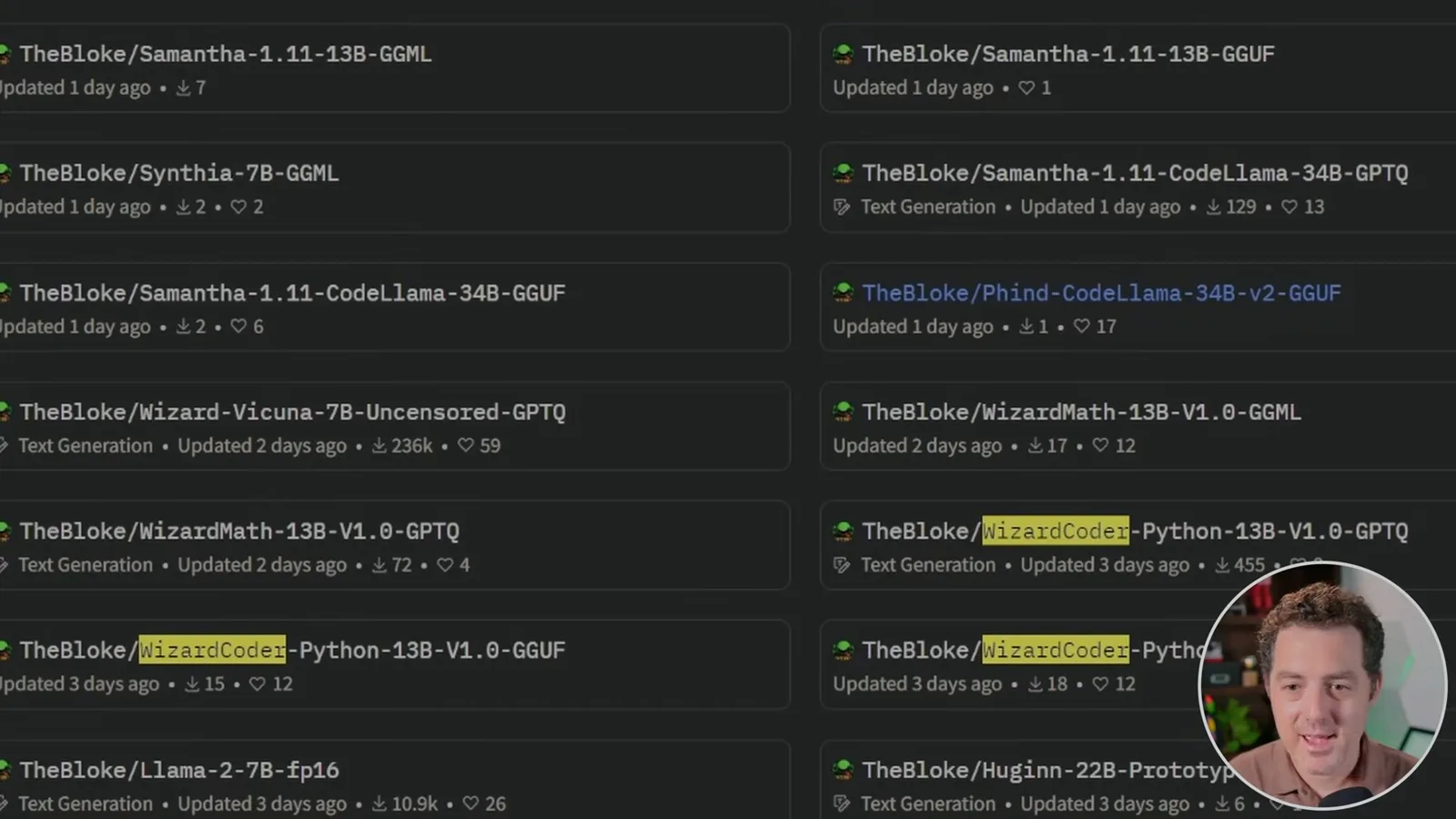
Despite the title referring to 34B, the actual model I select is TheBloke/WizardCoder-Python-13B-V1.0-GPTQ, a quantized 13B version. I suggest larger models and mention 70B, but the original 2023 Code Llama release listed 7B, 13B and 34B; the video does not demonstrate a 70B deployment. Memory requirements depend on model size, precision, context and runtime. These weights have Llama 2 community license and acceptable-use conditions, rather than an unrestricted open-source license.
Deploy a GPU and template
He selects a RunPod GPU and a one-click text-generation UI. He discloses that the account link is an affiliate link.
Create a RunPod account and choose a GPU. My RunPod link in the description is an affiliate link. In this September 2023 example, I select an RTX A6000 with 48 GB of VRAM, shown at $0.79 per hour. That is the on-screen price at the time; availability and rates can change, and cloud compute and storage are not free.
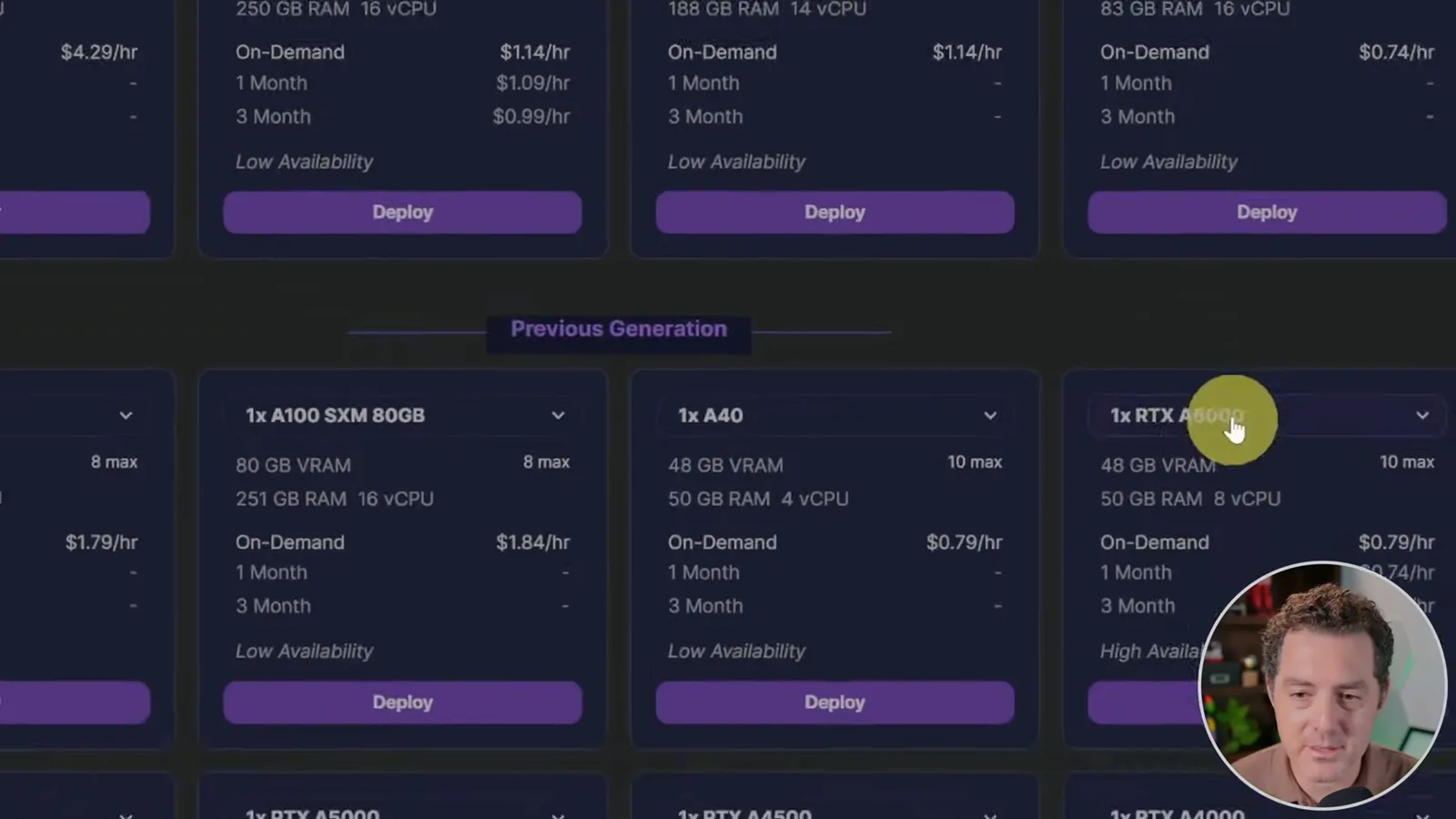
I deploy TheBloke Local LLMs One-Click UI template, which sets up text-generation-webui. Once the pod starts, I open its connection to HTTP service port 7860. The interface and template are historical, so verify current options and access controls before exposing a service.
Download, configure and test
The web interface downloads the model, loads it with a selected backend and runs a small coding prompt.
In the web UI’s Model tab, I copy the model repository name from TheBloke’s page, paste it into the download field and wait for the weights to download. After refreshing the model list, I select the 13B GPTQ checkpoint. The demonstration then changes the loader from AutoGPTQ to ExLlama_HF and loads it.
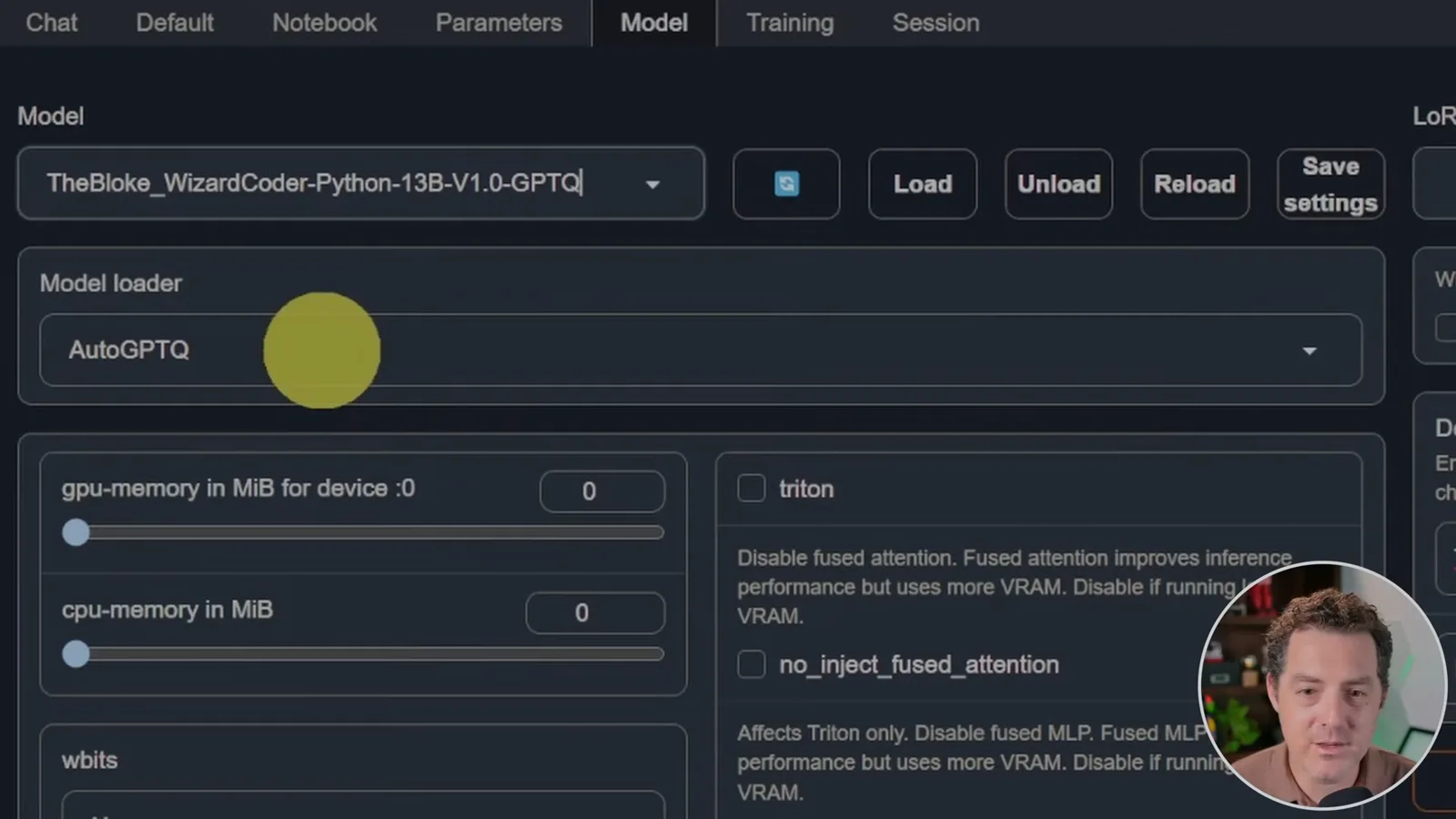
I mention a 16,000-token training context for the original Code Llama models and longer-context experimentation. Meta reported improvements on inputs up to 100,000 tokens, but that does not mean this particular fine-tune, loader and GPU can reliably support that length. I set maximum new tokens to 2,048 and temperature to 0.01; a low temperature reduces sampling randomness, though it does not guarantee correct code.
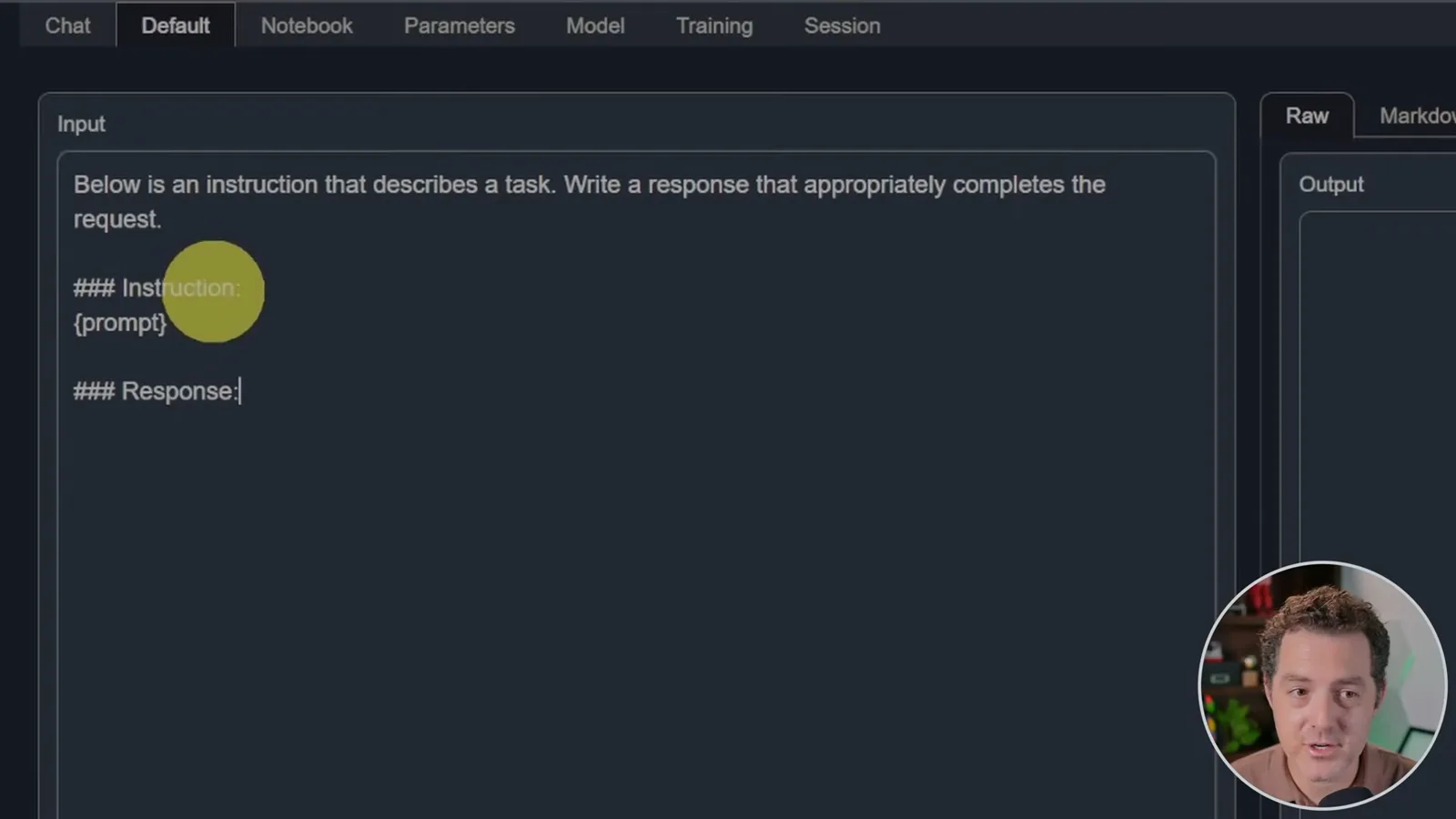
On the Default tab I use an instruction-and-response prompt template, ask for Python code to print numbers 1 through 100, and generate a response. The model gives two examples. The Markdown tab can render the result for easier copying, but generated code should still be reviewed and tested.
Stop or terminate the pod
Berman explains that stopping may retain billable storage and shows the termination step. Readers should check current billing and data-retention terms.
When finished, I stop the pod, which pauses the machine while retaining downloaded data; storage may still incur charges. I then demonstrate terminating the pod. Termination can remove the pod and its attached pod volume, so preserve needed files first and check whether separately managed storage still incurs charges under current RunPod terms.
Sur la même chaîne
 34:21EN
 Matthew Berman· 27 oct. 2026Matthew Berman Examines Anthropic’s IPO Filing, AI Growth and GovernanceMatthew Berman, Sam Altman · Forward FutureThe presenter reviews the S-1’s financial metrics, compute strategy and voting structure while questioning the tension between rapid AI development and safety.
 0:26ENMatthew Berman· 25 oct. 2026Sam Altman on Human Values and Problem-Solving in an AI WorldSam Altman · OpenAIIn a short interview excerpt, Altman considers the enjoyment of solving hard problems and the human role in interpreting results.
 0:36ENMatthew Berman· 25 oct. 2026Kimi K3.1 and a Rubik’s Cube Solver DemonstrationMatthew Berman · Forward FutureMatthew Berman shows a scrambled virtual cube being solved and gives the Kimi K3.1 test a favorable assessment.
 0:21ENMatthew Berman· 24 oct. 2026An AI-Generated Kimi Benchmark Chart Used Invented ScoresMatthew Berman · Forward FutureMatthew Berman asks for a graph of Kimi K3.1 Pro benchmarks, then discovers that the displayed figures are illustrative placeholders.
 25:50ENMatthew Berman· 24 oct. 2026Kimi K3.1 Pro Tested: Strong 3D Demos, Uneven Results and Competitive PricingMatthew Berman · Forward FutureMatthew Berman tests the open-weight model on coding, 3D rendering and visual explanations, then compares benchmark results and prices.
 32:20ENMatthew Berman· 23 oct. 2026Who Is Local AI For? The Costs, Trade-offs and a Hybrid FutureMatthew Berman · Forward FutureMatthew Berman weighs data control and independence against hardware cost, setup complexity and inference speed.