En 30 secondes
Matthew Berman, who discloses an investment in CrewAI, works with founder João Moura to turn an existing research-and-writing crew into an event-driven flow. A research crew creates a structured plan and a second crew writes each section, then the pair debug configuration, data passing, model selection and review output. They finish with a prototype and identify source checking and human review as next steps.
- 1Plan before writingMoura suggests a research-and-planning crew followed by a separate crew that writes each section.
- 2Structured planA Pydantic plan holds section information so the flow can iterate through it.
- 3Pass the sectionThe pair discover that the writing loop omitted the current section and update the inputs and task definitions.
- 4Review output versus final contentA quality-assessment report initially replaces the article; they change expected outputs to return revised prose.
- 5Prototype and next stepsThe flow produces a text file, while source checking, closer review and prompt refinement remain.
À retenir
- Separate research and planning from section-by-section writing when constructing a longer document.
- A structured Pydantic plan makes sections and sources easier to pass to downstream code.
- Each writing invocation must receive the specific section as well as shared topic and audience inputs.
- A final review agent must return the revised content if that is what the workflow saves.
- Inspect traces, costs and actual outputs, and verify generated material against sources.
- The 2024 CLI and API shown in the tutorial may differ from current CrewAI versions.
Lire le texte remanié, chapitre par chapitre
The original crew and the new plan
Berman explains his educational-content use case and discloses his investment in CrewAI. Moura proposes separating research and planning from section writing.
Matthew Berman welcomes João Moura, CrewAI's founder and CEO, to extend an educational-content workflow they began in an earlier video. Berman discloses that he is an investor in CrewAI and calls it his favorite agent framework. The goal is to research AI topics and produce useful first drafts for an educational portal.
Berman's initial crew has a researcher using Serper search and a content creator who writes from the findings. A sample report on fine-tuning language models is reasonable but shorter and less detailed than he wants, even though his instructions repeatedly ask for comprehensive coverage. He is considering a reviewer agent as well.
Berman says OpenAI's o1 models produced more detailed reports in his experiments, but at substantially greater cost and latency. Moura says that, in his experience, o1 can sometimes infer an answer before using the available tools and hallucinate in agentic workflows. These are their observations, not a controlled comparison of model quality.
Moura proposes separating planning from writing: first research the topic, then create an outline describing sections and what matters in each, and finally write. A reviewer can work at the end. For longer documents, he suggests two crews: one for research and planning, and another that writes each section of the plan.
Berman also uses Langtrace to inspect traces, cost and elapsed time; he says Langtrace is not sponsoring the video. Moura emphasizes observability as a useful part of building agent systems. The rest of the session turns that proposed separation into a working flow.
Create and understand a flow
They create a flow and examine start and listener functions. Two crews replace the starter poem example.
They start a new flow using the then-current `crewai create flow` command and move the existing crew under the flow's crews directory for reference. Environment configuration belongs at the flow level. The tutorial shows a 2024 version of CrewAI, so readers should check the current documentation for changed commands and APIs.
Moura explains a flow as a thin orchestration layer for connecting crews and ordinary Python code. A function marked with `@start` initiates work, while a function marked with `@listen` runs after its named predecessor. The starter poem example generates a sentence count, generates a poem and then saves it.
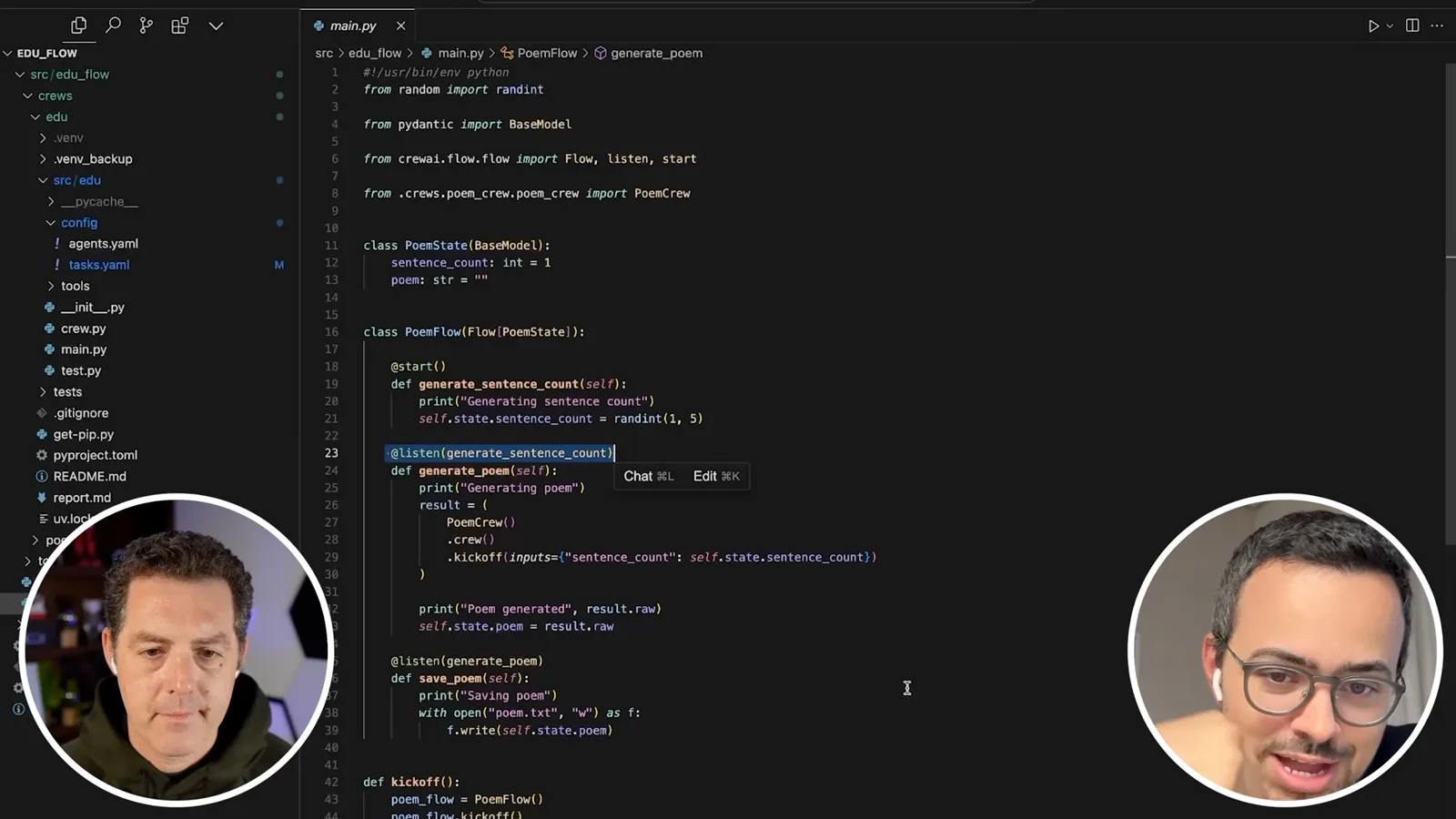
For their content system, the first step will run a research crew and produce a plan. A listening step will then call the writing crew in a loop, once per section. This makes the structure and order explicit rather than asking one agent to research and write an entire long document in a single pass.
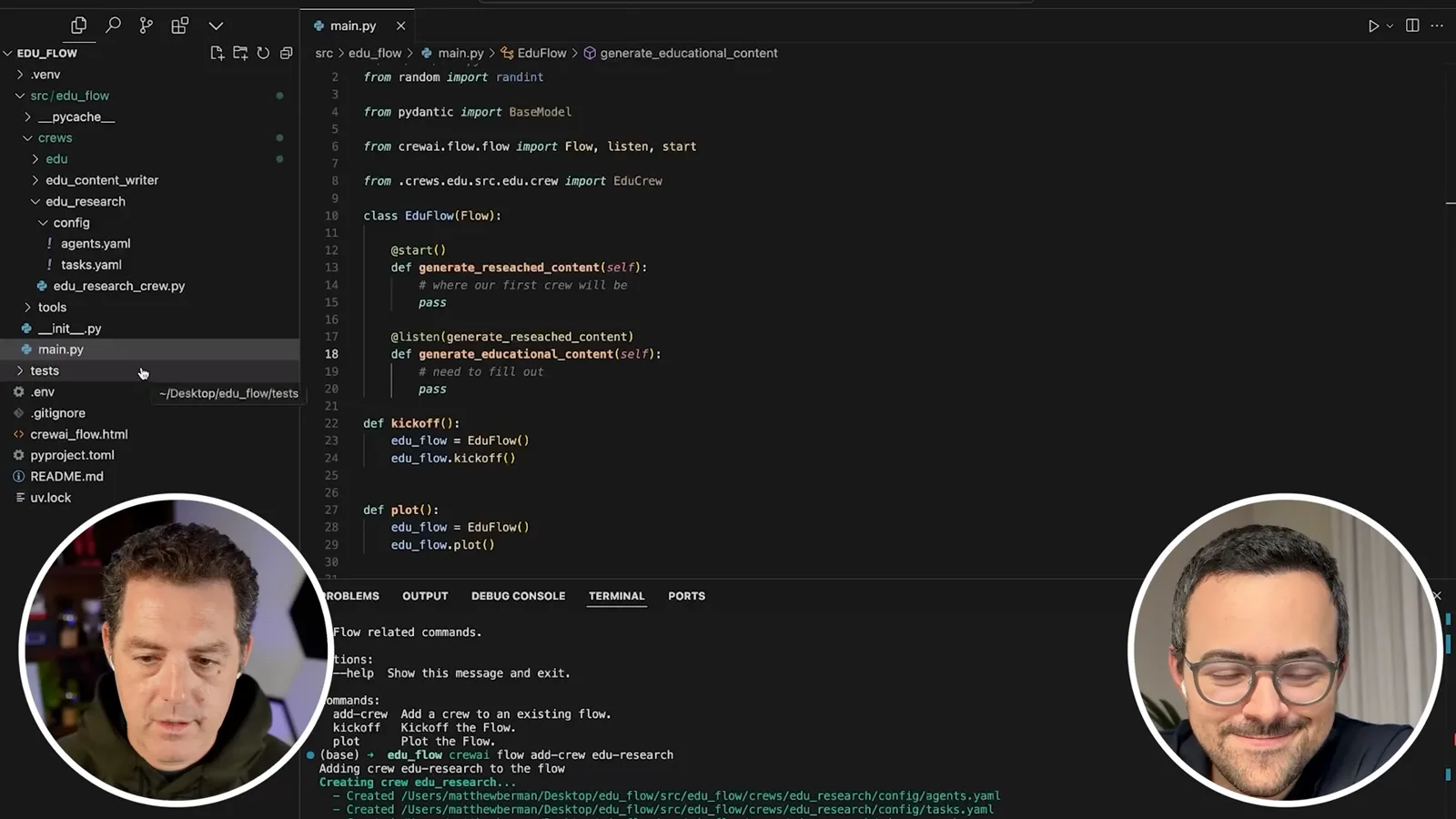
They rename the starter flow and functions, remove poem-specific state and leave placeholders for the two phases. Moura explains that an empty Python function needs a statement such as `pass`. They run the flow-plot command to inspect a simple visual representation of the steps.
The flow graph can grow to include additional conditions, routers or listeners. As an example, Moura describes a later Python function that listens for completed content and pushes it to a CMS through an API. Berman says that would suit his intended publishing workflow, but they do not implement it here.
Using the CLI's help to find the correct syntax, they add a research crew and a content-writing crew to the flow and remove the sample poem crew. Each new crew has agent and task definitions in YAML. The original crew remains temporarily as a reference for the roles and prompts Berman already wrote.
Configure research and planning
They define researcher and planner roles, audience inputs and source requirements. After debugging kickoff, the research crew produces an outline.
Moura demonstrates Cursor's inline editing and chat features to adapt the previous definitions. The research crew will contain a researcher who gathers information and a planner who turns it into an outline. The assistant's generated changes are suggestions that the pair inspect and revise, rather than code they accept blindly.
They edit the research task to specify the topic and the intended audience, starting with beginner-friendly material on fine-tuning. Moura recommends giving the researcher a target and returning relevant information with references, while leaving the planner to decide how best to present the material. They expect to refine these instructions through testing.
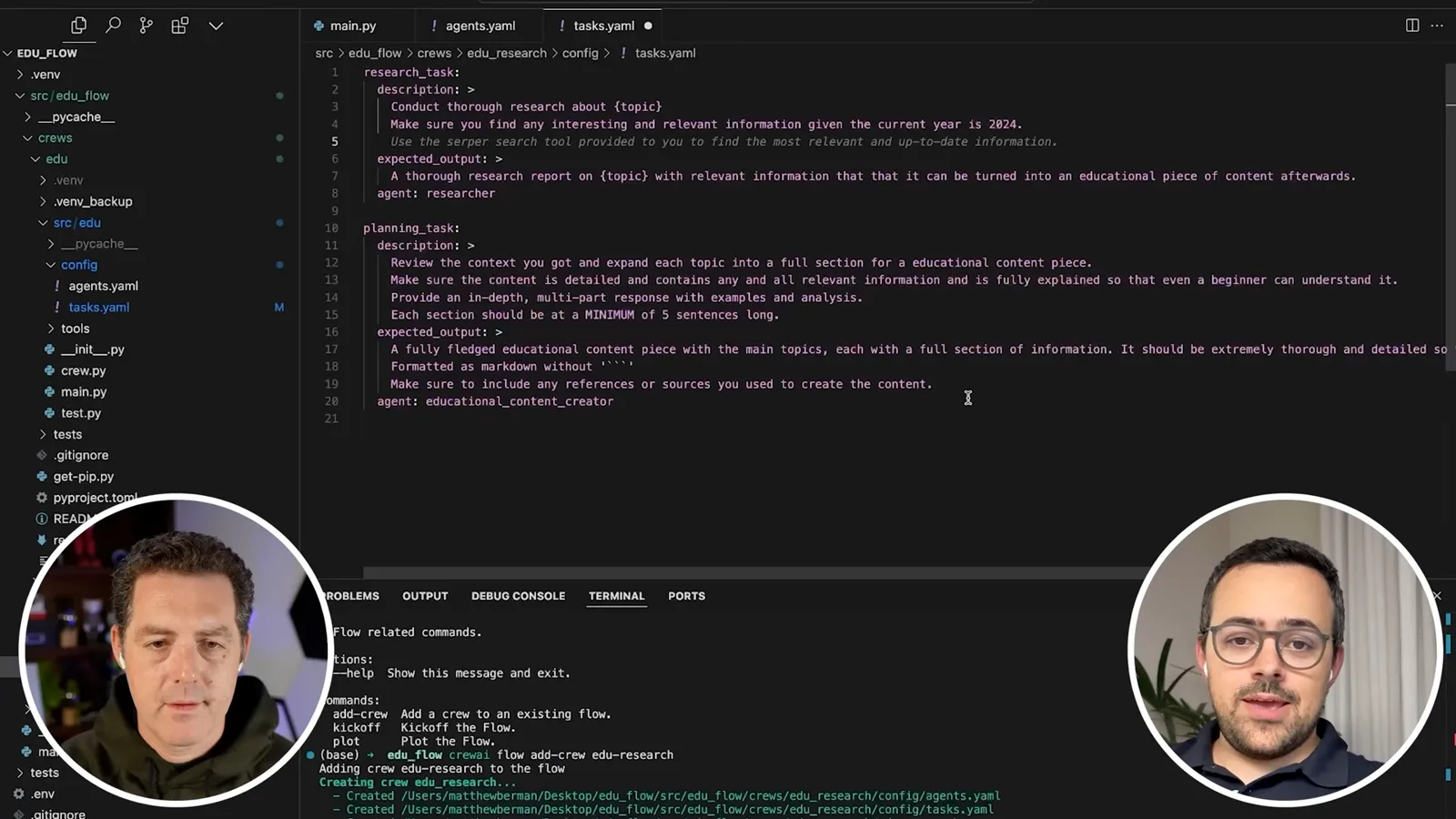
For the planning task, the desired output is a sequence of sections with subtitles, high-level goals, reasons each section matters, and sources. Berman adds an audience-level variable so the same flow can be adapted to beginner, intermediate or advanced readers. They avoid requiring Markdown for the plan because the next phase will consume structured data.
They import the research crew into the flow and pass the example topic and audience as inputs. The first kickoff fails because they invoke the crew incorrectly; after debugging, they instantiate it, call its crew method and then call `kickoff`. They also connect the Serper search tool to the researcher.
A successful research run finds references and produces an outline for beginner material about language-model fine-tuning. It includes an introduction, an explanation of fine-tuning, the process, techniques and challenges. Berman likes the structure, and Moura points out that they still need to turn the plan into a usable object for the next stage.
Structure the plan and add writers
Pydantic represents the plan as a list of sections. They create writer, editor and reviewer tasks and call the second crew for each section.
Moura explains why a Pydantic model helps: instead of passing only a long string, the application can ask for named fields with defined types. A section can contain its title, goal, importance, sources and outline; an educational plan contains a list of sections. Ordinary Python can then iterate over that list.
They use Cursor to draft the Pydantic classes and simplify the proposed structure. The planning task is configured to return an `EducationalPlan` through `output_pydantic`. The flow returns the structured result from the research step so the listening writing step can receive the plan.
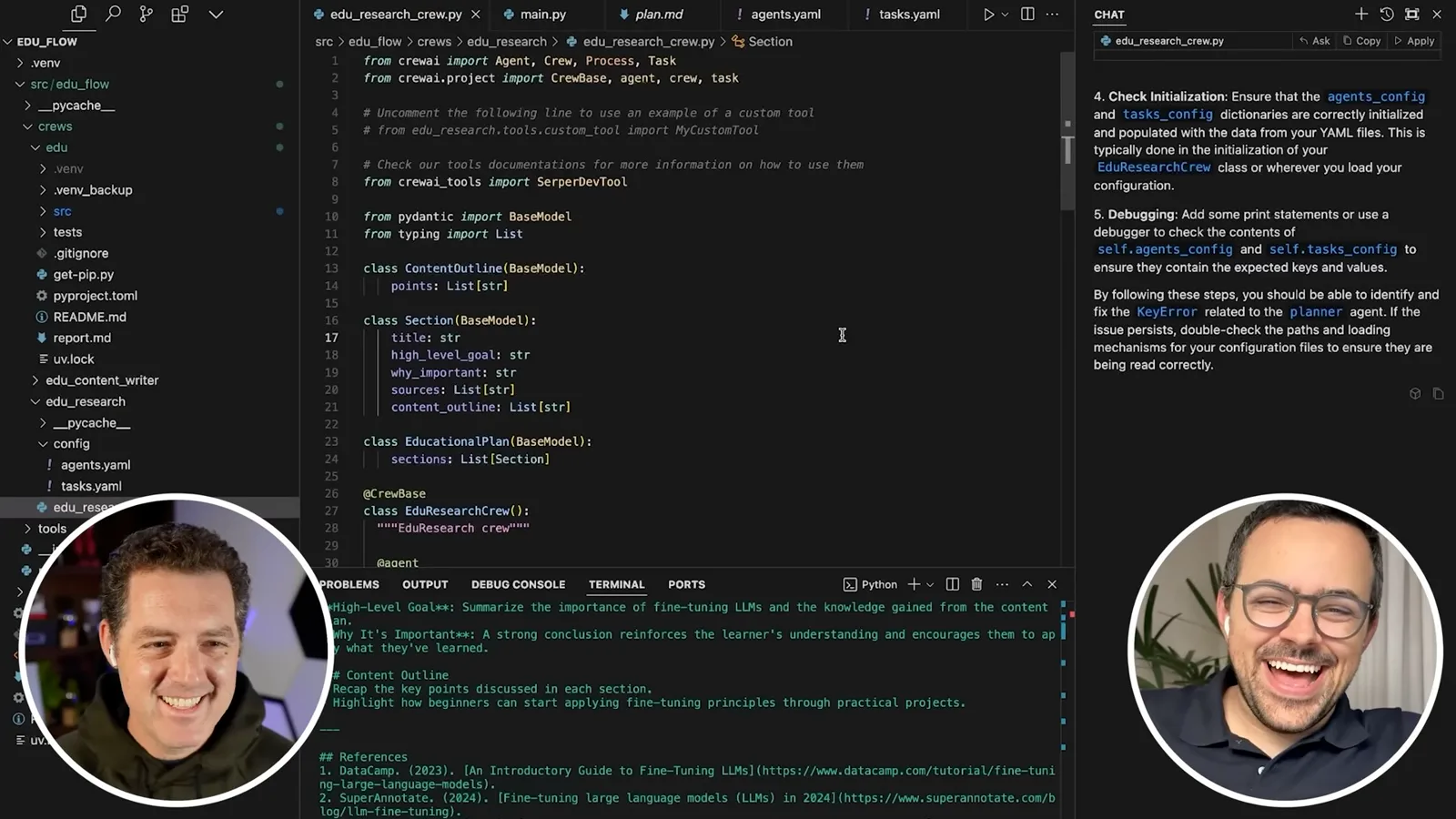
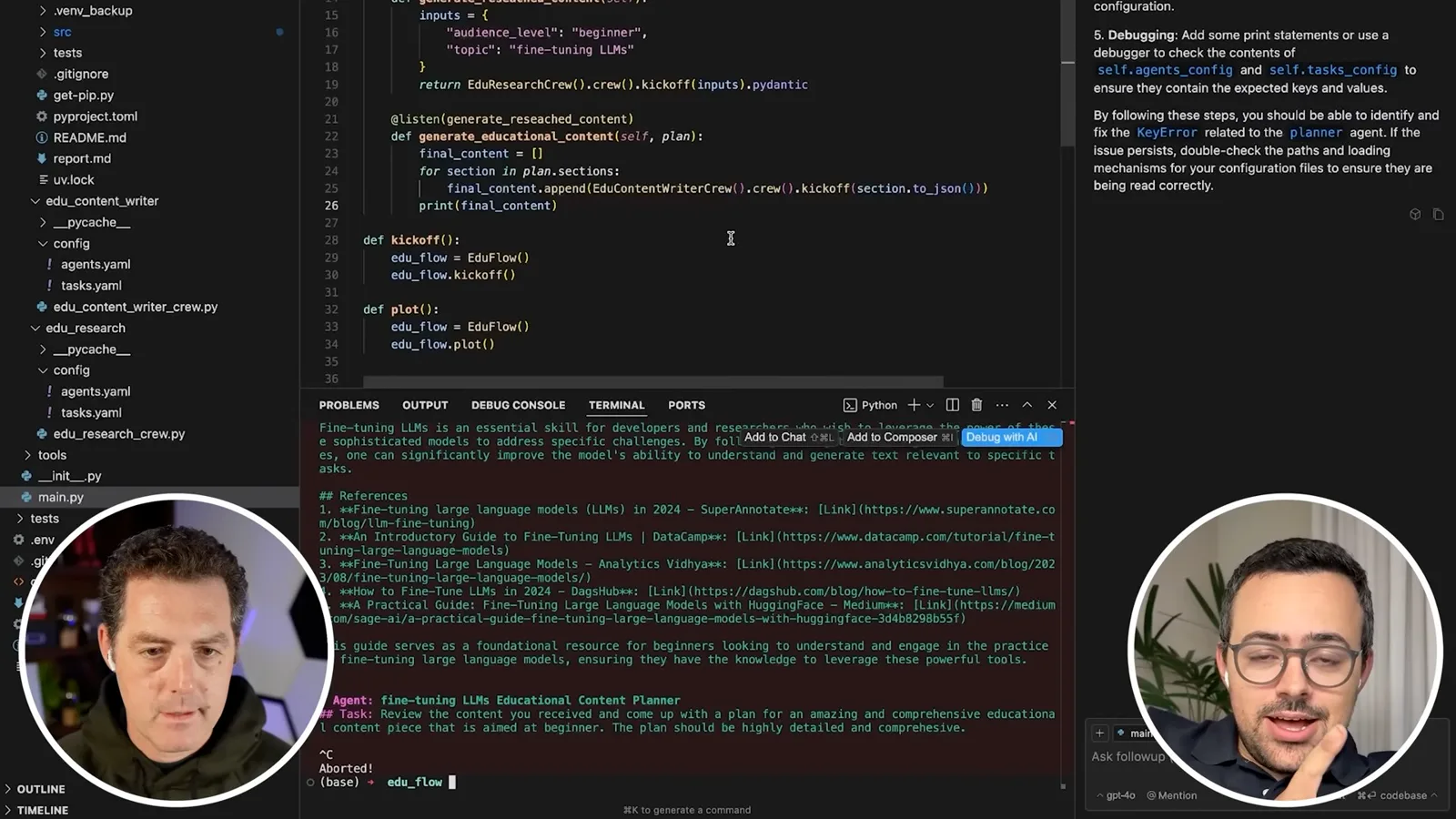
Inside the writing step, they iterate through `plan.sections` and prepare a collection for final content. The intended behavior is to run the writing crew for each section and append the result. A separate listener can later save the combined output, send it to a cloud service or pass it into another system.
They configure the writing crew with a content writer, editor and quality reviewer, and add tasks for each role. Audience level remains an input so the writing can fit the reader. They use Cursor to draft YAML and Python definitions, but the exact roles and task instructions still need refinement.
They import the writing crew and start wiring it into the loop. A first attempt exposes a missing input: the writing crew needs the topic and audience level as well. They move shared inputs into one place rather than duplicating the values, then rerun to see how the structured planning result behaves.
Debug the writing loop
They fix agent and task names, shared inputs and the missing section variable. They discuss observability and potential extensions.
Berman describes his preferred development strategy: begin with a powerful model, then try cheaper models after improving the workflow. He and Moura hope the decomposition can deliver strong output at lower cost and latency, but they do not conduct a controlled quality comparison here. The actual savings depend on model, workload and the number of calls.
The next error points to the content-writing crew still using starter definitions. Cursor proposes changes, but Moura notices unnecessary manual YAML loading and they reject the overcomplicated suggestion. They narrow the request to matching the Python crew's agent and task names to the YAML definitions, then add the missing reviewer.
Further tests reveal mismatches in the quality-review task name and its associated agent. They align names across the YAML and Python files and ensure each task references its intended agent. This debugging matters because an agentic workflow can fail before any useful model reasoning if its configuration is inconsistent.
Once the second crew starts, it runs separately for each planned section. Berman and Moura notice an important omission: although the loop passes the topic and audience, it does not pass the current section. Without that information, each invocation may not know which part of the article it is supposed to write.
They copy the shared inputs inside the loop, add the current section, and reference that section in the writer's task descriptions. An attempted Pydantic conversion method is incorrect; after checking with Cursor, they use `model_dump_json`. Passing the actual plan for each iteration makes the task-specific context explicit.
Moura suggests future additions: give the writing crew search or other tools so it can examine references and check facts, and create a tool to retrieve examples of previously approved content. Berman asks about graphics and diagrams; Moura describes a separate use case in which coding agents wrote plotting code from support-data insights.
Save and improve the output
The pair save the combined output, correct a review-report problem and inspect model configuration. They close with plans for source checking and human review.
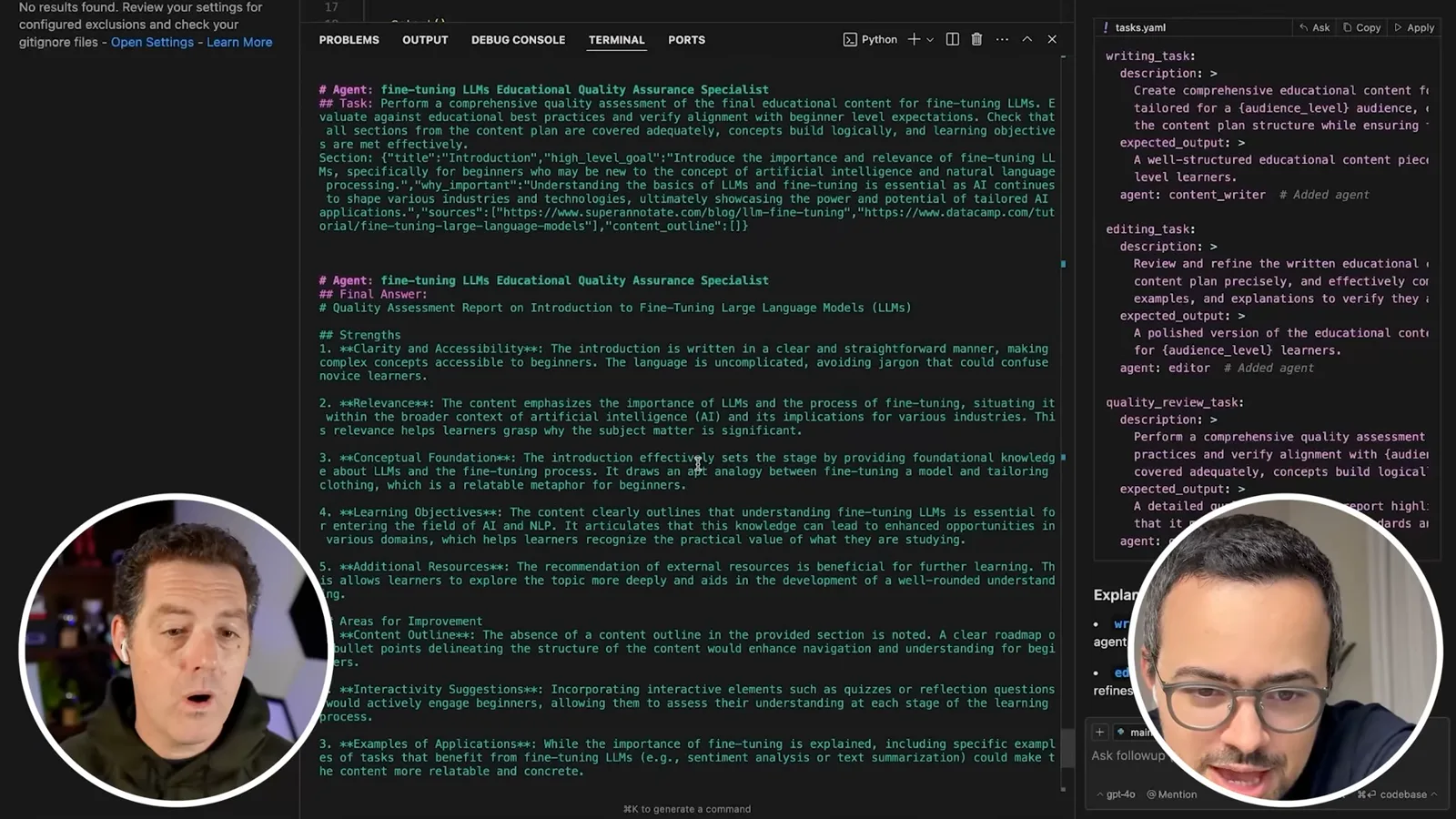
The pair also need to collect the whole result instead of only inspecting the final section. They adjust how the raw output is handled and add a listening function to save the returned content to a text file. Returning the combined result from the writing step makes it available to the saving step.
Langtrace shows calls using GPT-4o when Berman expected GPT-4o mini. They inspect the model configuration and change an environment setting for a later run. Moura also notes that the researcher currently sees search results but does not scrape the linked pages; adding a scraper is a proposed improvement, not something they complete in this session.
The new run exposes an output-design problem: the final agent is the quality reviewer, so its quality assessment is being treated as the article section. Berman opens the output file and sees review feedback where the actual content should be. The issue is not solved merely by adding another reviewer; the last task must return the artifact the flow needs.
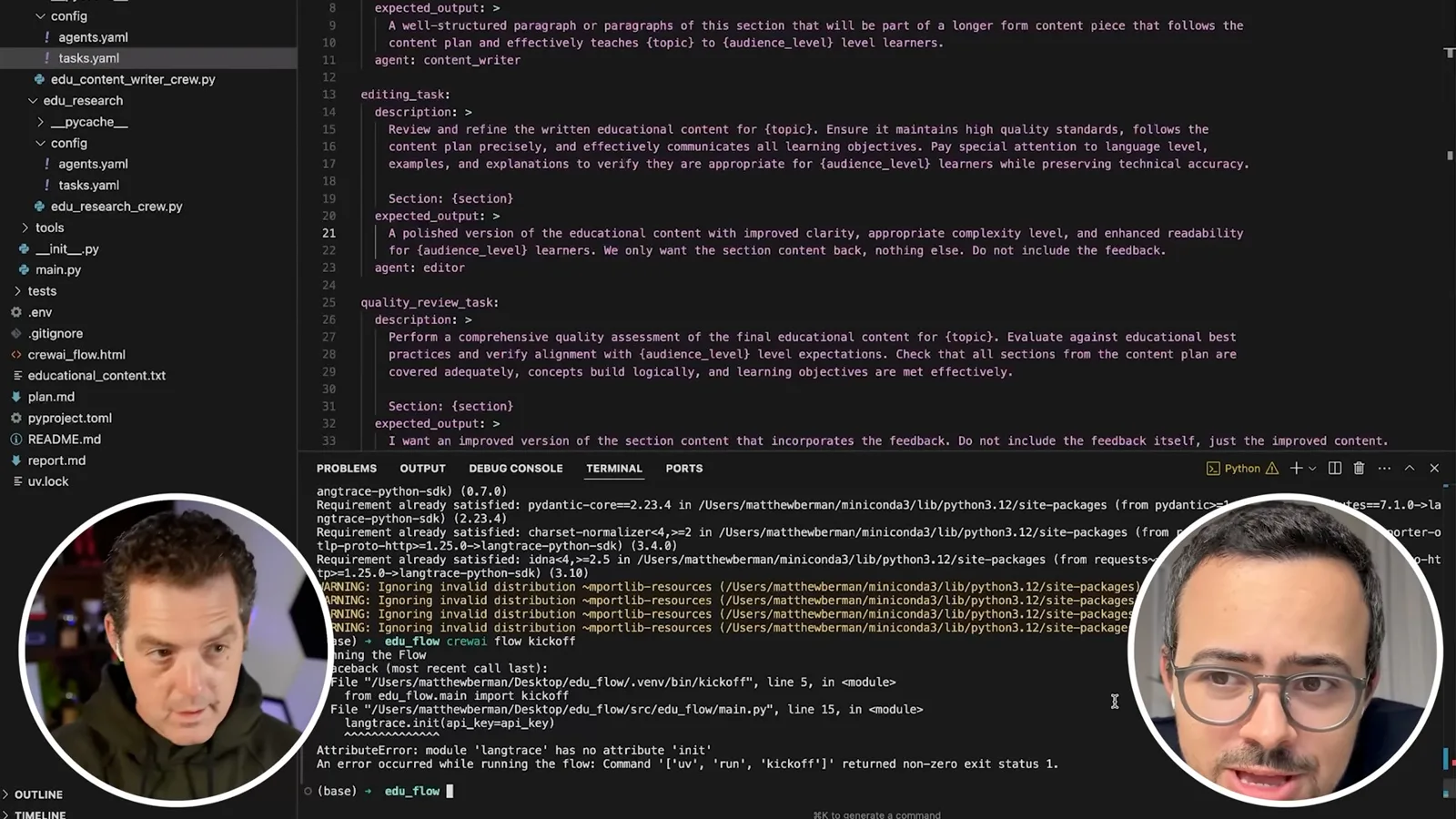
They revise the editor's expected output to return only the polished section, not feedback. They similarly instruct the quality reviewer to return an improved version incorporating its feedback rather than the assessment report itself. The writing task is also narrowed to one or two paragraphs that belong to a longer piece.
A subsequent run hits a Langtrace import problem. After checking the example code, they correct the import and resume tracing. They plan to use the traces to inspect model selection, run cost and latency rather than relying on assumptions about which model actually ran.
Moura says GPT-4o mini is his preferred model for agentic workflows at the time, and argues that a well-designed workflow may reach or exceed o1-like quality in some settings. Berman recalls spending roughly 50–60 cents on a previous simple o1 run. Their broad claims about cheaper models covering most use cases are estimates, not measured results of this demonstration.
They discuss self-hosted open models as an option for organizations that want data to remain within their own infrastructure. Berman offers speculative percentages for how much work smaller models could handle; these should not be treated as benchmark statistics. Model choice still needs testing against the task, quality requirements, security and deployment costs.
Looking at the generated sections, Moura suggests not forcing bullet points everywhere and avoiding a separate conclusion at the end of every intermediate section. Berman adds those directions but says he will read the content for accuracy, completeness and appropriate depth before making further changes. Length alone is not his goal.
Moura suggests adding a web-page scraper to the research crew and potentially to the writing crew so references can be checked more deeply. Berman also raises faster inference as a possible later optimization. These are ideas for future work, not proof that the current output has been fact-checked or that a specific speedup will occur.
The final text file contains sections of the fine-tuning article, and Berman says the output looks promising at a glance. He plans a closer review and further iteration on agent and task definitions, and says he will share the code in the linked repository. The session ends with a working prototype and an explicit list of remaining quality improvements.
Sur la même chaîne
 34:21EN
 Matthew Berman· 27 oct. 2026Matthew Berman Examines Anthropic’s IPO Filing, AI Growth and GovernanceMatthew Berman, Sam Altman · Forward FutureThe presenter reviews the S-1’s financial metrics, compute strategy and voting structure while questioning the tension between rapid AI development and safety.
 0:36ENMatthew Berman· 25 oct. 2026Kimi K3.1 and a Rubik’s Cube Solver DemonstrationMatthew Berman · Forward FutureMatthew Berman shows a scrambled virtual cube being solved and gives the Kimi K3.1 test a favorable assessment.
 25:50ENMatthew Berman· 24 oct. 2026Kimi K3.1 Pro Tested: Strong 3D Demos, Uneven Results and Competitive PricingMatthew Berman · Forward FutureMatthew Berman tests the open-weight model on coding, 3D rendering and visual explanations, then compares benchmark results and prices.
 32:20ENMatthew Berman· 23 oct. 2026Who Is Local AI For? The Costs, Trade-offs and a Hybrid FutureMatthew Berman · Forward FutureMatthew Berman weighs data control and independence against hardware cost, setup complexity and inference speed.
 1:03:37ENMatthew Berman· 23 oct. 2026Matthew Berman’s Team Tests Kimi K3.1 on Animation, Games, and ChartsMatthew Berman, Alex, Brian · Forward FutureA live team AMA turns into an informal test of Kimi K3.1, from personal-agent workflows to motion graphics, a browser game, and a benchmark chart.
 0:53ENMatthew Berman· 22 oct. 2026Sam Altman on AI and the Discovery of New KnowledgeSam Altman · OpenAIAltman expects progress in mathematical discovery to extend to biology, materials and energy.