En 30 secondes
Matthew Berman demonstrates GPTBots.ai, the sponsor of this October 2023 video, using a chatbot for his consulting business as an example. He covers identity and model settings, knowledge sources, memory, conversation correction, website embedding, workflows and plugins. The demonstration shows a bot that was not yet live. Feature availability, models and the stated free offer are historical, and the corrected example does not establish reliable behavior in all future conversations.
- 1Configure an assistantBerman creates a bot for his consulting business and sets an opening message and identity instruction.
- 2Add knowledge and memoryThe interface offers document and URL sources, retrieval settings, conversation memory and token allocation.
- 3Correct an inaccurate answerThe first response about services is inaccurate; Berman provides the desired response through conversation training.
- 4Embed and integrateThe historical interface offers a website widget, iframe code and APIs.
- 5Build a flowA visual workflow routes services, pricing and other questions through separate branches.
- 6Plugins and marketplaceBerman shows a Google Search plugin and an option to publish a bot for others to use.
À retenir
- The demonstrated assistant combines an identity prompt, model, knowledge sources and configurable memory.
- A website-derived answer was initially inaccurate and required a correction in the conversation interface.
- A corrected example does not guarantee every future answer or establish that model weights were fine-tuned.
- Flow Bot routes questions through branches and model nodes to an output.
- Embedding, APIs and plugins were shown as integration options in the 2023 interface.
- GPTBots.ai sponsored the video, and the stated free offer and product details may have changed.
Lire le texte remanié, chapitre par chapitre
A sponsored chatbot setup
Berman introduces GPTBots.ai and configures a consulting-business assistant. He chooses its identity, model and retrieval settings.
In this sponsored October 2023 walkthrough, I demonstrate GPTBots.ai, a service for building business chatbots with language models, knowledge sources, memory, and workflows. GPTBots.ai sponsored the video. I have set up an example for my consulting company, Forward Future, and will show the basic configuration rather than claim that the bot is already proven in production.
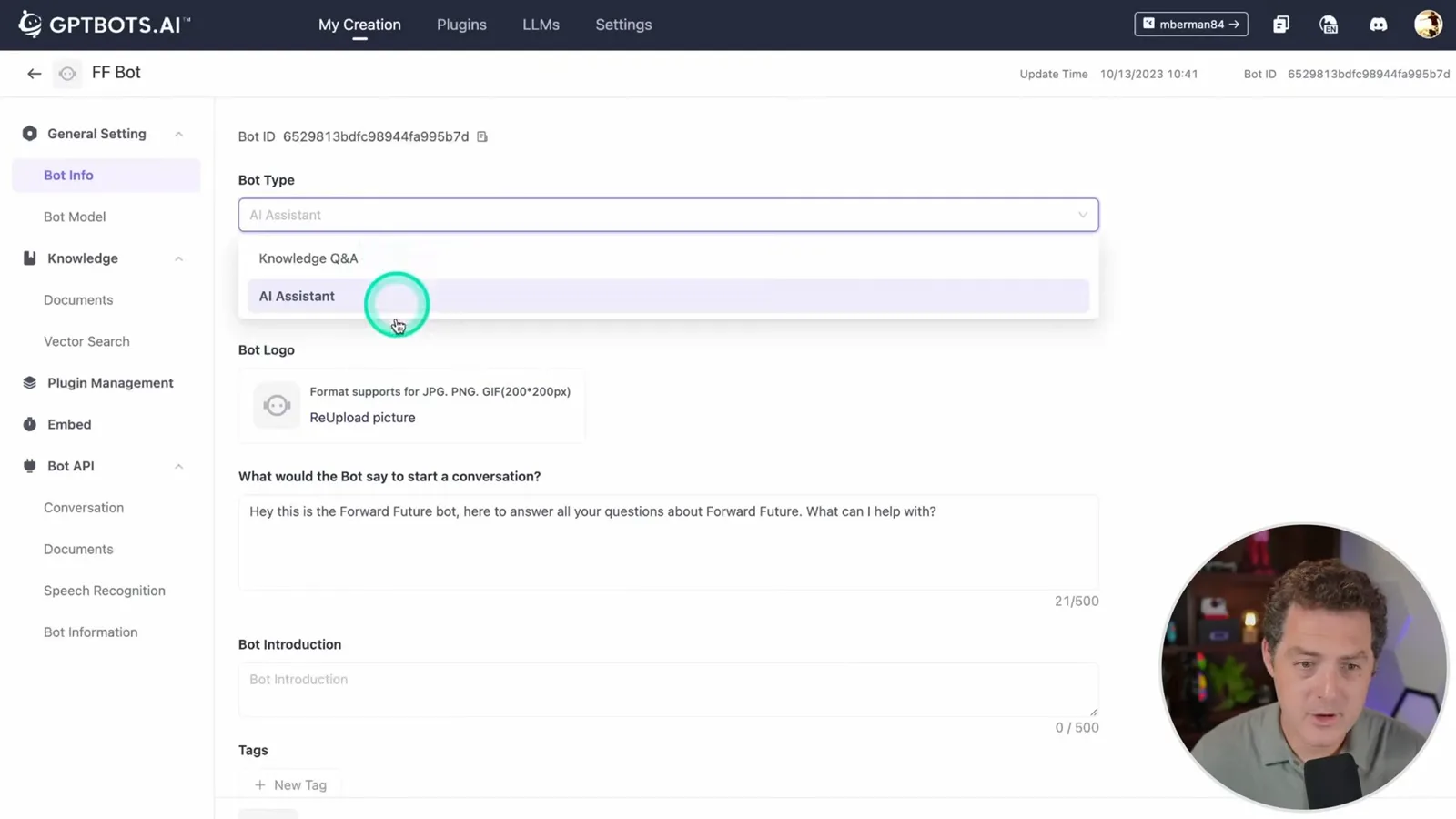
In the developer portal I create an AI assistant called FF Bot to answer questions about my services and prices. The interface also offers a knowledge Q&A bot, while a character bot is listed as forthcoming in this version. I set the opening message, optional introduction and tags, and an identity instruction asking the bot to assist visitors helpfully and politely.
The 2023 interface offers model choices including ChatGPT and Claude; the ChatGPT options shown include GPT-3.5 Turbo with 4K or 16K context and GPT-4 with 8K context. I leave the temperature at 0.3. Model availability and names are historical, and the right choice depends on the task and testing.
The knowledge settings allow sources such as URLs and documents. The interface exposes a document-correlation setting, options for unrelated questions, and whether to show knowledge sources in replies. These controls influence retrieval and presentation, but a higher setting does not by itself guarantee a more accurate answer.
Memory, knowledge and correction
He configures chat memory and adds a website as a knowledge source. He corrects an inaccurate example answer through conversation training.
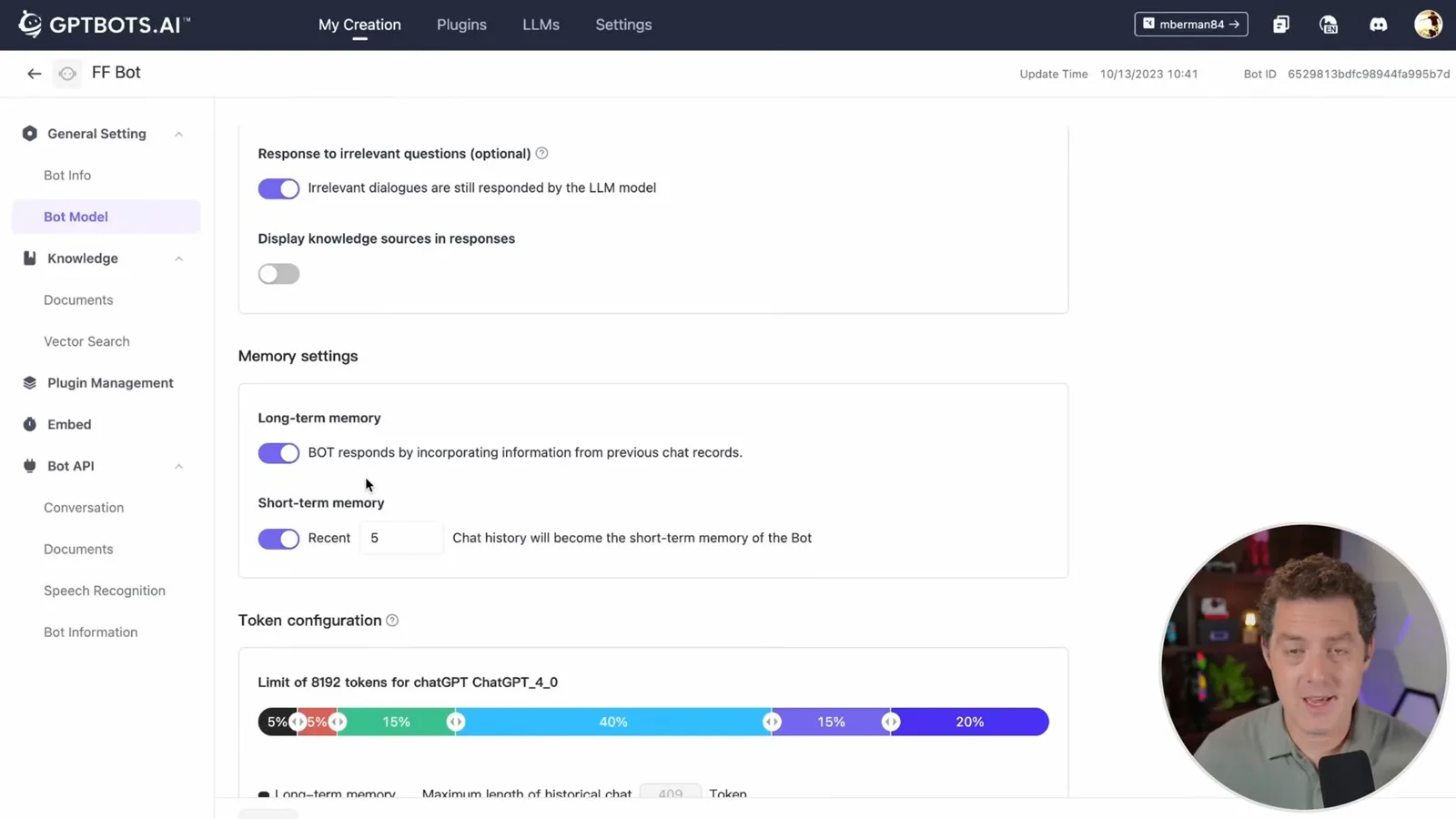
Memory settings include long-term information from prior conversations and short-term recent chat history; I select the last five for short-term context. A token-allocation control divides space among memory, identity, knowledge, user input, and the response. In my configuration, the knowledge base gets 40% of the displayed allocation, and I enable suggested follow-up questions.
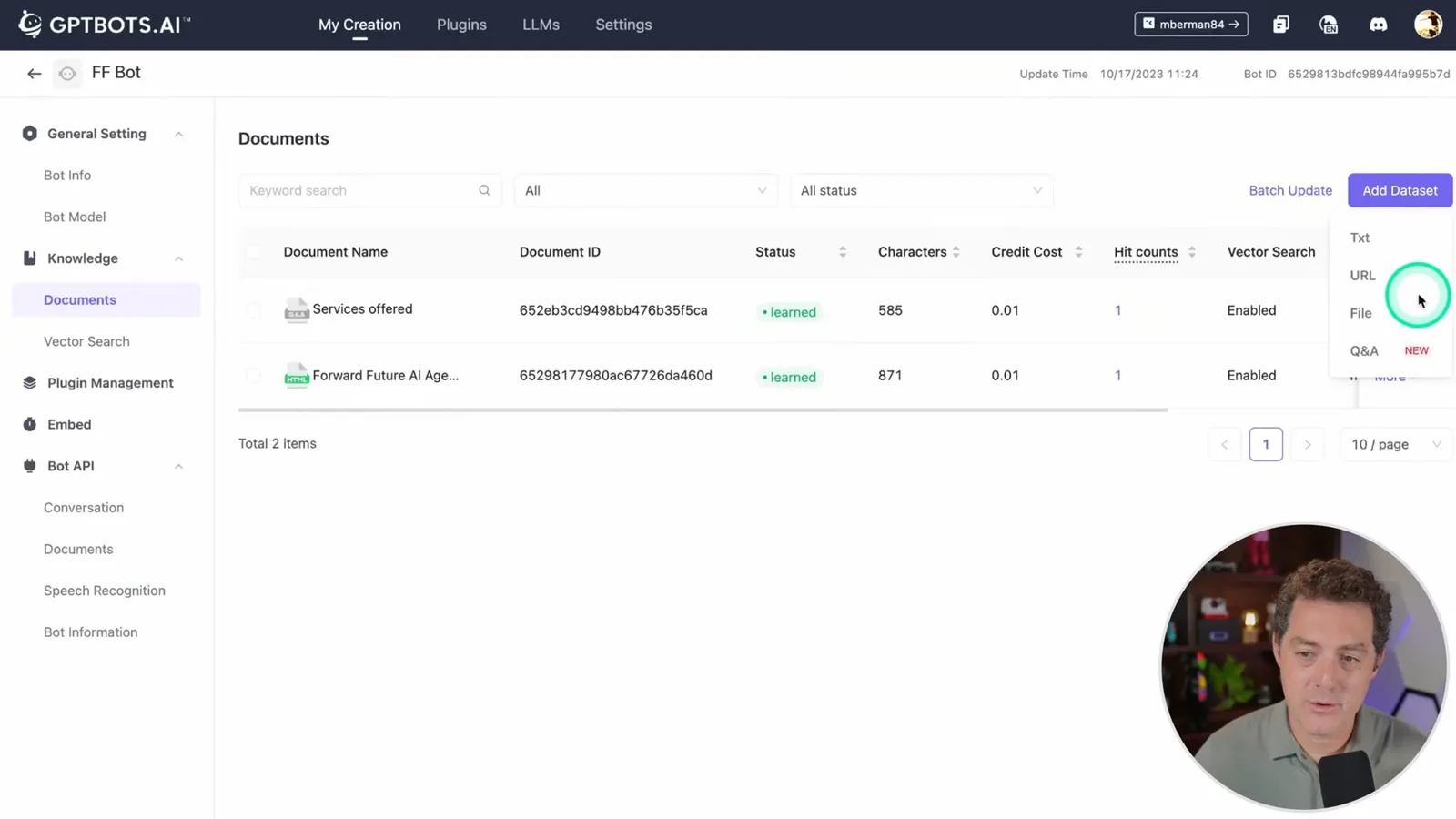
Under Knowledge, I can add a dataset from text, a URL, a file, or a Q&A document. For this example I supply my company’s homepage, which the service ingests for future answers. The dashboard lets me inspect and refresh the source after a website update and test vector search.
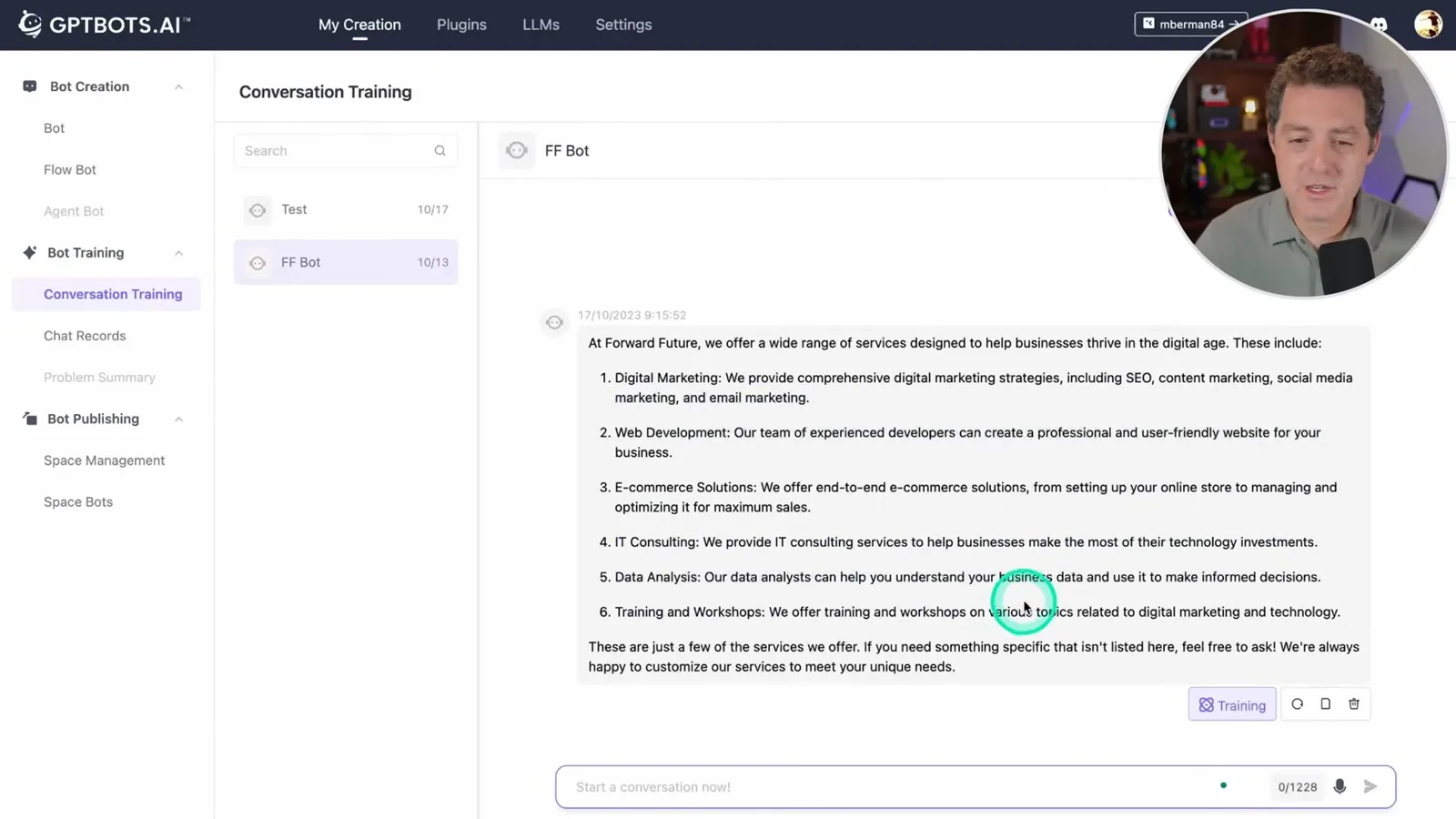
My first test asks what services the company offers. The answer based on the website is not accurate enough, so I use the interface’s conversation-training feature to provide the desired response: education and training, custom AI models, and secure infrastructure. The correction improves this example; one test does not establish that every future answer will be correct or that the underlying model weights were fine-tuned.
The dashboard also has chat records for reviewing conversations after deployment. My bot is not live in this demonstration, so it has no customer records yet. Reviewing real questions and correcting responses could help improve the bot over time.
Embedding and flow bots
The assistant can be embedded through the shown interface. Berman builds a visual branching workflow and tests a services question.
To put the assistant on a website, the demonstrated interface offers an embed option, a preview, and controls for the color, icon, and avatar. It provides iframe code to add to a page. The service also exposes APIs for conversations, documents, bot information, and speech recognition, so some operations can be handled outside the dashboard.
For a more controlled flow, I show a drag-and-drop Flow Bot. Its input connects to a branch predicate that classifies the question as services, pricing, or other. Each branch routes to a model node and then to an output node; the service branch contains the information I want the bot to use.
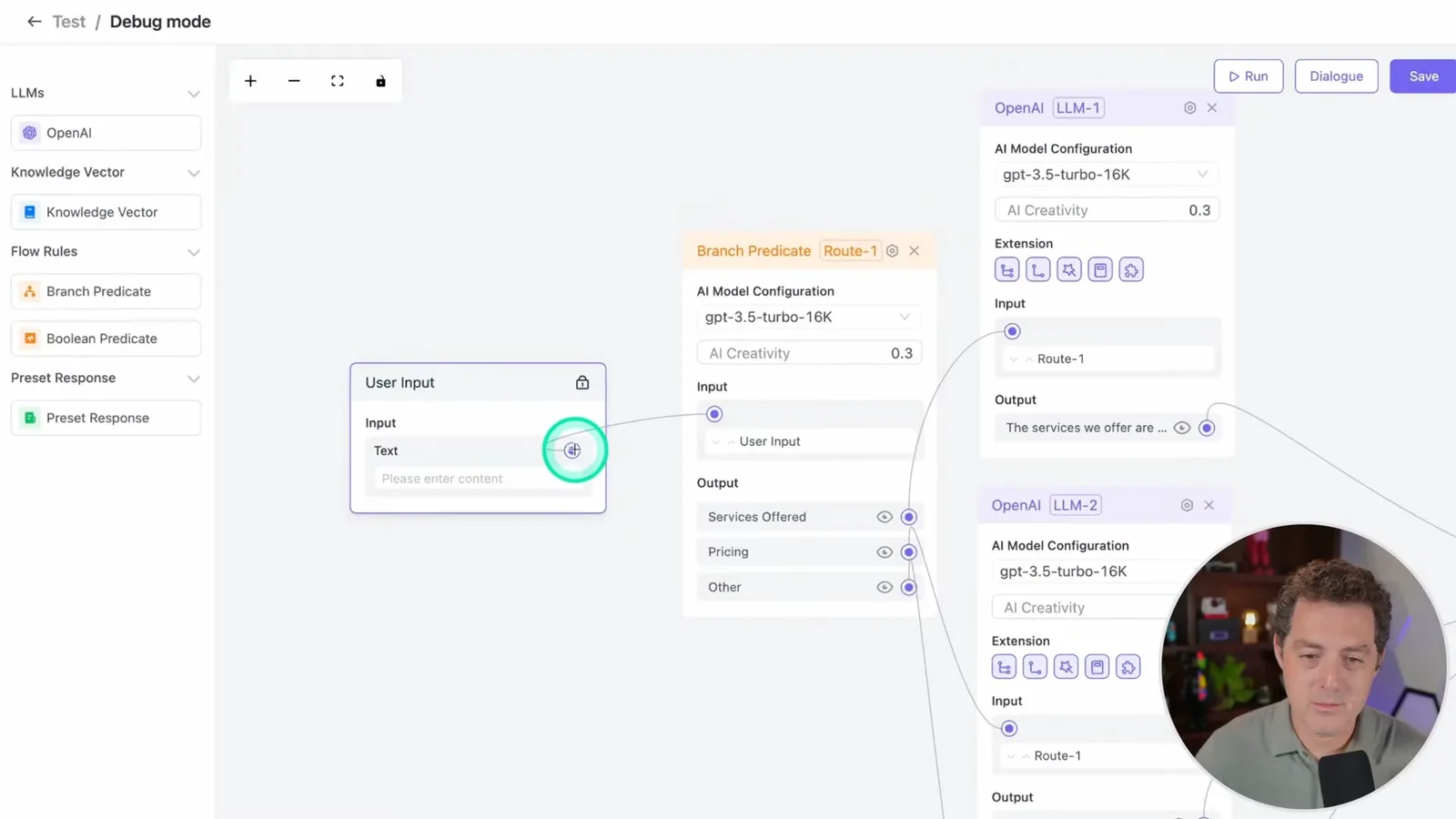
I test a services question and watch it pass through the classifier, the services node, and the output. The visual editor can also connect a knowledge source rather than requiring all service details to be typed into a node. Other available components include preset responses and Boolean predicates.
Plugins and publishing
He shows a Google Search plugin and marketplace publishing. The free offer described is specific to the 2023 video.
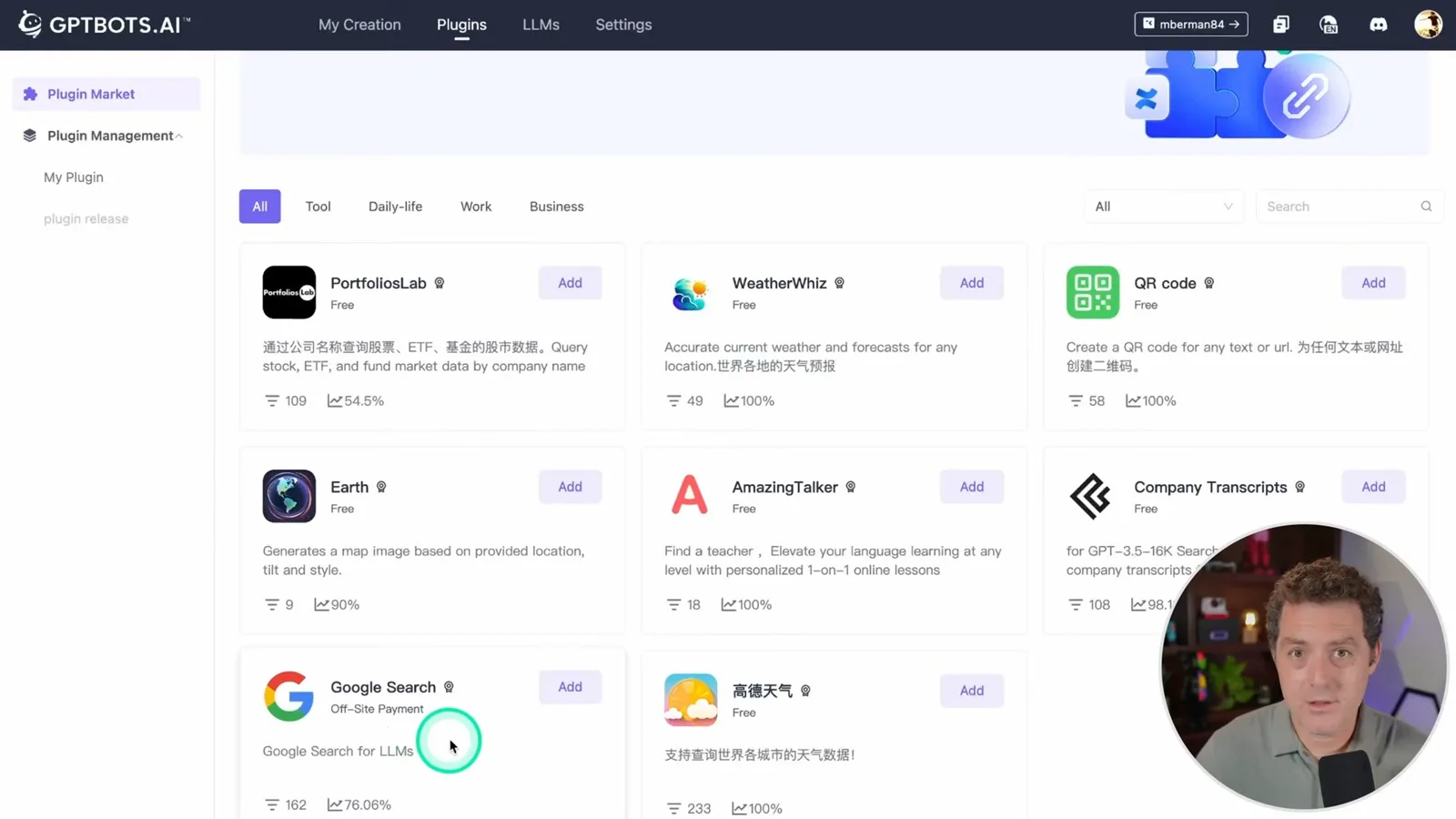
The plugin page includes a Google Search option for adding web search to a bot. In this interface it requires a search engine ID and an API key; it is separate from the uploaded knowledge base. The platform also offers a way to publish a bot to a marketplace for others to use.
At the time of the sponsored video I say that one bot can be created free to get started. Plans, limits, integrations, and the interface may have changed since 2023, so check the current service details before relying on that offer.
Sur la même chaîne
 34:21EN
 Matthew Berman· 27 oct. 2026Matthew Berman Examines Anthropic’s IPO Filing, AI Growth and GovernanceMatthew Berman, Sam Altman · Forward FutureThe presenter reviews the S-1’s financial metrics, compute strategy and voting structure while questioning the tension between rapid AI development and safety.
 25:50ENMatthew Berman· 24 oct. 2026Kimi K3.1 Pro Tested: Strong 3D Demos, Uneven Results and Competitive PricingMatthew Berman · Forward FutureMatthew Berman tests the open-weight model on coding, 3D rendering and visual explanations, then compares benchmark results and prices.
 32:20ENMatthew Berman· 23 oct. 2026Who Is Local AI For? The Costs, Trade-offs and a Hybrid FutureMatthew Berman · Forward FutureMatthew Berman weighs data control and independence against hardware cost, setup complexity and inference speed.
 1:03:37ENMatthew Berman· 23 oct. 2026Matthew Berman’s Team Tests Kimi K3.1 on Animation, Games, and ChartsMatthew Berman, Alex, Brian · Forward FutureA live team AMA turns into an informal test of Kimi K3.1, from personal-agent workflows to motion graphics, a browser game, and a benchmark chart.
 0:53ENMatthew Berman· 22 oct. 2026Sam Altman on AI and the Discovery of New KnowledgeSam Altman · OpenAIAltman expects progress in mathematical discovery to extend to biology, materials and energy.
 0:22ENMatthew Berman· 21 oct. 2026A Robot Bodyguard Video Shows Dramatic Rescue ScenariosMatthew Berman · Forward FutureMatthew Berman reacts to a short robot demonstration depicting fighting and vehicle-rescue scenarios.