En 30 secondes
In June 2023, Matthew Berman walks through installing OpenLLM, serving OPT and Falcon, testing generation and metadata endpoints, and packaging a model. The example distinguishes a working API from the quality of the model’s answers. Commands and feature availability reflect the version demonstrated in 2023.
- 1Install in an isolated environmentBerman creates a Conda environment, installs OpenLLM and checks the CLI.
- 2Start and test a local serverAn OPT server exposes generation and metadata endpoints through a browser interface.
- 3Call the model from PythonA short client sends a query to the local HTTP server; its poor answer illustrates model limitations.
- 4Try FalconOptional dependencies enable the Falcon example and its metadata endpoint identifies Falcon 7B.
- 5Build a BentoThe demonstration shows a packaging command and model variant selection.
À retenir
- OpenLLM provides a server and API interface around supported open models.
- A separate Python environment can help manage dependencies.
- An API can respond successfully while the model produces a poor answer.
- Different model families may require additional dependencies.
- Packaging a model is one step toward deployment, not a complete production setup.
- The commands and planned features shown are historical and may differ in current releases.
Lire le texte remanié, chapitre par chapitre
OpenLLM and supported models
Berman introduces the project and describes its 2023 integration and deployment plans.
In this June 2023 tutorial I introduce OpenLLM, an open-source project intended to make serving and building applications with open models easier. It exposes a simple API, supports several model families and offers integrations and deployment options. The commands and feature status in this walkthrough reflect the version shown at the time and may have changed.
The repository lists supported families including StableLM, Falcon, Dolly, FLAN, ChatGLM and StarCoder. It describes API testing, integrations with the BentoML and Hugging Face ecosystem, and ways to package a server or deploy it through BentoCloud. Fine-tuning is described as coming soon, not a feature I demonstrate.
Install and start a server
He creates a Conda environment, installs the package and launches an OPT server.
I first create a separate Conda environment named `ol` with Python 3.11.3, then activate it and install OpenLLM using `pip install openllm`. An isolated environment helps avoid dependency conflicts. I run `openllm -h` to confirm the command is available and inspect its options.
I start the default OPT example with `openllm start opt`. Once the local server is running, I open its documentation interface at `localhost:3000`. The interface exposes generation and metadata endpoints, and it also lets me send a request without writing a separate client.
Test the API and Python client
The browser and a short Python script call the local model. Responses reveal the limits of the small model.
To test generation, I choose the endpoint, enter a prompt asking for a joke in the JSON payload and execute it. The page displays response codes and generation settings such as maximum new tokens, minimum length and early stopping. Server logs show the requests arriving.
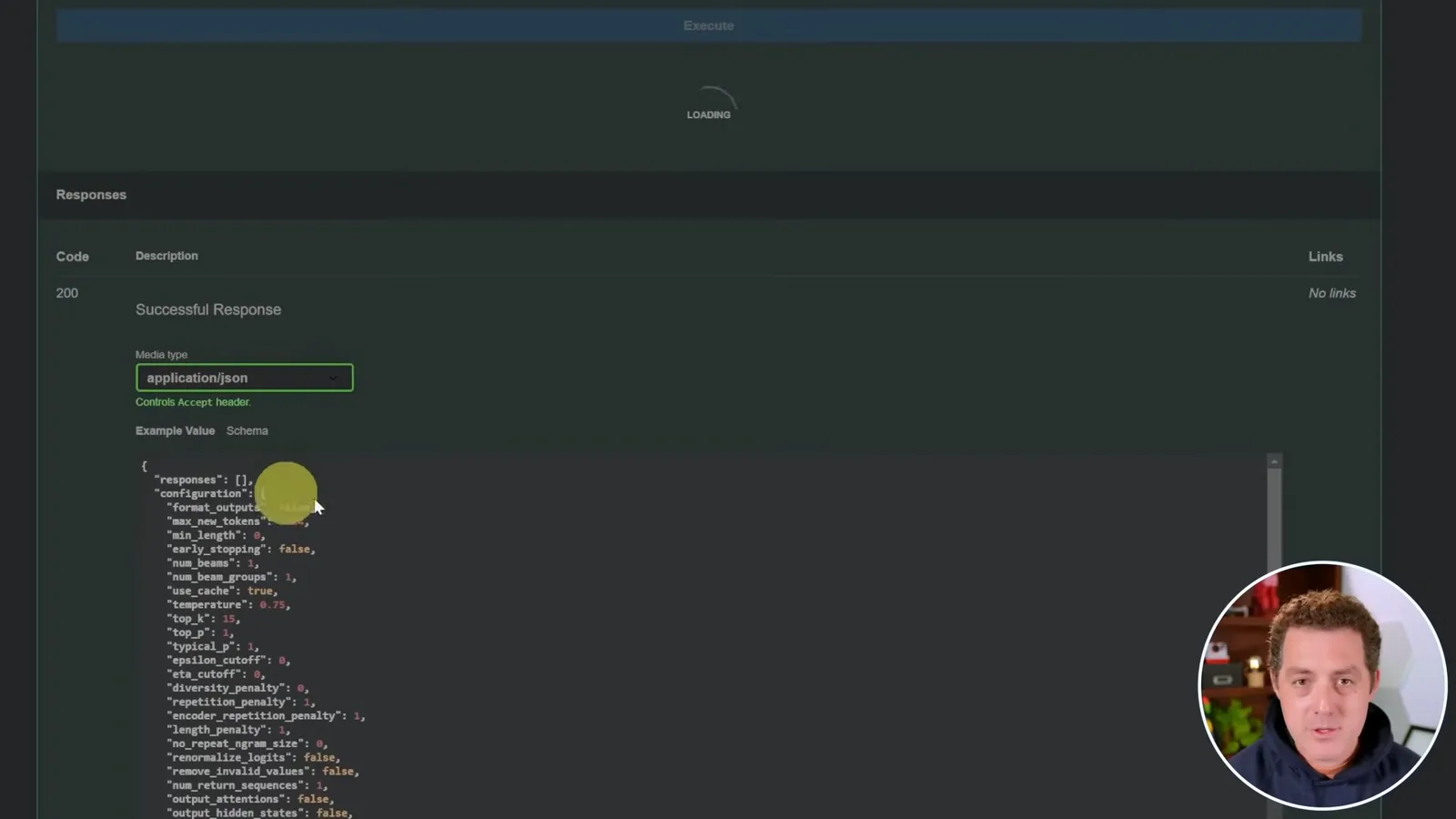
The generated response is not particularly coherent, which I attribute to the small model used in this example. A successful API call shows that the serving path works; it does not establish that the model's answer is accurate or useful.
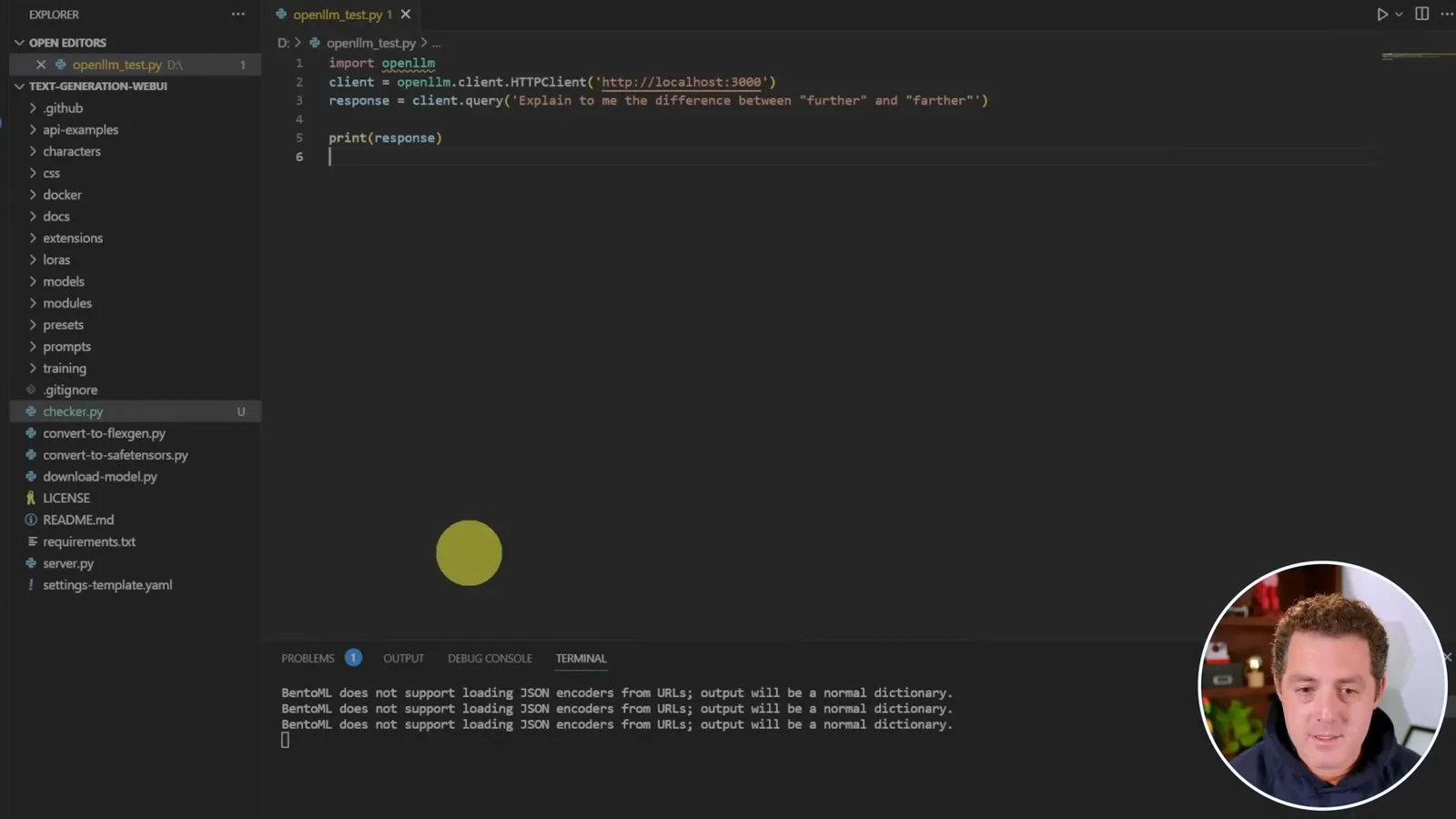
Next I write a short Python script that imports `openllm`, creates an HTTP client for the local server, sends a query and prints the response. The demonstration produces BentoML warnings about JSON encoders, but the request returns. Its explanation of “further” and “farther” is again nonsensical, illustrating the difference between connectivity and output quality.
Install Falcon and package a model
Berman adds model-specific dependencies, launches Falcon and demonstrates packaging and model selection.
The version shown supports additional models through optional packages. I open a second terminal, activate the same environment and install the Falcon extra with `pip install openllm[falcon]`. I note that my first attempt had missing dependencies; OpenLLM reported them and I installed them separately before retrying.
I start a Falcon server with `openllm start falcon`. The console mentions dependencies such as einops, xformers and safetensors, and the metadata endpoint identifies the model as Falcon 7B. The exact dependencies and installation process depend on the model and software version.
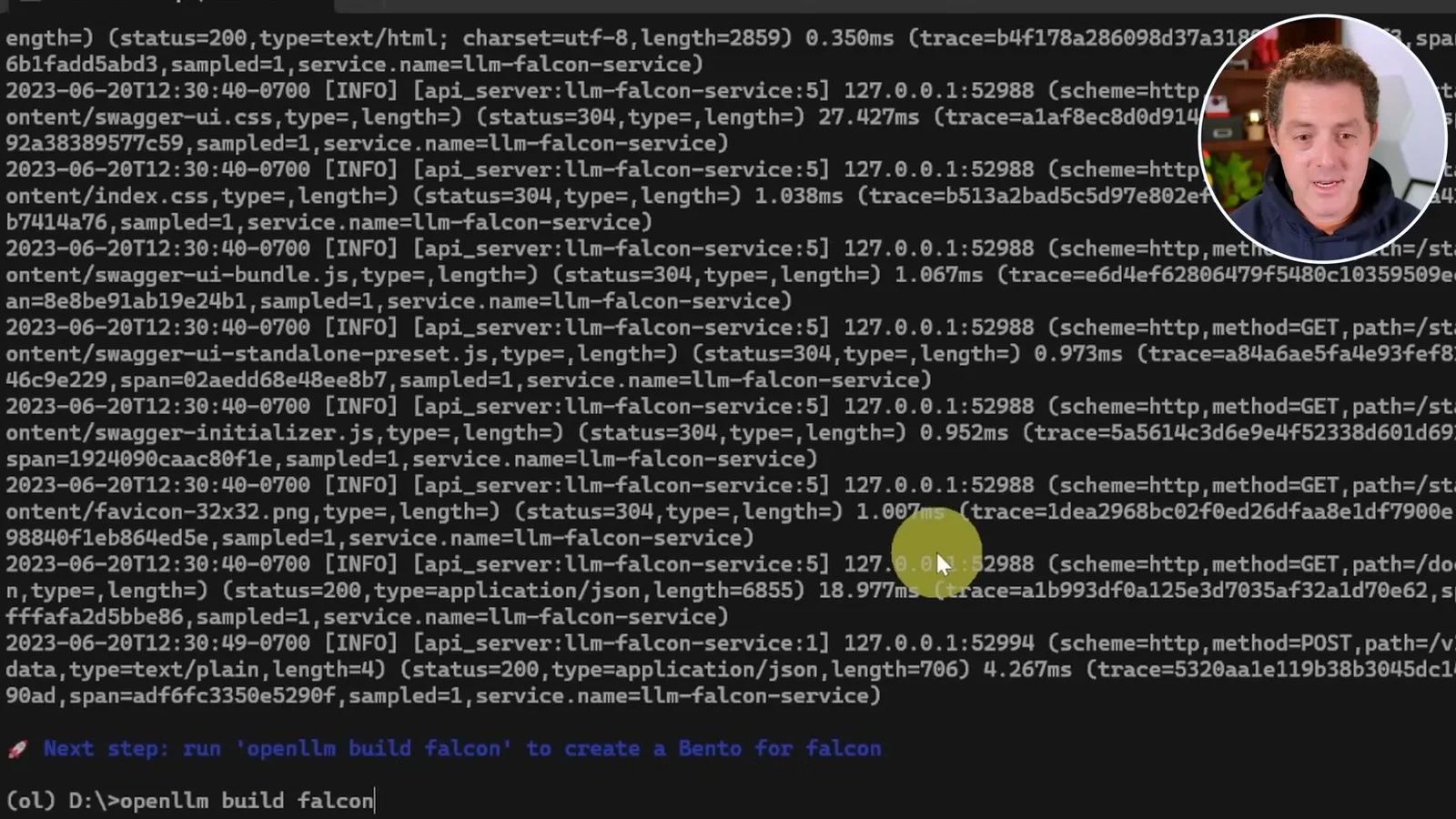
For deployment, I demonstrate `openllm build falcon`, which creates a Bento package for the model. I also explain that a model ID can select a specific variant when starting the server. The tutorial shows a packaging command, not a complete production deployment.
Finally, I point to Hugging Face agents integration and discuss LangChain support. The video describes some integrations and fine-tuning as upcoming, so consult the project's current documentation before assuming that a 2023 feature status or command still applies.
Sur la même chaîne
 14:45EN
 Matthew Berman· 29 oct. 2026Matthew Berman Examines Google’s Gemini 4 Carbon AnnouncementMatthew Berman · Forward FutureMatthew Berman reviews Google’s reported benchmark results, staged rollout and pricing for Gemini 4 Carbon, while noting he has not yet used the model.
 34:21ENMatthew Berman· 27 oct. 2026Matthew Berman Examines Anthropic’s IPO Filing, AI Growth and GovernanceMatthew Berman, Sam Altman · Forward FutureThe presenter reviews the S-1’s financial metrics, compute strategy and voting structure while questioning the tension between rapid AI development and safety.
 0:26ENMatthew Berman· 25 oct. 2026Sam Altman on Human Values and Problem-Solving in an AI WorldSam Altman · OpenAIIn a short interview excerpt, Altman considers the enjoyment of solving hard problems and the human role in interpreting results.
 0:36ENMatthew Berman· 25 oct. 2026Kimi K3.1 and a Rubik’s Cube Solver DemonstrationMatthew Berman · Forward FutureMatthew Berman shows a scrambled virtual cube being solved and gives the Kimi K3.1 test a favorable assessment.
 0:21ENMatthew Berman· 24 oct. 2026An AI-Generated Kimi Benchmark Chart Used Invented ScoresMatthew Berman · Forward FutureMatthew Berman asks for a graph of Kimi K3.1 Pro benchmarks, then discovers that the displayed figures are illustrative placeholders.
 25:50ENMatthew Berman· 24 oct. 2026Kimi K3.1 Pro Tested: Strong 3D Demos, Uneven Results and Competitive PricingMatthew Berman · Forward FutureMatthew Berman tests the open-weight model on coding, 3D rendering and visual explanations, then compares benchmark results and prices.