En 30 secondes
Peter Yang walks through a Google-sponsored Antigravity tutorial by creating a reusable video-explainer skill. He starts with a short plan and clarifying questions, then tests a black-hole video and improves a slide-like first draft through specific feedback. He uses parallel agents to explore illustrated and 3D versions, demonstrates browser and remote access, and finishes by publishing the skill and scheduling a recurring explainer. His central lesson is to judge actual outputs and iterate rather than rely on a single generation.
- 1Separate planning from implementation when usefulYang uses an Orchestrator option and asks for a one-page plan. Clarifying questions settle style, aspect ratio and audio before construction.
- 2Test the skill and improve a concrete outputThe first black-hole explainer looked like slides, so Yang requested moving cameras and visual animation. Later iterations incorporated model suggestions and his additional feedback.
- 3Parallel agents explore different video stylesA director coordinates agents working on separate 3D acts, while another group makes an illustrated variant. Yang then compares the results.
- 4Clean up and document before launchYang asks the agent to remove redundancy, optimize the skill and publish a documented repository, then shows how the skill can be reused on a schedule.
À retenir
- Draft a plan and resolve format, visual style and audio choices before building.
- Test a reusable skill on a real example and give specific feedback on the result.
- Ask the model for improvement ideas, then select and refine them.
- Use parallel agents for separable variants and check progress without interrupting the main work.
- Clean up and document the final skill before publishing or scheduling it.
Lire le texte remanié, chapitre par chapitre
Set up Antigravity and plan a video skill
Yang configures the desktop app, model and connected tools. He uses an orchestrator and clarifying questions to make choices before building.
Peter Yang demonstrates Google Antigravity by building a reusable skill that turns a topic into a short explainer video. His example grows from a first motion-graphics version into illustrated and 3D variants. He states that Google sponsored the video and that the opinions are his own.
The first step is to download the desktop app. Yang describes projects on the left and chats on the right, and says Antigravity offers a choice of Gemini and Claude models. He recommends Gemini 4 Neon at medium or high for most work based on his experience.
To find active work more easily, he changes the sidebar display from grouping threads by project to grouping them by status. He also connects the applications he uses through customizations, mentioning Google Workspace services and tools such as Figma and Linear.
For planning, Yang selects an Orchestrator option that uses Neon for planning and a cheaper model for implementation. He says this is optional and can reduce token use. He distinguishes recorded voice dictation, which is transcribed, from a live voice conversation.
He asks the assistant to research similar open-source skills and draft a one-page plan for a video-explainer skill with narration, captions and motion graphics. Once the plan is ready, it includes decisions for him to resolve before building.
Yang invokes /grill-me to prompt clarifying questions. Among them are whether the first version should support several visual styles and what aspect ratio it should use. He chooses to start with one motion-graphics style and a 16:9 format before expanding.
Another question concerns narration. Yang says the planning dialogue revealed a free local voice option alongside an API-based option. He recommends resolving such decisions after drafting a plan and before asking the agent to build.
Improve a black-hole explainer through feedback
The first output resembles slides. Yang requests animation, asks for improvement ideas and refines the result over several versions.
After the skill is built, he tests it on an explanation of how black holes form. He says an initial implementation needs to be judged by running it; even a strong model seldom produces his desired result in one attempt.
The first video looks too much like a slide deck for his taste. He asks for moving cameras, animated objects and ideas shown visually, and provides a professional explainer as a reference for the intended feel.
He prefers the second version but asks the model for its three best further improvements. The suggestions include sound design, tighter alignment of visuals and narration, and layered illustration. He adds speed requirements and, while the third version is being generated, asks it to consider web images and clips.
Yang compares the versions and argues that a useful workflow involves repeated feedback and persistence, rather than judging AI solely by a one-shot result. The black-hole video is the test case for improving the reusable skill.
Use parallel agents, remote access and browser navigation
Yang commissions 3D and illustrated variants with multiple agents. He shows side questions, phone access and using a browser to inspect a visual reference.
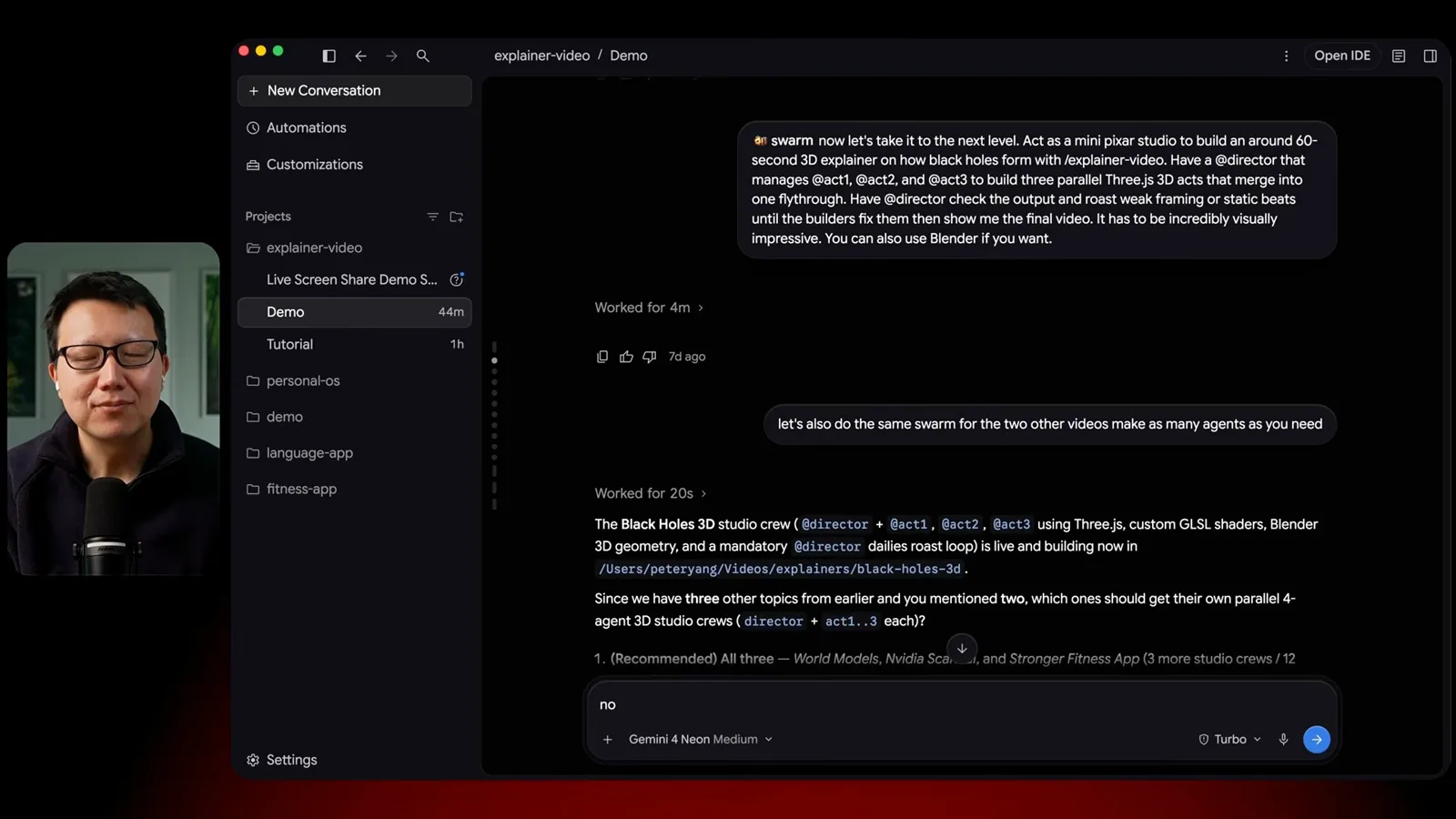
For another iteration, he uses /swarm to run several agents in parallel. His prompt proposes a director coordinating three agents to create acts of a 3D explainer and combine them into one sequence.
He also asks for a separate illustrated version made with code and inspired by a character-based video. While agents work, he uses a side-question command to ask about progress without interrupting the main task.
Yang shows a web-based remote-control interface for monitoring threads and issuing instructions from a phone. He suggests adding the web app to the phone's home screen, then compares the resulting motion, illustrated and 3D black-hole explainers.
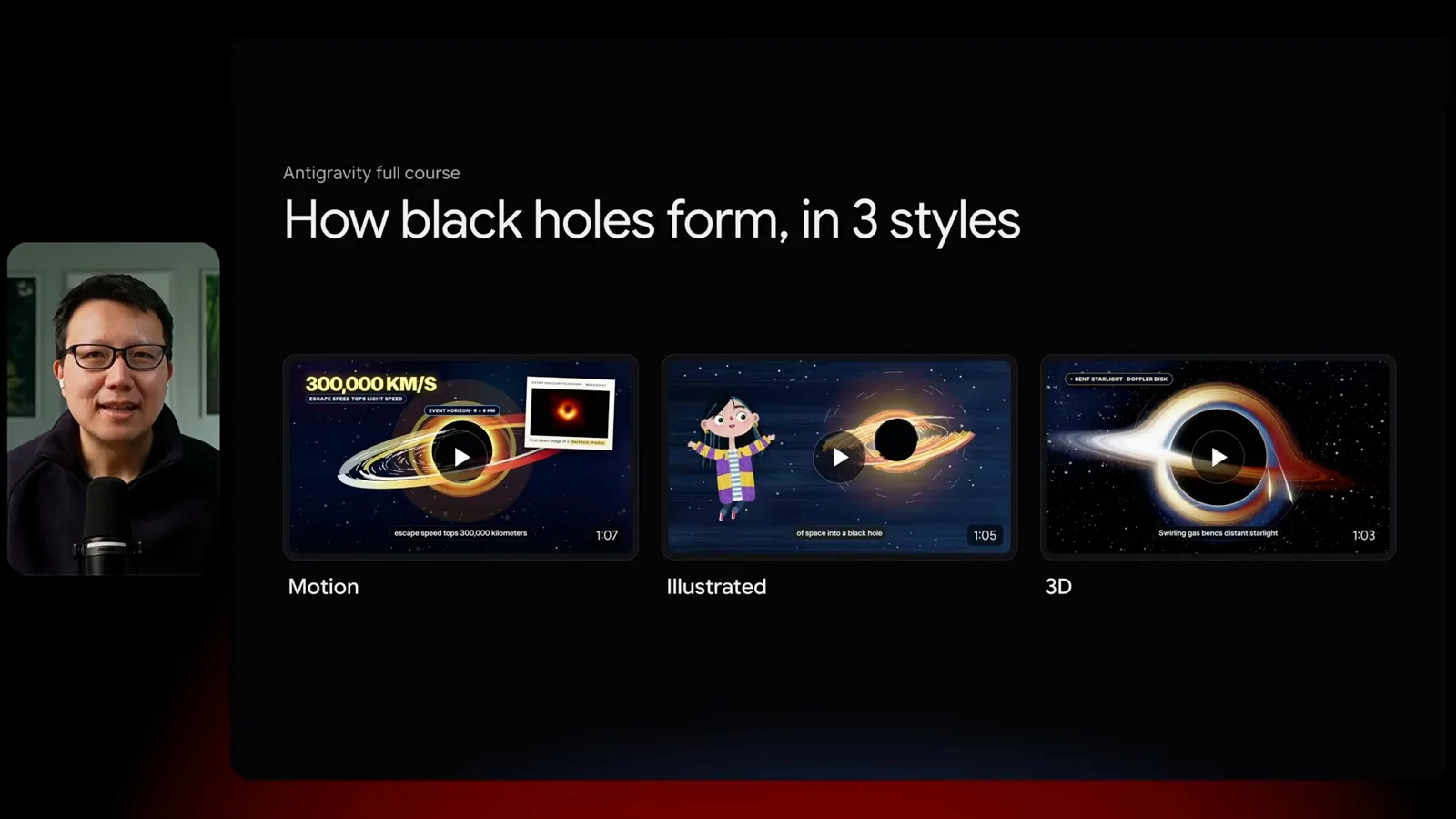
He demonstrates browser use by asking Antigravity to open a linked illustrated video and discuss how to achieve a similar style. He also suggests browser navigation for form filling and other manual tasks.
Publish and schedule the reusable skill
Yang cleans up and documents the skill before publishing it on GitHub. He then demonstrates an automation that runs it weekly.
Before launch, he asks the agent to remove redundancies, fix issues and make the three video options more token-efficient. He then asks it to publish the skill on GitHub and use his other repositories as examples for the documentation.
The resulting repository describes the problem, the three styles and installation. Yang adds a promotional reel and argues that making a skill discoverable requires presentation and promotion as well as building it.
To demonstrate reuse, he generates short explainers on world models, a fitness app and a family trip. He then shows a scheduled automation that would use the skill each Monday morning to explain a new concept to his child.
Yang recaps the workflow: set up the app and connections, plan with an orchestrator and clarifying questions, test the first result, iterate with parallel agents and feedback, and clean up and launch. Remote access, browser use and scheduling can support different stages of that process.
Sur la même chaîne
 18:41EN
 Peter Yang· 22 nov. 2026Podcast · 2 voixCharles Lamanna: AI Makes Coordination the Hard Part of Building SoftwareInvité : Charles Lamanna · Anime : Peter YangMicrosoft’s Copilot executive says faster coding shifts work toward architecture, verification and getting teams to agree on priorities.
 17:57ENPeter Yang· 19 nov. 2026PodcastPeter Yang: Gemini 4 Neon catches up for daily work, but Opus leads in designAnime : Peter YangA five-task comparison favors Claude Opus 5.5 for 3D and visual design, while a partially blind writing test favors Neon.
 22:12ENPeter Yang· 18 nov. 2026PodcastPeter Yang Tested Three AI Models: Different Tasks, Different WinnersFable led Yang’s game test, Carbon won two of three writing rounds, and Astra was faster but less thorough on his channel analysis.
 42:01ENPeter Yang· 15 nov. 2026Podcast · 2 voixNate Parrott's way to make AI design less genericInvité : Nate Parrott · Anime : Peter YangClaude Design's creator starts with visual references and competing options, then tests the result against a real product.
 25:17ENPeter Yang· 11 nov. 2026PodcastPeter Yang splits Claude Code work between Opus and FableHe uses Opus for routine execution and reserves Fable for harder decisions, code audits and family-care coordination.
 21:47ENPeter Yang· 9 nov. 2026PodcastFable 5.2 won four creative tests; Opus resisted pressure betterPeter Yang compared five tasks and found Fable stronger at creative outputs, while Opus more often challenged misleading pushback.