En 30 secondes
In this January 2024 tutorial, Matthew Berman uses the then-current AutoGen Studio interface to build a team that retrieves a YouTube transcript and drafts a blog post and tweet thread. His test retrieves the transcript and produces drafts in the terminal, but the final drafts do not appear in the UI.
- 1Install and configureBerman creates a Python environment, installs AutoGen Studio and handles a busy local port.
- 2Create a transcript skillHe uses an existing skill as a template and asks ChatGPT to generate a YouTube transcript function.
- 3Build the agent teamA transcript getter receives the skill; a content writer turns the retrieved text into two formats.
- 4Work around a UI resetHe fills in other fields first, then reselects and checks the group’s agents.
- 5Partial output visibilityThe final article and thread appear in the terminal but not in the Studio UI.
À retenir
- A transcript retrieval skill can be assigned to one agent while a second agent writes from its output.
- A group workflow coordinates the user proxy and specialist agents, with instructions describing the intended sequence.
- Environment variables must be available to the process running the application; a separate terminal tab may not pass them on.
- The test generated drafts in the terminal but did not display the final drafts in the interface.
- The commands, interface and model names reflect the version shown in January 2024.
Lire le texte remanié, chapitre par chapitre
Install the 2024 interface
Berman describes the goal, installation and model setup. He encounters a busy port.
In this January 2024 tutorial, I build an AutoGen Studio team that takes a YouTube URL, retrieves its transcript and turns it into a blog post and a tweet thread. I have not built this exact team before, so the demonstration includes mistakes and troubleshooting.
My earlier upgrade broke with database errors. I resolved that particular installation by uninstalling the old package and removing its remaining site-packages folders; the example is historical and does not establish that this is the right repair for every installation.
I create a Conda environment using Python 3.11, activate it and install AutoGen Studio with pip. I launch the UI on a local port; when the first port is already occupied, I switch to another.
The Build tab includes models, skills, agents and workflows. I select a GPT-4 preview model and explain that different agents can be assigned different models. The UI and specific model availability are as shown in 2024.
I create an API key and configure the model. The demo later encounters a missing-key error even though a key was entered in the model settings; credentials should remain private and be provided to the process that needs them.
Create a transcript skill
He asks ChatGPT for a Python function and adds it as a skill. The example uses a transcript library.
The first skill should fetch a transcript from a YouTube URL. I inspect an existing URL-fetching skill as a template and ask ChatGPT to write a similar Python function, including extraction of the video ID.
The first generated approach uses the YouTube Data API and requires a Google API key. I ask for an alternative and receive code using the youtube-transcript-api library, then add the generated function as a new skill.
I expect AutoGen Studio to install the library when needed, but I do not know yet whether the generated function will work. The later run shows an installation step and a transcript for the particular test video.
Configure agents and workflow
He builds a transcript getter, content writer and group-chat workflow. A UI selection reset requires a workaround.
I create two agents: a transcript getter and a content writer. The first receives the fetch-transcript skill and instructions to retrieve the source; the second is instructed to turn the text into a blog post and a tweet thread.
For the transcript agent I set human input to never, select the model and explicitly attach the skill. The content writer uses the same model but does not receive that retrieval skill.
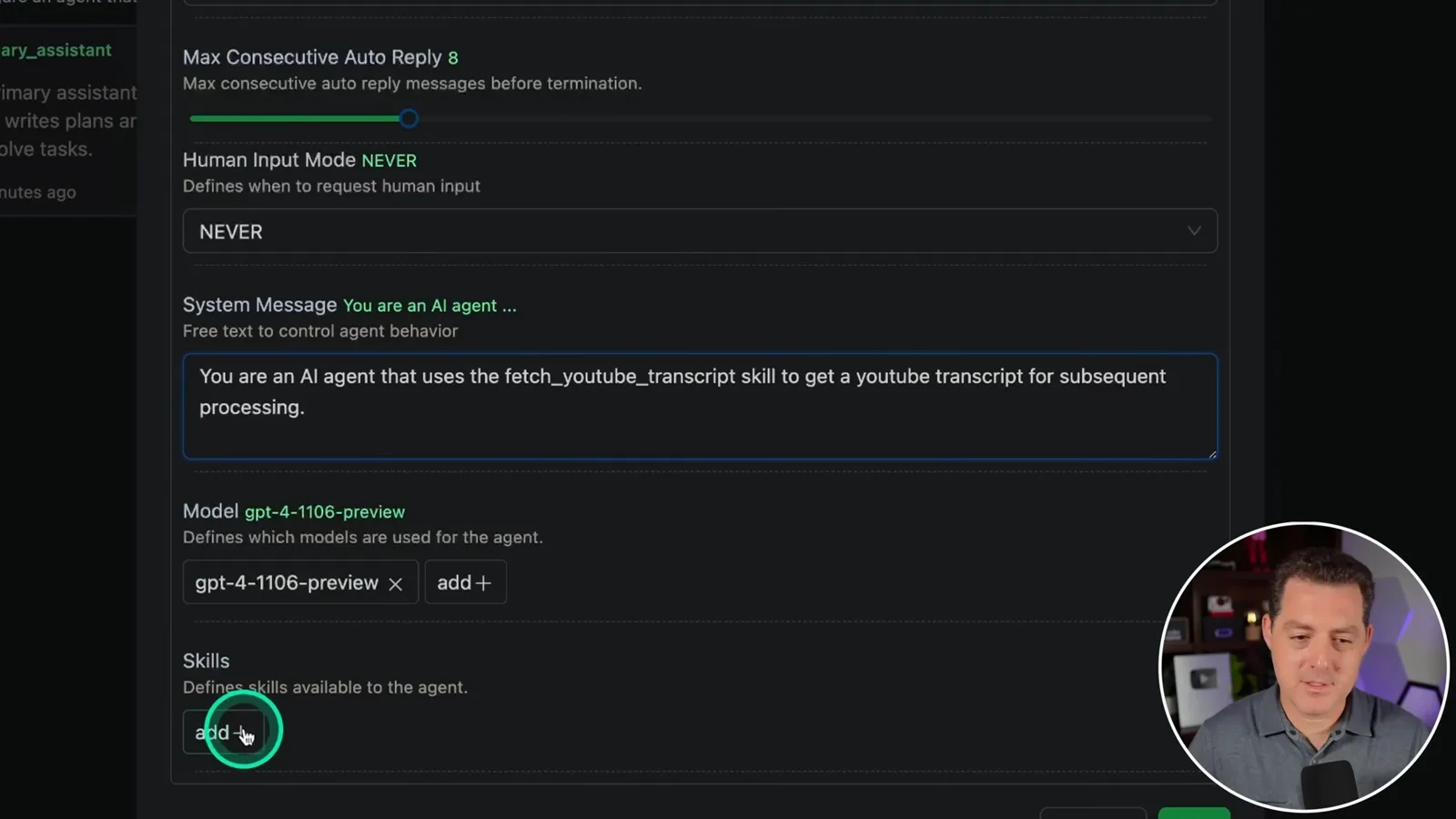
I create a group-chat workflow with a user proxy, transcript getter and content writer. The workflow describes passing the transcript to the writer and producing both formats, with the group-chat assistant coordinating.
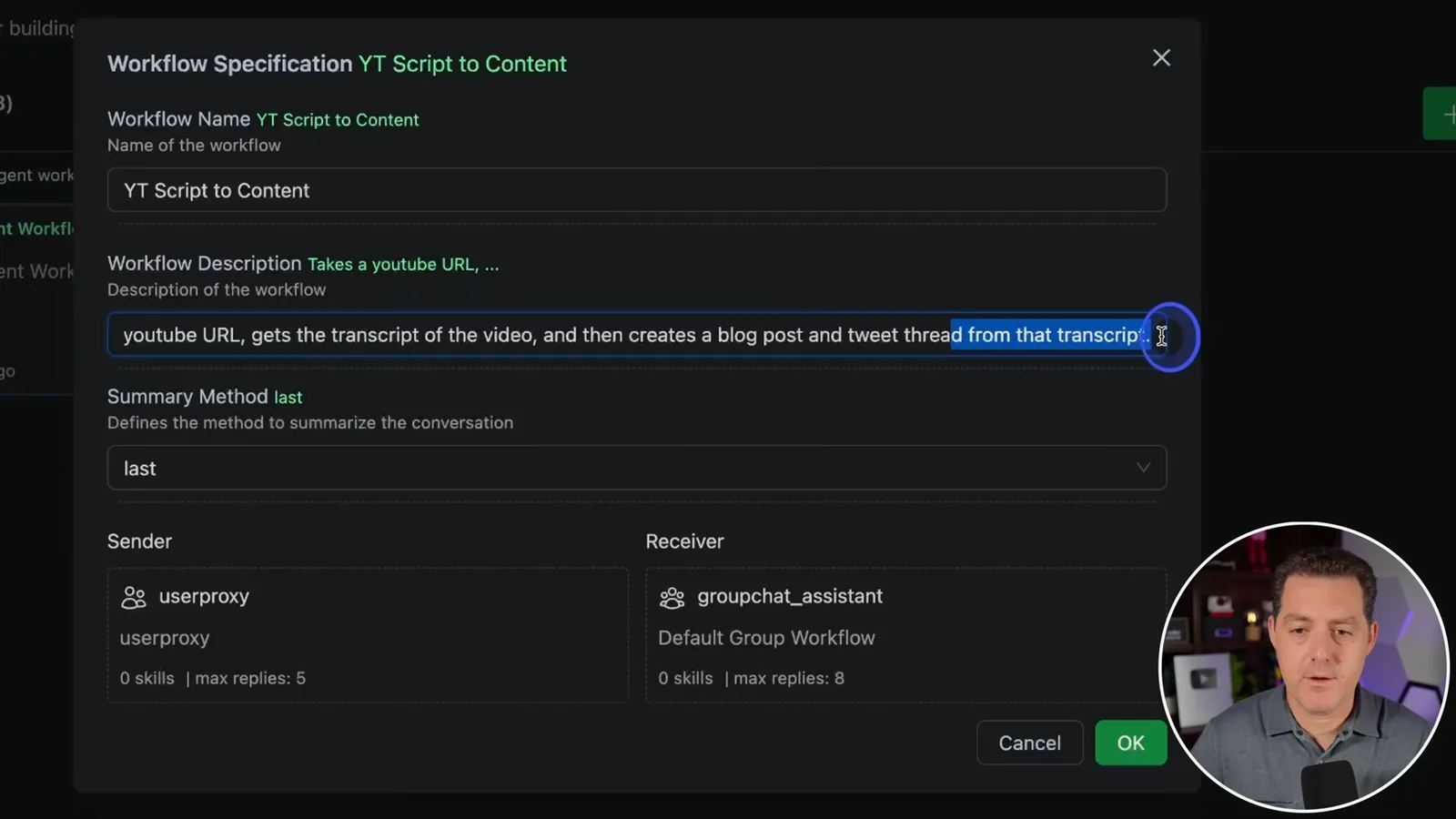
I give the coordinator a detailed system message. I am unsure how much detail is necessary, but make the intended steps explicit because this version does not offer an obvious way to enforce a fixed delegation sequence.
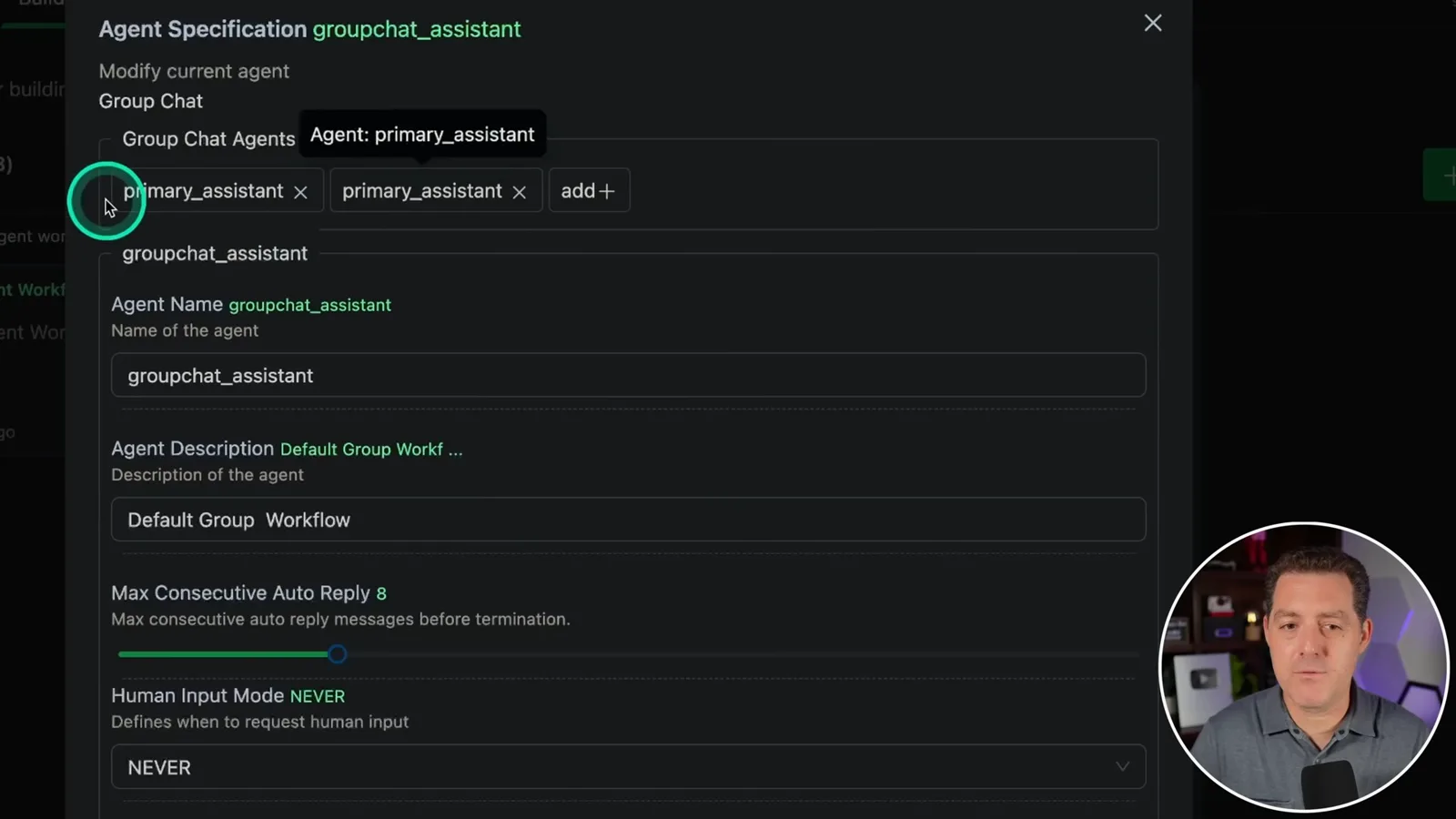
I encounter a UI issue: after replacing the default agents, typing in other fields causes the agent selection to revert. My workaround is to fill in the other fields first, then replace the default agents and recheck the saved group.
Test and troubleshoot
The first run fails to find an API key. After restarting with the environment variable, the team fetches a transcript and generates drafts, but the UI omits the final output.
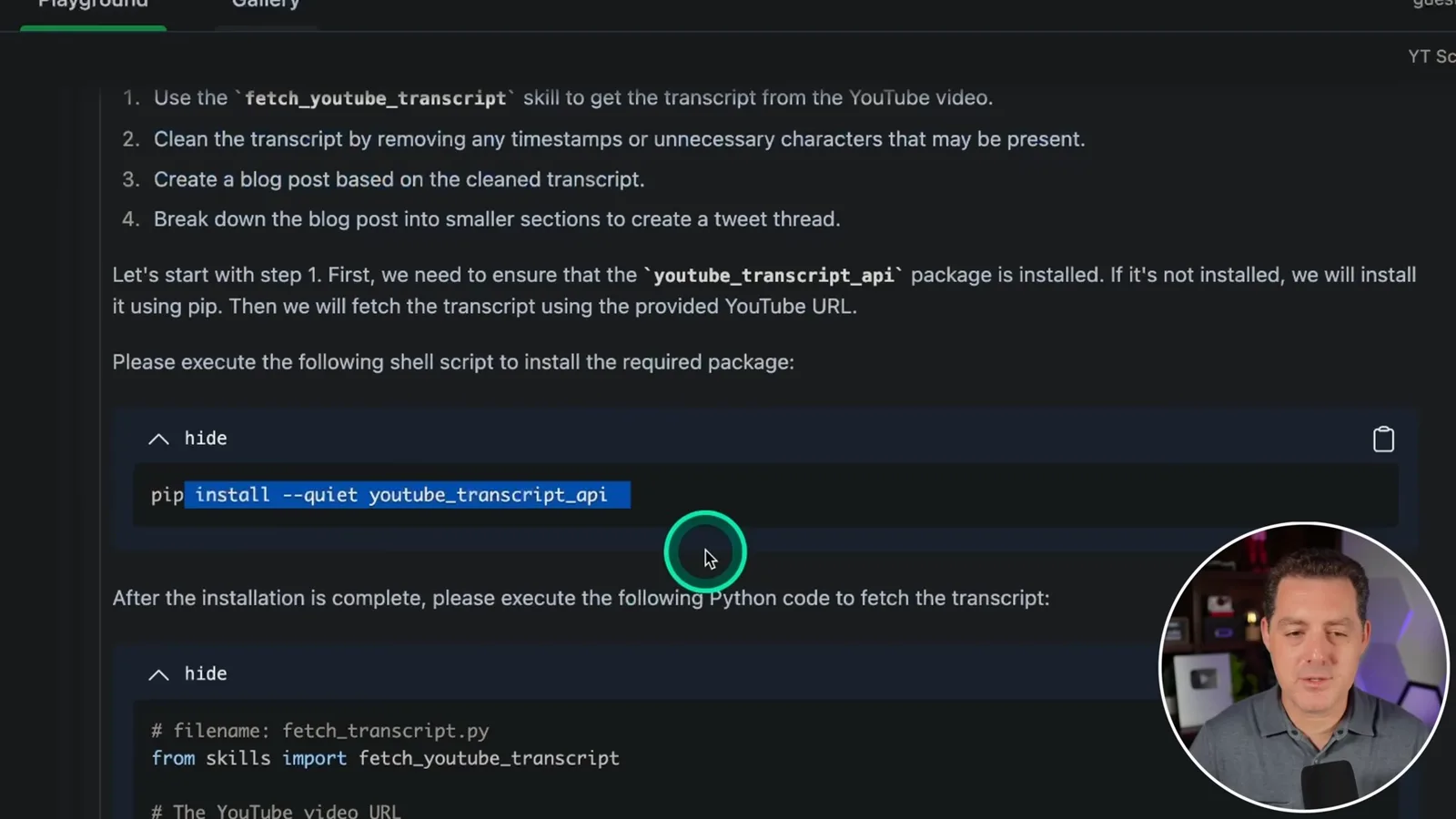
In the Playground I create a session, select the new workflow and submit one of my YouTube URLs. The request asks the group to retrieve the transcript, remove timestamps and produce a blog post and thread.
The first run reports that the API key is missing. Although I had entered a key in the model configuration, the process asks for it through an environment variable; I restart and retry.
My first attempt sets the environment variable in a different terminal tab, so the running process does not see it. I set it in the terminal that launches AutoGen Studio and restart, after which the test proceeds.
The terminal shows the agent conversation and a dependency installation step. The transcript getter retrieves the test video’s text; at this point I also note that the UI does not show the same live back-and-forth as the terminal.
The UI shows the agent’s plan, generated script and transcript, but not the final blog post or tweet thread. I find the proposed article and thread in the terminal instead, and do not resolve the missing final UI output during the video.
The demonstration shows how I assembled a skill, two specialist agents and a group workflow, then tested and troubleshot the result. The content appeared in the terminal, so the outcome is a partial UI success rather than a completely working end-to-end interface.
Sur la même chaîne
 25:50EN
 32:20EN
 1:03:37EN
 0:22EN
 45:08EN
 0:32EN