En 30 segundos
Theo reviews the parts of Claude Code he values despite broader criticisms. He demonstrates skill scripts, instruction-file imports, session controls and a multi-agent PR audit, while discussing security, reliability and usage costs.
- 1Dynamic skill contextScripts can populate useful context at skill load time; arbitrary execution also introduces risk.
- 2Import shared instructionsCLAUDE.md can import AGENTS.md and other files while keeping tool-specific instructions separate.
- 3Side questions and worktreesTheo highlights a side-question command and temporary isolated working directories.
- 4Code-generated workflowsAn audit of 15 PRs is divided into read-only review, ruling and verification stages.
- 5Usage and validity matterTheo’s workflow consumed substantial inference, and generated scripts can be invalid.
- 6Branching and remote controlRewind, branching and remote access offer ways to manage or continue a session.
Conclusiones
- Scripts can provide dynamic context when a skill loads, but executing untrusted code carries risk.
- File imports can reuse shared instructions while preserving tool-specific guidance.
- Side questions and worktrees can make concurrent work easier to manage.
- Generated workflows can coordinate a task-specific audit across multiple agents.
- Parallel workflows may consume substantial usage and generated code needs review.
Lee el texto editado por capítulos
Why discuss the positives
Theo wants other tools to adopt features he likes despite his criticisms. He begins with scripts in skills.
I have had plenty of complaints about Claude Code, particularly its desktop app, but recent heavy use has revealed features I like. Anthropic is not sponsoring this discussion. My goal is for other agent harnesses to borrow the good ideas so I can use them elsewhere.
Skills are mostly Markdown, but Claude Code can run scripts when a skill is loaded. That can put useful information in the model’s context immediately instead of requiring a separate tool call. My Repo Explorer skill, for example, helps an agent inspect dependency implementations in a local repository cache.
The skill checks which repositories are already cached; if the one I need is absent, the agent can clone it and explore it outside the active workspace. Injecting the cache listing at load time simplifies the instructions. Other harnesses may need an explicit step or an extension to provide similar behavior.
There is a real security tradeoff: a skill that executes arbitrary code can run something harmful. I am comfortable with the feature and think some criticism is excessive, but that is my judgment, not a guarantee that an installed skill is safe. The code and its source still matter.
Instructions and session links
He demonstrates file imports, local preferences and links to launch sessions. These help organize context and access.
I also find it annoying that CLAUDE.md and AGENTS.md are separate conventions, although Claude-specific instructions can be useful. Claude Code supports imports in CLAUDE.md with @path/to/import. The referenced content is loaded at launch, with relative paths resolved from the importing file.
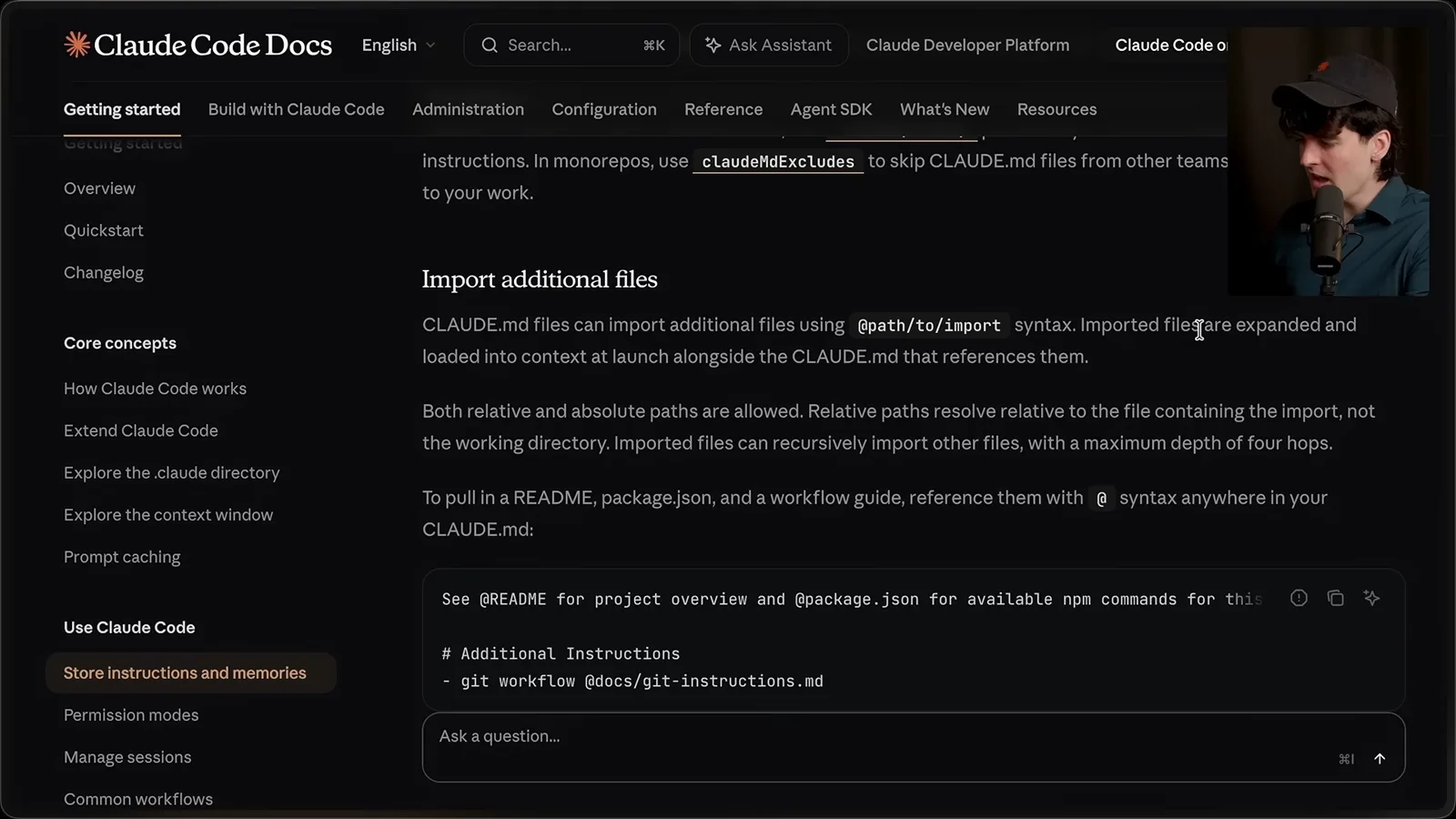
I can import AGENTS.md and then add Claude-specific instructions in CLAUDE.md, avoiding duplicate shared guidance. Other files, such as a README or package metadata, can be included too. A separate local instructions file can hold personal preferences without imposing them on the rest of the team.
Another discovery was the claude-cli:// link scheme for launching a session. I could imagine an HTML plan with a link that opens the appropriate task and working directory. Theo notes this is less convenient when the agent runs on a different machine, and observes that Codex also has deep links.
Side questions and workflows
Theo shows side questions and isolated worktrees, then asks an agent to audit open PRs. The workflow uses generated code and parallel agents.
Inside Claude Code, I like /btw for a quick side question while the main task continues. I asked about backup performance while an agent was working on a PR. I also noticed that other tools have started to offer similar side conversations.
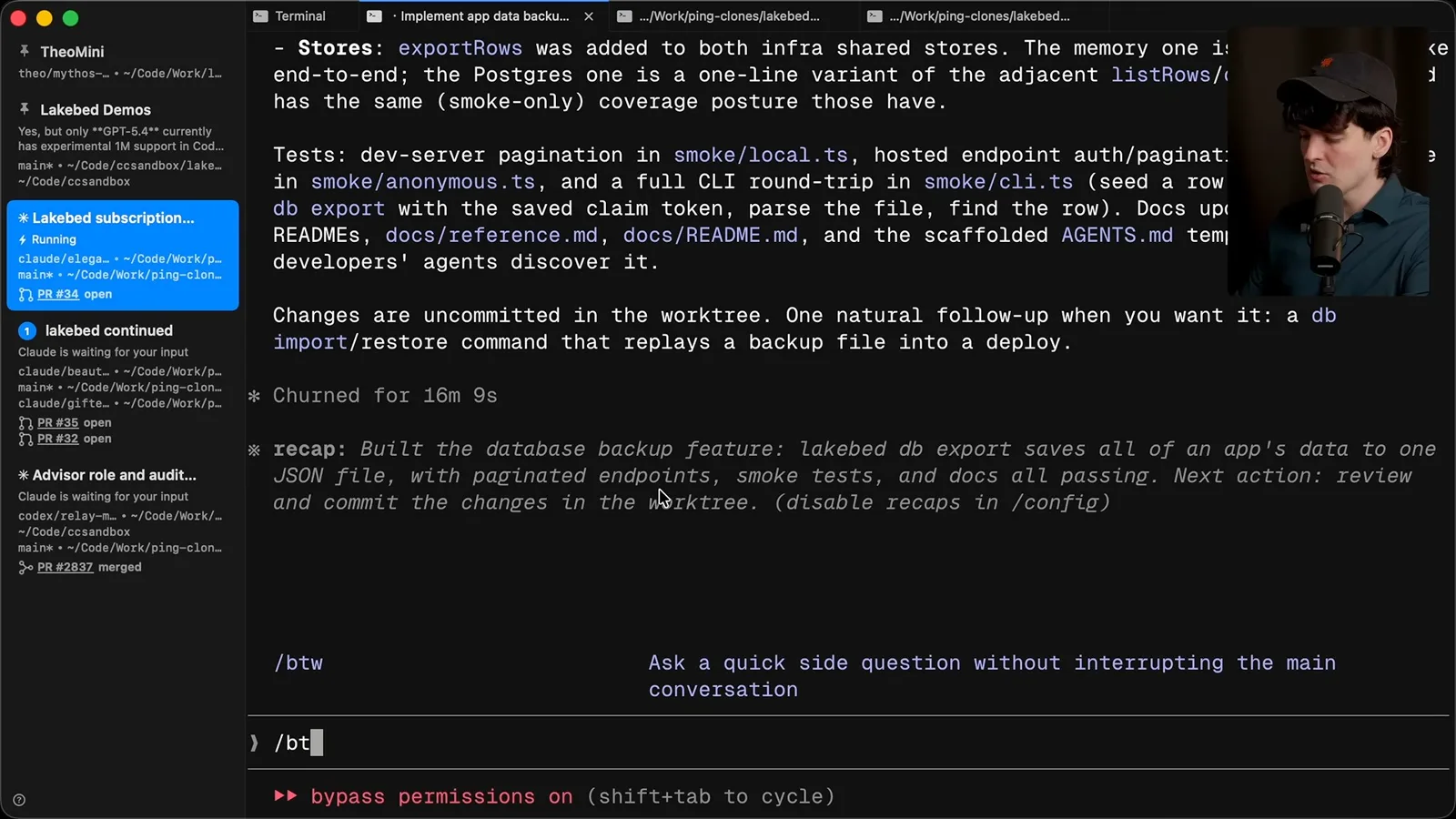
I have found the worktree option useful for temporary tasks: create an isolated working directory, do the work, file a PR and discard it later. Worktrees are not my favorite abstraction overall, but this makes a short-lived experiment convenient.
The feature I most want to show is workflows. I asked for an audit of 15 open PRs: identify superseded work, items ready to merge and items needing more attention. I also asked the agent to show me the code it would use before running the workflow.
The interesting idea is code mode. Rather than retaining every tool result in the model context, an agent can write code to call a tool and filter the results programmatically. That allows it to assemble a task-specific process instead of being confined to a fixed sequence of calls.
A smaller interface detail I like is the full-screen terminal renderer. It uses an alternate screen and restores the previous terminal view on exit, although it changes access to the normal scrollback. I had an agent help fix scrolling for my SSH and tmux setup.
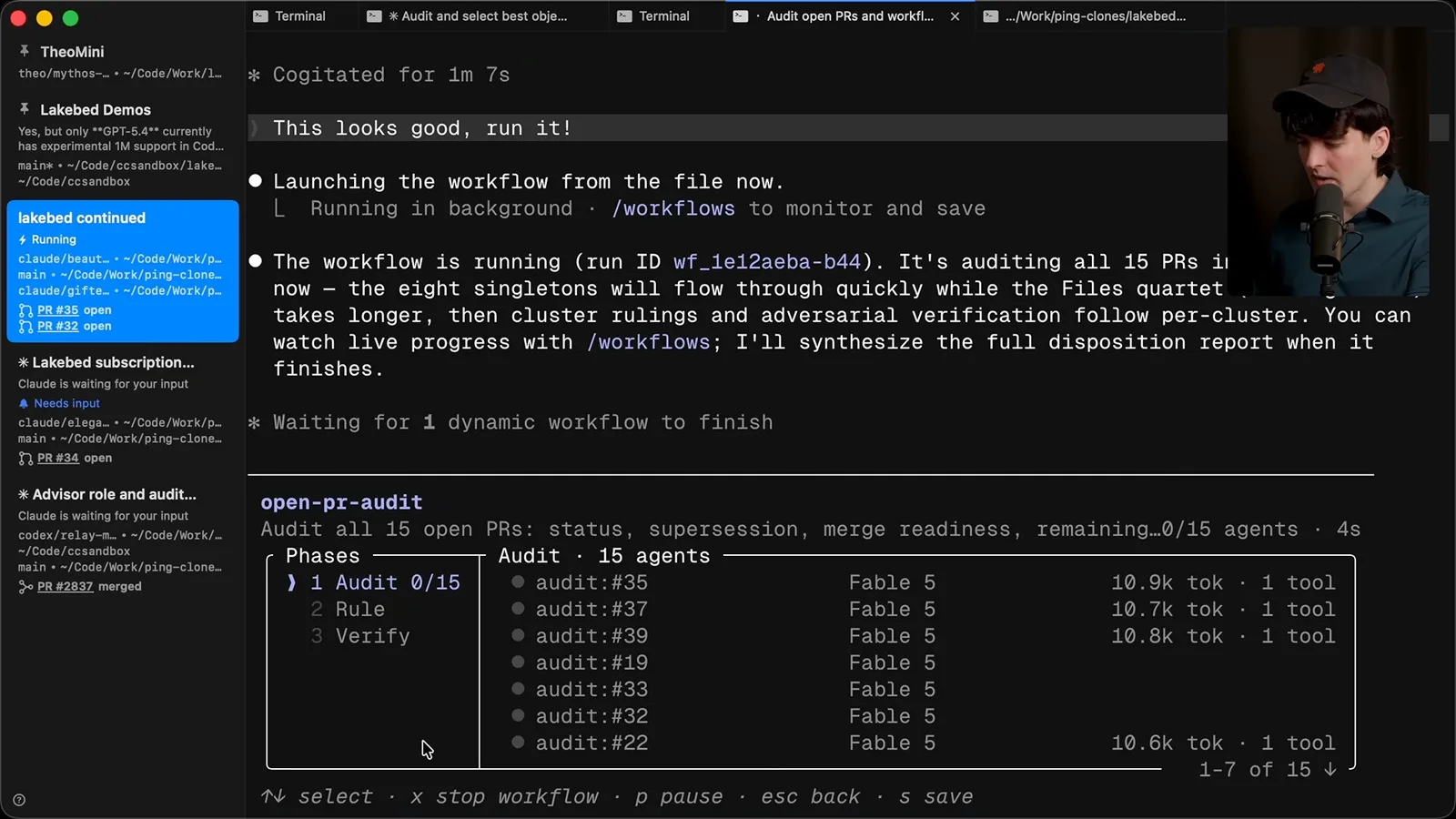
The PR audit became a staged workflow with audit, ruling and verification phases. In the setup I demonstrated, up to eight agents ran in parallel, with more starting as earlier work finished. The process could decide which results needed additional phases rather than treating every PR identically.
Costs and workflow internals
He warns about usage and reads through the generated audit pipeline. Generated code can also fail.
That flexibility is expensive. In one test with Fable, I estimated the inference usage of an eight-agent workflow at around $100 per ten minutes. That is my estimate for a particular setup at the time, not a universal price; different models, plans and workloads change the calculation.
Generated code can make each workflow fit the task, but it can also be invalid or incompatible. I have seen the model produce broken JavaScript while trying to stretch the feature. The generated process still needs inspection and verification.
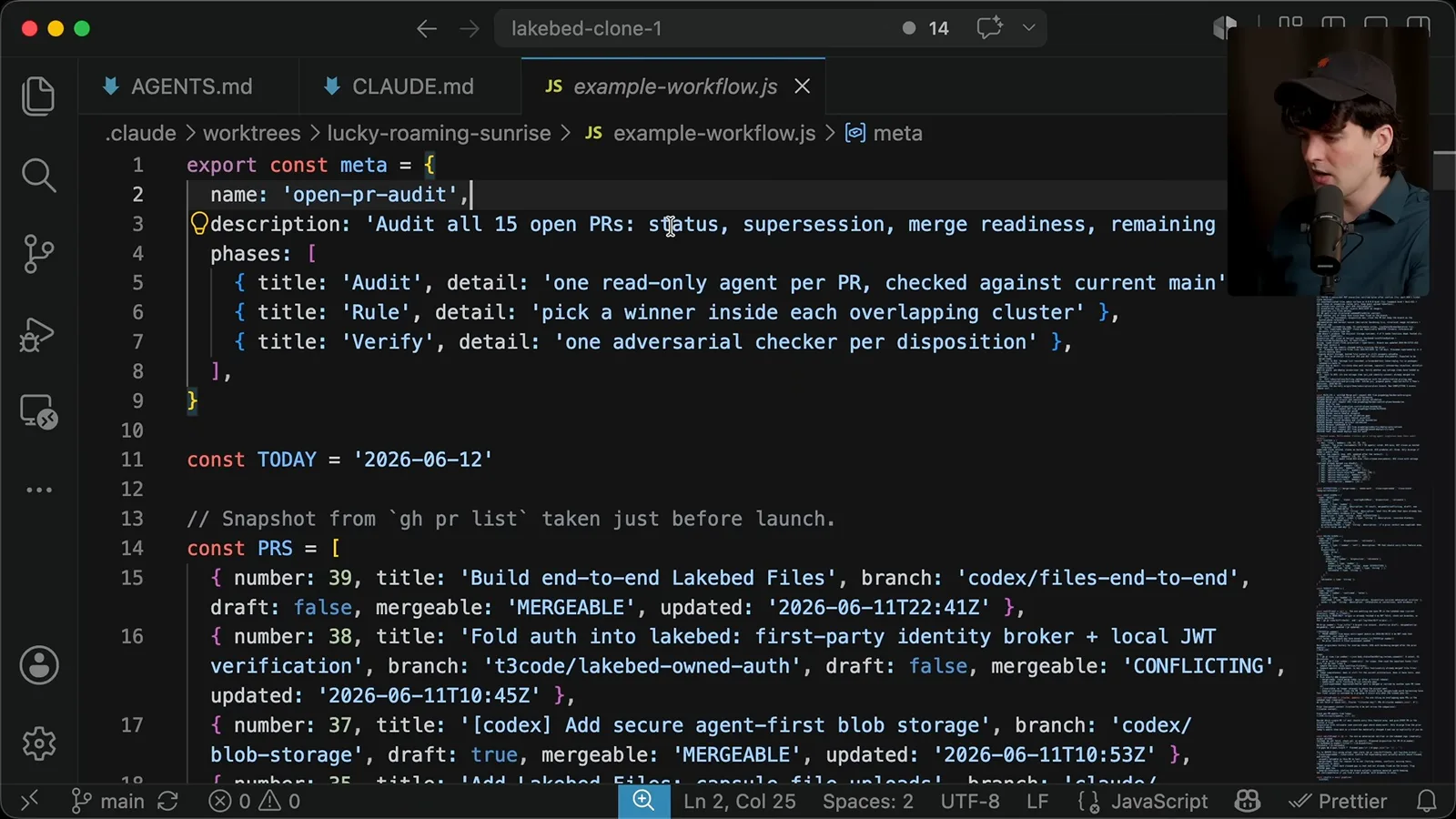
For this audit the script described three phases: a read-only audit per PR, a ruling on overlapping changes and an adversarial verifier for dispositions. It gathered PR titles, branches, draft and mergeability status, previous findings and recent main-branch history, then grouped related work.
The code generated prompts dynamically from each PR and added prior context where available. The verification prompt told an agent to inspect actual repository state without modifying it. A pipeline then used those inputs and functions to dispatch the sub-jobs.
The model wrote roughly 240 lines of code for a workflow intended to run once. To me that illustrates the shift: code can be an intermediate step between model runs, not only the final artifact. It also used a significant part of my usage window, so this is something to approach with the cost in mind.
Session controls
Theo discusses account switching, rewind, branching and remote control. He closes by noting that he has set aside the tool’s drawbacks in this video.
I also describe switching accounts while a workflow is running, based on my own experience. That behavior and the applicable account rules can change, and my demonstration should not be taken as a general entitlement or reliable recovery strategy if a run hits a limit.
Two more useful controls are rewind and branch. I use rewind to go back after a mistaken prompt, although recovering forward can be difficult if I rewind by mistake. Branching is useful when I want to take the existing history in a different direction.
Finally, I tried remote control: a Claude Code session on my computer could be accessed through the web or phone. The demo encountered a JSON decoding error, but I liked being able to see the same run while away. I deliberately focused on positives here and may cover the drawbacks separately.
Más de este canal
 38:47EN
 Theo - t3․gg· 28 oct 2026Theo’s Long-Running Agent Experiments: Verification, Compute and CostTheo Browne · Ping LabsA skateboard game and two compiler projects show how repeated checks and flexible compute can sustain agent work—and how expensive those loops can become.
 36:07ENTheo - t3․gg· 27 oct 2026Theo on Token Costs, Coding Agents, and the Price of AI CapabilityTheo Browne · Ping LabsA viral estimate of Lauren's AI spending prompts a closer look at cache pricing, benchmarks, and the changing work of coding agents.
 30:37ENTheo - t3․gg· 26 oct 2026Theo’s Three Skills for Reviewing and Shipping with Coding AgentsTheo Browne · Ping LabsHow sol-loop, full-send and full-stop encode review, verification and different levels of merge authority.
 0:43ENTheo - t3․gg· 23 oct 2026Theo Distinguishes Security Vulnerabilities from Active AttacksTheo Browne · Ping LabsA short explanation of why disclosed software flaws and reported attacks are different kinds of security news.
 29:22ENTheo - t3․gg· 22 oct 2026Theo on Security Vulnerabilities, Stolen API Keys and AITheo Browne · Ping LabsA look at the gap between vulnerability disclosure and patching, and a speculative account of why stolen inference keys may be valuable.
 31:13ENTheo - t3․gg· 20 oct 2026Theo on Why Smarter Models Help More Than DevelopersTheo Browne · Ping LabsFrom game modifications to compiler experiments, Theo revisits his assumptions about who benefits from more capable AI.