In 30 seconds
In a video made in partnership with Meta, Matthew Berman demonstrates SAM 3D tools that estimate 3D objects and human bodies from images. He exports a model for 3D printing and shows how to refine a selection. The results are approximations: hidden surfaces and body poses may be inferred incorrectly, and a generated mesh may need repair before printing.
- 1Meta partnershipBerman discloses that Meta partnered with him on the video. He describes the tools as free and their models as open-weight and open-source.
- 2Select and generateHe selects a speaker, generates a 3D representation, and refines a record-player mask to include the lid.
- 3Export for printingThe demo offers PLY and GLB; Berman converts GLB to STL for his printer.
- 4Estimating human bodiesThe body tool identifies two people in a jiu-jitsu photo and estimates their poses; occlusion can make such estimates uncertain.
Takeaways
- SAM Playground can select an object in an image and generate an estimated 3D representation.
- A selection can be refined by adding or removing regions before generation.
- Berman exports a GLB model and converts it to STL for his 3D-printing workflow.
- The body tool estimates people and poses from an image, including partially occluded areas.
- A single image cannot uniquely determine unseen geometry, and generated models need review before use.
Read the edited text by chapter
From image to printed object
Berman introduces SAM 3D with a printed character and discloses Meta's partnership.
Matthew Berman starts with an image of Spike from Brawl Stars, converts it into a 3D model using Meta's SAM 3D, and prints the result. He suggests potential uses in games and visual effects as well as printing. Meta partnered with him on this video, a relationship he discloses.
In the SAM Playground, Berman chooses the 3D scene tool and selects a speaker in a sample image. The interface highlights the object and generates a 3D representation. When selecting a record player, the initial mask misses the transparent lid, so he adds the missing region before generating again.
Object selection, export, and effects
He creates models from a speaker and record player, refines the mask, and explains export options.
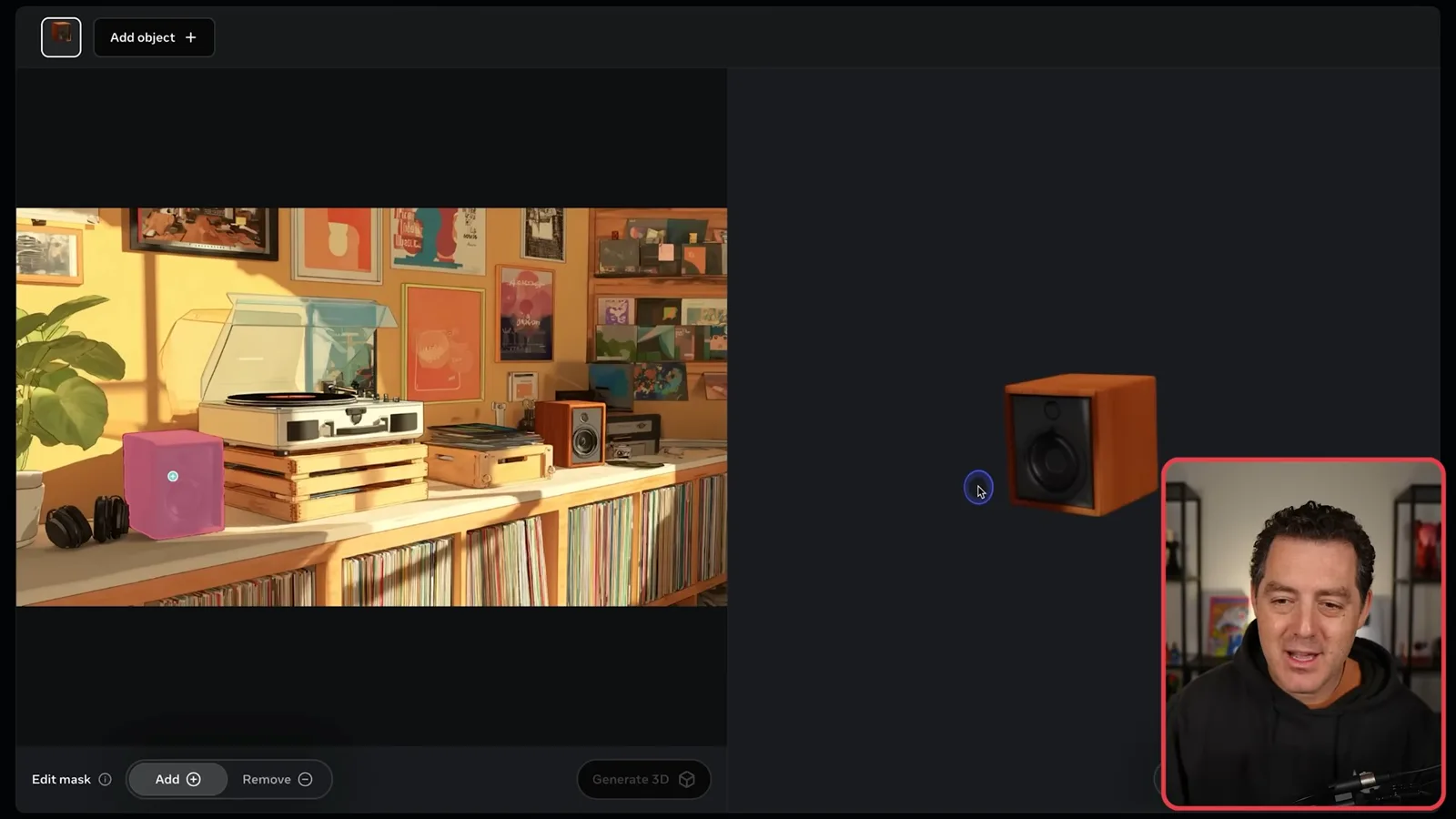
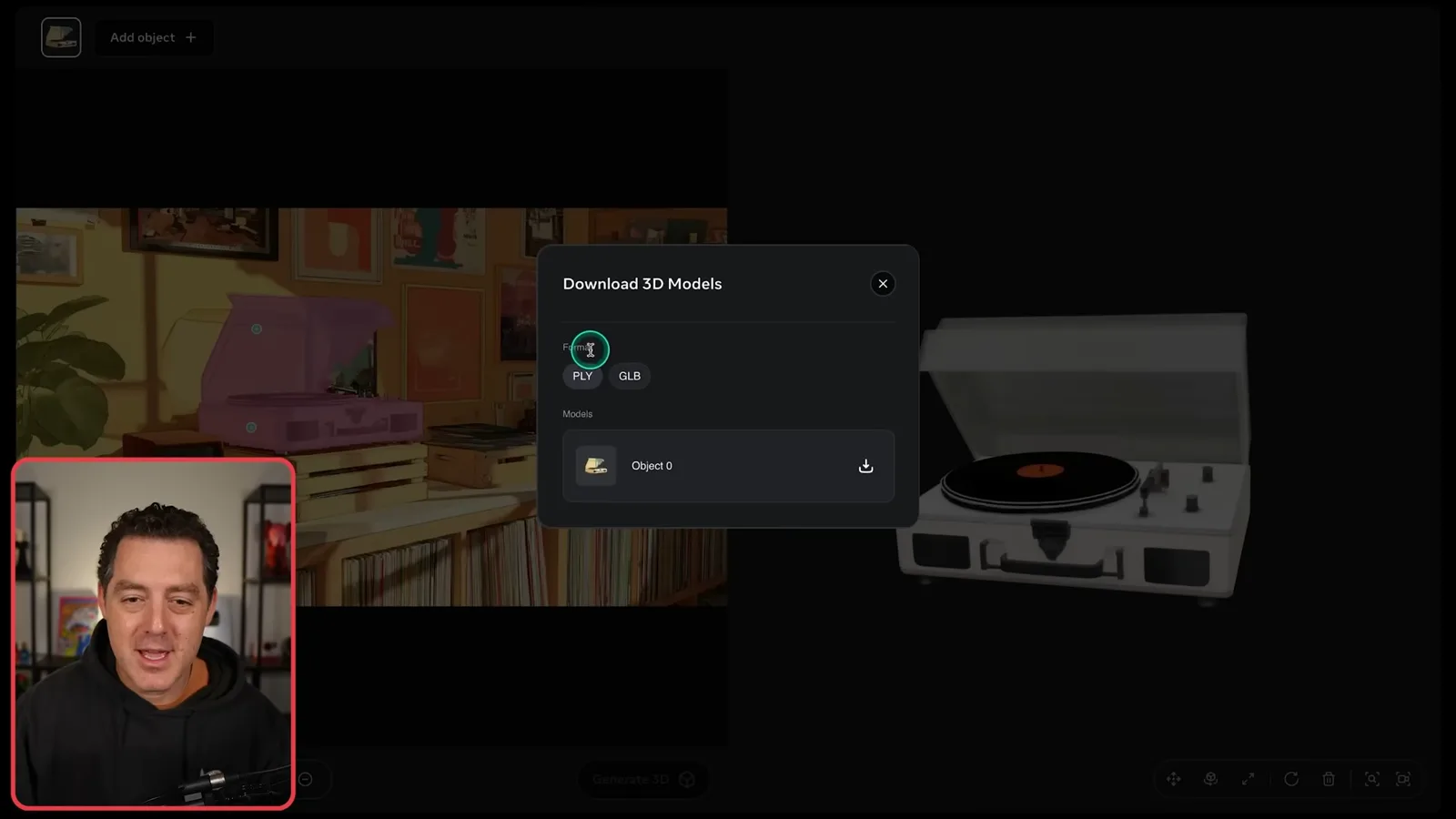
The download dialog offers PLY and GLB formats. Berman says he downloaded GLB and converted it to STL for 3D printing; the exported object can also be edited in a 3D application such as Blender. A printable result may need checks for scale, mesh integrity, supports, and other print-specific requirements.
The interface also allows users to move, rotate, scale, and regenerate objects and apply effects or visual styles. Berman shows examples such as shimmer, gold, toon shading, and environmental filters. These effects are demonstrations, and their usefulness depends on the intended output format and workflow.
Estimating 3D bodies
He uses a photo of two people to demonstrate body and pose reconstruction.
Next he uses the 3D body tool on a photo of two people practicing jiu-jitsu. The interface detects both people and estimates their body structures and poses; he shows how to select or remove one person. The bodies overlap, so the reconstruction of hidden parts is an estimate rather than a verified measurement.
More object examples
He tries a building and a game character, noting that the unseen back of the character is imperfect.
Berman tries a building and a game character, refining the selection when a small accessory is missed. The generated character looks convincing from the front, but he observes that the back is imperfect because it was not visible in the source image. A single view leaves many possible unseen shapes, so the result should be inspected and edited for the intended use.
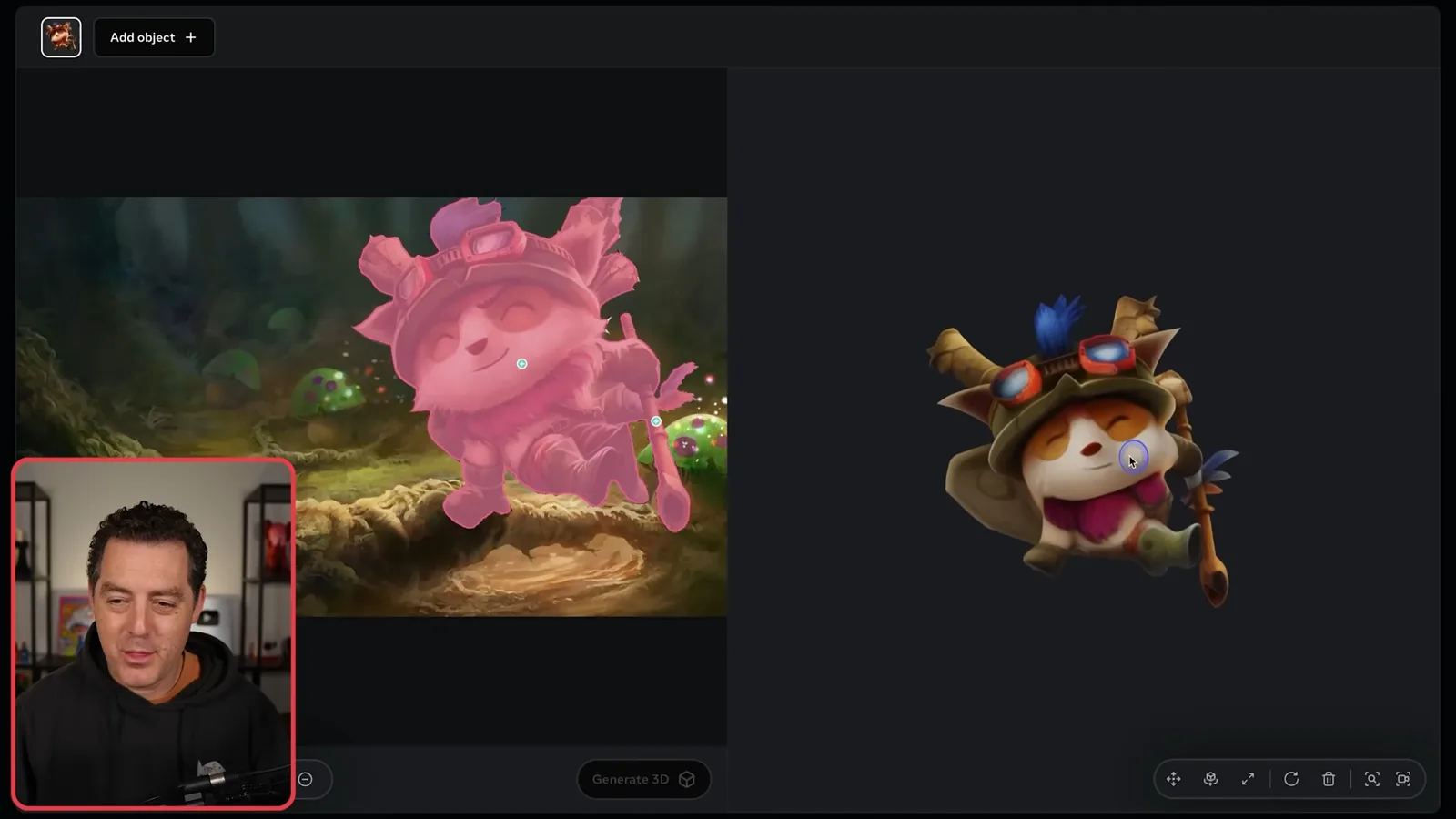
He closes by emphasizing the low barrier to experimentation and says the models and tools are open and free in the context shown. Model licenses, hardware requirements, service availability, and rights to source images should be checked for a particular use.
More from this channel
 25:50EN
 32:20EN
 45:08EN
 0:32EN
 12:14EN
 10:36EN