In 30 Sekunden
In this March 2023 tutorial, Matthew Berman discusses the newly announced ChatGPT and Whisper APIs, explores the documentation and Playground, and builds a local animal-name generator. The video title says “4.0 Turbo,” but the launch concerned GPT-3.5 Turbo; the code demonstration uses the older DaVinci completion model. Model availability, APIs, prices and policies have changed since the recording.
- 1The actual modelThe 2023 release discussed GPT-3.5 Turbo, not GPT-4 Turbo; the historical advertised price was $0.002 per 1,000 tokens.
- 2Tokens count on both sidesInput and generated output consume tokens; limits and prices vary by model and version.
- 3Temperature changes samplingLower temperature generally favors more predictable outputs, while higher settings allow more variation.
- 4The sample uses DaVinciThe local Flask demo calls the older completion model rather than the new Turbo chat endpoint.
Das Wichtigste
- The March 2023 ChatGPT API launch introduced GPT-3.5 Turbo at a historical price of $0.002 per 1,000 tokens.
- Token budgets include input and output, and limits depend on the model and version.
- Temperature affects sampling variability, not a guarantee of accuracy or repeatability.
- The Python Flask sample uses a DaVinci completion model rather than the Turbo chat endpoint.
- The historical tutorial should be checked against current model availability, documentation and policies.
Den bearbeiteten Text nach Kapiteln lesen
The 2023 API launch
Berman introduces GPT-3.5 Turbo and Whisper and explains the historical pricing. He reviews early application examples.
OpenAI has just made the ChatGPT and Whisper APIs available, and I am excited about developers building applications on top of them. This March 2023 video concerns GPT-3.5 Turbo, despite the video's later title saying 4.0 Turbo. OpenAI announced $0.002 per 1,000 tokens for the new model, a tenfold price reduction relative to its existing GPT-3.5 models—not proof that Turbo and DaVinci were the same model.
I will walk through the documentation and then run a small Python application. The ChatGPT API takes messages and produces a model response; the Whisper API handles audio transcription. I am impressed by examples of Whisper transcription, although those observations are not a controlled comparison with other services.
OpenAI describes early applications from Snap, Quizlet, Instacart and Shopify: a customizable chatbot, a language tutor, grocery suggestions and shopping recommendations. These examples illustrate how different products can incorporate model output into their own experiences.
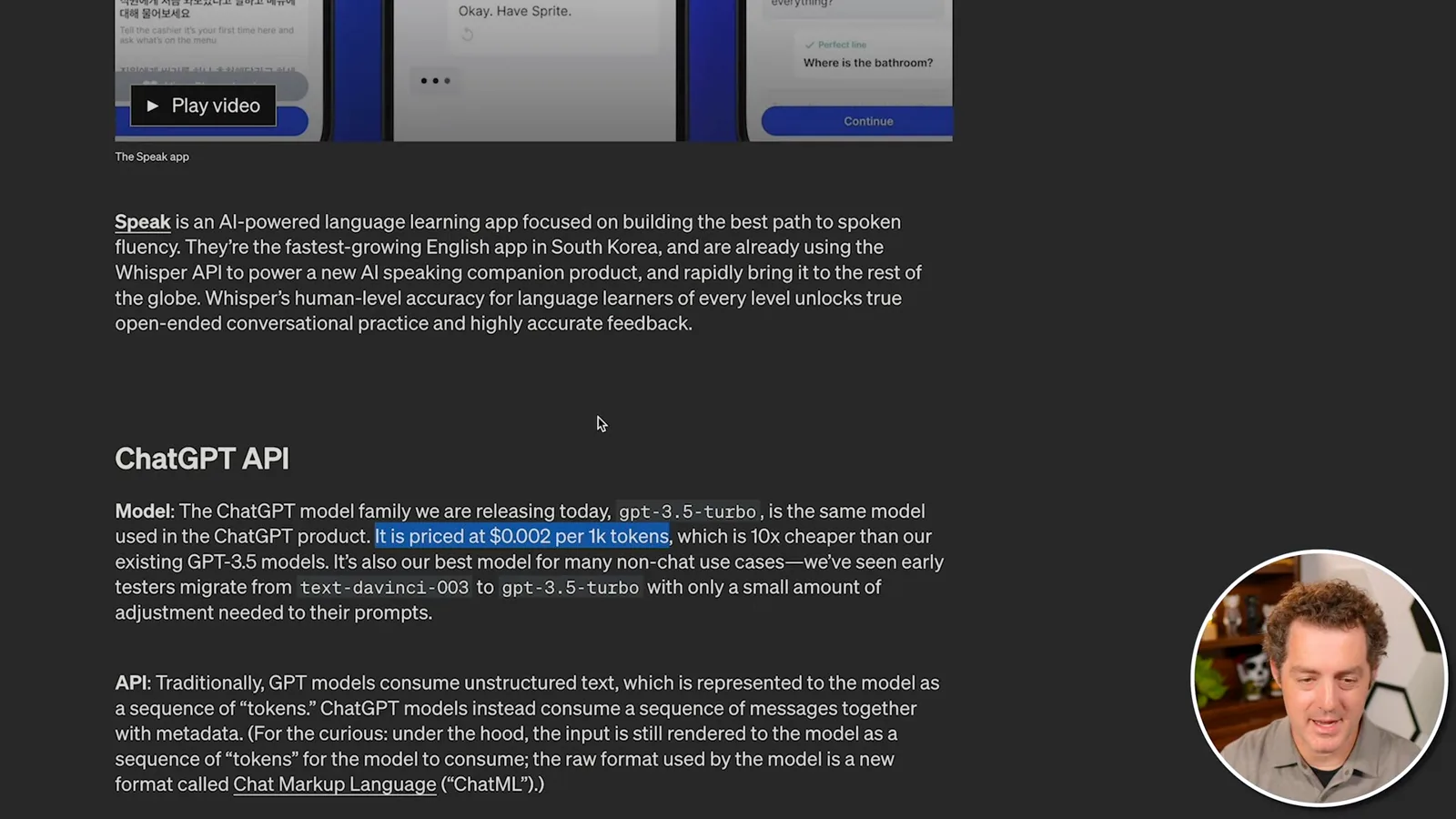
The launch price is $0.002 per 1,000 tokens, and OpenAI describes it as ten times cheaper than its existing GPT-3.5 models. This is a historical price, not a current quote. The new gpt-3.5-turbo model used a chat-completions endpoint with structured messages; the older text-completions example I later run uses a different model and endpoint.
Prompts, tokens and models
He walks through text completion examples, token counting and the models listed in the documentation. Model limits and availability depend on the version.
A single language-model API can support very different tasks through prompts rather than requiring a separately designed endpoint for every translation or chatbot use case. The documentation illustrates this with a prompt asking for an ice-cream-shop tagline. How the request is phrased influences the response.
Tokens matter both for billing and for the amount of text a model can handle. A token is often around four English characters or three quarters of an English word, though that is only a rough rule. Input and generated output both count toward a model's context budget and costs.
The documentation I am reading mentions a 2,048-token combined prompt-and-response limit. That figure is not universal: limits depend on the particular model and version, and should be checked in its documentation. Leaving space for the response matters when sizing a request.
Tokens can be whole common words or fragments of longer ones. I try the tokenizer with 'Tell me something cool.' and show how the text is divided and counted, including spaces. A tokenizer is useful for estimating request size and cost, though actual usage depends on the model and output.
The model catalog I review includes GPT-3.5, image generation with DALL·E, Whisper for transcription, embeddings for measuring relatedness, Codex for code and moderation models. Embeddings can help retrieve relevant results for a search query. The catalog and model availability in this 2023 walkthrough are historical.
Temperature and policies
Examples illustrate how prompt specificity and temperature affect generated text. Berman reviews the usage rules of the time.
The quickstart demonstrates how a more specific prompt changes an answer: a request for a horse name produces one suggestion, while asking for a black horse produces another. It then introduces temperature, an optional sampling setting that influences how varied the output may be.
In the tutorial's range from zero to one, lower temperature favors more predictable choices while higher values allow a broader spread of possible tokens. It does not guarantee accuracy or creativity, and a zero setting is not a universal guarantee of identical responses.
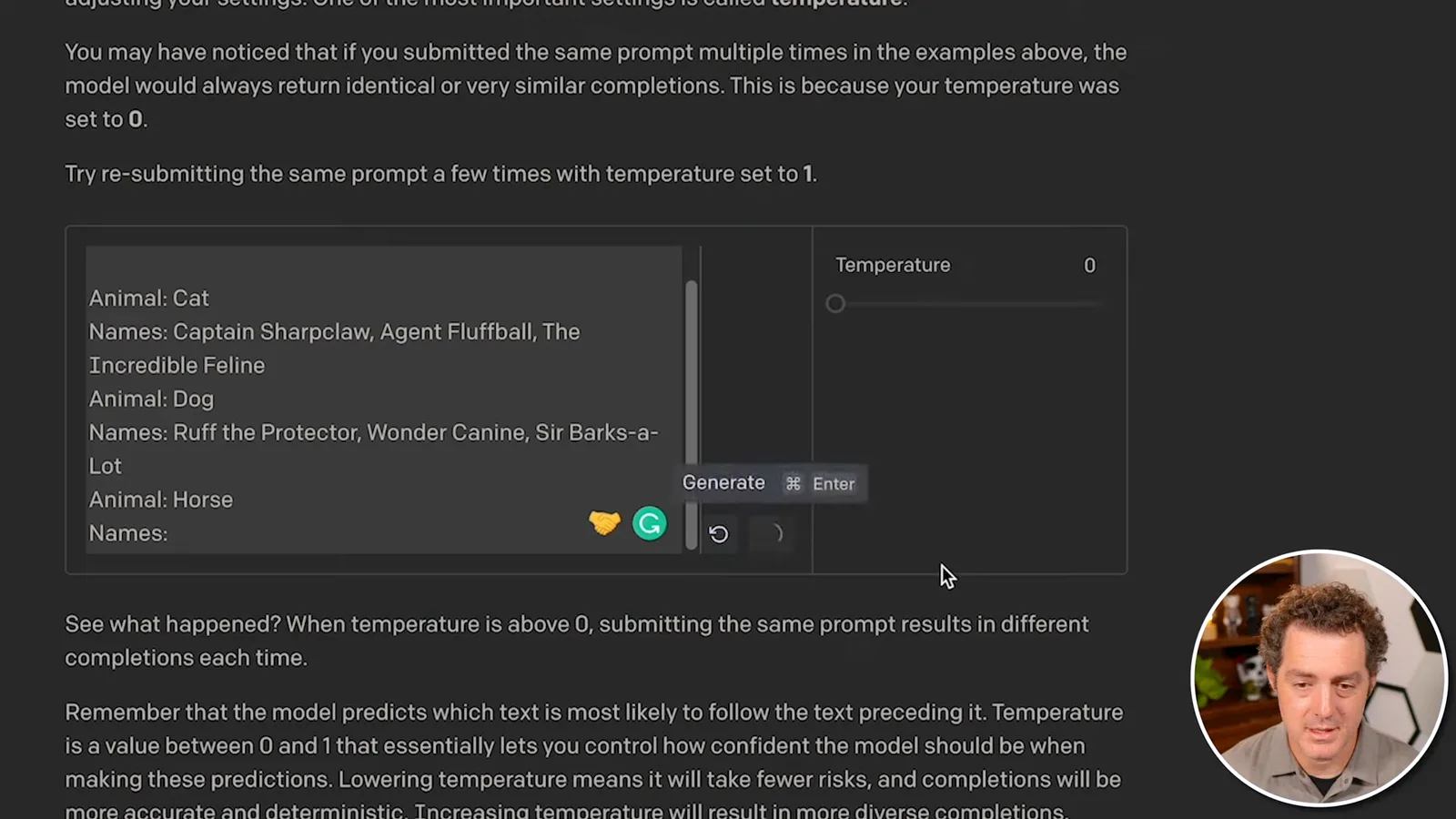
The animal-superhero prompt supplies a few examples before asking for more names. At temperature zero the demonstration repeats the same suggestions; increasing it to 0.5 and then 1 produces more variation in this example. Few-shot examples help communicate the pattern, while temperature affects sampling.
An interactive diagram breaks 'Horses are my favorite' into tokens and shows candidate next words with probabilities. In the example, 'animal' is the highest-probability choice and 'animals' is close behind. Higher temperature makes lower-probability choices more likely to appear relative to the top choice.
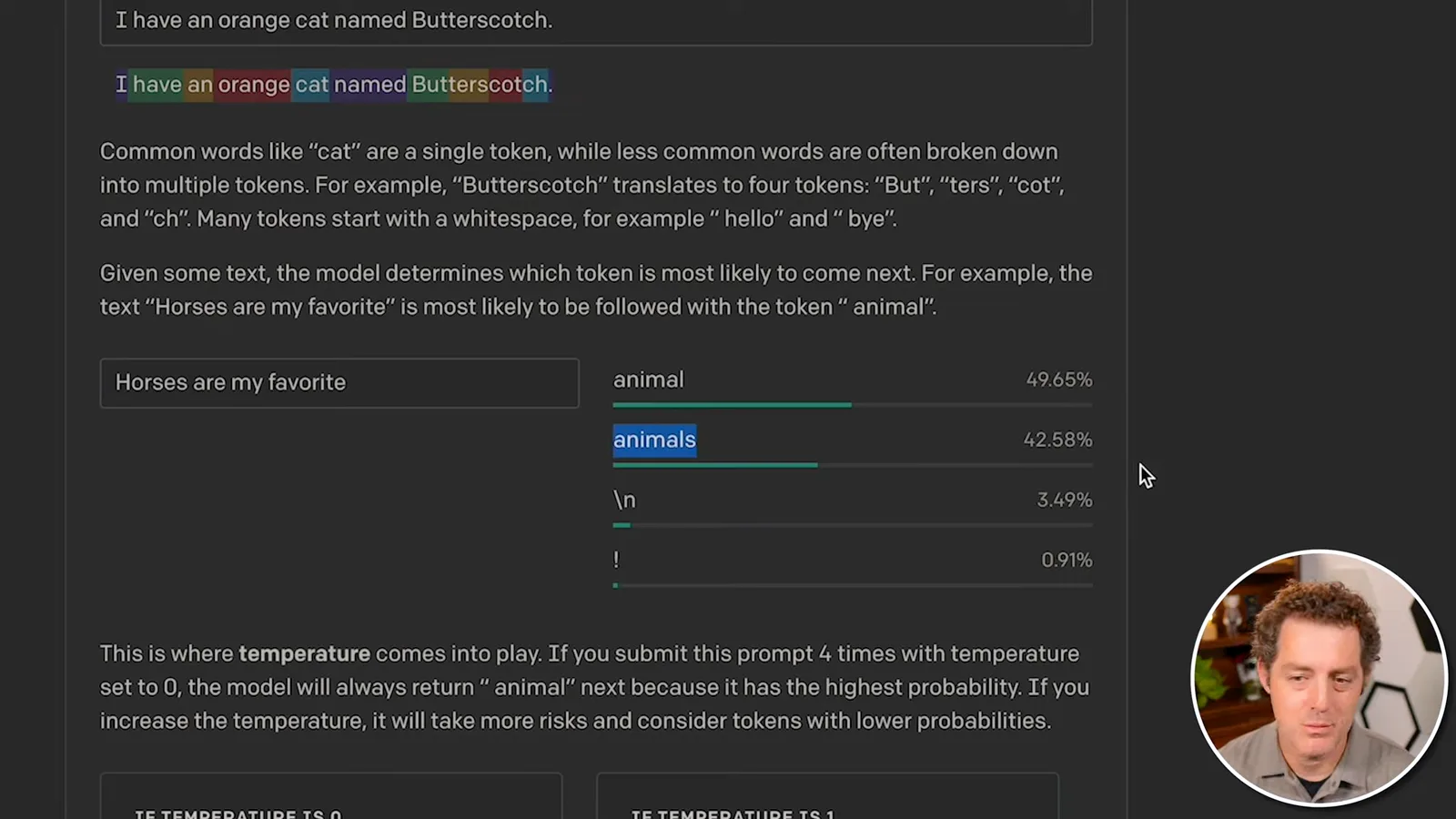
For a response where I know the desired shape, I favor a lower temperature; for a poem or haiku, I might try a higher one. This is a starting point for experimentation, not a substitute for checking the output.
I also read the usage policy then in effect, including restrictions concerning harmful activity, economic harm and political campaigning. I highlight the disclosure rule for automated systems interacting with people and examples of exceptions described in that historical policy. Policies change, so developers must consult the current terms rather than rely on this 2023 summary.
Playground and Python app
The host tries chat in the Playground and runs a local Flask naming app. The sample uses an older DaVinci model rather than Turbo.
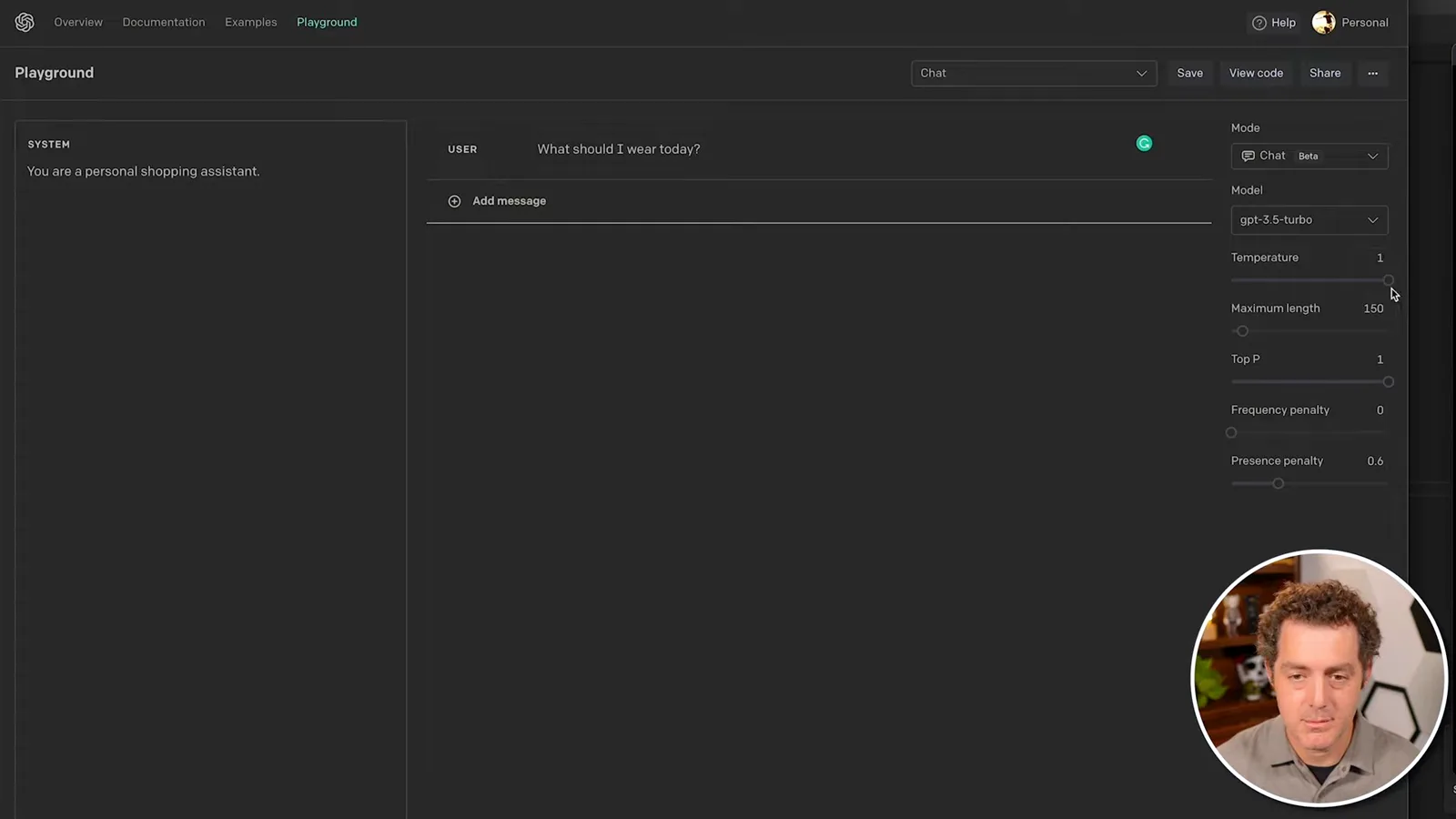
In the Playground's chat interface I set a system instruction, 'You are a personal shopping assistant,' and ask what I should wear. The response asks for weather, activity and preferences; after I say it is sunny and I plan a long walk, it suggests comfortable clothes. The interface exposes settings such as temperature and maximum length.
For the hands-on example, I use Python and clone the tutorial repository, change into its project directory and copy the example environment file. I create an API key and configure the local environment to use it. Keep credentials secret and out of source control; the tutorial's old packages and API calls may require changes for current services.
The sample application imports the OpenAI library and Flask. It reads the API key, defines routes and accepts an animal type from a form. A prompt supplies several example superhero animal names and asks the model for three names for the submitted animal.
I install the project's dependencies and start Flask. As I note in the video, the documentation's sample uses the older DaVinci completion model, not the newly announced GPT-3.5 Turbo chat endpoint. Running this example therefore demonstrates the older completion workflow rather than a working Turbo integration.
Once the local server is running, I open it on localhost port 5000 and enter 'bunny'. The application returns three suggestions: Super Hopper, Thumperman and Carrot Crusader. The example shows the basic flow from form input through a model call to displayed text.
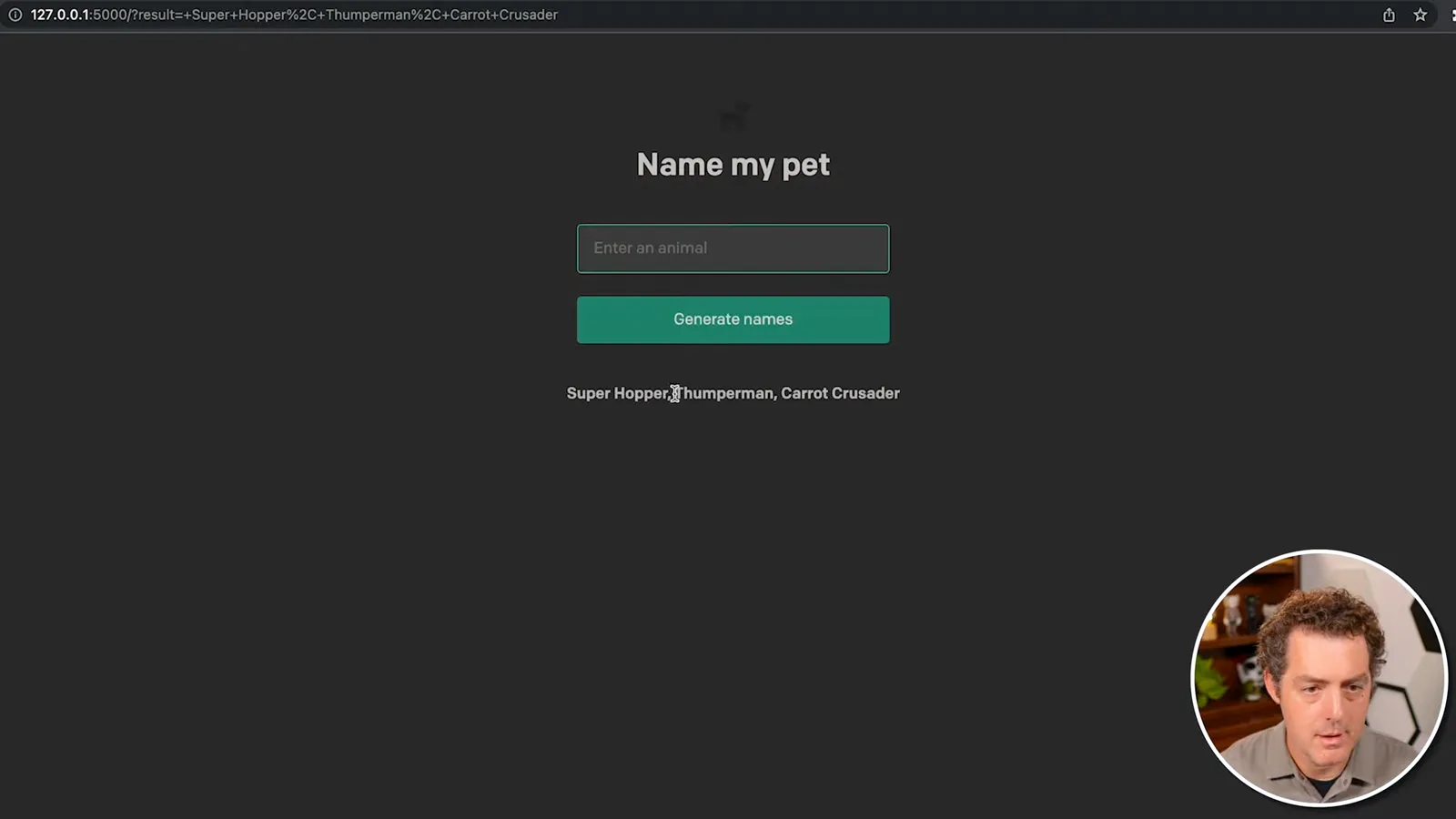
We now have a local Python environment connected to an OpenAI API. I plan to build a more substantial application with the Turbo endpoint later and consider whether to use Ruby on Rails or a no-code option. The video captures an early tutorial, so readers should check current API documentation, supported models, prices and policies before implementing it.
Mehr aus diesem Kanal
 34:21EN
 Matthew Berman· 27. Okt. 2026Matthew Berman Examines Anthropic’s IPO Filing, AI Growth and GovernanceMatthew Berman, Sam Altman · Forward FutureThe presenter reviews the S-1’s financial metrics, compute strategy and voting structure while questioning the tension between rapid AI development and safety.
 0:26ENMatthew Berman· 25. Okt. 2026Sam Altman on Human Values and Problem-Solving in an AI WorldSam Altman · OpenAIIn a short interview excerpt, Altman considers the enjoyment of solving hard problems and the human role in interpreting results.
 0:36ENMatthew Berman· 25. Okt. 2026Kimi K3.1 and a Rubik’s Cube Solver DemonstrationMatthew Berman · Forward FutureMatthew Berman shows a scrambled virtual cube being solved and gives the Kimi K3.1 test a favorable assessment.
 0:21ENMatthew Berman· 24. Okt. 2026An AI-Generated Kimi Benchmark Chart Used Invented ScoresMatthew Berman · Forward FutureMatthew Berman asks for a graph of Kimi K3.1 Pro benchmarks, then discovers that the displayed figures are illustrative placeholders.
 25:50ENMatthew Berman· 24. Okt. 2026Kimi K3.1 Pro Tested: Strong 3D Demos, Uneven Results and Competitive PricingMatthew Berman · Forward FutureMatthew Berman tests the open-weight model on coding, 3D rendering and visual explanations, then compares benchmark results and prices.
 32:20ENMatthew Berman· 23. Okt. 2026Who Is Local AI For? The Costs, Trade-offs and a Hybrid FutureMatthew Berman · Forward FutureMatthew Berman weighs data control and independence against hardware cost, setup complexity and inference speed.