In 30 Sekunden
Matthew Berman introduces Adobe’s December 2025 ChatGPT integrations for Photoshop, Express and Acrobat, describing photo adjustments, template-based design and PDF tasks. Adobe partnered with him on the video. The integrations exposed selected capabilities rather than the full desktop applications; Adobe’s later documentation says the separate Photoshop connector was replaced by a broader Adobe connector.
- 1Apps in conversationBerman describes ChatGPT apps as a way to invoke external application features using natural language.
- 2Photoshop adjustmentsThe 2025 integration offered targeted image adjustments, brightness, color, contrast, exposure and creative effects.
- 3Designs and documentsExpress supported template customization and animation; Acrobat offered PDF editing, extraction, merging and conversion.
- 4A historical launchAdobe said its three integrations were free at launch, but later documentation describes a broader Adobe connector replacing the separate Photoshop connector.
Das Wichtigste
- Adobe launched selected Photoshop, Express and Acrobat capabilities in ChatGPT in December 2025.
- Photoshop’s integration offered image adjustments and creative effects, with sliders as well as conversational instructions.
- Express supported template-based design changes, while Acrobat supported selected PDF editing and organization tasks.
- Adobe sponsored the video, and the available integrations and account requirements have evolved since its release.
Den bearbeiteten Text nach Kapiteln lesen
Adobe tools in ChatGPT
Berman introduces the integrations and discloses Adobe’s partnership on the video. He describes them as conversational application features.
ChatGPT is becoming a place where people can access functionality from other applications through natural-language requests. Following OpenAI’s developer event, apps began appearing inside ChatGPT; Adobe has brought selected capabilities from Photoshop, Express and Acrobat into that interface. Adobe partnered with me on this video, so this is a sponsored overview.
Photoshop, Express and Acrobat workflows
The sponsored overview covers photo editing, template design and PDF operations. These are selected integrations rather than complete desktop applications.
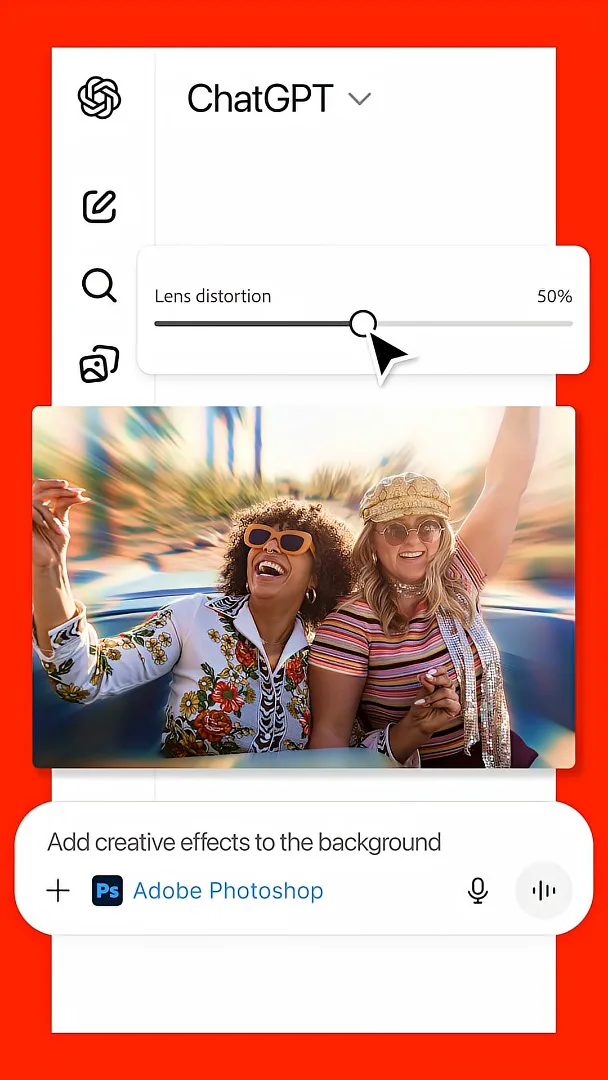
With the Photoshop integration, you can describe an image edit in a prompt: adjust a particular area, brightness, color, contrast or exposure, or add effects such as glitch and glow. Adobe’s launch announcement also describes sliders for some adjustments. These are selected tools in a conversational integration, not every feature of the full Photoshop application.
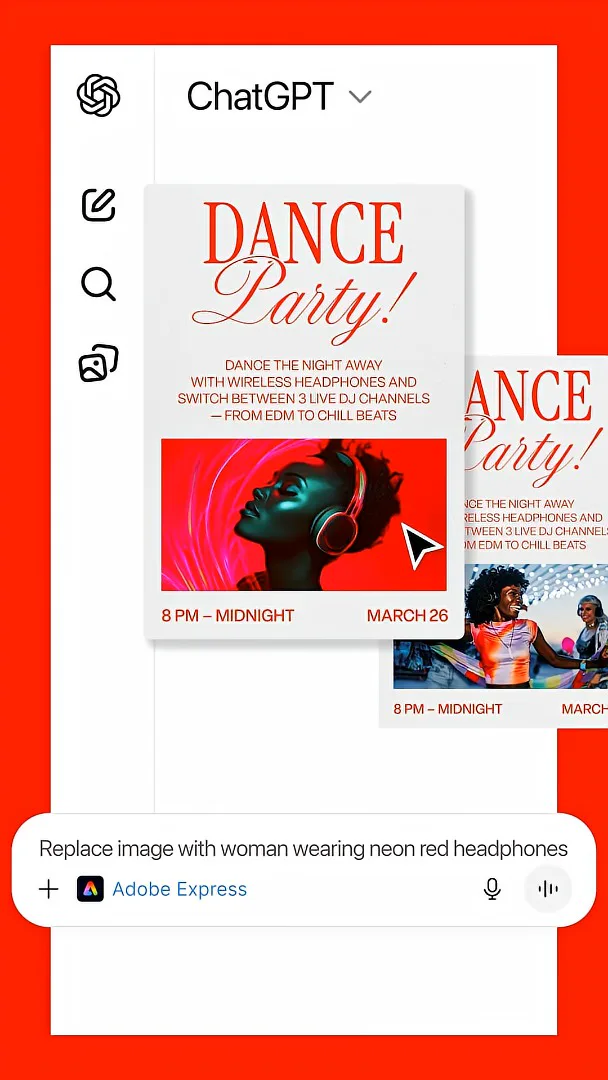
Adobe Express supports creating and personalizing designs from templates. You can browse options, fill in text, replace images, add animation and refine the design in the chat. Adobe says users who need the full set of editing tools can continue in its native application.
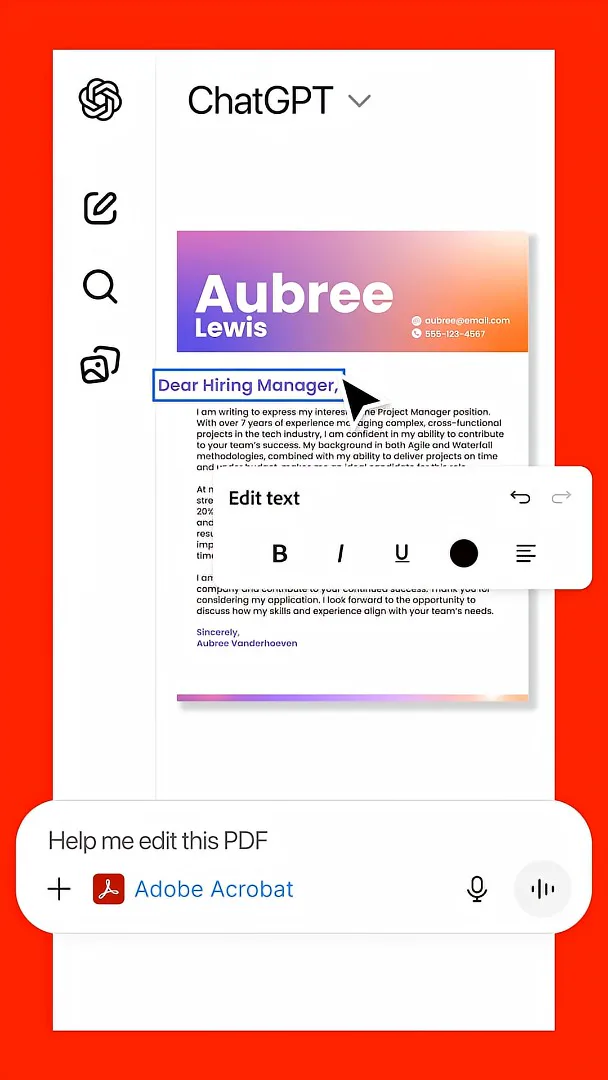
The Acrobat integration offers PDF workflows such as editing, extracting text and tables, organizing or merging files, compressing documents and converting files to PDF. The promotional video presents these as straightforward natural-language tasks; the exact available actions and results depend on the integration and the document.
Adobe’s [December 2025 launch announcement](https://news.adobe.com/news/2025/12/adobe-photoshop-express-acrobat-chatgpt) said the three integrations were free at launch, with platform availability varying by app. This is a historical overview: [Adobe’s later documentation](https://helpx.adobe.com/uk/firefly/web/app-integrations/adobe-connectors/adobe-for-chatgpt.html) says the separate Photoshop connector was replaced by a broader Adobe connector, and current capabilities and access may differ.
Mehr aus diesem Kanal
 34:21EN
 Matthew Berman· 27. Okt. 2026Matthew Berman Examines Anthropic’s IPO Filing, AI Growth and GovernanceMatthew Berman, Sam Altman · Forward FutureThe presenter reviews the S-1’s financial metrics, compute strategy and voting structure while questioning the tension between rapid AI development and safety.
 0:26ENMatthew Berman· 25. Okt. 2026Sam Altman on Human Values and Problem-Solving in an AI WorldSam Altman · OpenAIIn a short interview excerpt, Altman considers the enjoyment of solving hard problems and the human role in interpreting results.
 0:36ENMatthew Berman· 25. Okt. 2026Kimi K3.1 and a Rubik’s Cube Solver DemonstrationMatthew Berman · Forward FutureMatthew Berman shows a scrambled virtual cube being solved and gives the Kimi K3.1 test a favorable assessment.
 0:21ENMatthew Berman· 24. Okt. 2026An AI-Generated Kimi Benchmark Chart Used Invented ScoresMatthew Berman · Forward FutureMatthew Berman asks for a graph of Kimi K3.1 Pro benchmarks, then discovers that the displayed figures are illustrative placeholders.
 25:50ENMatthew Berman· 24. Okt. 2026Kimi K3.1 Pro Tested: Strong 3D Demos, Uneven Results and Competitive PricingMatthew Berman · Forward FutureMatthew Berman tests the open-weight model on coding, 3D rendering and visual explanations, then compares benchmark results and prices.
 32:20ENMatthew Berman· 23. Okt. 2026Who Is Local AI For? The Costs, Trade-offs and a Hybrid FutureMatthew Berman · Forward FutureMatthew Berman weighs data control and independence against hardware cost, setup complexity and inference speed.