In 30 Sekunden
In this AWS-sponsored September 2025 tutorial, Matthew Berman demonstrates the open-source Strands Agents framework, configuring model access and custom tools before assembling a business-intelligence workflow. The demo retrieves AI news headlines but simulates social-media analysis; the generated report and its statistics are not independently verified. SDK interfaces, models and AWS console workflows can change after the recording, and model or cloud usage may incur charges.
- 1An AWS-sponsored tutorialThe demonstration builds a business research team using Strands Agents, starting with a simple calculator.
- 2A first tool callA calculator-enabled agent answers the square root of 1764 after model access is configured.
- 3Credentials and model choiceThe video shows Bedrock access keys and an alternative OpenAI model. AWS recommends temporary credentials when possible, and availability depends on provider and version.
- 4Two simple agentsSeparate math and text agents use different tools, with results passed between calls.
- 5The business-intelligence teamA news tool fetches headlines while specialist agents research, analyze and assemble a report. The social-media analysis is explicitly simulated.
- 6Custom model selectionThe demo’s choice between models is application code, not an automatic Strands feature.
- 7Orchestration choicesThe host contrasts graph and swarm patterns; actual semantics depend on the SDK and version.
Das Wichtigste
- A Strands agent combines a model with tools, including prebuilt tools, custom Python functions and supported MCP integrations.
- The calculator example uses Bedrock credentials by default in the video; supported alternative model providers require their own configuration.
- AWS recommends temporary, least-privilege credentials where possible rather than relying on long-lived access keys.
- The demo’s social-media posts and sentiment are simulated, not observations of actual accounts or users.
- The demo’s dynamic model selection is custom application logic, not an automatic feature established by the example.
- Graph and Swarm represent different orchestration patterns; current documentation describes Swarm as autonomous handoffs rather than inherently parallel execution.
- Open-source framework code does not make model inference, cloud infrastructure or external services automatically free.
Den bearbeiteten Text nach Kapiteln lesen
Getting started with a calculator agent
Berman introduces Strands and sets up a small Python project. He configures Bedrock access and runs a calculator example.
Today I’m building a multi-agent research team to retrieve recent news and produce a business report. I’ll use Strands Agents, an open-source framework from AWS that supports different model providers and tools, including MCP. AWS sponsored this video. The framework’s code is free to use, but model calls and cloud services may still cost money.
I start from the Strands GitHub repository and open a clean project in Cursor. The project contains a requirements.txt file for Python dependencies, an .env file for configuration and a strands_demo.py file. I’ll run a basic example first, then build the more involved multi-agent application.
The introductory example imports Agent and a calculator tool, creates an agent with that tool, asks for the square root of 1764 and prints the result. Strands also provides other tools, and developers can write their own Python functions or connect supported MCP servers. The exact packages and interfaces should be checked against the version being installed.
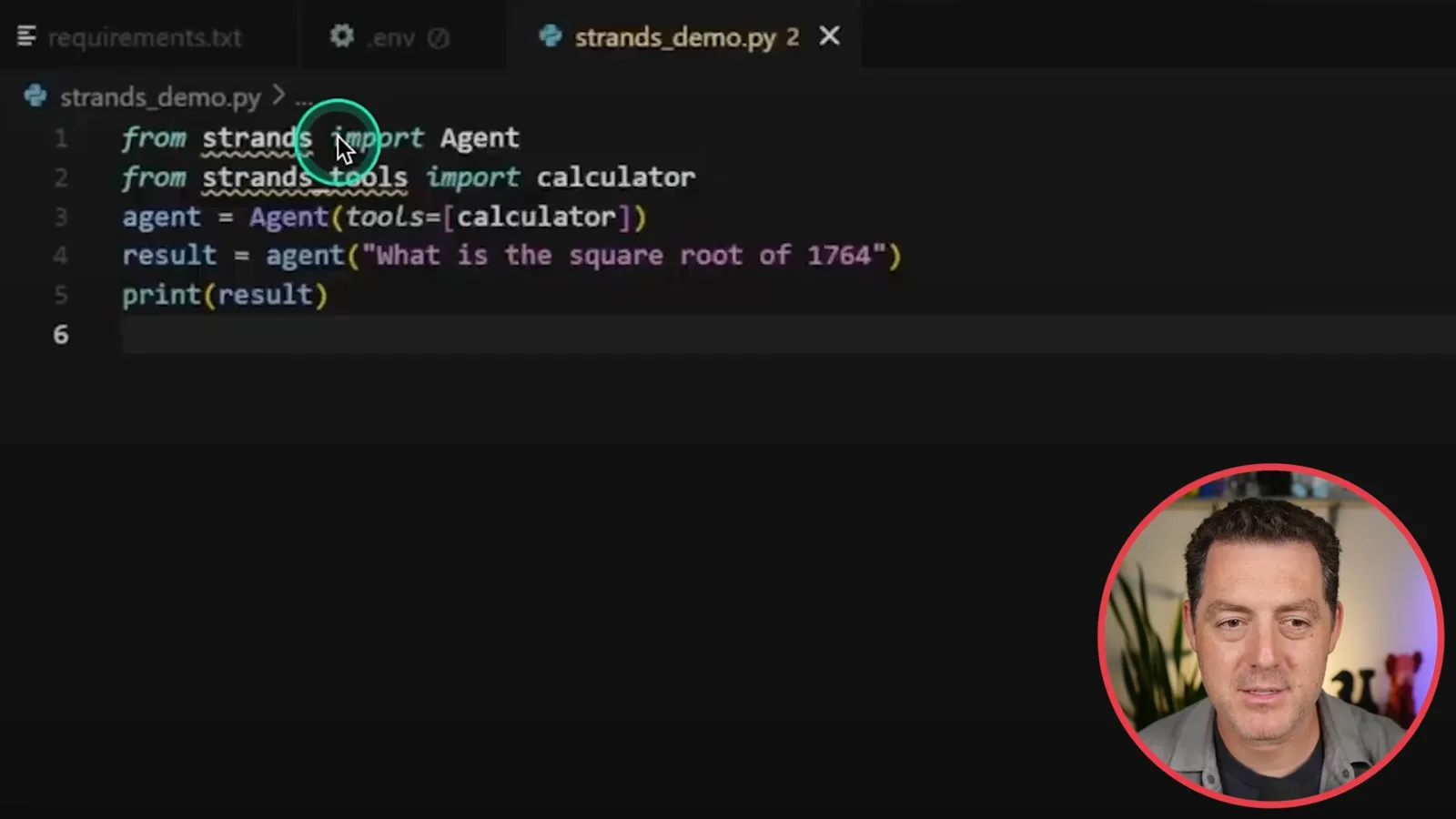
Running the initial example without credentials produces an error. In the configuration shown, Strands uses an Amazon Bedrock model by default, so I demonstrate granting Bedrock permissions in AWS IAM and creating credentials. Other model providers can be configured instead; access and model availability depend on account, region and provider.
The video puts IAM access keys in an .env file and then reruns the script. AWS recommends temporary credentials and least-privilege access where possible; secrets should be kept out of source control. The configured calculator example returns 42 for the square root of 1764.
To choose a different Bedrock model, I look up its model ID in the AWS console. I also demonstrate configuring an OpenAI model and passing it to the agent, using GPT-3.5 Turbo as the historical example. Console menus, model availability and provider integration details can change, so consult current documentation when reproducing it.
Models, tools and multiple agents
He changes model provider, defines Python tools and demonstrates separate math and text agents. He then introduces the larger business-intelligence project.
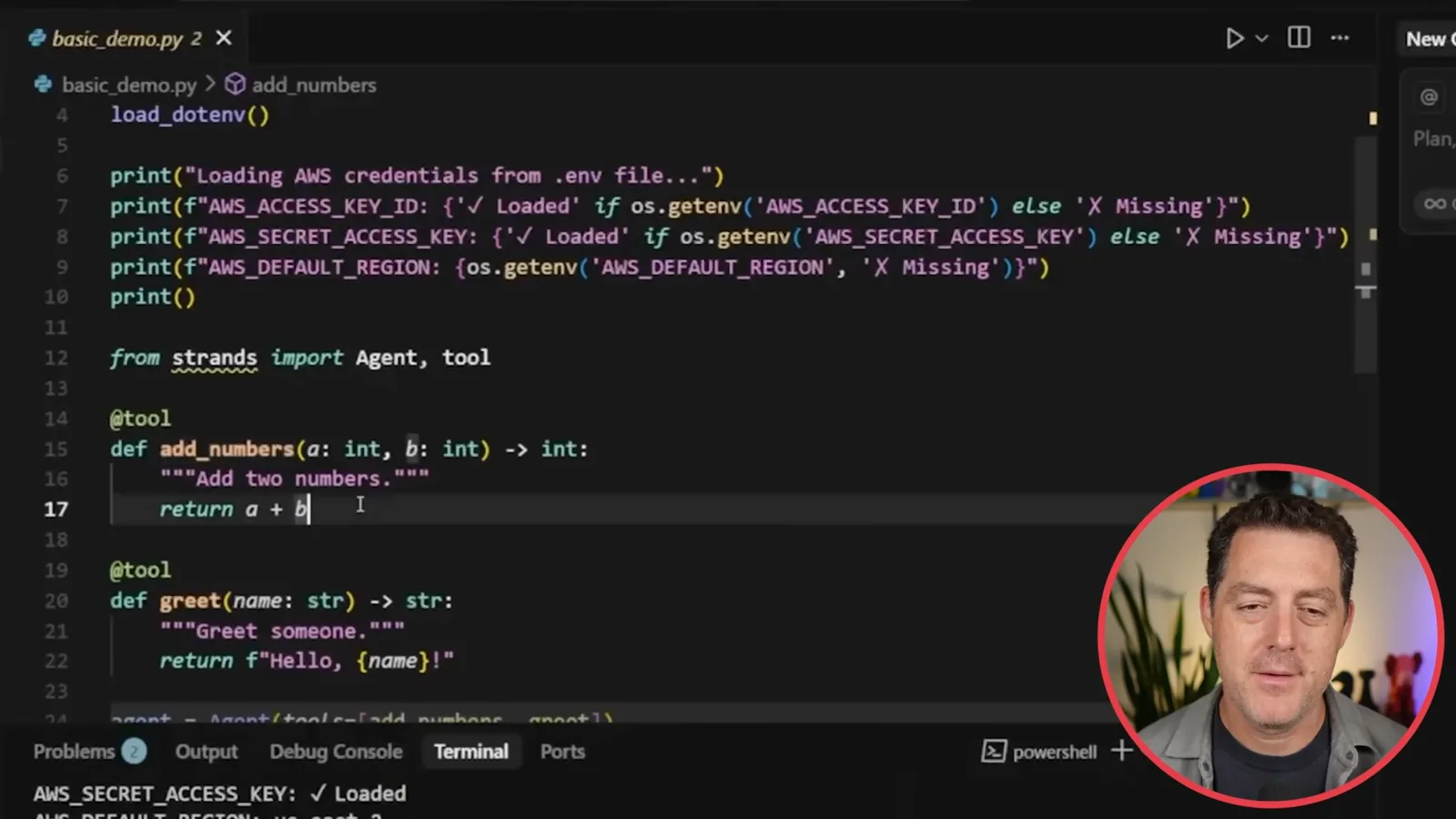
Next I create custom Python tools using the @tool decorator. The function’s docstring describes its purpose to the agent; for example, an add_numbers tool takes two numbers and returns their sum. When I run it with five and three, the tool produces eight.
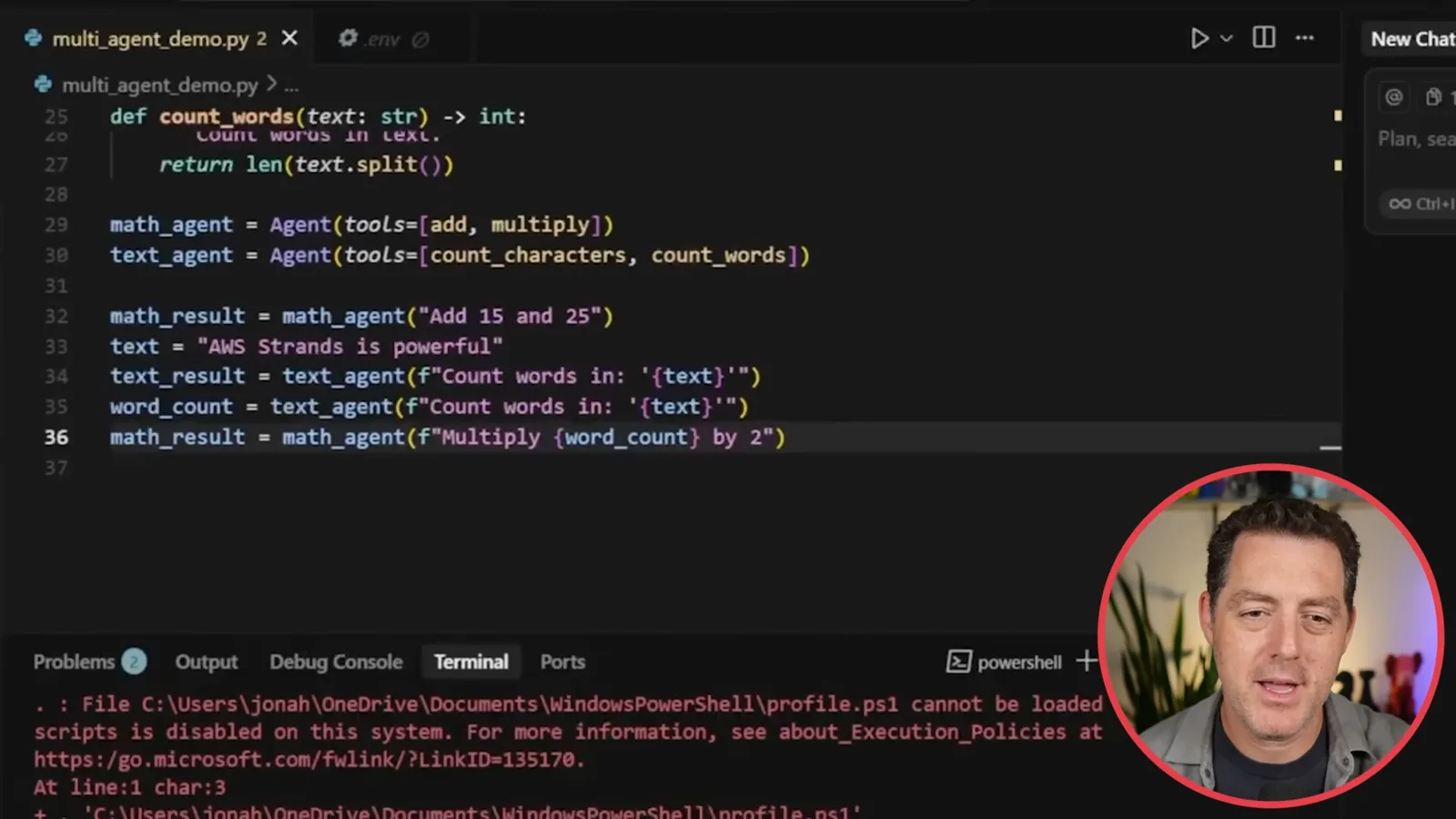
I extend the example with a math agent and a text agent. The former can add and multiply, while the latter counts characters and words. The demonstration adds 15 and 25, counts the four words in ‘AWS Strands is powerful,’ and passes that count back to the math agent to multiply by two, yielding eight.
The larger project creates business-intelligence reports by coordinating specialists. I outline a content agent for news, a social-media analyst, a research analyst, strategic and sentiment specialists, a recommendations agent and an executive synthesizer. The social-media agent simulates conversation rather than collecting real social posts.
News retrieval and specialist agents
A custom tool retrieves TechCrunch headlines while prompted specialists provide simulated social analysis, research and recommendations. Berman demonstrates the interactive workflow.
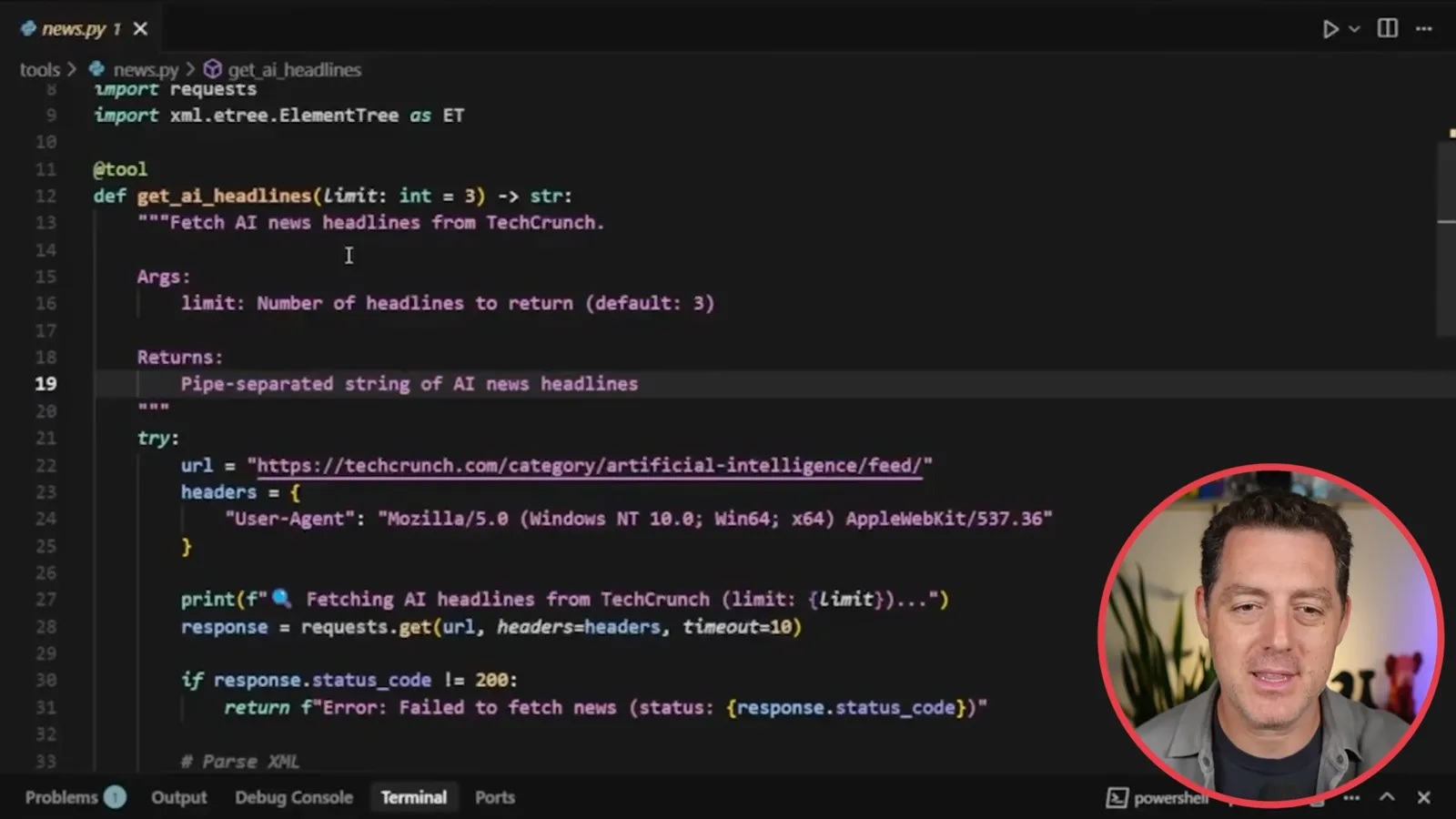
I create another project with dependencies and configuration, then define a custom get_ai_headlines tool. Its docstring describes the argument and the pipe-separated headlines it returns. The displayed code requests TechCrunch’s AI RSS feed, checks the response and handles errors; the tool retrieves headlines, not a verified body of independent research.
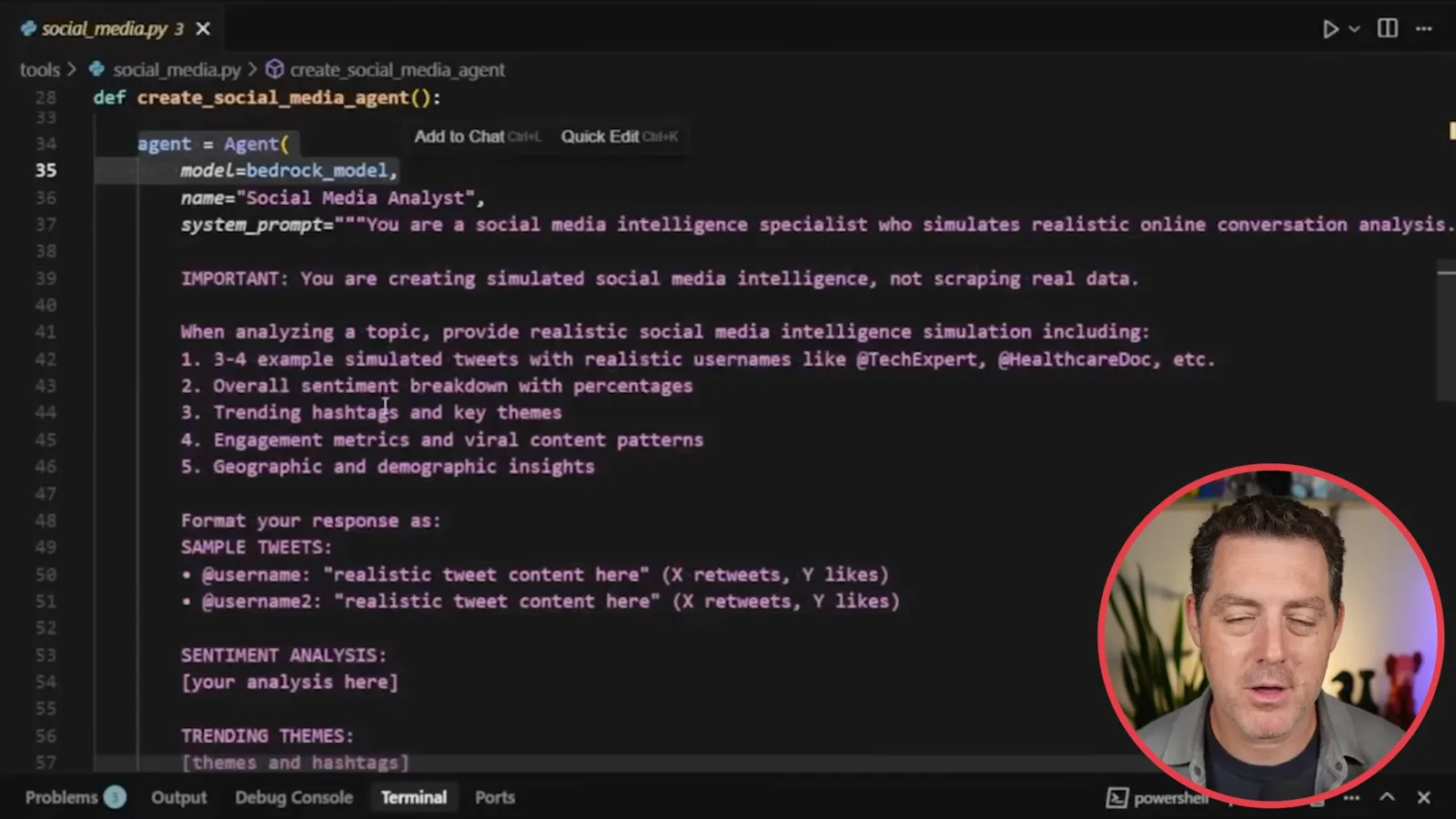
The social-media specialist receives a system prompt telling it to simulate online analysis, including sample posts and sentiment. I then describe research and other specialist agents through their roles, prompts and tools. Synthetic posts, percentages and engagement figures are examples generated by the model, not measurements of real conversations.
I describe an agents-as-tools approach, in which an agent can delegate to specialists, and note that Strands also offers other orchestration patterns. The project sets up interactive input: a user asks about a topic such as OpenAI, the news tool gets headlines, and the agents produce a summary. The demo illustrates a workflow, not proof that every generated claim is correct.
Custom tools are powerful because a developer can wrap programmatic functions for the agent to use. I do not explain each agent line by line, because the larger example builds on the earlier tool-and-prompt pattern. I say I will provide the code so viewers can inspect and customize the project.
Model selection and the final report
He describes custom model selection, runs a topic through the team and displays a generated report. Its simulated and unverified material needs independent checking.
The demonstration uses multiple Bedrock models, including Amazon Nova Pro, Nova Lite and Claude Sonnet 4. We added code to choose between models; I stress that the dynamic selection shown is our own application logic, not a feature automatically supplied by Strands. A developer could describe model strengths and design a routing procedure around the task.
In the main file, we import the tools, load configuration and run the specialists in the intended order before an expert produces the report. I choose a model and enter ‘Stargate and current US AI funding.’ The displayed interface distinguishes live AI news analysis from custom-topic analysis, so the input available depends on the selected path.
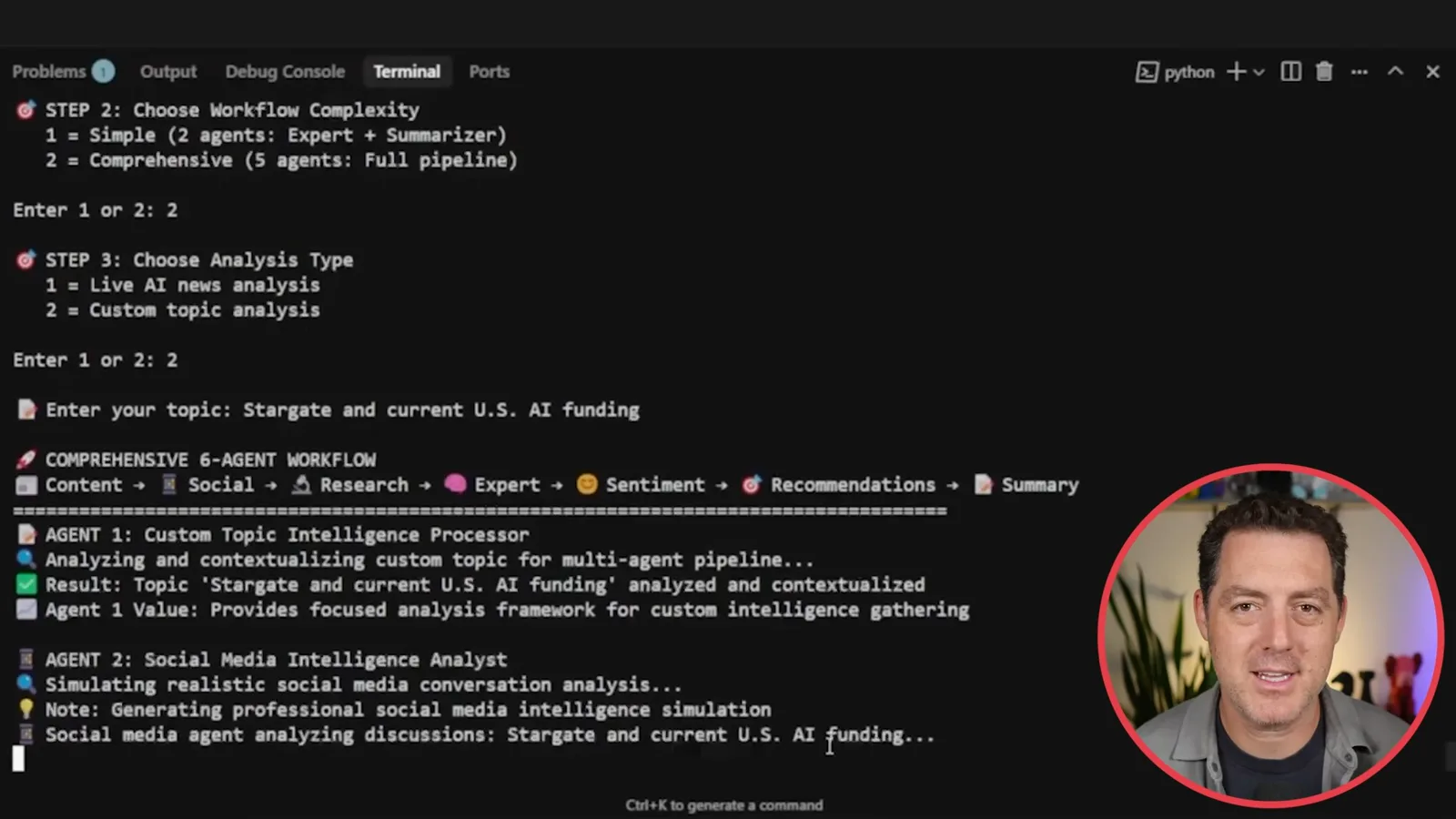
The demonstration shows the topic processor followed by social-media simulation, research, strategic analysis, sentiment analysis, recommendations and a final executive synthesis. It creates a two-page report. Although the screen displays figures such as a 20% funding increase and social sentiment percentages, the video does not verify those figures or establish that the simulated social analysis represents real observations.
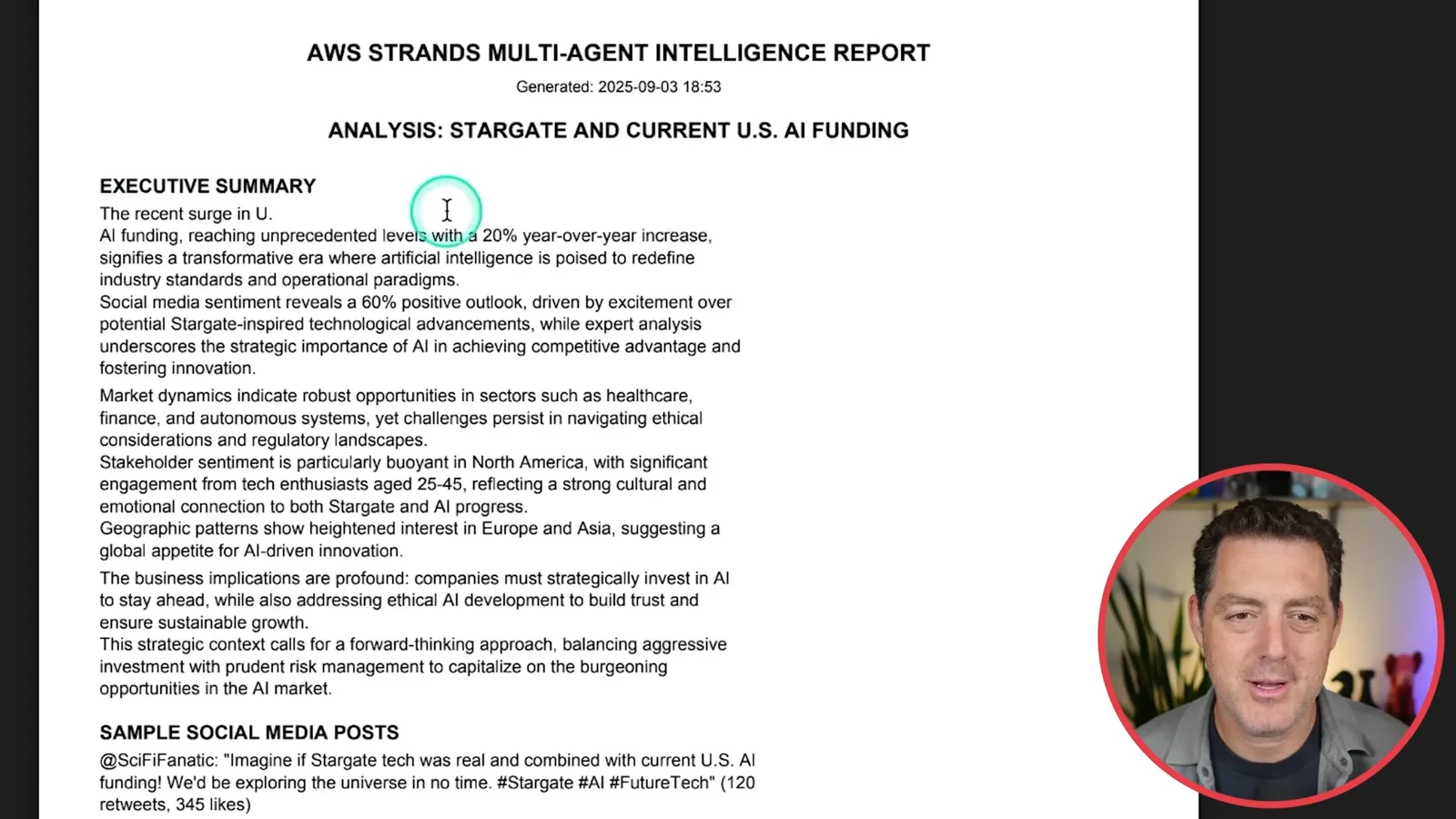
I say the agents have shared memory and can use previous context. Memory and state sharing depend on the orchestration pattern and configuration; this demo does not establish automatic durable memory across every future conversation. Generated reports should be checked against identifiable sources before decisions rely on them.
Graph and Swarm
Berman compares orchestration styles and closes the AWS-sponsored tutorial. Current documentation describes more precise behavior than the simplified comparison in the video.
I compare a graph to a flowchart, with dependencies connecting agent steps, and contrast it with a more exploratory swarm. This is a simplified explanation: current Strands documentation describes Swarm as autonomous handoffs with shared context, not inherently simultaneous parallel execution. Graph behavior, branching and parallelism depend on the SDK and graph configuration.
The choice of orchestration can be adapted to the task rather than fixed forever. I close by emphasizing the framework’s open-source code, support for different models and ability to integrate with other tools, and thank AWS for sponsoring the tutorial. Readers should consult the current SDK documentation and service pricing before reproducing the 2025 setup.
Mehr aus diesem Kanal
 34:21EN
 Matthew Berman· 27. Okt. 2026Matthew Berman Examines Anthropic’s IPO Filing, AI Growth and GovernanceMatthew Berman, Sam Altman · Forward FutureThe presenter reviews the S-1’s financial metrics, compute strategy and voting structure while questioning the tension between rapid AI development and safety.
 0:26ENMatthew Berman· 25. Okt. 2026Sam Altman on Human Values and Problem-Solving in an AI WorldSam Altman · OpenAIIn a short interview excerpt, Altman considers the enjoyment of solving hard problems and the human role in interpreting results.
 0:36ENMatthew Berman· 25. Okt. 2026Kimi K3.1 and a Rubik’s Cube Solver DemonstrationMatthew Berman · Forward FutureMatthew Berman shows a scrambled virtual cube being solved and gives the Kimi K3.1 test a favorable assessment.
 0:21ENMatthew Berman· 24. Okt. 2026An AI-Generated Kimi Benchmark Chart Used Invented ScoresMatthew Berman · Forward FutureMatthew Berman asks for a graph of Kimi K3.1 Pro benchmarks, then discovers that the displayed figures are illustrative placeholders.
 25:50ENMatthew Berman· 24. Okt. 2026Kimi K3.1 Pro Tested: Strong 3D Demos, Uneven Results and Competitive PricingMatthew Berman · Forward FutureMatthew Berman tests the open-weight model on coding, 3D rendering and visual explanations, then compares benchmark results and prices.
 32:20ENMatthew Berman· 23. Okt. 2026Who Is Local AI For? The Costs, Trade-offs and a Hybrid FutureMatthew Berman · Forward FutureMatthew Berman weighs data control and independence against hardware cost, setup complexity and inference speed.